Minecraft version
Back to mods 
Modrinth · Minecraft mod
Occupied
See what other players are doing — typing, in a chest, at a furnace, asleep, or away — shown above their head.
Choose a version Pick your version below, then grab the matching file.
Quick answer
Which Occupied release matches 26.2?
alpha file 0.1.0
Game version 26.1.2, 26.2
Loader NeoForge
Occupied 0.1.0 targets 26.1.2, 26.2 with NeoForge. Installation on the client is optional. Installation on the dedicated server is optional. No extra mods listed for this file.
Where it goes
Is Occupied required on the client, server, or both?
Installation on the client is optional. Installation on the dedicated server is optional.
Client Optional
Dedicated server Optional
Loader for this release NeoForge
Required install it here Optional supported, not mandatory Not supported do not install here Source doesn’t say do not assume
The source marks this as usable on both the client and server.
What else does Occupied 0.1.0 need?
0.1.0 on 26.2. Every mod below is checked against that same setup.
This file does not list any required mods. Do not add a library just because a different file uses it.
This file does not list any required or optional mods.
Before you install it
Add Occupied without breaking your instance.
Built for Occupied 0.1.0 on 26.2. Pick another file and the loader, install side or required mods may change.
- 01
Stick to this file
Use 0.1.0. It targets 26.1.2, 26.2 with NeoForge; another release may have different loader, side or dependency requirements.
- 02
Bring the mods it needs
This file does not list any required mods. Do not add a library just because a different file uses it.
- 03
Put it on the correct side
Installation on the client is optional. Installation on the dedicated server is optional.
- 04
Pick the file you checked
Use the “Get this file” button beside 0.1.0. It opens that exact file at the source.
About this project
What does Occupied add?
Occupied
Stop guessing whether that player is AFK, busy, or ignoring you. Occupied shows what
other players are actually doing, right above their head next to their name.
What you'll see
State has two independent parts — what screen they're in and whether they've gone idle —
so both can show at once, e.g. in a chest · away.
| They're… | You'll see |
|---|---|
| Typing in chat | typing… |
| In their inventory | in their inventory |
| In a chest, barrel, shulker, hopper | in a chest |
| At a crafting table, anvil, furnace, enchanting table, brewing stand… | the specific station |
| Trading with a villager | trading |
| In a menu (pause, map, settings) | in a menu |
| Asleep | asleep |
| No input for a minute | away — on its own, or added to any of the above |
"Away" is detected from all input — movement, looking around, cursor, screen changes —
so it still shows even while a container is open, where a player is otherwise standing frozen.
Why it's painless to add
- Client-side only. One-click install, works on any server, and vanilla players see
nothing unusual. - No new rendering. It rides the vanilla name tag, so labels are readable at exactly the
distance names are — and it never conflicts with other rendering mods. - Quiet. A tiny packet is sent only when your state actually changes.
Requirements
- Minecraft 26.1.2
- NeoForge
- Install on every client that wants to see the labels
Roadmap
- Config: which states to show, max distance, text vs icons
- Icons as an alternative to text
- Additional Minecraft versions
Project description from Modrinth.
Pick your setup
Occupied by Minecraft version and loader
Choose the version and loader you play, then open the matching release.
Minecraft version
26.1.2
1 loader buildCheck the dependencies, then try the file in a copied instance before changing a world you care about.
Recent files
Occupied versions and loaders
0.1.0
occupied-0.1.0.jar
23 Jul 2026
Client Optional Server Optional Dependencies No extras listed Listed on Release listing
Check the 26.2 · NeoForge setup 26.1.226.2NeoForge alpha
Looking for an older file? The official Modrinth project page is in Resources.
 mod
mod CurseForge · Minecraft
More Mob Tower Variants
Adds new mob-themed tower variants with unique enemies, challenges, and exploration encounters.
 mod
mod CurseForge · Minecraft
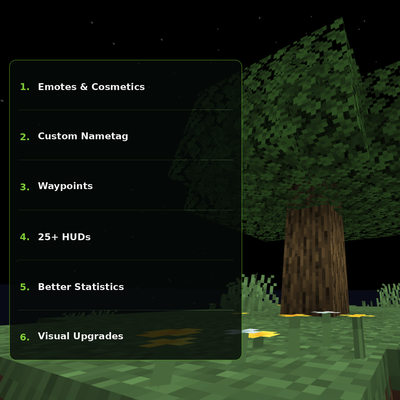
Tree Client
A modern Minecraft client with emotes, cosmetics, custom HUDs, waypoints, visual upgrades and more.
 mod
mod CurseForge · Minecraft
ElBarabba's Better Progression (EBP)
Better Progression aims to extend the fun of vanilla Minecraft's early-game progression across the entire game.