Minecraft version
Back to mods 
Modrinth · Minecraft mod
HexLands (Updated)
Hexagonal world generation, Settlers of Catan style! Updated to 1.21.8+
Choose a version Pick your version below, then grab the matching file.
Quick answer
Which HexLands (Updated) release matches 26.3?
Best match for your filters 6.4.0
Game version 26.3-rc-1, 26.3
Loader Fabric
HexLands (Updated) 6.4.0 targets 26.3-rc-1, 26.3 with Fabric. Do not install it on the client. It must be installed on the dedicated server. No extra mods listed for this file.
Where it goes
Is HexLands (Updated) required on the client, server, or both?
Do not install it on the client. It must be installed on the dedicated server.
Client Not supported
Dedicated server Required
Loader for this release Fabric
Required install it here Optional supported, not mandatory Not supported do not install here Source doesn’t say do not assume
This file is marked server-only.
What else does HexLands (Updated) 6.4.0 need?
6.4.0 on 26.3. Every mod below is checked against that same setup.
This file does not list any required mods. Do not add a library just because a different file uses it.
This file does not list any required or optional mods.
Before you install it
Add HexLands (Updated) without breaking your instance.
Built for HexLands (Updated) 6.4.0 on 26.3. Pick another file and the loader, install side or required mods may change.
- 01
Stick to this file
Use 6.4.0. It targets 26.3-rc-1, 26.3 with Fabric; another release may have different loader, side or dependency requirements.
- 02
Bring the mods it needs
This file does not list any required mods. Do not add a library just because a different file uses it.
- 03
Put it on the correct side
Do not install it on the client. It must be installed on the dedicated server.
- 04
Pick the file you checked
Use the “Get this file” button beside 6.4.0. It opens that exact file at the source.
About this project
What does HexLands (Updated) add?
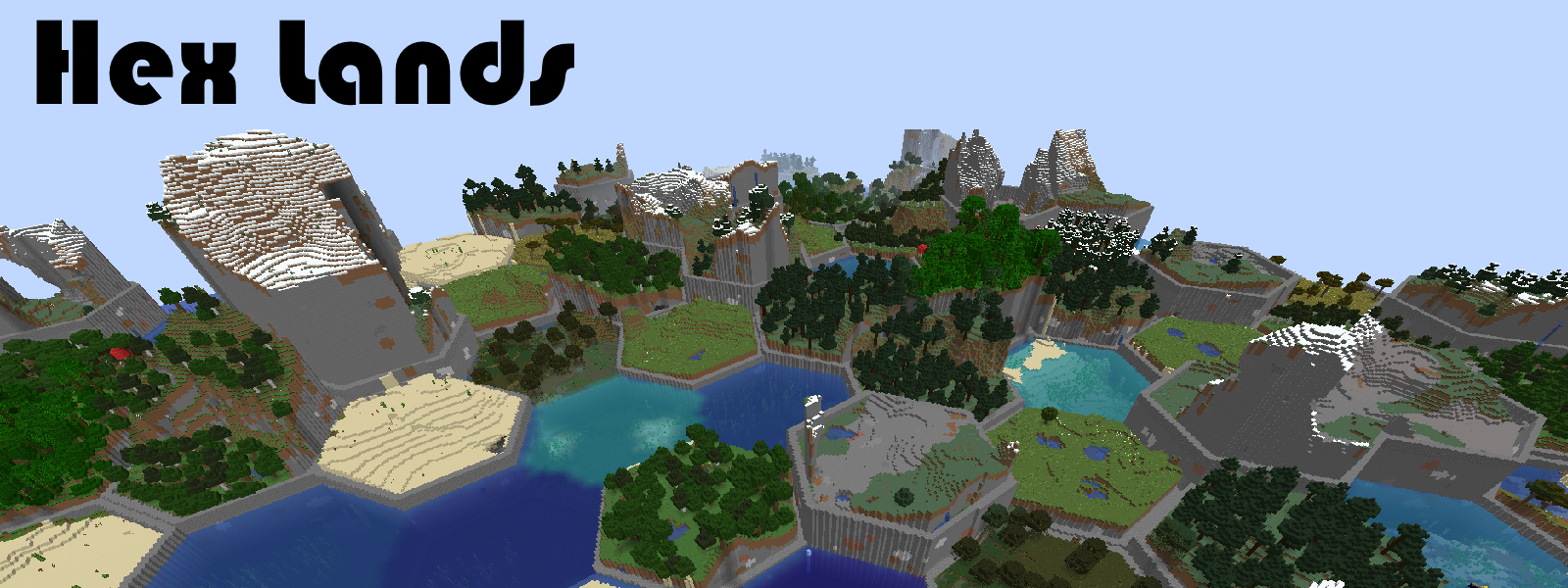
This mod is an updated version of Hex Lands mod by superfluke, updated through 1.16 to 1.21.1 by alcatrazEscapee.
Features
- Adds two world type presets: "HexLands", and "HexLands (Overworld)". The former which enables hexagonal terrain generation in both the overworld and the nether, the latter which only enables it in the overworld.
- Each hex contains a single biome. Hexes of different types are bordered by walls.
- Automatic compatibility with mods that add biomes to the overworld or other world generation.
- Many options for world customization via data packs.
Configuration
- For 1.21.8+
Worlds are specified by World Presets. HexLands can be customized by adding a new world preset, which uses the hexlands:hexlands chunk generator. The hexlands chunk generator has the following fields:
typeis a string identifying what generator to use. It should behexlands:hexlands.settingsis a Noise Settings used by the dimension.biome_sourceis the biome source, as in vanilla. It can be a known preset, such as"minecraft:overworld", or"minecraft:nether", or it can be a JSON object following the vanilla biome source format.hex_settingsis an object with parameters defining how the hexagonal grid works. It can either be a known preset, which must be one of"hexlands:overworld","hexlands:nether", or"hexlands:the_end", or it can be an object with the following fields:biome_scale(Default: 8) is the scale at which biomes are sampled to create hexes. Higher values create more random biome layouts.hex_size(Default: 40) is the size of an individual hex.hex_border_threshold(Default: 0.92) is a number between0and1representing how much of a hex should be covered by the border. Larger values will lead to thinner borders.top_borderandbottom_borderare both border settings which define how the top and bottom borders of the world are built. The borders between hexes consist of a bottom border, air, and a top border. If not present, this section of the border will consist entirely of air. If present, it must have the following fields:min_height: The minimum height of the border.max_height: The maximum height of the border.state: A block state to generate as the border state. It must be an object with the following fields:Name: The name of the blockProperties: An object with any block state properties, such as{"snowy": "false"}that you desire to set
Example
// Below is an example object which can be used in the `generator` field of a world preset.
{
    "type": "hexlands:hexlands",
    "settings": "minecraft:overworld",
    "biome_source": {
      "type": "minecraft:multi_noise",
      "preset": "minecraft:overworld"
    },
    "hex_settings": "hexlands:overworld"
}
Gallery
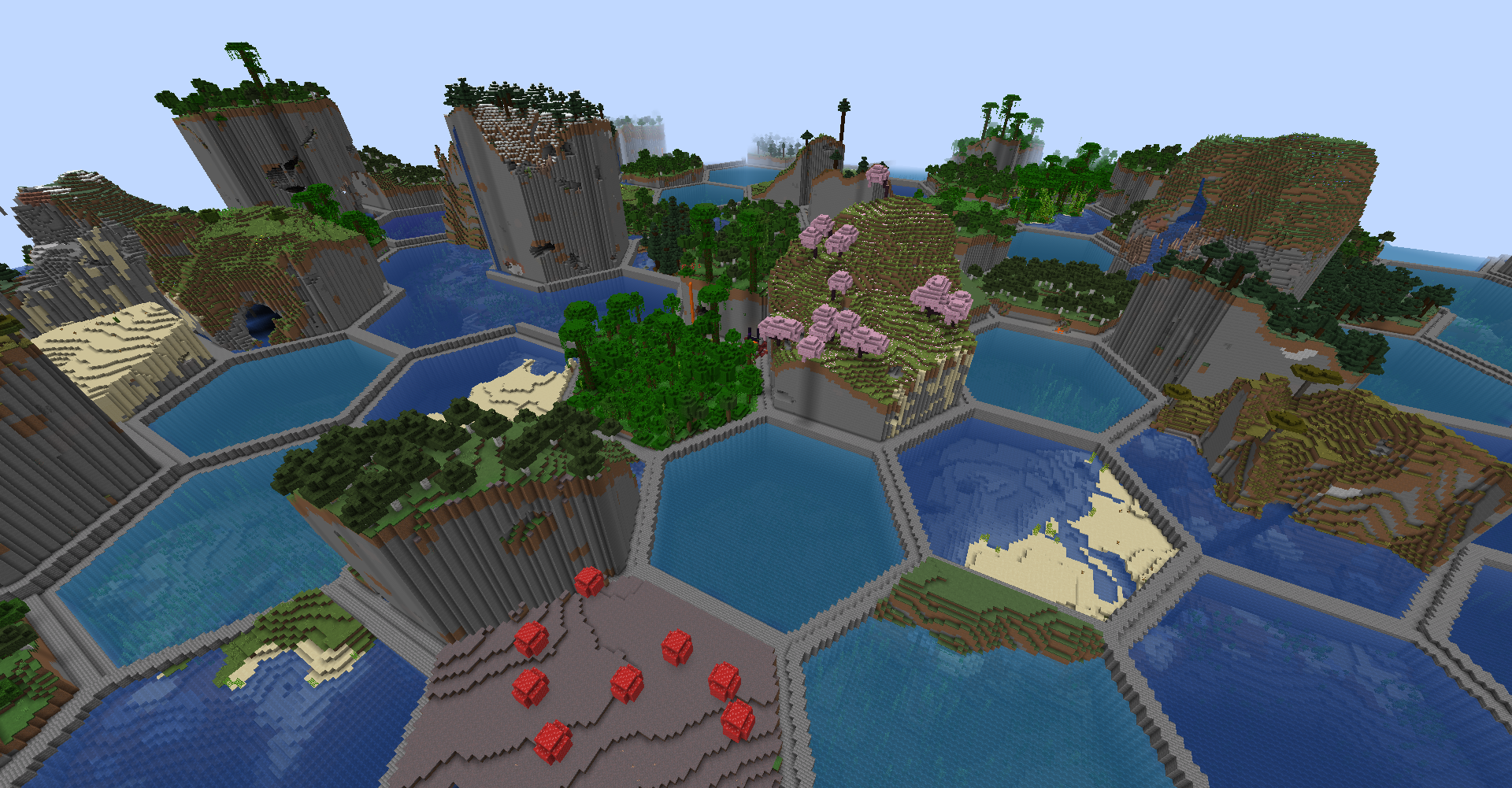
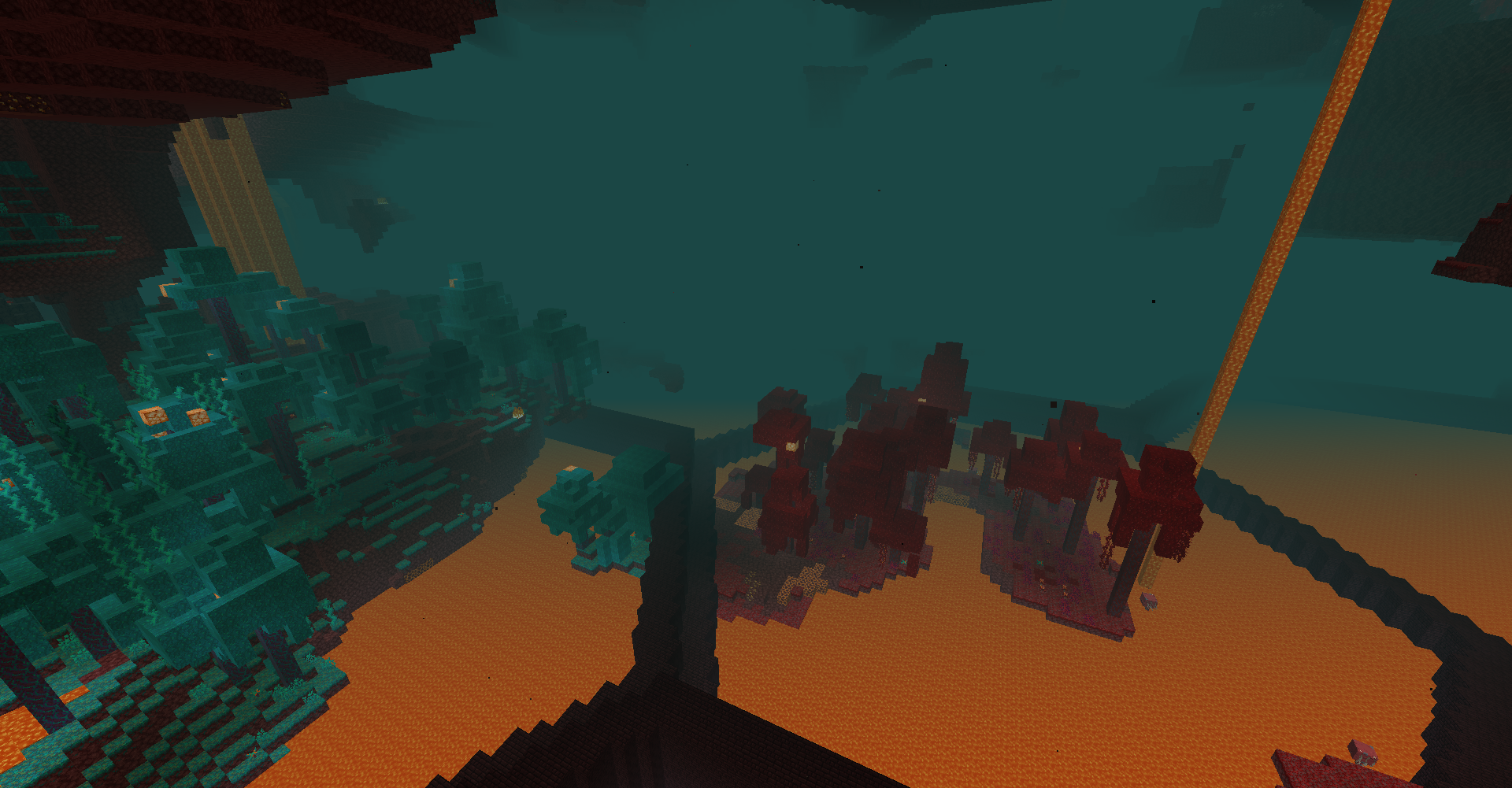
Project description from Modrinth.
Pick your setup
HexLands (Updated) by Minecraft version and loader
Choose the version and loader you play, then open the matching release.
Minecraft version
26.3
1 loader buildMinecraft version
26.2
1 loader buildMinecraft version
26.1.2
1 loader buildMinecraft version
26.1.1
1 loader buildMinecraft version
26.1
1 loader buildMinecraft version
1.21.11
1 loader buildMinecraft version
1.21.10
2 loader buildsMinecraft version
1.21.9
2 loader buildsMinecraft version
1.21.8
2 loader buildsMinecraft version
1.21.7
1 loader buildMinecraft version
1.21.6
1 loader buildCheck the dependencies, then try the file in a copied instance before changing a world you care about.
Recent files
HexLands (Updated) versions and loaders
6.4.0
hexlands-6.4.0.jar
12 Sept 2026
Client Not supported Server Required Dependencies No extras listed Listed on Release listing
Check the 26.3 · Fabric setup 26.3-rc-126.3Fabric release
Looking for an older file? The official Modrinth project page is in Resources.
 mod
mod CurseForge + Modrinth · Minecraft
Resettable Trial Vaults & Spawners
Sneak and use the Trial Key to reset Trial Vaults and Trial Spawners.
 mod
mod CurseForge + Modrinth · Minecraft
Smart Villagers AI
Turn ordinary villagers into intelligent, talkative, context-aware NPCs powered by AI.
 mod
mod CurseForge + Modrinth · Minecraft
Noob's Container Searcher
A client side Fabric mod that remembers the contents of containers and villagers you open, then lets you search saved items later with a command or keybind. Basically a Item Finder.