Minecraft version
Back to mods 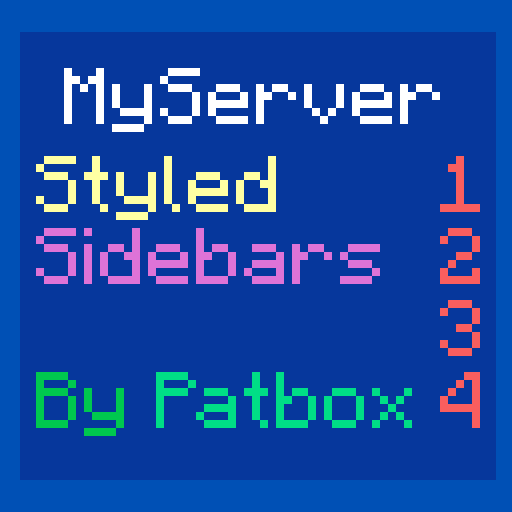
Modrinth · Minecraft mod
Styled Sidebars
Customisable sidebars for your Minecraft server!
Choose a version Pick your version below, then grab the matching file.
Quick answer
Which Styled Sidebars release should I use?
Latest stable file 1.13.0+26.3
Game version 26.3, 26.3-rc-1, 26.3-rc-2
Loader Fabric
Styled Sidebars 1.13.0+26.3 targets 26.3, 26.3-rc-1, 26.3-rc-2 with Fabric. Do not install it on the client. It must be installed on the dedicated server. No extra mods listed for this file.
Where it goes
Is Styled Sidebars required on the client, server, or both?
Do not install it on the client. It must be installed on the dedicated server.
Client Not supported
Dedicated server Required
Loader for this release Fabric
Required install it here Optional supported, not mandatory Not supported do not install here Source doesn’t say do not assume
This file is marked server-only.
What else does Styled Sidebars 1.13.0+26.3 need?
1.13.0+26.3. Change the file and its required mods may change too.
This file does not list any required mods. Do not add a library just because a different file uses it.
This file does not list any required or optional mods.
Before you install it
Add Styled Sidebars without breaking your instance.
Built for Styled Sidebars 1.13.0+26.3. Pick another file and the loader, install side or required mods may change.
- 01
Stick to this file
Use 1.13.0+26.3. It targets 26.3, 26.3-rc-1, 26.3-rc-2 with Fabric; another release may have different loader, side or dependency requirements.
- 02
Bring the mods it needs
This file does not list any required mods. Do not add a library just because a different file uses it.
- 03
Put it on the correct side
Do not install it on the client. It must be installed on the dedicated server.
- 04
Pick the file you checked
Use the “Get this file” button beside 1.13.0+26.3. It opens that exact file at the source.
About this project
What does Styled Sidebars add?

Styled Sidebars
This mod allows you to create dynamic and server side sidebars (using scoreboard) with
all functionality you need! Supports static, scrolling (with looping) and paged sidebars
with full support for Text Placeholder API and compatible mods.
If you have any questions, you can ask them on my Discord
Also check out my other mods and project, as you might find them useful!

Commands (and permissions):
/styledsidebars- Main command (styledsidebars.main, available by default)/styledsidebars reload- Reloads configuration and styles (requiresstyledsidebars.reload)/styledsidebars switch <style>or/sidebar <style>- Changes selected style (styledsidebars.switch, available by default)/styledsidebars switchothers <players> <style>- Changes selected style of players (styledsidebars.switch.others)
Configuration:
You can find config file in ./config/styled-sidebars/.
{
  // config version, don't modify as otherwise it might get corrupted!
  "config_version_dont_modify": 1,
  "_comment": "Before changing anything, see https://github.com/Patbox/StyledSidebars#configuration",
  // Id of a style used by default. Id is determined by filename of style
  "default_style": "default",
  "messages": {
    // Message sent after player changes the sidebar
    "changed": "Your sidebar has been changed to: <gold>${style}</gold>",
    // Message sent after player trying to change sidebar to invalid one
    "unknown": "<red>This sidebar doesn't exist!</red>"
  }
}
Styles:
This mod allows having multiple styles, that can be selected by players (just put them in ./config/styled-sidebars/styles/ and use /styledsidebars reload command)
Formatting uses Simplified Text Format for which docs you can find here.
{
  // Optional requirement, limiting access to this style
  // See https://github.com/Patbox/PredicateAPI/blob/1.19.3/BUILTIN.md
  "require": {/* ... */},
  // Name of config used in commands (for display)
  "config_name": "...",
  // Amount of ticks (1/20 of a second) between sending updates.
  "update_tick_time": 20,
  // Amount of updates required for page change (only if using pages)
  "page_change": 5,
  // Amount of updates required for title change (only if using more one title "frames")
  "title_change": 10,
  // Amount of updates required to scroll sidebar by one line
  "scroll_speed": 1,
  // Enables smooth looping of scrolling sidebar
  "scroll_loop": true,
  // Title of sidebar. If single it doesn't change (excluding placeholders).
  // If multiple, it will change it every X updates. Supports formatting
  "title": [
    "...",
    "...2"
  ],

  // Lines used for single page sidebars. Only present when there are no pages
  "lines": [
    // Simple line, always displayed (supports formatting like rest)
    "...",
    // Logical line, allows to hide them behind permissions/etc instead of always displaying
    {
      "value": [
        // Simple lines, doesn't support logical ones!
        "..."
      ],
      // Requirement for display, same system as style one
      "require": {/* ... */}
    }
  ],
  // Used for paged sidebars. Will change page every X updates (specified above)
  "pages": [
    // Same values as inside "lines" definition
    [
      "...",
      {
        /* ... */
      }
    ],
    // Another page
    [
      "..."
    ]
  ]
}
Built in placeholders:
For supported placeholders list, see Placeholder API's wiki
Download:
Project description from Modrinth.
Pick your setup
Styled Sidebars by Minecraft version and loader
Choose the version and loader you play, then open the matching release.
Minecraft version
26.3-rc-1
1 loader buildMinecraft version
26.3
1 loader buildMinecraft version
26.2
1 loader buildMinecraft version
26.1.2
1 loader buildMinecraft version
26.1.1
1 loader buildMinecraft version
26.1
1 loader buildMinecraft version
1.21.11
2 loader buildsMinecraft version
1.21.10
2 loader buildsMinecraft version
1.21.9-rc1
2 loader buildsMinecraft version
1.21.9
2 loader buildsMinecraft version
1.21.8
2 loader buildsShowing the newest 12 of 36 game versions. Older files are in the list below.
Check the dependencies, then try the file in a copied instance before changing a world you care about.
Recent files
Styled Sidebars versions and loaders
1.13.0+26.3
styled-sidebars-1.13.0+26.3.jar
12 Sept 2026
Client Not supported Server Required Dependencies No extras listed Listed on Release listing
Check the 26.3-rc-2 · Fabric setup 26.326.3-rc-126.3-rc-2Fabric release
1.12.0+26.2
styled-sidebars-1.12.0+26.2.jar
17 Jun 2026
Client Not supported Server Required Dependencies No extras listed Listed on Release listing
Check the 26.2 · Fabric setup 26.2Fabric release
1.11.1+26.1
styled-sidebars-1.11.1+26.1.jar
15 May 2026
Client Not supported Server Required Dependencies No extras listed Listed on Release listing
Check the 26.1.2 · Fabric setup 26.1.2Fabric release
1.11.0+26.1
styled-sidebars-1.11.0+26.1.jar
27 Mar 2026
Client Not supported Server Required Dependencies No extras listed Listed on Release listing
Check the 26.1.2 · Fabric setup 26.126.1.126.1.2Fabric release
1.10.0+1.21.11
styled-sidebars-1.10.0+1.21.11.jar
10 Dec 2025
Client Not supported Server Required Dependencies No extras listed Listed on Release listing
Check the 1.21.11 · Fabric setup 1.21.11FabricQuilt release
1.9.0+1.21.9
styled-sidebars-1.9.0+1.21.9.jar
30 Sept 2025
Client Not supported Server Required Dependencies No extras listed Listed on Release listing
Check the 1.21.10 · Fabric setup 1.21.101.21.91.21.9-rc1Fabric release
1.8.0+1.21.6
styled-sidebars-1.8.0+1.21.6.jar
18 Jun 2025
Client Not supported Server Required Dependencies No extras listed Listed on Release listing
Check the 1.21.8 · Fabric setup 1.21.61.21.71.21.8Fabric release
1.7.0+1.21.5
styled-sidebars-1.7.0+1.21.5.jar
24 Mar 2025
Client Not supported Server Required Dependencies No extras listed Listed on Release listing
Check the 1.21.5-rc1 · Fabric setup 1.21.51.21.5-rc1FabricQuilt release
1.6.0+1.21.2
styled-sidebars-1.6.0+1.21.2.jar
20 Oct 2024
Client Not supported Server Required Dependencies No extras listed Listed on Release listing
Check the 1.21.4 · Fabric setup 1.21.21.21.2-pre51.21.31.21.4 release
1.5.0+1.21
styled-sidebars-1.5.0+1.21.jar
12 Jun 2024
Client Not supported Server Required Dependencies No extras listed Listed on Release listing
Check the 1.21-rc1 · Fabric setup 1.211.21-rc11.21.1Fabric release
1.4.0+1.20.5
styled-sidebars-1.4.0+1.20.5.jar
21 Apr 2024
Client Not supported Server Required Dependencies No extras listed Listed on Release listing
Check the 1.20.6 · Fabric setup 1.20.51.20.5-rc21.20.6Fabric release
1.3.0+1.20.3
styled-sidebars-1.3.0+1.20.3.jar
4 Dec 2023
Client Not supported Server Required Dependencies No extras listed Listed on Release listing
Check the 1.20.4 · Fabric setup 1.20.31.20.3-rc11.20.4Fabric release
Looking for an older file? The official Modrinth project page is in Resources.
 mod
Modrinth · Minecraft
ZFD Utilities
A client-side Minecraft toolkit with a customizable HUD, zoom, POV freelook, chat heads, auto respawn, entity hiding, ping diagnostics, creative fly speed, play-screen folders for organization, and cleaner visuals for video production.
 mod
CurseForge + Modrinth · Minecraft
Dungeon Train: A Lore-Rich Roguelite RPG Adventure
Adventure time inspired dungeon crawler on a train. Procedurally generated carriages on a infinite sable physics train. Rich narrative, with custom made mods for a completely unique experience.
 mod
CurseForge · Minecraft
Inkvine
This NeoForge-based mod allows the player to transform into a creature made of liquid ink, with the ability to switch forms instantly.