Minecraft version
Back to mods ![[LDS] Lazy Display Stand project artwork](https://cdn.modrinth.com/data/3kGEtzbd/501f0fcbeed09375e6d7dd794fc9fc8f27ae56b0_96.webp)
Modrinth · Minecraft mod
[LDS] Lazy Display Stand
This is a decorative mod used for displaying items!
Choose a version Pick your version below, then grab the matching file.
Quick answer
Which [LDS] Lazy Display Stand release should I use?
Latest stable file 2.0.0
Game version 26.3
Loader Fabric
[LDS] Lazy Display Stand 2.0.0 targets 26.3 with Fabric. Installation on the client is optional. Installation on the dedicated server is optional. No extra mods listed for this file.
Where it goes
Is [LDS] Lazy Display Stand required on the client, server, or both?
Installation on the client is optional. Installation on the dedicated server is optional.
Client Optional
Dedicated server Optional
Loader for this release Fabric
Required install it here Optional supported, not mandatory Not supported do not install here Source doesn’t say do not assume
The source marks this as usable on both the client and server.
What else does [LDS] Lazy Display Stand 2.0.0 need?
2.0.0. Change the file and its required mods may change too.
This file does not list any required mods. Do not add a library just because a different file uses it.
This file does not list any required or optional mods.
Before you install it
Add [LDS] Lazy Display Stand without breaking your instance.
Built for [LDS] Lazy Display Stand 2.0.0. Pick another file and the loader, install side or required mods may change.
- 01
Stick to this file
Use 2.0.0. It targets 26.3 with Fabric; another release may have different loader, side or dependency requirements.
- 02
Bring the mods it needs
This file does not list any required mods. Do not add a library just because a different file uses it.
- 03
Put it on the correct side
Installation on the client is optional. Installation on the dedicated server is optional.
- 04
Pick the file you checked
Use the “Get this file” button beside 2.0.0. It opens that exact file at the source.
About this project
What does [LDS] Lazy Display Stand add?
Lazy Display Stand 2.0.0
A decoration mod focused on item display. Just one single display block fulfills all your display and decoration‑related needs.

Getting the block
| Route | Details |
|---|---|
| Crafting | 1 glass pane(shapeless) → 1 Display Block |
| Creative | The vanilla Redstone Blocks tab |

Using it
Right-click to open the Display Settings screen. Sneak-right-click does exactly the same thing — there are no modifier combos and no keybinds anywhere in this mod.
| Where | What |
|---|---|
| Top | Three tabs: Block / Display / Animation |
| Right of the tabs | The Reset button — resets the current tab only |
| Middle | 3D Preview, updating live; an empty slot shows the "3D Preview" placeholder text |
| Slot | One Display slot: put the item you want to show in it |
Tab · Block — the body itself

| Parameter | Type | Range | Default | Effect |
|---|---|---|---|---|
| Appearance | cycle | Normal Block / Mimic Block / Armor Stand | Normal Block | What the body looks like |
| Hidden | toggle | On / Off | Off | Drops the body, leaves the exhibit |
| Collision | toggle | On / Off | On | Off lets players walk through; On pushes entities out of the cell to prevent suffocation |
| Scale | slider | 0.1 – 10 | 1.00 | Body size |
| Rotation X / Y / Z | slider | -180° – 180° | 0° | Body rotation on each axis |
| Offset X / Y / Z | slider | -1.00 – 1.00 (blocks) | 0.00 | Body position fine-tuning |
Tab · Display — the exhibit

| Parameter | Type | Range | Default | Effect |
|---|---|---|---|---|
| Appearance | cycle | Item / 3D (Block Model) | 3D (Block Model) | Flat icon or solid model |
| Glowing | toggle | On / Off | Off | Glowing outline on the exhibit |
| Highlight | toggle | On / Off | Off | Ignores ambient light (stays lit in a dark room) |
| Scale | slider | 0.1 – 10 | 1.00 | Exhibit size |
| Rotation X / Y / Z | slider | -180° – 180° | 0° | Exhibit rotation on each axis |
| Offset X / Y / Z | slider | -1.00 – 1.00 (blocks) | 0.00 | Exhibit position; by default it sits on the top face |
Tab · Animation — make it move

| Parameter | Type | Range | Default | Effect |
|---|---|---|---|---|
| Orbit Axis | cycle | X / Y / Z | Y | Axis the orbit turns around |
| Face Player | cycle | Off / Yaw Only / Full | Off | Whether the exhibit turns toward you |
| Spin Speed | slider | -720 – 720 (deg/s) | 0 | Exhibit spin, negative reverses |
| Bob Amp | slider | 0 – 1 | 0.00 | Exhibit up/down bobbing |
| Orbit Speed | slider | -720 – 720 (deg/s) | 0 | Exhibit orbits around the axis |
| Orbit Radius | slider | 0 – 1 | 0.25 | Orbit radius |
| Body Spin | slider | -720 – 720 (deg/s) | 0 | The body itself spins |
| Body Bob | slider | 0 – 1 | 0.00 | The body itself bobs |
| Body Orbit | slider | -720 – 720 (deg/s) | 0 | The body itself orbits |
| Body Radius | slider | 0 – 0.5 | 0.00 | Body orbit radius |
The first six affect the exhibit; the four named Body affect the block itself.
Animation is driven by game time, so every player sees the same phase — nobody sees it spinning at a different angle.
Speed 0 means stopped.
Works with items and blocks from any mod
- Any item can be displayed — set the Display tab's Appearance to "Item" and the vanilla
item model renderer takes over. Any item from any mod shows up as long as it has a model. - Turn a block item into a real 3D block — set Appearance to "3D (Block Model)" and you get
the actual block model that item would place. It requires a static block model; when no model
is available it falls back to the flat item rather than rendering nothing. - Make the body mimic the block below — set the Block tab's Appearance to "Mimic Block" and
the body becomes whatever block sits directly underneath. If that is a machine from
another mod, it mimics that machine — this mod does not need to know that mod at all. - ✅ Normal blocks (stone, wood, flowers, most building blocks) mimic fully
- ⚠️ Furnaces / hoppers / spawners: static model only, animations do not follow
- ❌ Chests, shulker boxes, beds, signs and banners are out of reach — they fall back to the
normal block automatically - ❌ Air, fluids or a missing model also fall back — it never renders as empty space
Project description from Modrinth.
Pick your setup
[LDS] Lazy Display Stand by Minecraft version and loader
Choose the version and loader you play, then open the matching release.
Minecraft version
26.2
2 loader buildsMinecraft version
26.1.2
2 loader buildsMinecraft version
1.21.11
1 loader buildMinecraft version
1.21.10
1 loader buildMinecraft version
1.21.9
1 loader buildMinecraft version
1.21.8
1 loader buildMinecraft version
1.21.7
1 loader buildMinecraft version
1.21.6
1 loader buildMinecraft version
1.21.5
1 loader buildMinecraft version
1.21.4
1 loader buildMinecraft version
1.21.3
1 loader buildShowing the newest 12 of 22 game versions. Older files are in the list below.
Check the dependencies, then try the file in a copied instance before changing a world you care about.
Recent files
[LDS] Lazy Display Stand versions and loaders
2.0.0
lazy_display_stand-fabric-26.3-2.0.0.jar
4 Oct 2026
Client Optional Server Optional Dependencies No extras listed Listed on Release listing
Check the 26.3 · Fabric setup 26.3Fabric release
2.0.0
lazy_display_stand-neoforge-26.3-2.0.0.jar
4 Oct 2026
Client Optional Server Optional Dependencies No extras listed Listed on Release listing
Check the 26.3 · NeoForge setup 26.3NeoForge release
2.0.0
lazy_display_stand-fabric-26.2-2.0.0.jar
4 Oct 2026
Client Optional Server Optional Dependencies No extras listed Listed on Release listing
Check the 26.2 · Fabric setup 26.2Fabric release
2.0.0
lazy_display_stand-neoforge-26.2-2.0.0.jar
4 Oct 2026
Client Optional Server Optional Dependencies No extras listed Listed on Release listing
Check the 26.2 · NeoForge setup 26.2NeoForge release
2.0.0
lazy_display_stand-fabric-26.1.2-2.0.0.jar
4 Oct 2026
Client Optional Server Optional Dependencies No extras listed Listed on Release listing
Check the 26.1.2 · Fabric setup 26.1.2Fabric release
2.0.0
lazy_display_stand-neoforge-26.1.2-2.0.0.jar
4 Oct 2026
Client Optional Server Optional Dependencies No extras listed Listed on Release listing
Check the 26.1.2 · NeoForge setup 26.1.2NeoForge release
2.0.0
lazy_display_stand-fabric-1.20.1-2.0.0.jar
3 Oct 2026
Client Optional Server Optional Dependencies No extras listed Listed on Release listing
Check the 1.20.1 · Fabric setup 1.20.1Fabric release
2.0.0
lazy_display_stand-forge-1.20.1-2.0.0.jar
3 Oct 2026
Client Optional Server Optional Dependencies No extras listed Listed on Release listing
Check the 1.20.6 · Forge setup 1.20.11.20.21.20.31.20.4 release
2.0.0
lazy_display_stand-fabric-1.21.1-2.0.0.jar
3 Oct 2026
Client Optional Server Optional Dependencies No extras listed Listed on Release listing
Check the 1.21.1 · Fabric setup 1.21.1Fabric release
2.0.0
lazy_display_stand-neoforge-1.21.1-2.0.0.jar
3 Oct 2026
Client Optional Server Optional Dependencies No extras listed Listed on Release listing
Check the 1.21.11 · NeoForge setup 1.21.11.21.21.21.31.21.4 release
1.0.2-fabric-1.20.1
display-1.0.2-fabric-1.20.1.jar
18 May 2025
Client Optional Server Optional Dependencies No extras listed Listed on Release listing
Check the 1.20.4 · Fabric setup 1.20.11.20.21.20.31.20.4 release
1.0.2-fabric-1.21.1
display-1.0.2-fabric-1.21.1.jar
18 May 2025
Client Optional Server Optional Dependencies No extras listed Listed on Release listing
Check the 1.21.1 · Fabric setup 1.211.21.1Fabric release
Looking for an older file? The official Modrinth project page is in Resources.
 mod
mod CurseForge · Minecraft
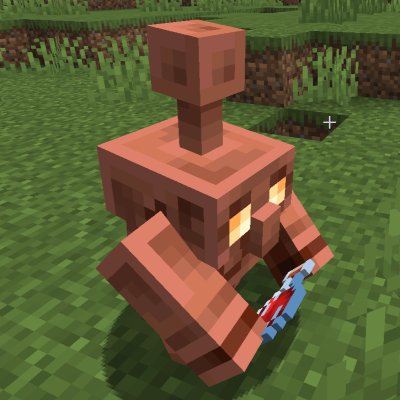
Better Copper Golem
Make Copper Golems much smarter sorters. They remember what is inside the chests they checked, find their way to containers they couldn't reach before, sort into barrels, shulker boxes and modded storage, and you can tune every Copper Golem attribute.
 mod
mod CurseForge + Modrinth · Minecraft
TNTimer
Countdown timer on top of screen to know exactly when that TNT is going to explode without need to see the TNT client-side. Renders a timer over primed TNT (starting from v2.0)
 mod
mod CurseForge + Modrinth · Minecraft
Carpet-FGA-Addition
An AI-powered Carpet extension mod packed with practical utilities, including longer player name support and fake-player area mining.