Capes Optional for Skin Shuffle 2.9.5+1.21.6
optionalMatching file found Matched file: 1.5.9+1.21.8

Modrinth · Minecraft mod
Effortless in-game skin customization and management—change, store, and customize your skins with SkinShuffle. Instant skin changes available on compatible servers.
Quick answer
Skin Shuffle 2.9.5+1.21.6 targets 1.21.8 with Fabric. Installation on the client is optional. Installation on the dedicated server is optional. All 1 required mods have matching files.
Where it goes
Installation on the client is optional. Installation on the dedicated server is optional.
The source marks this as usable on both the client and server.
2.9.5+1.21.6. Change the file and its required mods may change too.
Install Fabric API first. We found matching files for this game-version and loader setup. 3 come through another mod in the chain.
3 extra mods were pulled in by other dependencies. Indented rows show who needs each one. We only count dependency files that match this setup. A file for another loader does not fill the gap.
Before you install it
Built for Skin Shuffle 2.9.5+1.21.6. Pick another file and the loader, install side or required mods may change.
Use 2.9.5+1.21.6. It targets 1.21.8 with Fabric; another release may have different loader, side or dependency requirements.
Install Fabric API first. We found matching files for this game-version and loader setup. 3 come through another mod in the chain.
Installation on the client is optional. Installation on the dedicated server is optional.
Use the “Get this file” button beside 2.9.5+1.21.6. It opens that exact file at the source.
About this project



SkinShuffle is a mod that allows you to change, store and customise your skin in-game. It also allows you to change your skin without leaving the server as long as the mod is installed on the server.
SkinShuffle integrates with Mojang's online API to change skins, if you do not have a Minecraft account, SkinShuffle WILL NOT work, you will receive NO SUPPORT from me for using a pirated version of Minecraft.
Skins are stored in Skin Presets, these presets can be created from the following sources:
When SkinShuffle is installed on the server, you can change your skin in-game without having to relog. SkinShuffle will refresh your skin for you, and for other players instantly - even for players that do not have the mod on their client.
Got a Paper/Spigot/Bukkit server? Consider using the Skin Shuffle Bridge plugin to allow players on your server to hot-swap skins!
Alternatively, SkinShuffle is supported by SkinRestorer (fabric+neoforge+forge) if your server has that installed, players using SkinShuffle will be able to quickly change their skins without needing to rejoin!
We have massive plans to expand server-side support in the future:
SkinShuffle works right out the bat for clients! Browse, create and edit skin presets in the Carousel and Edit Preset screens that can be accessed via Mod Menu or through the widget on the pause screen and the title screen.
When you start the game for the first time with SkinShuffle, it will automatically create a preset from your current skin and set it as the main preset! Your currently chosen preset will be shown on the widget.
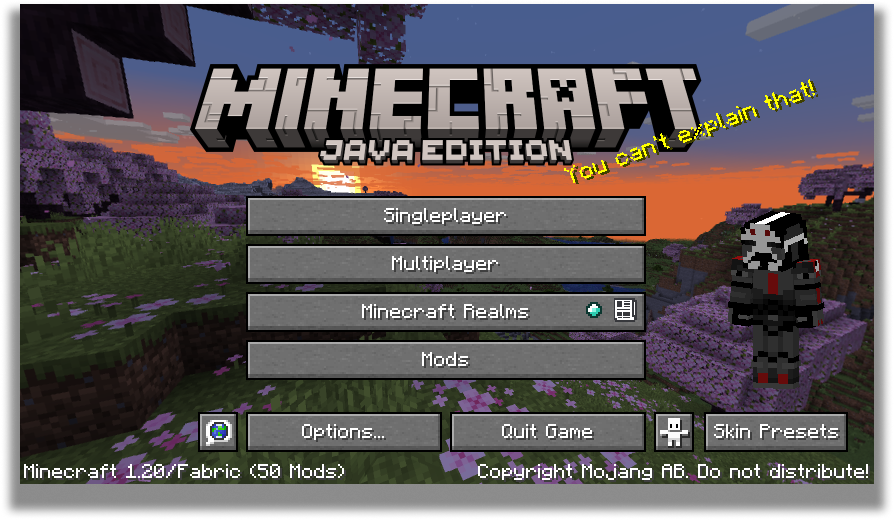
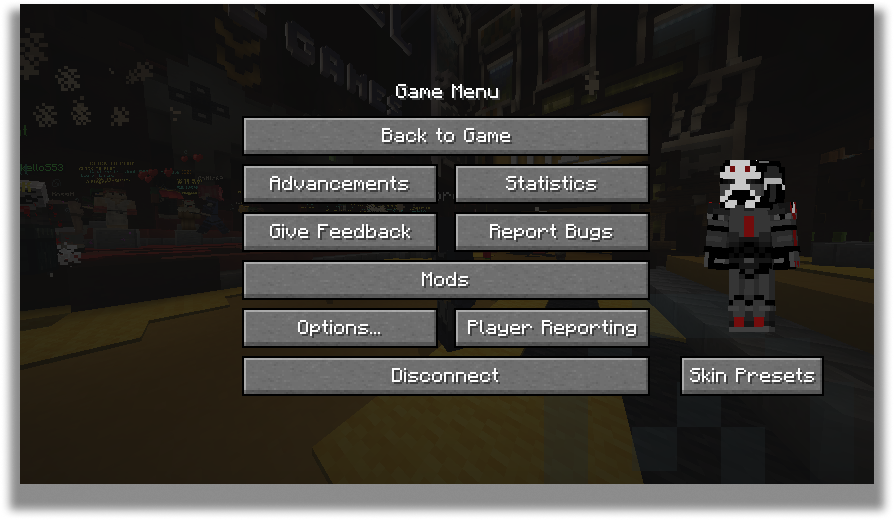
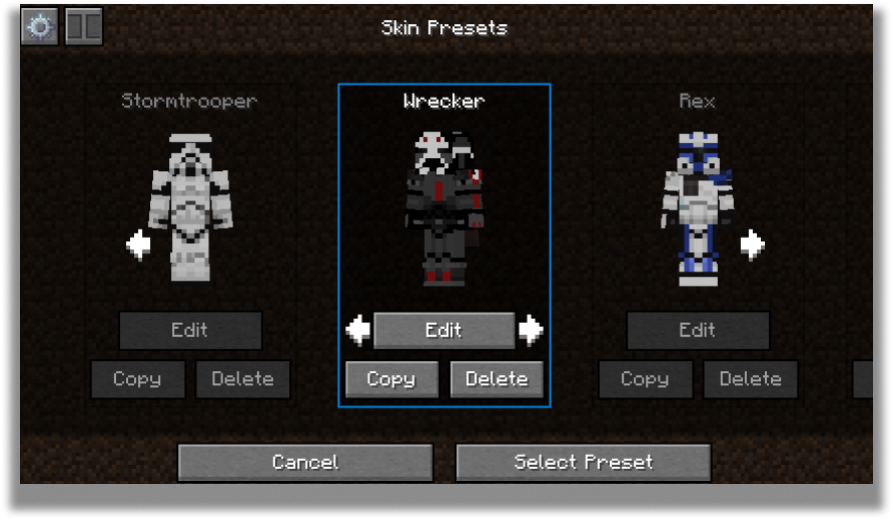
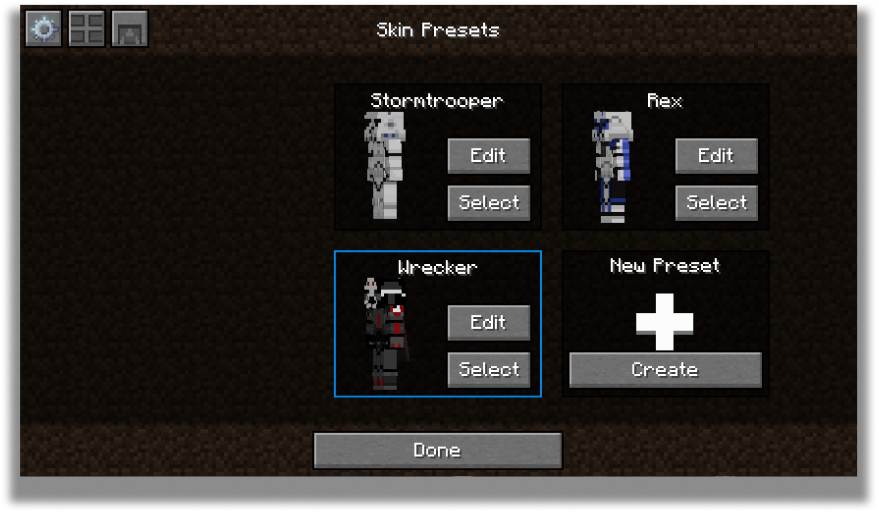
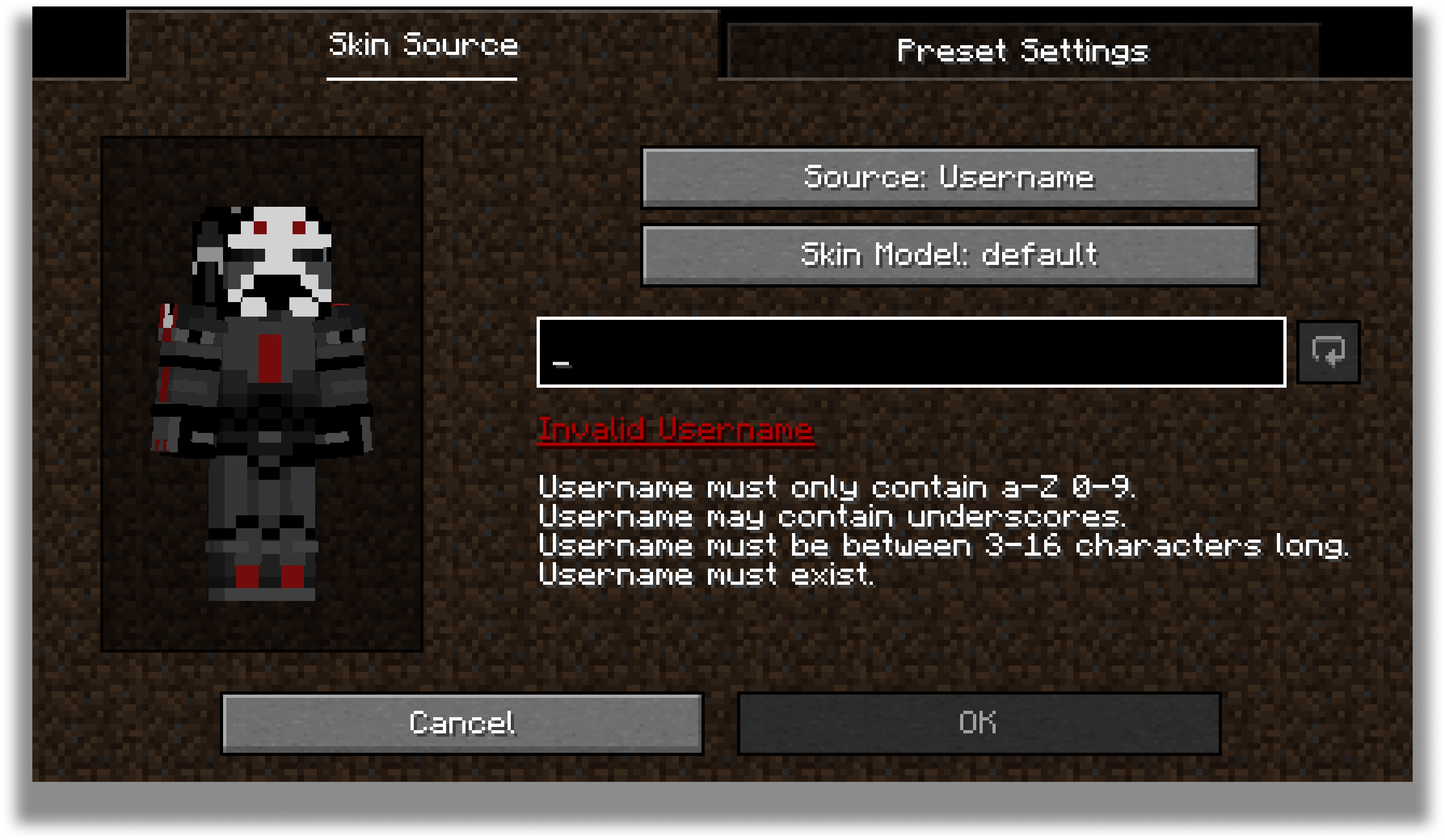
The carousel is where all your skins will be stored for future use! You can create, edit and delete your presets.
The carousel screen has two modes: Compact and Carousel
You can customize every preset to your own desire in the edit screen.
The edit screen allows you to change the actual texture of the skin, the model type and the name of the preset.
For the future, there are plans to add cape and ear customization to this screen.
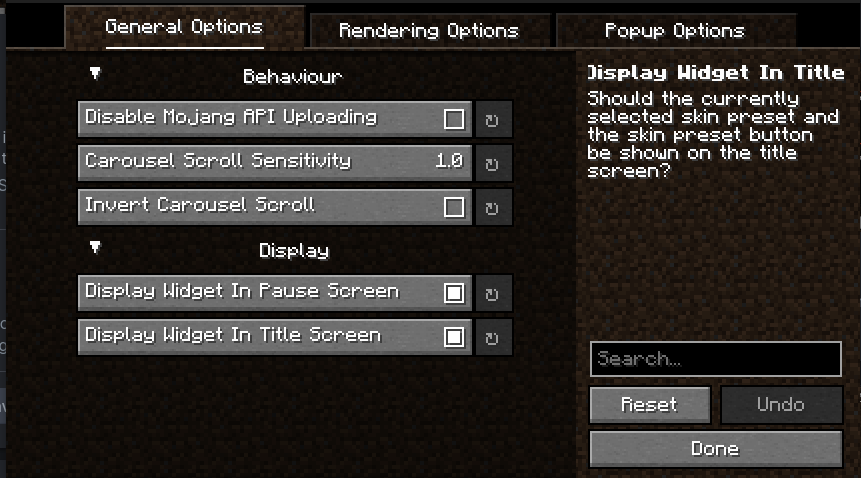
Every part of SkinShuffle is customizable thanks to YACL's powerful configuration screen.
You can customize the speed that skins rotate in the carousel, to where they should follow your cursor, and where the preview widget should show.
By using my mods, you agree to the Modpack Distribution Guidelines and the End User License Agreement
Project description from Modrinth.
Pick your setup
Choose the version and loader you play, then open the matching release.
Showing the newest 12 of 23 game versions. Older files are in the list below.
Check the dependencies, then try the file in a copied instance before changing a world you care about.
Recent files
skinshuffle-2.12.0+26.2-fabric.jar
16 Jun 2026
skinshuffle-2.11.1+26.1.2-fabric.jar
15 Jun 2026
skinshuffle-2.11.0+26.1-fabric.jar
24 Mar 2026
skinshuffle-2.10.2+1.21.11-fabric.jar
21 Feb 2026
skinshuffle-2.10.1+1.21.11-fabric.jar
11 Dec 2025
SkinShuffle-2.10.0+1.21.10.jar
9 Nov 2025
SkinShuffle-2.9.5+1.21.6.jar
29 Sept 2025
SkinShuffle-2.9.4+1.21.6.jar
23 Jul 2025
SkinShuffle-2.9.3+1.21.6.jar
1 Jul 2025
SkinShuffle-2.9.2+1.21.6.jar
23 Jun 2025
SkinShuffle-2.9.1+1.21.5.jar
4 May 2025
SkinShuffle-2.9.1+1.21.jar
4 May 2025
Looking for an older file? The official Modrinth project page is in Resources.
 mod
modA modular, high-performance, and resilient synchronization suite for Minecraft Fabric servers. Features real-time inventory sync, cross-server chat, and global player management.
 mod
modThis is a mod themed around Chinese-style alchemy.
 mod
modCustom races, forms, dragon balls, space travel and combat for DragonMine Z, built from in-game editors. Formerly Shurui's DMZ Utilities. Everything is free in singleplayer and LAN.