Minecraft version
Back to mods 
Modrinth · Minecraft mod
Display Case
Craftable Display Cases for showing off your favorite items.
Choose a version Pick your version below, then grab the matching file.
Quick answer
Which Display Case release matches 26.3 Forge?
Best match for your filters 26.3.0+mod
Game version 26.3
Loader Fabric, Forge, NeoForge
Display Case 26.3.0+mod targets 26.3 with Fabric, Forge, NeoForge. Installation on the client is optional. Installation on the dedicated server is optional. No extra mods listed for this file.
Where it goes
Is Display Case required on the client, server, or both?
Installation on the client is optional. Installation on the dedicated server is optional.
Client Optional
Dedicated server Optional
Loader for this release Fabric, Forge, NeoForge
Required install it here Optional supported, not mandatory Not supported do not install here Source doesn’t say do not assume
The source marks this as usable on both the client and server.
What else does Display Case 26.3.0+mod need?
26.3.0+mod on 26.3 Forge. Every mod below is checked against that same setup.
This file does not list any required mods. Do not add a library just because a different file uses it.
This file does not list any required or optional mods.
Before you install it
Add Display Case without breaking your instance.
Built for Display Case 26.3.0+mod on 26.3 Forge. Pick another file and the loader, install side or required mods may change.
- 01
Stick to this file
Use 26.3.0+mod. It targets 26.3 with Fabric, Forge, NeoForge; another release may have different loader, side or dependency requirements.
- 02
Bring the mods it needs
This file does not list any required mods. Do not add a library just because a different file uses it.
- 03
Put it on the correct side
Installation on the client is optional. Installation on the dedicated server is optional.
- 04
Pick the file you checked
Use the “Get this file” button beside 26.3.0+mod. It opens that exact file at the source.
About this project
What does Display Case add?
This project adds craftable Display Cases and Glow Display Cases to show off your items.
A set of 4 Display Cases can be crafted with 5 Glass blocks and 3 Smooth Stone blocks: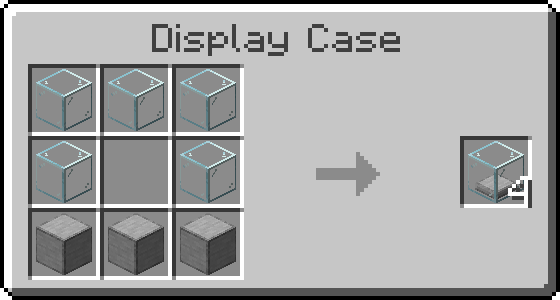
Similarly, a set of 4 Glow Display Cases can be crafted with 5 Glass blocks and 3 Glowstone blocks: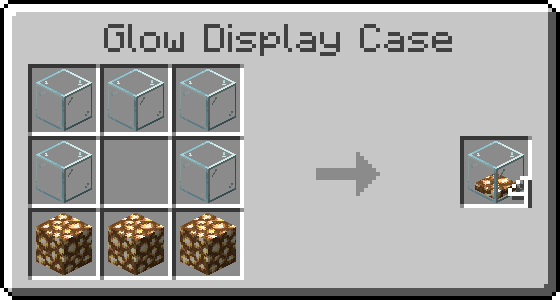
Both types of Display Case can also be crafted with with any color of Stained Glass block, for a total of 34 variants.
A display case can be placed in the world like a block.
Right Click an empty display case with an item to insert it.
Right Click a full display case with an empty hand to retrieve the item.
Left Click a full display case to make the item drop on the ground.
Left Click an empty display case to break it.
Items in a display case will slowly rotate.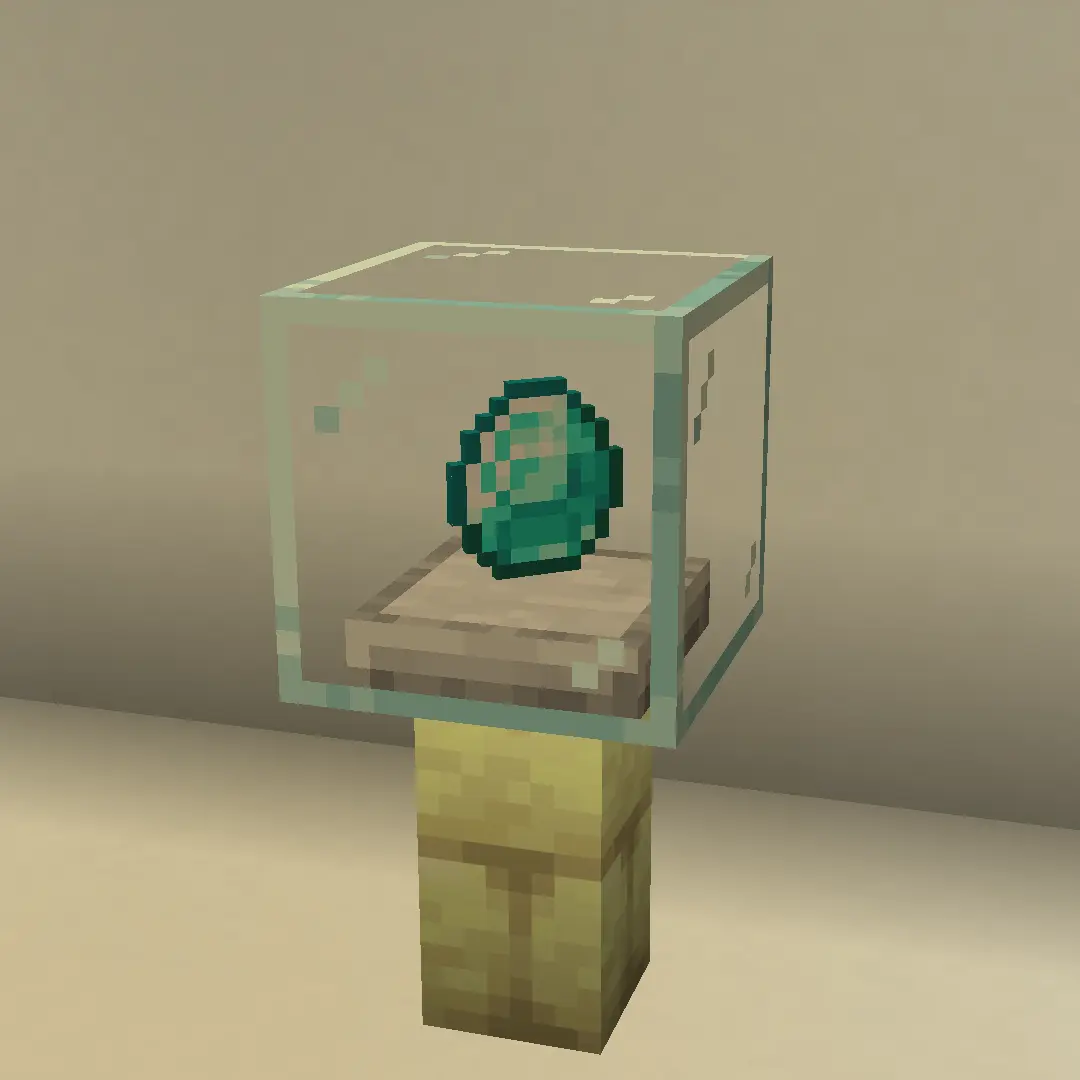
An observer facing a display case will output a signal when an item is inserted or retrieved
Project description from Modrinth.
Pick your setup
Display Case by Minecraft version and loader
Choose the version and loader you play, then open the matching release.
Check the dependencies, then try the file in a copied instance before changing a world you care about.
Recent files
Display Case versions and loaders
26.3.0+mod
display-case-dqwertyc-26.3.0.jar
15 Sept 2026
Client Optional Server Optional Dependencies No extras listed Listed on Release listing
Check the 26.3 · Forge setup 26.3FabricForgeNeoForge release
Looking for an older file? The official Modrinth project page is in Resources.
 mod
Modrinth · Minecraft
Hearthwood
Build with timber beams, palisades, braces, patterned frames and log piles in the wood types available in your game. Light them with braziers, chandeliers, sconces and candelabras.
 mod
Modrinth · Minecraft
ConfigGuard
Automatic snapshots of your config folder with a line-by-line diff and one-click restore. Undo any config change, on the client or on a server.
 mod
Modrinth · Minecraft
Manufacture gunpowder
Turn coal and charcoal into gunpowder with furnace & blast furnace recipes - a reliable gunpowder source for packs where creepers are scarce. | 把煤炭烧成火药:丧尸末日类整合包的稳定火药来源