Minecraft version
Back to mods 
Modrinth · Minecraft mod
Palette Placer
Client-side, allows you to create palettes with percentages that automatically selects randomly when you place
Choose a version Pick your version below, then grab the matching file.
Quick answer
Which Palette Placer release should I use?
Latest stable file 1.0.2+26.3
Game version 26.3
Loader Fabric
Palette Placer 1.0.2+26.3 targets 26.3 with Fabric. It must be installed on the client. Do not install it on the dedicated server. No extra mods listed for this file.
Where it goes
Is Palette Placer required on the client, server, or both?
It must be installed on the client. Do not install it on the dedicated server.
Client Required
Dedicated server Not supported
Loader for this release Fabric
Required install it here Optional supported, not mandatory Not supported do not install here Source doesn’t say do not assume
This file is marked client-only.
What else does Palette Placer 1.0.2+26.3 need?
1.0.2+26.3. Change the file and its required mods may change too.
This file does not list any required mods. Do not add a library just because a different file uses it.
This file does not list any required or optional mods.
Before you install it
Add Palette Placer without breaking your instance.
Built for Palette Placer 1.0.2+26.3. Pick another file and the loader, install side or required mods may change.
- 01
Stick to this file
Use 1.0.2+26.3. It targets 26.3 with Fabric; another release may have different loader, side or dependency requirements.
- 02
Bring the mods it needs
This file does not list any required mods. Do not add a library just because a different file uses it.
- 03
Put it on the correct side
It must be installed on the client. Do not install it on the dedicated server.
- 04
Pick the file you checked
Use the “Get this file” button beside 1.0.2+26.3. It opens that exact file at the source.
About this project
What does Palette Placer add?
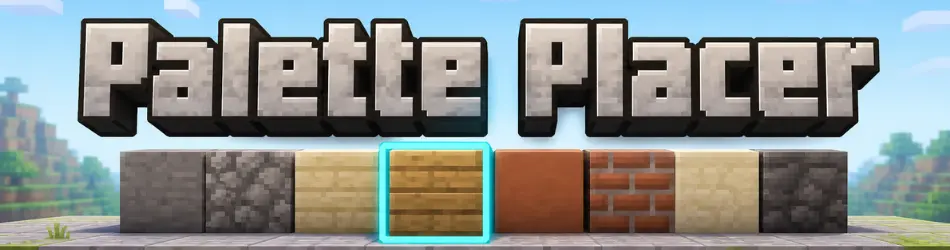
Palette Placer is a client-side Fabric mod that helps with block variation while building.
Instead of manually swapping between matching blocks, you create a weighted palette and the mod will randomly switch your selected hotbar slot to one of the configured palette blocks that is already present in your hotbar.
Features
- Client-side only
- No server install required
- Standalone in-game palette manager
- Multiple named palettes
- Duplicate, rename, and delete palettes
- Per-block weight percentages
- Random hotbar switching based on your configured weights
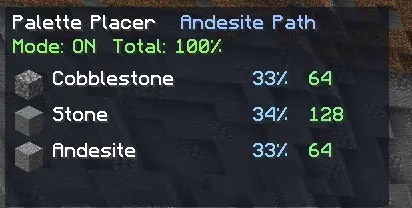
- Compact HUD showing palette status and hotbar availability
How It Works
- Press
Pto open the palette screen. - Create or select a palette.
- Add rows to the palette.
- Hold a block in your selected hotbar slot.
- Select a row and click Use Held.
- Set the weight for each entry.
- Put the real block stacks you want to build with in your hotbar.
- Enable the palette.
O- Toggle palette on/off
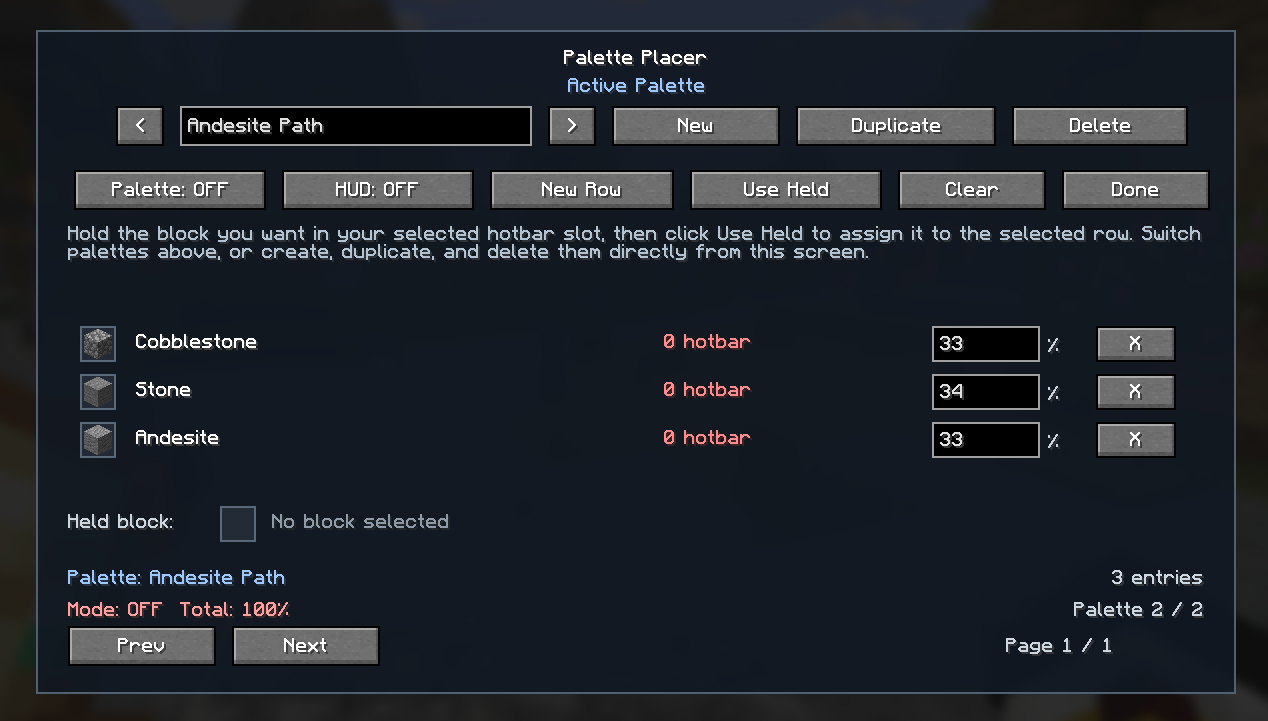
When the palette is enabled, Palette Placer automatically rerolls your selected hotbar slot between matching palette blocks in your hotbar while you build.
Check Out My Other Mods
Project description from Modrinth.
Pick your setup
Palette Placer by Minecraft version and loader
Choose the version and loader you play, then open the matching release.
Minecraft version
26.2
1 loader buildMinecraft version
26.1.2
1 loader buildMinecraft version
1.21.11
1 loader buildMinecraft version
1.20.6
1 loader buildCheck the dependencies, then try the file in a copied instance before changing a world you care about.
Recent files
Palette Placer versions and loaders
1.0.2+26.3
palette-placer-1.0.2+26.3.jar
22 Sept 2026
Client Required Server Not supported Dependencies No extras listed Listed on Release listing
Check the 26.3 · Fabric setup 26.3Fabric release
1.0.1+1.20.6
palette-placer-1.0.1+1.20.6.jar
13 Jul 2026
Client Required Server Not supported Dependencies No extras listed Listed on Release listing
Check the 1.20.6 · Fabric setup 1.20.6Fabric release
1.0.1+1.21.11
palette-placer-1.0.1+1.21.11.jar
3 Jul 2026
Client Required Server Not supported Dependencies No extras listed Listed on Release listing
Check the 1.21.11 · Fabric setup 1.21.11Fabric release
1.0.1+26.2
palette-placer-1.0.1+26.2.jar
27 Jun 2026
Client Required Server Not supported Dependencies No extras listed Listed on Release listing
Check the 26.2 · Fabric setup 26.2Fabric release
1.0.0+26.1.2
palette-placer-1.0.0+26.1.2.jar
22 Jun 2026
Client Required Server Not supported Dependencies No extras listed Listed on Release listing
Check the 26.1.2 · Fabric setup 26.1.2Fabric release
Looking for an older file? The official Modrinth project page is in Resources.
 mod
Modrinth · Minecraft
Overgrown's Origins: Elemental Bendings
Adds a second Origins layer that let's every player pick an origin and a bending style from Avatar: The Last Airbender, Avatar: Legend of Korra, Avatar: Seven Havens on top of it.
 mod
Modrinth · Minecraft
Thematic Superheroes
Team up as Batman or Wonder Woman on Thematic’s official server! Craft gadgets, resize with Pehkui, and roleplay with friends in Minecraft 1.20.1. Featuring Mr Fantastic, Superman, Invincible, Batman, Deadpool
 mod
Modrinth · Minecraft
More Cloud Layers
This mod adds extra layers of clouds above the vanilla cloud layer.