Fabric API Needed by Canvas Bug Fix 1.0.9
requiredMatching file found Matched file: [1.18.2] Fabric API 0.77.0+1.18.2
Modrinth · Minecraft mod
Forcefully fixes two bugs that are sometimes prominent in modpacks related to NaN saturation values & loot-generated items with incompatible enchantments.
Quick answer
Canvas Bug Fix 1.0.9 targets 1.18.2 with Fabric. Installation on the client is optional. Installation on the dedicated server is optional. All 1 required mods have matching files.
Where it goes
Installation on the client is optional. Installation on the dedicated server is optional.
The source marks this as usable on both the client and server.
1.0.9 on 1.18.2. Every mod below is checked against that same setup.
Install Fabric API first. We found matching files for this game-version and loader setup.
We only count dependency files that match this setup. A file for another loader does not fill the gap.
Before you install it
Built for Canvas Bug Fix 1.0.9 on 1.18.2. Pick another file and the loader, install side or required mods may change.
Use 1.0.9. It targets 1.18.2 with Fabric; another release may have different loader, side or dependency requirements.
Install Fabric API first. We found matching files for this game-version and loader setup.
Installation on the client is optional. Installation on the dedicated server is optional.
Use the “Get this file” button beside 1.0.9. It opens that exact file at the source.
About this project
A mod dedicated for my Canvas modpack that forcefully fixes two bugs that are sometimes prominent in 1.18.2 fabric modpacks related to NaN saturation values & generated items with incompatible enchantments.
For whatever reason saturation on the server-side can reach negative or incorrect values, especially in modpacks. This is almost impossible to detect and very annoying to test, even with a thorough binary search. This weird behavior is now fixed. Upon detecting invalid (NaN/Infinite) saturation value, it will reset the player's saturation value back to normal (4).
Fixed illegal enchanted items from generating; when using mods that add various different enchantments the game would sometimes ignore the coded incompatabilities with one another onto a loot-generated item, including hardcoded ones from vanilla. Even mods like Enchantment Groups that restructure enchantment (in)compatibilites for modpacks wouldn't work. This mod automatically reads from the game what enchantments are suppose to be incompatible with one another and properly corrects this behavior. For example, Protection and Fire Protection on an item will have one of them removed randomly when detected on an armor piece. Enchanted books are ignored, but when put into an anvil with an item it will fix itself post-combination. It should be compatible with every enchantment mod.
Project description from Modrinth.
Pick your setup
Choose the version and loader you play, then open the matching release.
Check the dependencies, then try the file in a copied instance before changing a world you care about.
Recent files
canvas-bug-fix-1.0.9.jar
2 Jul 2025
Looking for an older file? The official Modrinth project page is in Resources.
 mod
Fully async, multithreaded, predictive, open source, 3.01 reach, 1.005 timer, 0.01% speed, 99.99% antikb, "bypassable" 1.8-1.21 anticheat
 mod
Turn coal and charcoal into gunpowder with furnace & blast furnace recipes - a reliable gunpowder source for packs where creepers are scarce. | 把煤炭烧成火药:丧尸末日类整合包的稳定火药来源
 mod
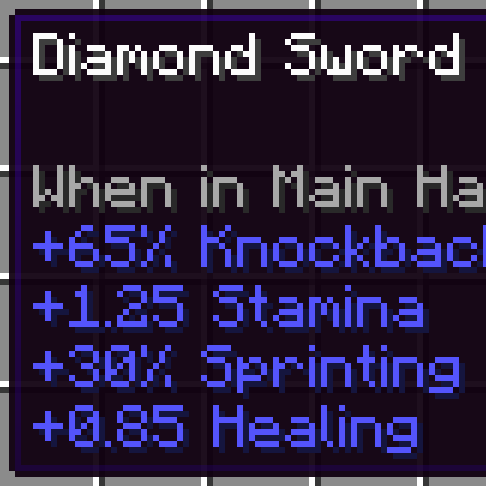
A Minecraft mod that adds more attributes to the game.