Hwyla Optional for images-1.0.2+1.16.4.jar
optionalMatching file found Matched file: Hwyla-fabric-1.16.2-1.9.23-79.jar
CurseForge · Minecraft mod
Adds blocks to display images from the intenet
Quick answer
images-1.0.2+1.16.4.jar targets 1.16.4 with Fabric. The project page does not say whether this file belongs on the client, dedicated server, or both. All 1 required mods have matching files.
Where it goes
The project page does not say whether this file belongs on the client, dedicated server, or both.
The source does not explicitly classify this release as client-only or server-only.
images-1.0.2+1.16.4.jar. Change the file and its required mods may change too.
Install Fabric Language Kotlin first. We found matching files for this game-version and loader setup. 1 comes through another mod in the chain.
1 extra mod was pulled in by another dependency. Indented rows show who needs each one. We only count dependency files that match this setup. A file for another loader does not fill the gap.
Before you install it
Built for images-1.0.2+1.16.4.jar. Pick another file and the loader, install side or required mods may change.
Use images-1.0.2+1.16.4.jar. It targets 1.16.4 with Fabric; another release may have different loader, side or dependency requirements.
Install Fabric Language Kotlin first. We found matching files for this game-version and loader setup. 1 comes through another mod in the chain.
The project page does not say whether this file belongs on the client, dedicated server, or both.
Use the “Get this file” button beside images-1.0.2+1.16.4.jar. It opens that exact file at the source.
About this project
For the time being this mod is no longer being maintained so I can focus on other projects

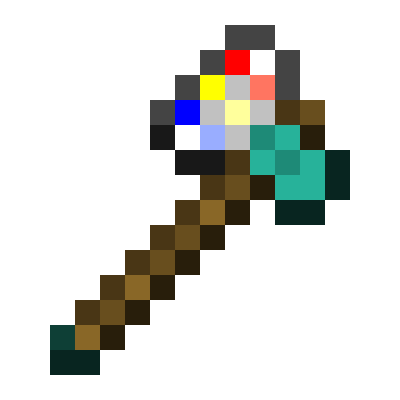
Added Item: The Printaxe
The ultimate AXE+PRINTER combo
Used to chop down trees, slay monsters and print images onto picture frames
Added Block: Picture Frames
When placed in a rectangular shape and used with a Printaxe, it can be used to display an image
Picture Frame Usage
Shift + Right Click while holding the Printaxe to enter an image
Right Click on a picture frame with the Printaxe to start a selection
Right Click on a different or the same picture frame to finish the selection and print the image
optionally use a dye on the printed image to change the color of the background
Banner and Bed Usage
Shift + Right Click while holding the Printaxe to enter an image
Right Click on a placed banner with the Printaxe to print the image
banners can then be broken and used to decorate a shield or be worn as a cape
Inspecting and Copying Images
The easiest way to see the details of an block with a print on it is by using Hwyla
To copy an image, shift + right click which looking at one with the Printaxe. This will also tell you who printed it
F3+V Will refresh all loaded images
Project description from CurseForge.
Pick your setup
Choose the version and loader you play, then open the matching release.
Check the dependencies, then try the file in a copied instance before changing a world you care about.
Recent files
24 Dec 2020
24 Dec 2020
21 Nov 2020
17 Oct 2020
1 Sept 2020
1 Sept 2020
29 Aug 2020
8 Aug 2020
4 Aug 2020
Looking for an older file? The official CurseForge project page is in Resources.
 mod
The all-you-could-want 1.7, 1.8, and modern animations mod for Minecraft. Animatium fork, backported to 1.8.9 and more. By Polyfrost, best with OneClient.
 mod
The Foundational Mod of the [CS] Family
 mod
A cozy, meme-flavored fashion mod: programming socks, cat ears and fox tails, backpacks full of charms, a gamer room, new friends - and a public API for addons.