Minecraft version
Back to mods 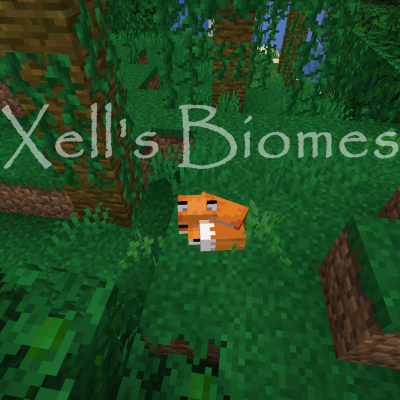
CurseForge · Minecraft mod
Xell's Biomes
4 New biomes for minecraft...
Choose a version Pick your version below, then grab the matching file.
Quick answer
Which Xell's Biomes release should I use?
Latest stable file XellsBiome_1.4.jar
Game version 1.16.5
Loader Forge
Xell's Biomes XellsBiome_1.4.jar targets 1.16.5 with Forge. The project page does not say whether this file belongs on the client, dedicated server, or both. No extra mods listed for this file.
Where it goes
Is Xell's Biomes required on the client, server, or both?
The project page does not say whether this file belongs on the client, dedicated server, or both.
Client Source doesn’t say
Dedicated server Source doesn’t say
Loader for this release Forge
Required install it here Optional supported, not mandatory Not supported do not install here Source doesn’t say do not assume
The source does not explicitly classify this release as client-only or server-only.
What else does Xell's Biomes XellsBiome_1.4.jar need?
XellsBiome_1.4.jar. Change the file and its required mods may change too.
This file does not list any required mods. Do not add a library just because a different file uses it.
This file does not list any required or optional mods.
Before you install it
Add Xell's Biomes without breaking your instance.
Built for Xell's Biomes XellsBiome_1.4.jar. Pick another file and the loader, install side or required mods may change.
- 01
Stick to this file
Use XellsBiome_1.4.jar. It targets 1.16.5 with Forge; another release may have different loader, side or dependency requirements.
- 02
Bring the mods it needs
This file does not list any required mods. Do not add a library just because a different file uses it.
- 03
Put it on the correct side
The project page does not say whether this file belongs on the client, dedicated server, or both.
- 04
Pick the file you checked
Use the “Get this file” button beside XellsBiome_1.4.jar. It opens that exact file at the source.
About this project
What does Xell's Biomes add?
Add 4 Biomes :
-Mysterious Forest :
A particular biome which is a kind of mix between swamp and jungle, the atmosphere that emerges is rather humid and tropical ...
In this biome can spawn Light Purple Mushrooms and mysterious roots.

-Very High Mountains :
Biome of steep mountains where it's difficult to move around..
In this biome can appear Larch and the structure : "Iced Camp"

-Legendary Plains :
Legendary Plains It's a plains biome with a few trees, and a warm atmosphere ...
In this biome can appear the structure: "plains_ruins" and "tower_ruins".
Golden poppy spawns in this biome.

-Burnt Forest :
In this biome can spawn Burnt House structure !
Other Things :
-Aventurine (ore) :
Generates between y = 32 and y = 8 in biomes added by the mod.
With aventurine you can craft the "Aventurine Totem".
-Greenstone
A new stone variant, like diorite or granite, green (can only spawns in biomes added by the mod).
-Golden Poppy
Just a golden poppy... you can craft golden nugget and antidote with it.
-Machete:
A tool cut leaves to make a usable way !
-Better Mushroom Stew :
Stackable by 8, has a little more saturation than the classic mushroom stew and gives the nausea effect and when you're to 5hp (2,5 hearts) or less, heals 1hp (0,5 heart).
-Burnt Zombie :
New variant of zombie, set fire when he's hit.(can only spawn with spawn egg yet)
-4 Achievement
One for each biome (of Xell's Biomes) explored.
(Translated in French)
Give me your feedback about the mod !
(If you find a bug report it)
Project description from CurseForge.
Pick your setup
Xell's Biomes by Minecraft version and loader
Choose the version and loader you play, then open the matching release.
Minecraft version
1.15.2
1 loader buildCheck the dependencies, then try the file in a copied instance before changing a world you care about.
Recent files
Xell's Biomes versions and loaders
XellsBiome_1.4.jar
22 Apr 2022
Client Source doesn’t say Server Source doesn’t say Dependencies No extras listed Listed on Release listing
Check the 1.16.5 · Forge setup 1.16.5Forge release
XellsBiome_1.3.jar
2 Jun 2021
Client Source doesn’t say Server Source doesn’t say Dependencies No extras listed Listed on Release listing
Check the 1.15.2 · Forge setup 1.15.2Forge release
XellsBiome_1.2.1.jar
26 Jan 2021
Client Source doesn’t say Server Source doesn’t say Dependencies No extras listed Listed on Release listing
Check the 1.15.2 · Forge setup 1.15.2Forge beta
XellsBiome_1.2.jar
14 Dec 2020
Client Source doesn’t say Server Source doesn’t say Dependencies No extras listed Listed on Release listing
Check the 1.15.2 · Forge setup 1.15.2Forge release
XellsBiomes_1.1.1 (Just a bug was fixed)
XellsBiome_1.1.1.jar
25 Oct 2020
Client Source doesn’t say Server Source doesn’t say Dependencies No extras listed Listed on Release listing
Check the 1.15.2 · Forge setup 1.15.2Forge beta
XellsBiome_1.1.jar
24 Oct 2020
Client Source doesn’t say Server Source doesn’t say Dependencies No extras listed Listed on Release listing
Check the 1.15.2 · Forge setup 1.15.2Forge release
XellsBiome_1.0.jar
19 Sept 2020
Client Source doesn’t say Server Source doesn’t say Dependencies No extras listed Listed on Release listing
Check the 1.15.2 · Forge setup 1.15.2Forge release
XellsBiome_0.9.1.jar
27 Aug 2020
Client Source doesn’t say Server Source doesn’t say Dependencies No extras listed Listed on Release listing
Check the 1.15.2 · Forge setup 1.15.2Forge beta
XellsBiome_0.9.jar
24 Aug 2020
Client Source doesn’t say Server Source doesn’t say Dependencies No extras listed Listed on Release listing
Check the 1.15.2 · Forge setup 1.15.2Forge beta
XellsBiome_0.8.2.jar
23 Aug 2020
Client Source doesn’t say Server Source doesn’t say Dependencies No extras listed Listed on Release listing
Check the 1.15.2 · Forge setup 1.15.2Forge beta
XellsBiome_0.8.1.jar
22 Aug 2020
Client Source doesn’t say Server Source doesn’t say Dependencies No extras listed Listed on Release listing
Check the 1.15.2 · Forge setup 1.15.2Forge beta
XellsBiome_0.8.jar
21 Aug 2020
Client Source doesn’t say Server Source doesn’t say Dependencies No extras listed Listed on Release listing
Check the 1.15.2 · Forge setup 1.15.2Forge beta
Looking for an older file? The official CurseForge project page is in Resources.
 mod
CurseForge + Modrinth · Minecraft
Immersive Farming
Addon for immersive engineering focused on agriculture by adding new mechanics and blocks.
 mod
CurseForge · Minecraft
Toasty's Stardew Delight
Stardew Delight adds foods from Stardew Valley to Farmer's Delight!
 mod
CurseForge · Minecraft
The Nether was Rubbish
The Nether was rubbish, so we fixed it: a whole new look, far less lava, new mobs, deadly plants, new places and a properly eerie atmosphere.