Decorative Blocks Needed by Thatched-forge-1.19.2-1.2.0.jar
requiredMatching file found Matched file: Decorative Blocks-forge-1.19.2-3.0.0.jar

CurseForge · Minecraft mod
Traditional thatched village structures & Decorative Blocks thatch support for other mods
Quick answer
Thatched-forge-1.19.2-1.2.0.jar targets 1.19.2, 1.19.1, 1.19 with Forge. The project page does not say whether this file belongs on the client, dedicated server, or both. All 1 required mods have matching files.
Where it goes
The project page does not say whether this file belongs on the client, dedicated server, or both.
The source does not explicitly classify this release as client-only or server-only.
Thatched-forge-1.19.2-1.2.0.jar. Change the file and its required mods may change too.
Install Decorative Blocks first. We found matching files for this game-version and loader setup.
We only count dependency files that match this setup. A file for another loader does not fill the gap.
Before you install it
Built for Thatched-forge-1.19.2-1.2.0.jar. Pick another file and the loader, install side or required mods may change.
Use Thatched-forge-1.19.2-1.2.0.jar. It targets 1.19.2, 1.19.1, 1.19 with Forge; another release may have different loader, side or dependency requirements.
Install Decorative Blocks first. We found matching files for this game-version and loader setup.
The project page does not say whether this file belongs on the client, dedicated server, or both.
Use the “Get this file” button beside Thatched-forge-1.19.2-1.2.0.jar. It opens that exact file at the source.
About this project
Required dependency : Decorative Blocks
FORGE/FABRIC
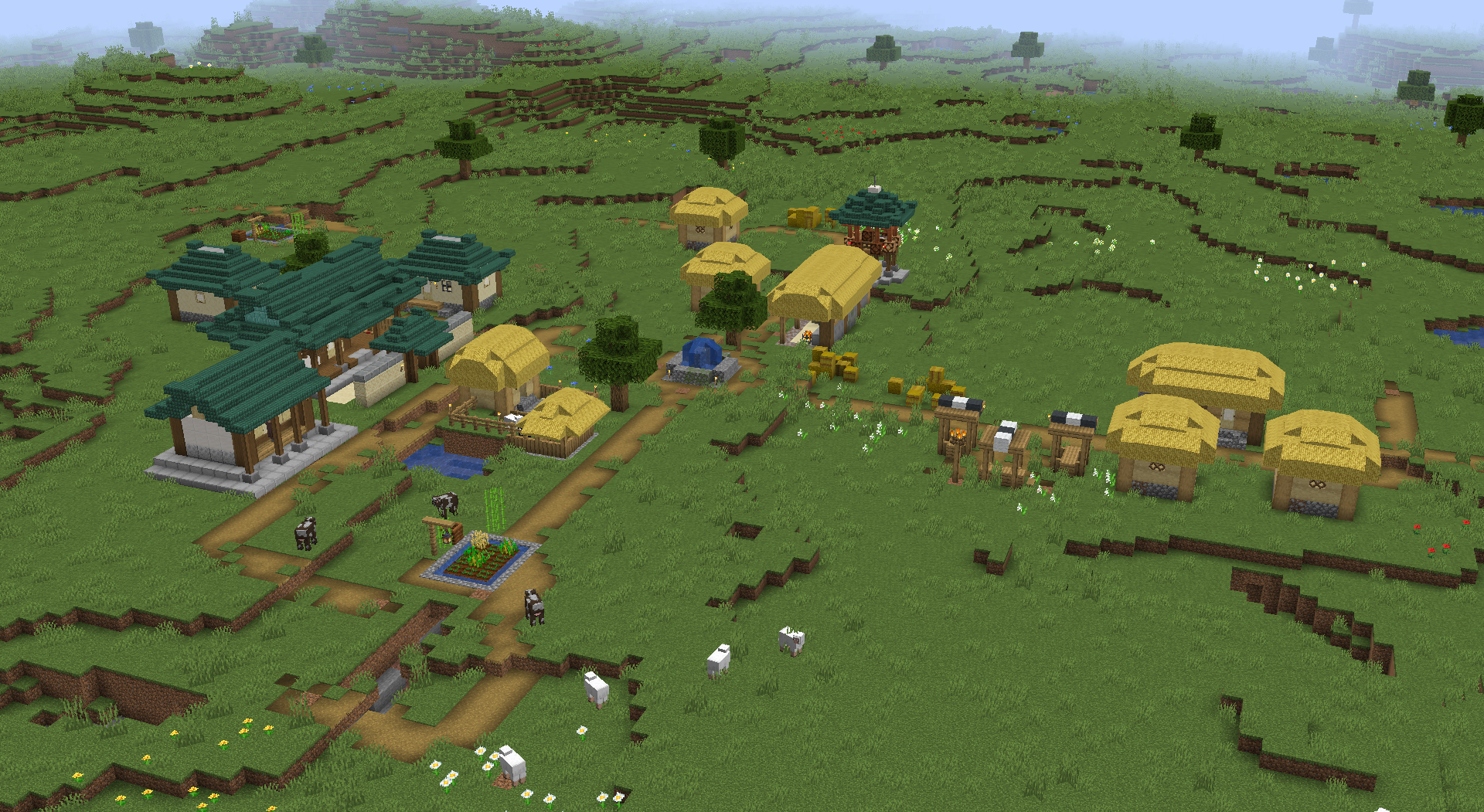
-Adds villages in the style of traditional Korean architecture to the plains biome. Most houses are thatched but a few aristocrat buildings are tiled. Future updates will fix some placement issues and add more buildings.
Spawn rates(can be disabled entirely) and modded biome support(default : tries to places villages in all modded plains) is configurable.
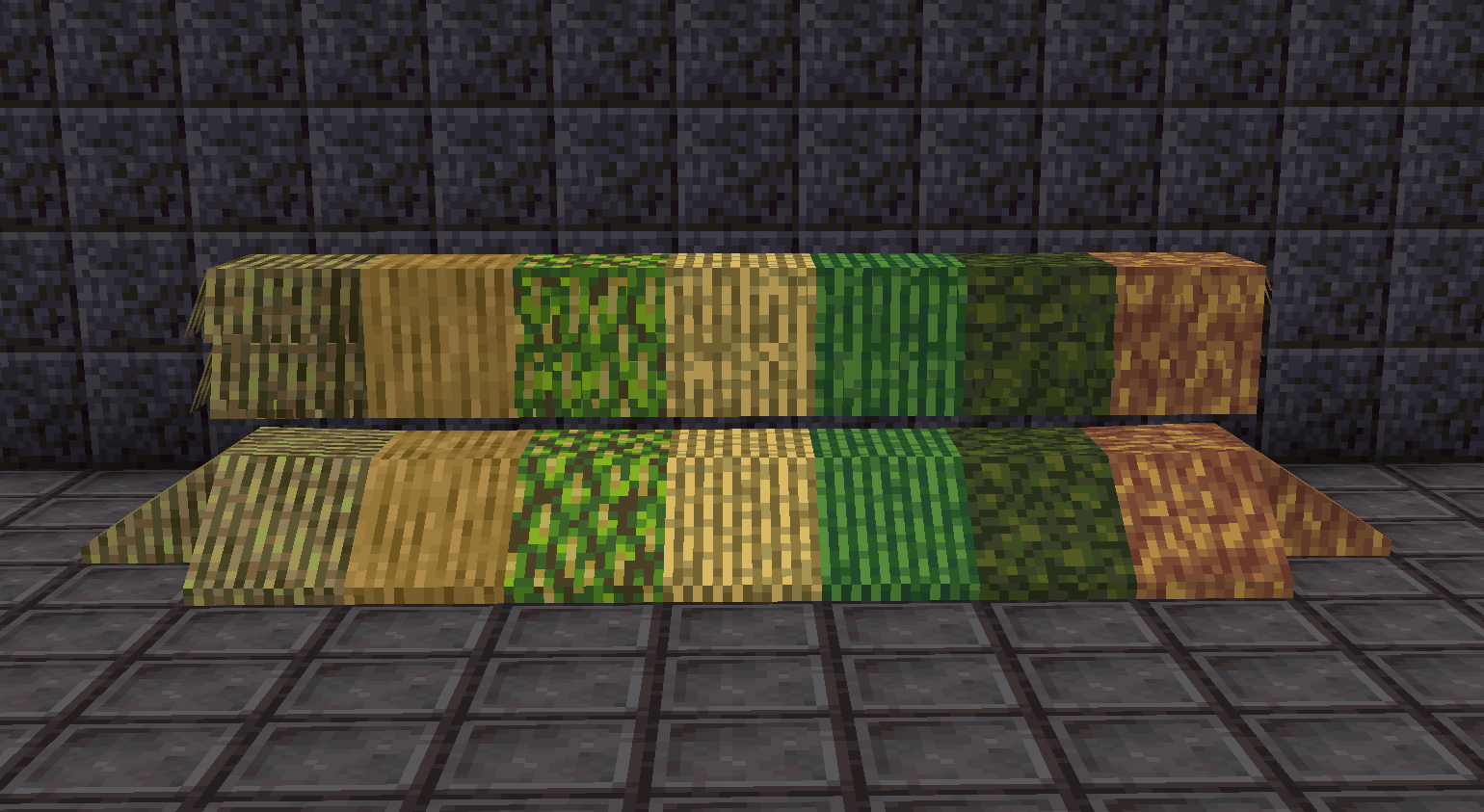
Also adds thatch compat for Upgrade Aquatic, Bamboo blocks (only until 1.16.1), Neapolitan, and Environmental
From left to right : Beachgrass thatch, Reed thatch, Frond thatch, Grass thatch, Cattail thatch, Duckweed thatch, Yak hair fluid(lol)
Shear the respective thatch blocks to obtain the fluid, use a hoe to remove source blocks.
Only latest version supported.

Project description from CurseForge.
Pick your setup
Choose the version and loader you play, then open the matching release.
Check the dependencies, then try the file in a copied instance before changing a world you care about.
Recent files
19 Aug 2022
19 Aug 2022
9 Mar 2022
9 Mar 2022
14 Feb 2022
18 Jan 2022
18 Jan 2022
17 Jan 2022
thatched-0.5.jar
27 Jun 2021
19 Feb 2021
3 Jan 2021
27 Nov 2020
Looking for an older file? The official CurseForge project page is in Resources.
 mod
modPerform necromancy and dark rituals using the power of souls. Highly configurable.
 mod
modAdds a survival-focused temperature system to Minecraft, with lots of customization!
 mod
modDive deep into Backrooms levels. Experience the tranquil yet unsettling aesthetics of Dreamcore, Poolcore, and Weirdcore.