Fabric API Needed by XP Storage xp_storage-1.5.7+1.20.1.jar
requiredMatching file found Matched file: [1.20.1] Fabric API 0.92.11+1.20.1
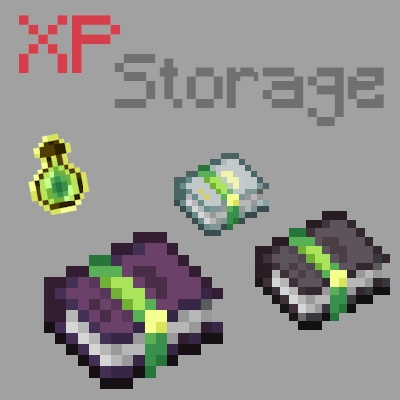
CurseForge · Minecraft mod
A mod that lets you store your experience in multiple ways!
Quick answer
XP Storage xp_storage-1.5.7+1.20.1.jar targets 1.20.1, 1.20 with Fabric. The project page does not say whether it belongs on the client. The project page does not say whether it belongs on the dedicated server. All 1 required mods have matching files.
Where it goes
The project page does not say whether it belongs on the client. The project page does not say whether it belongs on the dedicated server.
The source does not explicitly classify this release as client-only or server-only.
xp_storage-1.5.7+1.20.1.jar. Change the file and its required mods may change too.
Install Fabric API first. We found matching files for this game-version and loader setup.
We only count dependency files that match this setup. A file for another loader does not fill the gap.
Before you install it
Built for XP Storage xp_storage-1.5.7+1.20.1.jar. Pick another file and the loader, install side or required mods may change.
Use xp_storage-1.5.7+1.20.1.jar. It targets 1.20.1, 1.20 with Fabric; another release may have different loader, side or dependency requirements.
Install Fabric API first. We found matching files for this game-version and loader setup.
The project page does not say whether it belongs on the client. The project page does not say whether it belongs on the dedicated server.
Use the “Get this file” button beside xp_storage-1.5.7+1.20.1.jar. It opens that exact file at the source.
About this project


NO PORT TO FORGE PLANNED! (but feel free to port it by yourself and link it)
The mod is fully configurable to enable only changes that you like
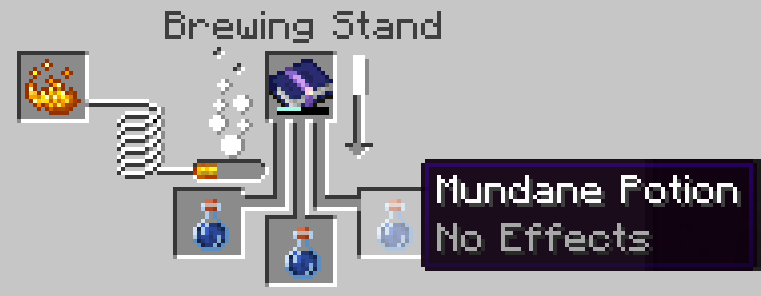
In this mod, you can craft XP Books in order to store your experience and save it from a coming death. After storing it, you can retrieve your experience back in two different ways: same way that you stored it OR you can brew the experience of the XP Book with the brewing stand in order to create special Experience Bottles that can give you even more experience.
⚠️ v1.6 UPDATE: XP Book II and III were removed, and there were some changes with item data! You can update the mod in your world without losing anything, but be sure to put your books in a crafting table to update them. Old saves won't be supported forever, this warning will be update whenever a version without the transition support is uploaded.
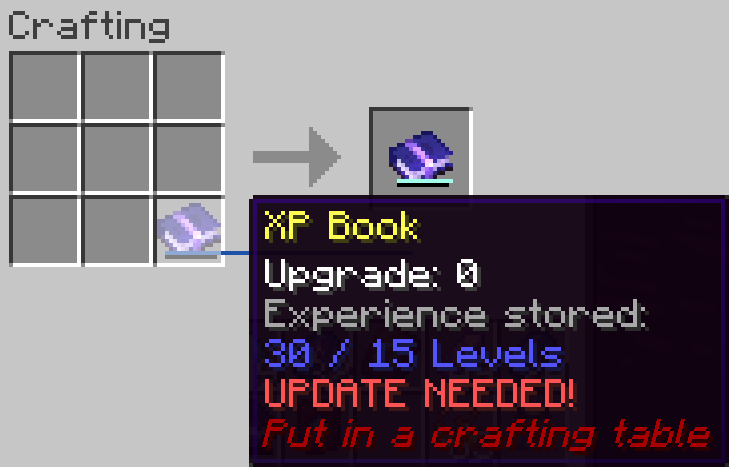
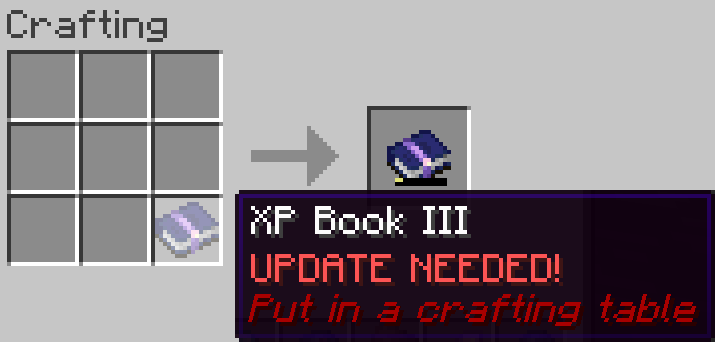
This is a short description, full description below.
Does it work on a server? Yes, it works on a server. File needed for both client and server
Can I include it in my modpack? Yes, you are free to include this mod into your modpack
For any other things: Feel free to share your experience, problems, enhancement ideas in the Discord server, or directly creating issues on the GitHub
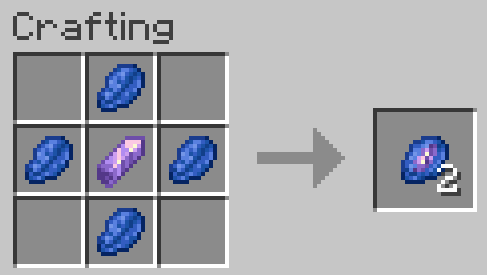
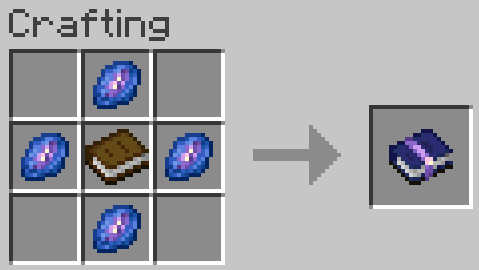
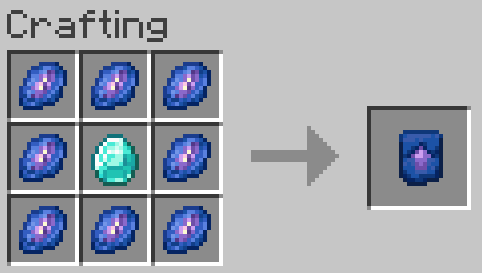
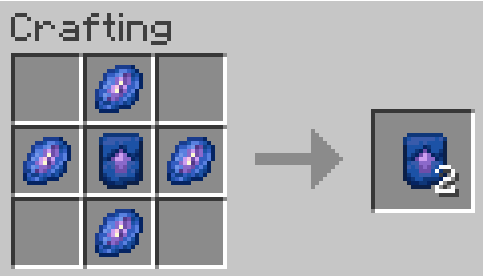
Store experience: Store the maximum amount of your experience in the book by right clicking. If you have more experience than the maximum amount, you will keep the remaining experience
Retrieve experience: Get 85, 90, 95 or 100% (depending on book's level) of the experience stored in the book by right clicking while sneaking
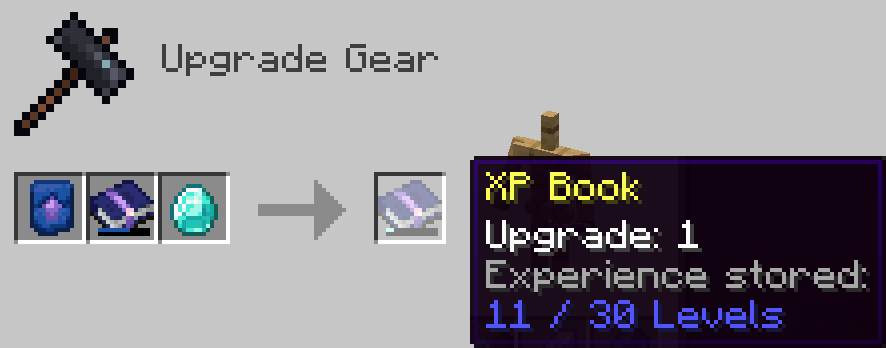
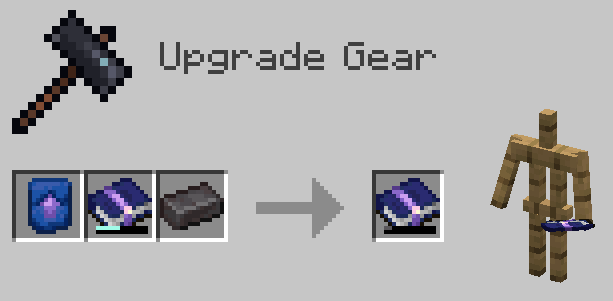
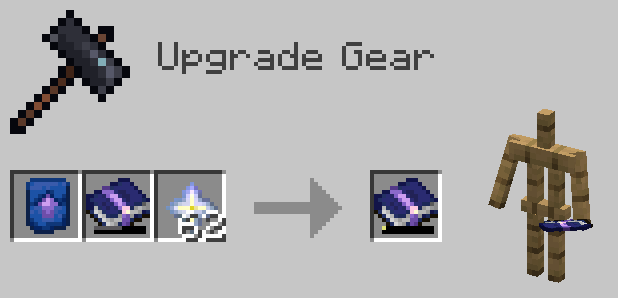
Project description from CurseForge.
Pick your setup
Choose the version and loader you play, then open the matching release.
Showing the newest 12 of 19 game versions. Older files are in the list below.
Check the dependencies, then try the file in a copied instance before changing a world you care about.
Recent files
4 Jan 2025
9 Dec 2024
22 Oct 2024
6 Aug 2024
23 Jul 2024
20 Jul 2024
xp_storage-1.5.5+1.20.1.jar
22 Oct 2023
xp_storage-1.5.4+1.20.1.jar
30 Sept 2023
14 Aug 2023
xp_storage-1.5.2+1.20.1.jar
14 Jul 2023
20 Jan 2023
22 Jun 2022
Looking for an older file? The official CurseForge project page is in Resources.
 mod
modAdds a soulslike HUD featuring equipment slots, boss bar, status gauges and team display.
 mod
modAdd some extra functionality to pvp
 mod
modA story of reconciliation, told through a magitech mod about exploration and factory-building.
