Fabric API Needed by image2map-0.2.0.jar
requiredMatching file found Matched file: [1.16.4/5] Fabric API 0.29.3

CurseForge · Minecraft mod
Turn images into maps!
Quick answer
image2map-0.2.0.jar targets 1.16.3, 1.16.1, 1.16 with Fabric. The project page does not say whether this file belongs on the client, dedicated server, or both. All 1 required mods have matching files.
Where it goes
The project page does not say whether this file belongs on the client, dedicated server, or both.
The source does not explicitly classify this release as client-only or server-only.
image2map-0.2.0.jar on 1.16.4 Fabric. Every mod below is checked against that same setup.
Install Fabric API first. We found matching files for this game-version and loader setup.
We only count dependency files that match this setup. A file for another loader does not fill the gap.
Before you install it
Built for image2map-0.2.0.jar on 1.16.4 Fabric. Pick another file and the loader, install side or required mods may change.
Use image2map-0.2.0.jar. It targets 1.16.3, 1.16.1, 1.16 with Fabric; another release may have different loader, side or dependency requirements.
Install Fabric API first. We found matching files for this game-version and loader setup.
The project page does not say whether this file belongs on the client, dedicated server, or both.
Use the “Get this file” button beside image2map-0.2.0.jar. It opens that exact file at the source.
About this project


A Fabric mod that allows you to render an image onto a map(s), allowing you to display it on your vanilla compatible server!
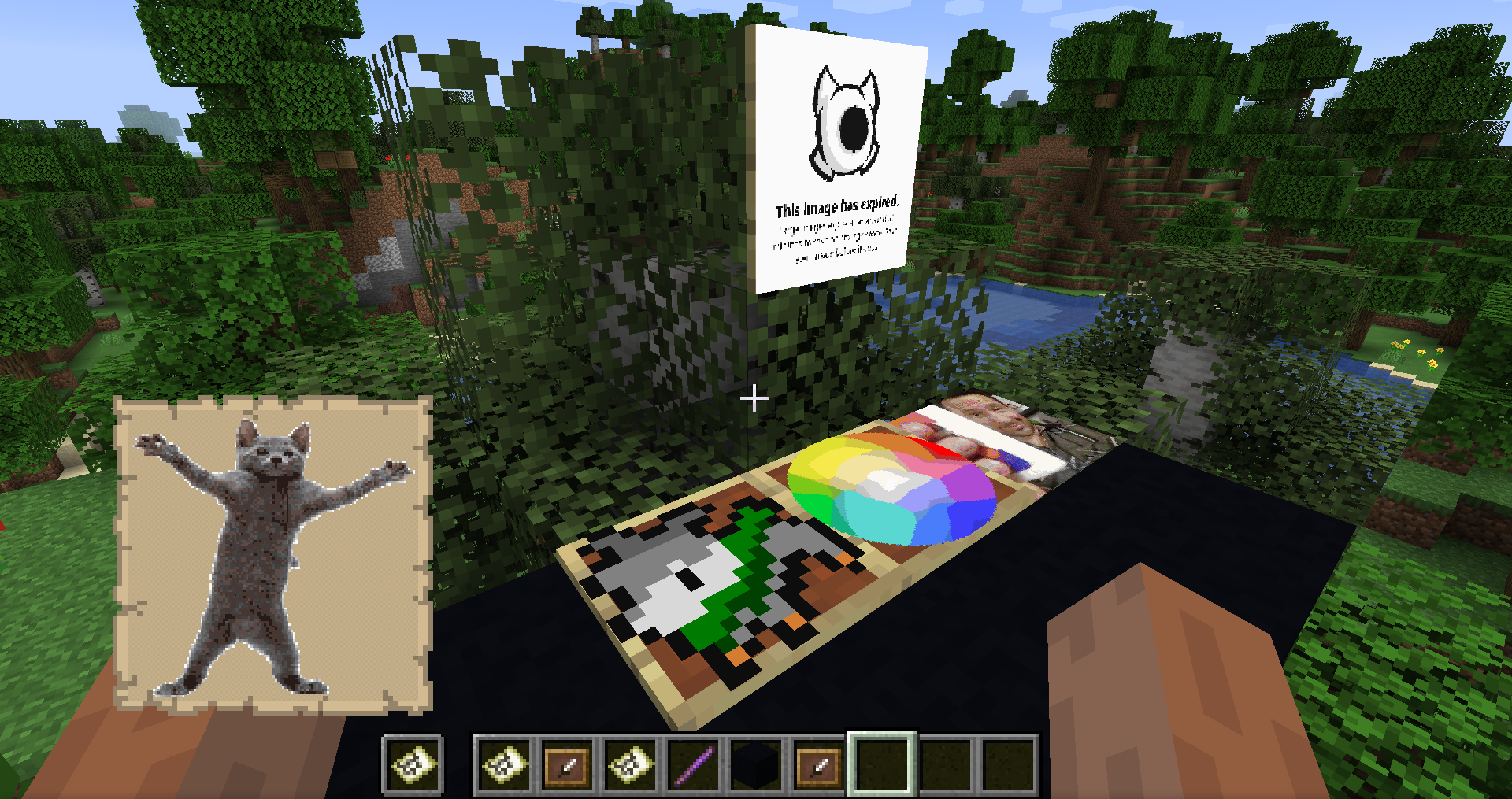

/image2map create <WIDTH> <HEIGHT> <[dither/none]> <URL> - Creates map of specified size (in pixels, single map is 128x128), with/without dither, using provided image/image2map create <[dither/none]> <URL> - Creates map with/without dither, using provided image/image2map preview <URL> - Creates dynamic preview before saving the map as item/dither <[dither/none]> - Changes dither mode/size - Displays current size/size <WIDTH> <HEIGHT> - Changes size of map to specified one (in pixels, single map is 128x128)/grid - Toggles visibility of map grid/save - Exits preview and saves map as items/exit - Exits preview without savingIn case of maps bigger than 128x128 pixels, you will get them in a bundle. Clicking with it on top-left corner of item frames will put all maps in correct places. Works for any item frame on wall, floor or ceiling.
This mod is no longer updated on the curseforge platform. If you want to use/download newer version of this mod, see it's Modrinth page: https://modrinth.com/mod/image2map
Project description from CurseForge.
Pick your setup
Choose the version and loader you play, then open the matching release.
Showing the newest 12 of 13 game versions. Older files are in the list below.
Check the dependencies, then try the file in a copied instance before changing a world you care about.
Recent files
31 Jan 2021
28 Dec 2020
Looking for an older file? The official CurseForge project page is in Resources.