Satako [Fabric] Needed by Smart pipes smart-pipes-3.0.0-1.18.1.jar
requiredMatching file found Matched file: satako-0.1.0-1.18.1.jar
CurseForge · Minecraft mod
Item pipes with advanced configuration
Quick answer
Smart pipes smart-pipes-3.0.0-1.18.1.jar targets 1.18.1, 1.18 with Fabric. The project page does not say whether this file belongs on the client, dedicated server, or both. All 2 required mods have matching files.
Where it goes
The project page does not say whether this file belongs on the client, dedicated server, or both.
The source does not explicitly classify this release as client-only or server-only.
smart-pipes-3.0.0-1.18.1.jar on 1.18. Every mod below is checked against that same setup.
Install Satako [Fabric], Fabric API first. We found matching files for this game-version and loader setup. 1 comes through another mod in the chain.
1 extra mod was pulled in by another dependency. Indented rows show who needs each one. We only count dependency files that match this setup. A file for another loader does not fill the gap.
Before you install it
Built for Smart pipes smart-pipes-3.0.0-1.18.1.jar on 1.18. Pick another file and the loader, install side or required mods may change.
Use smart-pipes-3.0.0-1.18.1.jar. It targets 1.18.1, 1.18 with Fabric; another release may have different loader, side or dependency requirements.
Install Satako [Fabric], Fabric API first. We found matching files for this game-version and loader setup. 1 comes through another mod in the chain.
The project page does not say whether this file belongs on the client, dedicated server, or both.
Use the “Get this file” button beside smart-pipes-3.0.0-1.18.1.jar. It opens that exact file at the source.
About this project
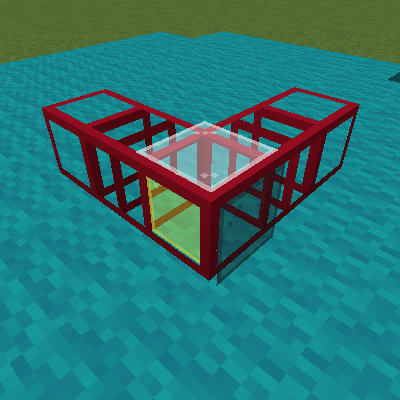
This mod adds one type of pipe, which has extensive item routing functionality - "Smart Pipe".
You can change its item flow directions, set blacklists and whitelists. It is done via pipe UI.
You can easily see main flow direction from a given pipe side by holding "Ctrl", and from an opposite side by holding "Alt".
If you want to remove the items from the pipe without breaking it, then sneak and click it with empty hand.
Pipe side with a non-direct flow will have a yellow rectangle; pipe side with a whitelist will have a white rectangle, and pipe side with a blacklist will have a black rectangle.
Approximate item flow algorithm:
Requires Satako
Project description from CurseForge.
Pick your setup
Choose the version and loader you play, then open the matching release.
Check the dependencies, then try the file in a copied instance before changing a world you care about.
Recent files
4 Jan 2022
Looking for an older file? The official CurseForge project page is in Resources.
 mod
A configurable visual representation of your reach and hit distances
 mod
Authentication mod for Fabric servers
 mod
Adds additional golden food items that give the player status effects.