Fabric Language Scala Needed by Postponed Delete postponed-delete-0.0.1.jar
requiredNo matching file
CurseForge · Minecraft mod
Your deleted world will always be backed up just in case you regret that decision.
Quick answer
Postponed Delete postponed-delete-0.0.1.jar targets 1.16.3, 1.16.1, 1.16.2. The project page does not say whether this file belongs on the client, dedicated server, or both. 1 required mod needs a matching file.
Where it goes
The project page does not say whether this file belongs on the client, dedicated server, or both.
The source does not explicitly classify this release as client-only or server-only.
postponed-delete-0.0.1.jar. Change the file and its required mods may change too.
Install Fabric Language Scala first, but 1 required mod has no matching file for this setup. Do not mix loader builds to force a match.
We only count dependency files that match this setup. A file for another loader does not fill the gap.
Before you install it
Built for Postponed Delete postponed-delete-0.0.1.jar. Pick another file and the loader, install side or required mods may change.
Use postponed-delete-0.0.1.jar. It targets 1.16.3, 1.16.1, 1.16.2; another release may have different loader, side or dependency requirements.
Install Fabric Language Scala first, but 1 required mod has no matching file for this setup. Do not mix loader builds to force a match.
The project page does not say whether this file belongs on the client, dedicated server, or both.
Use the “Get this file” button beside postponed-delete-0.0.1.jar. It opens that exact file at the source.
About this project
Your deleted world will always be backed up just in case you regret that decision.
Keeps at most 15 backups.
This mod requires Fabric Language Scala, but oh boy do they have a curseforge page for that.
When you try to delete a world on the first time, the world will be moved to the Minecraft 'backups' folder,
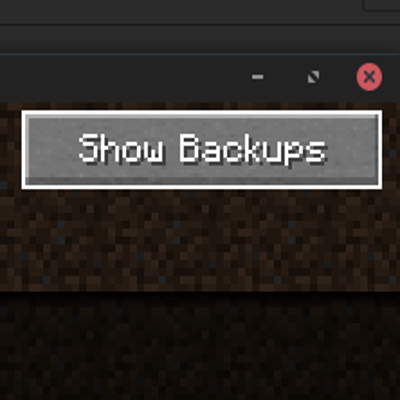
and the world will appear as a 'deleted world' in the world list. You can toggle to view these deleted world
by clicking on the button at the top right corner of select world screen.
You can try to delete again a deleted world, but this time the world will be gone for good.
This mod also modifies the vanilla backup feature (by clicking 'Edit' and then 'Create Backup') so that it does not zip the world file.
This is to standardise the backup process when you delete a world that has not yet been deleted.
Zipping prevents the mod to read the world metadata such as level name, world icon, etc.
Project description from CurseForge.
Pick your setup
Choose the version and loader you play, then open the matching release.
Check the dependencies, then try the file in a copied instance before changing a world you care about.
Recent files
16 Sept 2020
Looking for an older file? The official CurseForge project page is in Resources.
 mod
modCounter-Strike-inspired AI battles with TACZ weapons, six game modes, zombie evolution, and a complete armory progression system.
 mod
modSpend XP on passive perks
 mod
modRealDIE completely redesigns the death screen in Minecraft, turning player death into an immersive, atmospheric experience.