Cloth Config API Needed by StarHUD 2.5.2-26.2-neoforge
requiredMatching file found Matched file: 26.2.155+neoforge

Modrinth · Minecraft mod
Display fancy HUDs in your game.
Quick answer
StarHUD 2.5.2-26.2-neoforge targets 26.2 with NeoForge. It must be installed on the client. Do not install it on the dedicated server. All 1 required mods have matching files.
Where it goes
It must be installed on the client. Do not install it on the dedicated server.
This file is marked client-only.
2.5.2-26.2-neoforge on 26.2. Every mod below is checked against that same setup.
Install Cloth Config API first. We found matching files for this game-version and loader setup.
We only count dependency files that match this setup. A file for another loader does not fill the gap.
Before you install it
Built for StarHUD 2.5.2-26.2-neoforge on 26.2. Pick another file and the loader, install side or required mods may change.
Use 2.5.2-26.2-neoforge. It targets 26.2 with NeoForge; another release may have different loader, side or dependency requirements.
Install Cloth Config API first. We found matching files for this game-version and loader setup.
It must be installed on the client. Do not install it on the dedicated server.
Use the “Get this file” button beside 2.5.2-26.2-neoforge. It opens that exact file at the source.
About this project
A Minecraft mod that display HUDs in a more fancy way...

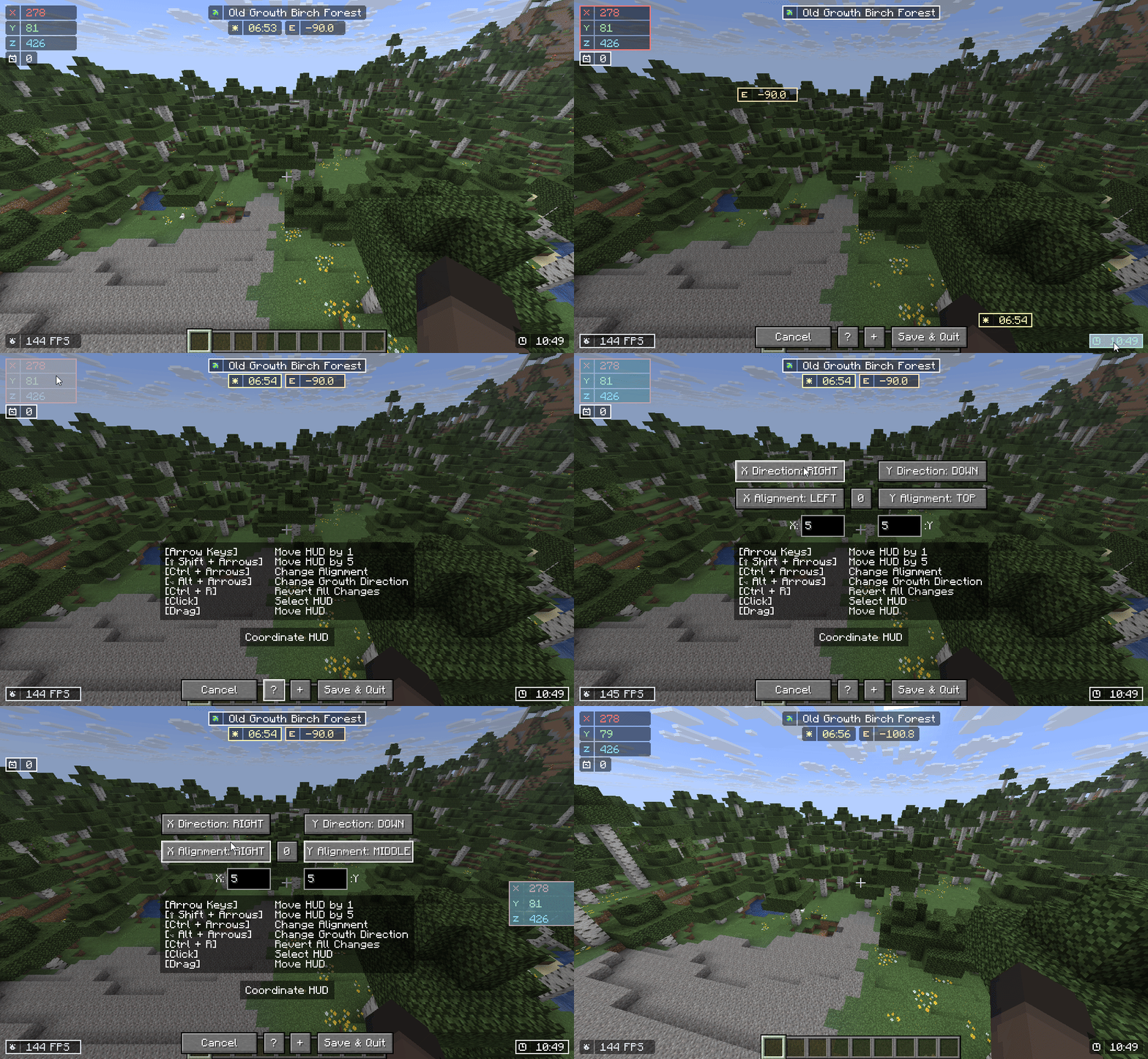

Yes, this mod DOES reduce your FPS. Worst case, if EVERY HUD is rendered, you will have 60% FPS loss.
I highly recommend using ImmediatelyFast for faster HUD Performance (the HUD can be 1.5x faster).
Combine Background on Group HUD (set Group Background: On)
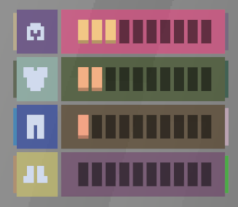
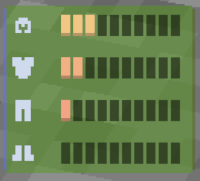
(16 Draw Calls -> 3 Draw Calls)
Set "Icon to Info Gap": 0 or lower


(4 Draw Calls -> 3 Draw Calls)
Set "Draw Background Rounded": False

(3 Draw Calls -> 1 Draw Call)
Set a Condition for your HUD to only render in a specific condition, disabling them dynamically.
Disable any HUD you rarely / never used.
For Support or Suggestion you may go to Discord or Github.
Color Hunt and Atom Material Icons: Color Inspirations
MCC Island and Origin Realms: HUD Inspirations
Status Effect Bars and Simple HUD Enchanced: Status Effect HUD Inspiration
Jade and WTHIT: Targetted Crosshair HUD Inspiration
MiniHUD: TPS Tracking Implementation (Code)
Project description from Modrinth.
Pick your setup
Choose the version and loader you play, then open the matching release.
Showing the newest 12 of 17 game versions. Older files are in the list below.
Check the dependencies, then try the file in a copied instance before changing a world you care about.
Recent files
starhud-neoforge-26.2-2.5.2.jar
27 Jul 2026
starhud-neoforge-26.2-2.5.2.jar
17 Jul 2026
starhud-26.2-2.5.2.jar
4 Jul 2026
Looking for an older file? The official Modrinth project page is in Resources.
 mod
Discover Plants, Animals and Monsters with a Spyglass. Collect them all and take notes in your personal Field Guide!
 mod
This mod is a remake of Old Mod TofuCraft made by tsuteto. add soybean As a new all-purpose food!
 mod
Adds outlines to all enchanted items!