Minecraft version
Back to mods 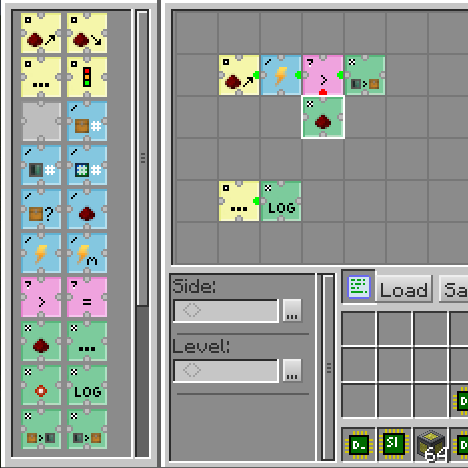
CurseForge · Minecraft mod
[Unofficial Maintance]RFTools Control
RFTools Control is an addon mod for RFTools which adds automation control using a visual grid based programming language.
Choose a version Pick your version below, then grab the matching file.
Quick answer
Which [Unofficial Maintance]RFTools Control release should I use?
Latest stable file rftoolsctrl-1.12-2.0.2-patch-2.jar
Game version 1.12.1, 1.12, 1.12.2
Loader Forge
[Unofficial Maintance]RFTools Control rftoolsctrl-1.12-2.0.2-patch-2.jar targets 1.12.1, 1.12, 1.12.2 with Forge. The project page does not say whether this file belongs on the client, dedicated server, or both. No extra mods listed for this file.
Where it goes
Is [Unofficial Maintance]RFTools Control required on the client, server, or both?
The project page does not say whether this file belongs on the client, dedicated server, or both.
Client Source doesn’t say
Dedicated server Source doesn’t say
Loader for this release Forge
Required install it here Optional supported, not mandatory Not supported do not install here Source doesn’t say do not assume
The source does not explicitly classify this release as client-only or server-only.
What else does [Unofficial Maintance]RFTools Control rftoolsctrl-1.12-2.0.2-patch-2.jar need?
rftoolsctrl-1.12-2.0.2-patch-2.jar. Change the file and its required mods may change too.
This file does not list any required mods. Do not add a library just because a different file uses it.
This file does not list any required or optional mods.
Before you install it
Add [Unofficial Maintance]RFTools Control without breaking your instance.
Built for [Unofficial Maintance]RFTools Control rftoolsctrl-1.12-2.0.2-patch-2.jar. Pick another file and the loader, install side or required mods may change.
- 01
Stick to this file
Use rftoolsctrl-1.12-2.0.2-patch-2.jar. It targets 1.12.1, 1.12, 1.12.2 with Forge; another release may have different loader, side or dependency requirements.
- 02
Bring the mods it needs
This file does not list any required mods. Do not add a library just because a different file uses it.
- 03
Put it on the correct side
The project page does not say whether this file belongs on the client, dedicated server, or both.
- 04
Pick the file you checked
Use the “Get this file” button beside rftoolsctrl-1.12-2.0.2-patch-2.jar. It opens that exact file at the source.
About this project
What does [Unofficial Maintance]RFTools Control add?
RFTools Control is an addon mod for RFTools which adds automation control using a visual grid based programming language. Using opcodes that you arrange in a grid you can move items around, control redstone, check energy (RF) and so on. You can access regular inventories but this mod also supports direct access to a storage scanner controlled system. In the future it will also provide a way to the storage scanner to autocraft items. This is not yet fully implemented however.
The two main blocks in this mod are the programmer which is used to create programs and the processor that executes those programs. Networking is also provided.
The mod is originally created by McJty at here.
This is an unofficial build for fixing issues and continuing support MC 1.12.
For any bug report and suggestion, please do it here.
2020-09-28 Patch 1:
Introduce option to compare item count when compare two items.
Fix get ingredient smart does not apply NBT checking.
Fix craft station picking wrong recipe due to NBT
2020-10-09 Patch 2:
Fixed a issue that get ingredient (smart) unable to fetch all the ingredients it needed.
Project description from CurseForge.
Pick your setup
[Unofficial Maintance]RFTools Control by Minecraft version and loader
Choose the version and loader you play, then open the matching release.
Minecraft version
1.12.1
1 loader buildMinecraft version
1.12-Snapshot
1 loader buildMinecraft version
1.12
1 loader buildCheck the dependencies, then try the file in a copied instance before changing a world you care about.
Recent files
[Unofficial Maintance]RFTools Control versions and loaders
rftoolsctrl-1.12-2.0.2-patch-2.jar
8 Oct 2020
Client Source doesn’t say Server Source doesn’t say Dependencies No extras listed Listed on Release listing
Check the 1.12.2 · Forge setup 1.12.11.12Forge1.12.2 release
rftoolsctrl-1.12-2.0.2-patch-1
rftoolsctrl-1.12-2.0.2-patch-1.jar
28 Sept 2020
Client Source doesn’t say Server Source doesn’t say Dependencies No extras listed Listed on Release listing
Check the 1.12.2 · Forge setup 1.12.11.12Forge1.12.2 release
Looking for an older file? The official CurseForge project page is in Resources.
 mod
CurseForge + Modrinth · Minecraft
Tinkers' Gadgets
A lightweight Tinkers' Construct addon featuring tools, new materials, and exclusive projectile traits.
 mod
Modrinth · Minecraft
Scannable-Unofficial
This is an unofficial version of the Scannable mod (originally authored by Sangar) for version 1.21.x
 mod
CurseForge · Minecraft
NuclearBriefcase
A Minecraft mod that adds a nuclear briefcase and powerful nuclear weapons, featuring devastating explosions and realistic destruction effects.