Minecraft version
Back to mods 
CurseForge · Minecraft mod
Randomizer
Randomizes every block broken.
Choose a version Pick your version below, then grab the matching file.
Quick answer
Which Randomizer release should I use?
Latest stable file randomizer-1.20.1-1.0.1.jar
Game version 1.20.1
Loader Forge
randomizer-1.20.1-1.0.1.jar targets 1.20.1 with Forge. The project page does not say whether this file belongs on the client, dedicated server, or both. No extra mods listed for this file.
Where it goes
Is Randomizer required on the client, server, or both?
The project page does not say whether this file belongs on the client, dedicated server, or both.
Client Source doesn’t say
Dedicated server Source doesn’t say
Loader for this release Forge
Required install it here Optional supported, not mandatory Not supported do not install here Source doesn’t say do not assume
The source does not explicitly classify this release as client-only or server-only.
What else does randomizer-1.20.1-1.0.1.jar need?
randomizer-1.20.1-1.0.1.jar. Change the file and its required mods may change too.
This file does not list any required mods. Do not add a library just because a different file uses it.
This file does not list any required or optional mods.
Before you install it
Add Randomizer without breaking your instance.
Built for randomizer-1.20.1-1.0.1.jar. Pick another file and the loader, install side or required mods may change.
- 01
Stick to this file
Use randomizer-1.20.1-1.0.1.jar. It targets 1.20.1 with Forge; another release may have different loader, side or dependency requirements.
- 02
Bring the mods it needs
This file does not list any required mods. Do not add a library just because a different file uses it.
- 03
Put it on the correct side
The project page does not say whether this file belongs on the client, dedicated server, or both.
- 04
Pick the file you checked
Use the “Get this file” button beside randomizer-1.20.1-1.0.1.jar. It opens that exact file at the source.
About this project
What does Randomizer add?
Randomizer is a mod that is intended to be used in a modpack.
Every time you break a block, you don't get the drop, but instead a random item! This mod automatically detects modded items and will drop a random item from vanilla Minecraft and your modpack.
Keep in mind, this mod gives a random block every time. That means dirt might give you diamonds one time, and bedrock the next.
This mod does work in a server, but make sure to use the right version.
Short FAQ:
If I break the same block twice, will I get the same output? Not necessarily.
Can I use this in a modpack? Of course! As long as you link this page in the description of your modpack, nothing else is required, although I'd love it if you dropped a comment so I can check yours out!
What about in a YouTube video or some other form of content? Same as in a modpack, just include credit.
Hey! Are you looking to create an affordable Minecraft server with friends with mods or vanilla?
Use Apex Hosting, a great Minecraft hosting company that can create a server with no hassle!

Need help? Want to report a bug? Want to just chat?

Project description from CurseForge.
Pick your setup
Randomizer by Minecraft version and loader
Choose the version and loader you play, then open the matching release.
Minecraft version
1.19.4
1 loader buildMinecraft version
1.18.2
1 loader buildMinecraft version
1.16.5
1 loader buildMinecraft version
1.16.4
1 loader buildMinecraft version
1.15.2
1 loader buildMinecraft version
1.12.2
1 loader buildCheck the dependencies, then try the file in a copied instance before changing a world you care about.
Recent files
Randomizer versions and loaders
randomizer-1.20.1-1.0.1.jar
26 Nov 2023
Client Source doesn’t say Server Source doesn’t say Dependencies No extras listed Listed on Release listing
Check the 1.20.1 · Forge setup 1.20.1Forge release
randomizer-1.19.4-1.0.1.jar
26 Nov 2023
Client Source doesn’t say Server Source doesn’t say Dependencies No extras listed Listed on Release listing
Check the 1.19.4 · Forge setup 1.19.4Forge release
randomizer-1.18.2-1.0.1.jar
26 Nov 2023
Client Source doesn’t say Server Source doesn’t say Dependencies No extras listed Listed on Release listing
Check the 1.18.2 · Forge setup 1.18.2Forge release
randomizer-1.16.5-1.0.1.jar
26 Nov 2023
Client Source doesn’t say Server Source doesn’t say Dependencies No extras listed Listed on Release listing
Check the 1.16.5 · Forge setup 1.16.5Forge release
Randomizer-1.12.2-0.1.0.jar
24 Feb 2021
Client Source doesn’t say Server Source doesn’t say Dependencies No extras listed Listed on Release listing
Check the 1.12.2 · Forge setup Forge1.12.2 release
Randomizer-2.0.0.jar
12 Jan 2021
Client Source doesn’t say Server Source doesn’t say Dependencies No extras listed Listed on Release listing
Check the 1.16.4 · Forge setup Forge1.16.4 release
Randomizer-1.1.0.jar
14 Nov 2020
Client Source doesn’t say Server Source doesn’t say Dependencies No extras listed Listed on Release listing
Check the 1.15.2 · Forge setup 1.15.2Forge release
Randomizer-1.0.1.jar
14 Oct 2020
Client Source doesn’t say Server Source doesn’t say Dependencies No extras listed Listed on Release listing
Check the 1.15.2 · Forge setup 1.15.2Forge release
RandomCraft-1.0.0.jar
14 Oct 2020
Client Source doesn’t say Server Source doesn’t say Dependencies No extras listed Listed on Release listing
Check the 1.15.2 · Forge setup 1.15.2Forge release
Looking for an older file? The official CurseForge project page is in Resources.
 mod
mod CurseForge + Modrinth · Minecraft
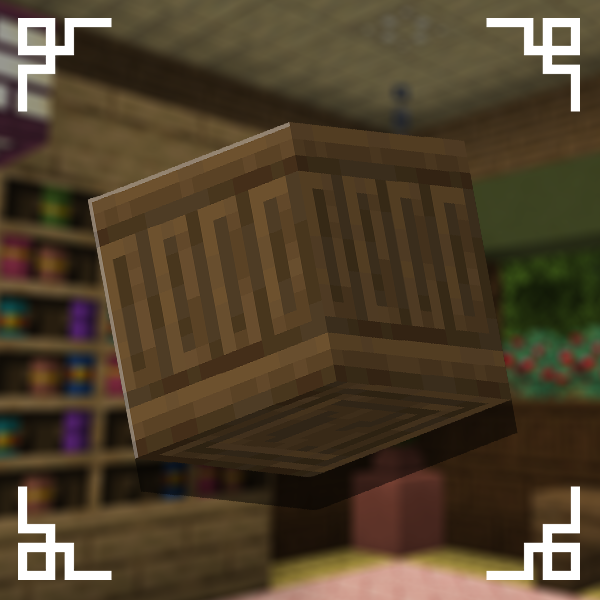
Carved Wood
Adds new sets of wooden blocks and new variants of existing wooden blocks!
 mod
mod CurseForge + Modrinth · Minecraft
Cobblemon Integrations
Various mod integrations for Cobblemon.
 mod
mod CurseForge · Minecraft
Better Light
Better Light brings immersive portable lighting to Minecraft.