Fabric API Needed by Phonos v0.3 for 1.18.2
requiredMatching file found Matched file: [1.18.2] Fabric API 0.77.0+1.18.2
CurseForge · Minecraft mod
Broadcast sound throughout your Minecraft world!
Quick answer
Phonos v0.3 for 1.18.2 targets 1.18.2 with Fabric, Quilt. The project page does not say whether this file belongs on the client, dedicated server, or both. 1 required mod needs a matching file.
Where it goes
The project page does not say whether this file belongs on the client, dedicated server, or both.
The source does not explicitly classify this release as client-only or server-only.
Phonos v0.3 for 1.18.2. Change the file and its required mods may change too.
Install Fabric API, Fabric API first, but 1 required mod has no matching file for this setup. Do not mix loader builds to force a match.
We only count dependency files that match this setup. A file for another loader does not fill the gap.
Before you install it
Built for Phonos v0.3 for 1.18.2. Pick another file and the loader, install side or required mods may change.
Use Phonos v0.3 for 1.18.2. It targets 1.18.2 with Fabric, Quilt; another release may have different loader, side or dependency requirements.
Install Fabric API, Fabric API first, but 1 required mod has no matching file for this setup. Do not mix loader builds to force a match.
The project page does not say whether this file belongs on the client, dedicated server, or both.
Use the “Get this file” button beside Phonos v0.3 for 1.18.2. It opens that exact file at the source.
About this project

Requires Fabric API.
Optionally requires Patchouli to view the guidebook.
You can obtain the guidebook (only if Patchouli is installed) for the mod by trading with a technician villager (distinguished by its red-and-blue glasses and headset, job site is a Radio Jukebox), or from the creative inventory. The guidebook will explain in detail the functionality behind every feature.
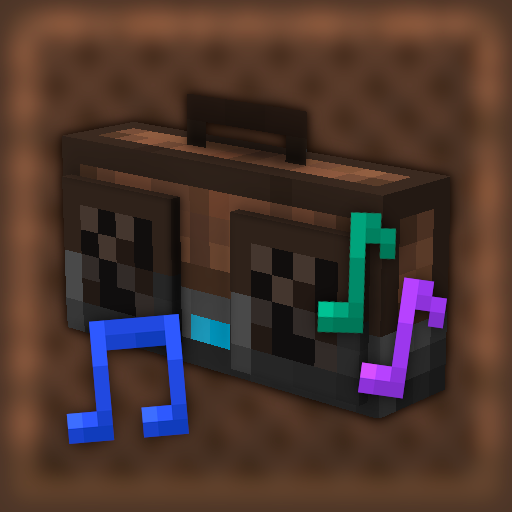
 On the left is a Radio Jukebox. This block broadcasts music disc audio to Loudspeakers on the same channel. You can change the channel by interacting with the top of the block.
On the right are a series of Loudspeakers, all tuned to the same channel as the jukebox. They are receiving audio from the Radio Jukebox and playing it. All of the components are tuned to channel 3. There are 20 channels (0-19) to choose from, per dimension.
Some other available components are:
Join the Discord Server for support and more.
Project description from CurseForge.
Pick your setup
Choose the version and loader you play, then open the matching release.
Check the dependencies, then try the file in a copied instance before changing a world you care about.
Recent files
phonos-0.3+1.18.2.jar
1 Apr 2022
phonos-0.2+1.18.jar
26 Dec 2021
phonos-0.2+1.17.jar
26 Dec 2021
phonos-0.1.2+1.17.jar
17 Jul 2021
phonos-0.1.1.01-beta-snapshot--21w05.jar
10 Feb 2021
phonos-0.1.1-beta-snapshot--21w05.jar
5 Feb 2021
phonos-0.1.1-beta.jar
21 Dec 2020
21 Dec 2020
phonos-0.1.0-beta.jar
9 Nov 2020
Looking for an older file? The official CurseForge project page is in Resources.
 mod
Discover Plants, Animals and Monsters with a Spyglass. Collect them all and take notes in your personal Field Guide!
 mod
This Mod adds the ability to add custom capes to your player including gifs and normal images with a resolution up to 2048x1024 you can also see other capes and vice versa and it also works with elytra models and wavey capes
 mod
**Grow crystals instead of crafting them.** Put a single crystal into the seed slot and the machine keeps duplicating it — the seed is *never* consumed, no items or fluids are used, only Forge Energy (FE).