Mod Menu Optional for Custom Player Model (CPM) Remake cpm-2.2.5-fabric-mc1.16.5-beta.jar
optionalMatching file found Matched file: Mod Menu v1.16.23 for 1.16.5
CurseForge · Minecraft mod
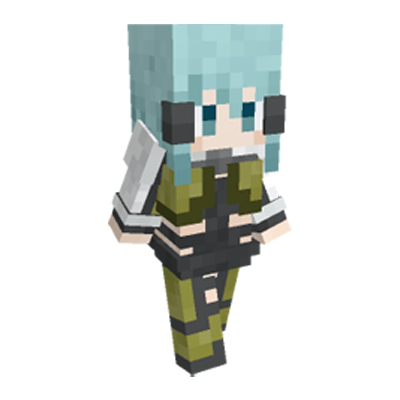
Customize your player model in Minecraft.
Quick answer
Custom Player Model (CPM) Remake cpm-2.2.5-fabric-mc1.16.5-beta.jar targets 1.16.5 with Fabric. The project page does not say whether this file belongs on the client, dedicated server, or both. All 1 required mods have matching files.
Where it goes
The project page does not say whether this file belongs on the client, dedicated server, or both.
The source does not explicitly classify this release as client-only or server-only.
cpm-2.2.5-fabric-mc1.16.5-beta.jar on Fabric. Every mod below is checked against that same setup.
Install Cloth Config API (UNUSED) first. We found matching files for this game-version and loader setup.
We only count dependency files that match this setup. A file for another loader does not fill the gap.
Before you install it
Built for Custom Player Model (CPM) Remake cpm-2.2.5-fabric-mc1.16.5-beta.jar on Fabric. Pick another file and the loader, install side or required mods may change.
Use cpm-2.2.5-fabric-mc1.16.5-beta.jar. It targets 1.16.5 with Fabric; another release may have different loader, side or dependency requirements.
Install Cloth Config API (UNUSED) first. We found matching files for this game-version and loader setup.
The project page does not say whether this file belongs on the client, dedicated server, or both.
Use the “Get this file” button beside cpm-2.2.5-fabric-mc1.16.5-beta.jar. It opens that exact file at the source.
About this project
Customize your player model in Minecraft.

This is a remake version of Minecraft mod Custom Player Model (CPM). It allows you to customize ingame models using JSON files, with advanced features including scripting, particle systems and physics simulation.
Note: Although this mod is named Custom "Player" Model, it also allows you to apply custom models on animals or monsters.
Download the mod jar file and put it in the "mods" directory under your minecraft main directory. When ingame, press Ctrl+M to open the model selection gui.
Each model is a .zip file. Model files should be put in "custom-model/models" directory under your minecraft main directory. If this directory does not exist, create one yourself or launch the game to create it automatically.
Custom models are applicable on players and mobs. There are currently 3 ways to apply a model:
Some example models can be found at Github for reference.
I want some new features / find some bugs!
You can rise new issues at github issue tracker. Or you can contact me at Custom Player Model Discord.
Is this mod client side or server side?
I would say both. You can have this only at client side so that only yourself can see custom models. Or you can have a modded server which enables every player with this mod to see the models.
Project description from CurseForge.
Pick your setup
Choose the version and loader you play, then open the matching release.
Check the dependencies, then try the file in a copied instance before changing a world you care about.
Recent files
17 Sept 2021
4 Sept 2021
18 Aug 2021
15 Aug 2021
6 Aug 2021
Looking for an older file? The official CurseForge project page is in Resources.
 mod
Preview you world in a beautiful spawn selection screen.
 mod
Hey Wanderer! Sit down, enjoy a piece of cheese, and take a look at the new mountain pasture - cliffs, beautiful forests, clearings, and lots of colorful flowers.
 mod
Let's expand your world with a whole set of new and exciting furnitures! All in the style of the Let's Do Mods.