Fabric API Needed by Modular Ender Storage System mess-1.17-2.0.0.jar
requiredMatching file found Matched file: [1.17] Fabric API 0.36.0
CurseForge · Minecraft mod
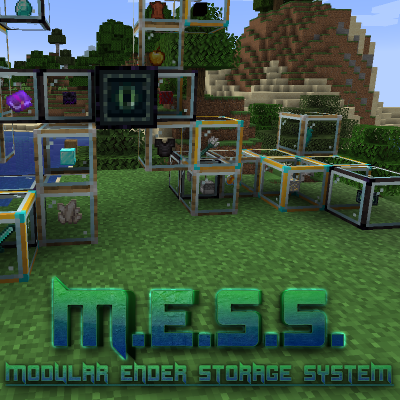
Too many chests? Don't stress! Make a M.E.S.S!
Quick answer
Modular Ender Storage System mess-1.17-2.0.0.jar targets 1.17 with Fabric. The project page does not say whether this file belongs on the client, dedicated server, or both. All 2 required mods have matching files.
Where it goes
The project page does not say whether this file belongs on the client, dedicated server, or both.
The source does not explicitly classify this release as client-only or server-only.
mess-1.17-2.0.0.jar. Change the file and its required mods may change too.
Install Fabric API, Fabric Language Kotlin first. We found matching files for this game-version and loader setup.
We only count dependency files that match this setup. A file for another loader does not fill the gap.
Before you install it
Built for Modular Ender Storage System mess-1.17-2.0.0.jar. Pick another file and the loader, install side or required mods may change.
Use mess-1.17-2.0.0.jar. It targets 1.17 with Fabric; another release may have different loader, side or dependency requirements.
Install Fabric API, Fabric Language Kotlin first. We found matching files for this game-version and loader setup.
The project page does not say whether this file belongs on the client, dedicated server, or both.
Use the “Get this file” button beside mess-1.17-2.0.0.jar. It opens that exact file at the source.
About this project

The Modular Ender Storage System mod adds a storage system that loosely fits with the lore of "The End".
It is meant to supplement the vanilla experience without breaking it too much.
The M.E.S.S. mod adds 4 blocks, an item and a GUI, which are explained below.
M.E.S.S. limbs hold items and come in 3 tiers
Limbs, themselves, do not have a UI and items can be deposited and withdrawn by Right-clicking.

Low and Mid tier limbs can be upgraded in the "Smithing Table".
This process retains the items stored in the limb.
Upgrade Low -> Mid

Upgrade Mid -> High

When limbs are connected to the M.E.S.S. brain, it will become the single point of access to the limbs' inventories.
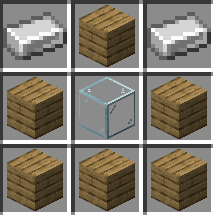
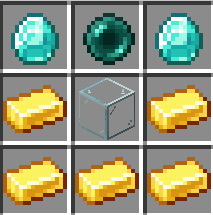
The brain is crafted like so:

Interacting with the brain will present a GUI with the contents of all connected limbs.
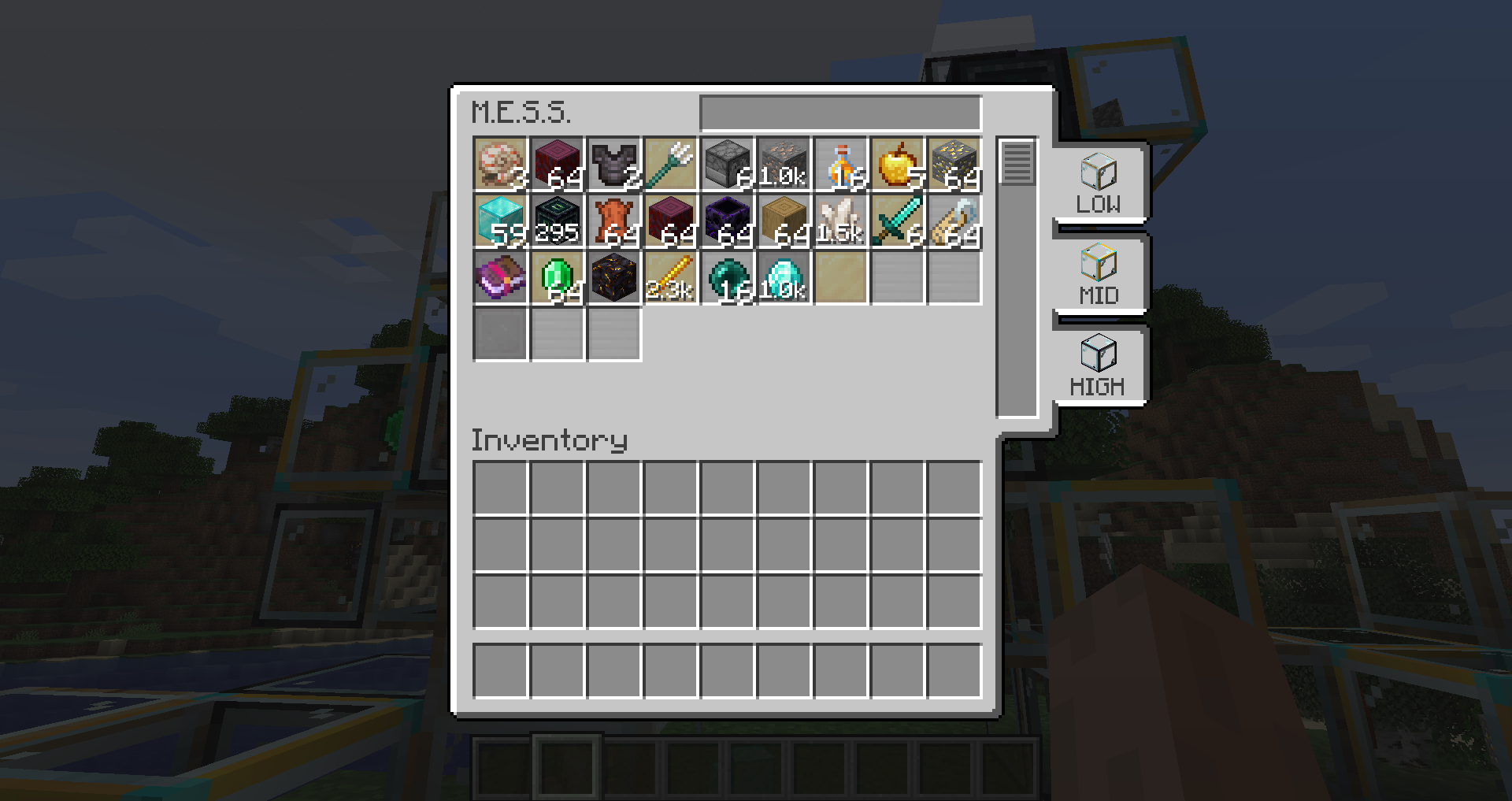
The brain GUI provides multiple functions:
1. You can withdraw and deposit items into the limbs through the brain.
2. You can search through the limbs for specific items.
3. You can toggle which tier limbs to show and items deposited/withdrawn will only go into those tier limbs.
The Ender Link will serve as your remote connection to the brain on your adventures. It even works in other dimensions.
While sneaking, right-clicking an "Eye of Ender" on a brain will create an Ender Link to the brain at that specific location and when used remotely will access the brain's GUI.
If, for some reason you want to revert the Ender Link back into an "Eye of Ender" simply put them in a crafting window.
Project description from CurseForge.
Pick your setup
Choose the version and loader you play, then open the matching release.
Check the dependencies, then try the file in a copied instance before changing a world you care about.
Recent files
19 Jul 2021
6 Nov 2020
Looking for an older file? The official CurseForge project page is in Resources.