Minecraft version
Back to mods 
CurseForge · Minecraft mod
ViaForge
Client-side ViaVersion implementation for Forge
Choose a version Pick your version below, then grab the matching file.
Quick answer
Which ViaForge release should I use?
Latest stable file 4.3.2+1.20.4
Game version 1.20.4
Loader Forge
ViaForge 4.3.2+1.20.4 targets 1.20.4 with Forge. The project page does not say whether this file belongs on the client, dedicated server, or both. No extra mods listed for this file.
Where it goes
Is ViaForge required on the client, server, or both?
The project page does not say whether this file belongs on the client, dedicated server, or both.
Client Source doesn’t say
Dedicated server Source doesn’t say
Loader for this release Forge
Required install it here Optional supported, not mandatory Not supported do not install here Source doesn’t say do not assume
The source does not explicitly classify this release as client-only or server-only.
What else does ViaForge 4.3.2+1.20.4 need?
4.3.2+1.20.4. Change the file and its required mods may change too.
This file does not list any required mods. Do not add a library just because a different file uses it.
This file does not list any required or optional mods.
Before you install it
Add ViaForge without breaking your instance.
Built for ViaForge 4.3.2+1.20.4. Pick another file and the loader, install side or required mods may change.
- 01
Stick to this file
Use 4.3.2+1.20.4. It targets 1.20.4 with Forge; another release may have different loader, side or dependency requirements.
- 02
Bring the mods it needs
This file does not list any required mods. Do not add a library just because a different file uses it.
- 03
Put it on the correct side
The project page does not say whether this file belongs on the client, dedicated server, or both.
- 04
Pick the file you checked
Use the “Get this file” button beside 4.3.2+1.20.4. It opens that exact file at the source.
About this project
What does ViaForge add?
ViaForge
Client-side and ViaVersion implementation for MinecraftForge and NeoForge
Supported Server versions
- Release (1.0.0 - 1.21.7)
- Beta (b1.0 - b1.8.1)
- Alpha (a1.0.15 - a1.2.6)
- Classic (c0.0.15 - c0.30 including CPE)
- April Fools (3D Shareware, 20w14infinite)
- Combat Snapshots (Combat Test 8c)
How to (Users)
ViaForge can be installed on 1.12.2, 1.16.5, 1.17.1, 1.18.2, 1.19.2, 1.19.4, 1.20.1, 1.20.4, 1.20.6 and 1.21.7 Forge, and 1.20.1, 1.20.6, 1.21.7 NeoForge client versions.
Dev builds: https://ci.viaversion.com/view/Platforms/job/ViaForge/
If you encounter any issues, please report them on either:
How to (Developers)
See this project for a copy-paste solution to include ViaForge into your MCP based project.
How to build
- Clone the repository with
git clone. - Run
./gradlew buildin the root directory of the repository. - The compiled jar files can be found in
viaforge-mc<version>/build/libs.
Note: Build scripts are made to be run using Java 17.
Other ViaVersion Mods / Platforms
ViaBungee - https://hangar.papermc.io/ViaVersion/ViaBungee (ensure Bungee is updated to latest)
ViaSponge - https://modrinth.com/project/viasponge
ViaFabric - https://modrinth.com/mod/viafabric
ViaFabricPlus - https://modrinth.com/mod/viafabricplus (Includes additional modifications to make the experience better)
ViaForge - https://modrinth.com/mod/viaforge/
ViaProxy (App) - https://github.com/ViaVersion/ViaProxy/#readme
ViaaaS (Proxy) - https://github.com/ViaVersion/ViaaaS#readme
For a more detailed summary see https://viaversion.com/suite
Partnership with RocketNode Hosting

RocketNode provides top-tier server hosting worldwide, allowing you to set up your server with just a few clicks! Their intuitive dashboard makes server management a breeze, and you can even schedule automatic restarts without needing any coding knowledge.
Use the code ENZA to get 25% off your first month on any of their gaming servers. Get started here: https://rocketnode.com/enza
Project description from CurseForge.
Pick your setup
ViaForge by Minecraft version and loader
Choose the version and loader you play, then open the matching release.
Minecraft version
1.21.10
2 loader buildsMinecraft version
1.21.9
2 loader buildsMinecraft version
1.21.7
2 loader buildsMinecraft version
1.20.6
2 loader buildsMinecraft version
1.20.4
1 loader buildMinecraft version
1.20.1
2 loader buildsMinecraft version
1.19.4
1 loader buildMinecraft version
1.19.2
1 loader buildMinecraft version
1.18.2
1 loader buildMinecraft version
1.17.1
1 loader buildMinecraft version
1.16.5
1 loader buildShowing the newest 12 of 14 game versions. Older files are in the list below.
Check the dependencies, then try the file in a copied instance before changing a world you care about.
Recent files
ViaForge versions and loaders
4.4.0+4+1.8.9
viaforge-mc189-4.4.0+4.jar
27 Mar 2026
Client Source doesn’t say Server Source doesn’t say Dependencies No extras listed Listed on Release listing
Check the 1.8.9 · Forge setup Forge1.8.9 alpha
4.4.0+4+1.12.2
viaforge-mc1122-4.4.0+4.jar
27 Mar 2026
Client Source doesn’t say Server Source doesn’t say Dependencies No extras listed Listed on Release listing
Check the 1.12.2 · Forge setup Forge1.12.2 alpha
4.4.0+3+1.21.11
viaforge-mc12111-4.4.0+3.jar
27 Mar 2026
Client Source doesn’t say Server Source doesn’t say Dependencies No extras listed Listed on Release listing
Check the 1.21.11 · Forge setup ForgeNeoForge1.21.11 alpha
4.4.0+3+1.20.6
viaforge-mc1206-4.4.0+3.jar
27 Mar 2026
Client Source doesn’t say Server Source doesn’t say Dependencies No extras listed Listed on Release listing
Check the 1.20.6 · Forge setup Forge1.20.6NeoForge alpha
4.4.0+3+1.20.4
viaforge-mc1204-4.4.0+3.jar
27 Mar 2026
Client Source doesn’t say Server Source doesn’t say Dependencies No extras listed Listed on Release listing
Check the 1.20.4 · Forge setup Forge1.20.4 alpha
4.4.0+3+1.20.1
viaforge-mc1201-4.4.0+3.jar
27 Mar 2026
Client Source doesn’t say Server Source doesn’t say Dependencies No extras listed Listed on Release listing
Check the 1.20.1 · Forge setup 1.20.1ForgeNeoForge alpha
4.4.0+3+1.19.4
viaforge-mc1194-4.4.0+3.jar
27 Mar 2026
Client Source doesn’t say Server Source doesn’t say Dependencies No extras listed Listed on Release listing
Check the 1.19.4 · Forge setup 1.19.4Forge alpha
4.4.0+3+1.19.2
viaforge-mc1192-4.4.0+3.jar
27 Mar 2026
Client Source doesn’t say Server Source doesn’t say Dependencies No extras listed Listed on Release listing
Check the 1.19.2 · Forge setup Forge1.19.2 alpha
4.4.0+3+1.18.2
viaforge-mc1182-4.4.0+3.jar
27 Mar 2026
Client Source doesn’t say Server Source doesn’t say Dependencies No extras listed Listed on Release listing
Check the 1.18.2 · Forge setup Forge1.18.2 alpha
4.4.0+3+1.17.1
viaforge-mc1171-4.4.0+3.jar
27 Mar 2026
Client Source doesn’t say Server Source doesn’t say Dependencies No extras listed Listed on Release listing
Check the 1.17.1 · Forge setup 1.17.1Forge alpha
4.4.0+3+1.16.5
viaforge-mc1165-4.4.0+3.jar
27 Mar 2026
Client Source doesn’t say Server Source doesn’t say Dependencies No extras listed Listed on Release listing
Check the 1.16.5 · Forge setup 1.16.5Forge alpha
4.3.2+1.20.4
viaforge-mc1204-4.3.2.jar
6 Jan 2026
Client Source doesn’t say Server Source doesn’t say Dependencies No extras listed Listed on Release listing
Check the 1.20.4 · Forge setup Forge1.20.4 release
Looking for an older file? The official CurseForge project page is in Resources.
 mod
mod CurseForge + Modrinth · Minecraft
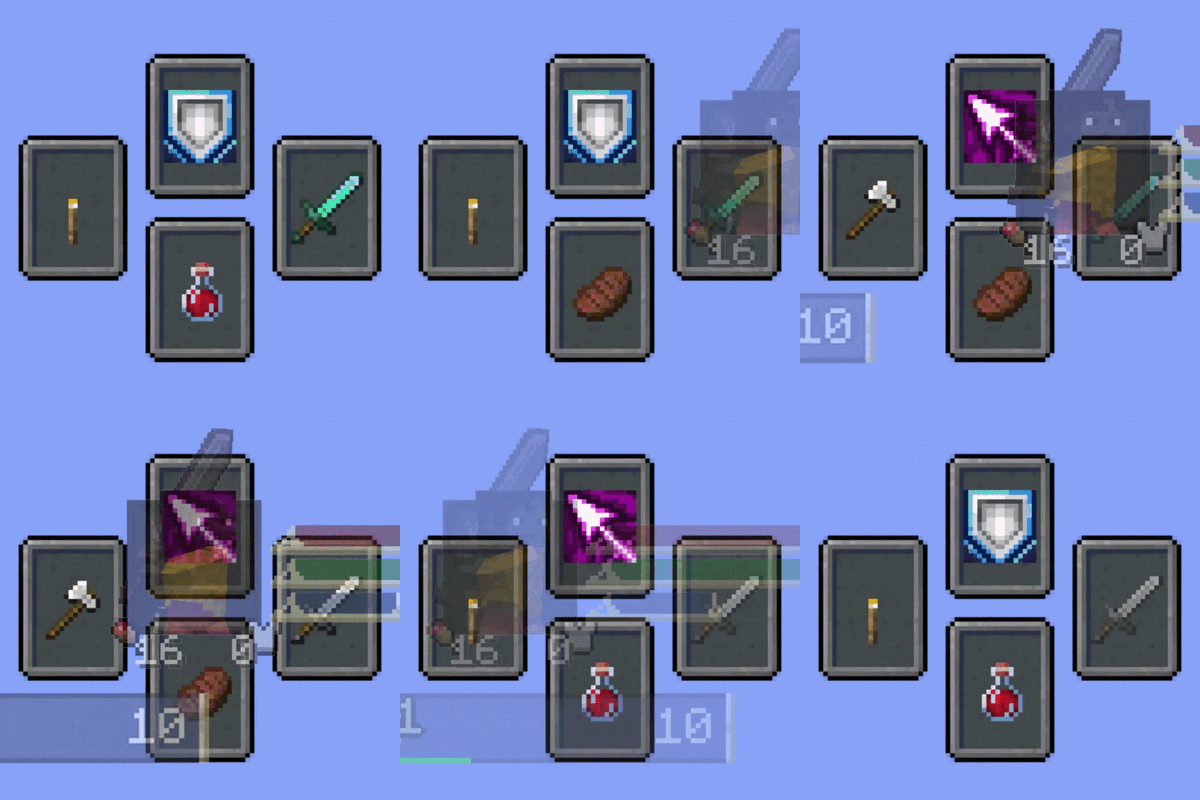
Souls Combat HUD
Adds a soulslike HUD featuring equipment slots, boss bar, status gauges and team display.
 mod
mod CurseForge · Minecraft
OneKeyMiner(Neo)Forge and Fabric| Vein Miner | Chain Vein
This mod adds the ability to chain tools to break blocks and chain farming while holding down the chain button. If you break a block, the adjacent blocks will be destroyed together, or if you hold a seed, the adjacent farmland will also be planted.
 mod
mod CurseForge · Minecraft
Tales Of Minecadia
Tales of Arcadia captured into Minecraft (Not affiliated with dreamworks or their stuff)