Just Enough Items (JEI) Optional for Awesome Shop AwesomeShop 1.6.0 Release
optionalMatching file found Matched file: 7.8.1.1018 for Forge 1.16.5

CurseForge · Minecraft mod
Its awesome! (With new Deco-Blocks coming!)
Quick answer
Awesome Shop AwesomeShop 1.6.0 Release targets 1.16.5, 1.16.4 with Forge. The project page does not say whether this file belongs on the client, dedicated server, or both. No extra mods listed for this file.
Where it goes
The project page does not say whether this file belongs on the client, dedicated server, or both.
The source does not explicitly classify this release as client-only or server-only.
AwesomeShop 1.6.0 Release. Change the file and its required mods may change too.
This file does not list any required mods. Do not add a library just because a different file uses it.
We only count dependency files that match this setup. A file for another loader does not fill the gap.
Before you install it
Built for Awesome Shop AwesomeShop 1.6.0 Release. Pick another file and the loader, install side or required mods may change.
Use AwesomeShop 1.6.0 Release. It targets 1.16.5, 1.16.4 with Forge; another release may have different loader, side or dependency requirements.
This file does not list any required mods. Do not add a library just because a different file uses it.
The project page does not say whether this file belongs on the client, dedicated server, or both.
Use the “Get this file” button beside AwesomeShop 1.6.0 Release. It opens that exact file at the source.
About this project
Mod with shredder, ducatium, awesomnium and depressnium to make some cool blocks and gear.
You can shredder Items to gain awesomnium-particles, make awesomnium matter out of them and craft new deco blocks at the awesome shop.
It also includes many pillars which you can craft with basic vanilla-materials, a trashcan that destroys your items and crystallum. A colorful source of solid glass to build with.
Look into the Screenshots to see some examples.
Newest Updates:Update 1.5.1: More pillars to build and some optimization including waterlogging of pillarsUpdate 1.5.0: Added the Shredder and Awesomeshop to make cool things out of awesomnium particles. Also a new trashcan.
It only requires Forge (forge:1.16.4-35.1.0+)
At the moment there is a known bug, that the lamps dimmer function doesn't work if you have Optifine installed! Please consider removing it to use Awesome Shop.
I created a very short step to step instruction on how to get started with the basics of this mod. See here:
Please request your Features and Blocks here:
https://github.com/SP-Universe/awesomeshop/issues/new/choose
For now it will only exist in 1.16.4. A version for 1.17.x is planned but will not be available on time of release.
If you use Optifine together with this Mod, thats a known issue. Please install Optiforge together with Optifine and Awesome Shop to fix this problem that Optifine produces.
If you don't use Optifine together with this mod, please open a new issue here.
THIS WILL NOT ALWAYS FIX THE PROBLEM. Optifine does change anything I dont know yet about lighting. If you have Ideas, create an issue with it please ^^
Wiki: https://github.com/SP-Universe/awesomeshop/wiki
Bugs and Feature Requests go here: https://github.com/SP-Universe/awesomeshop/issues
GitHub Project: https://github.com/SP-Universe/awesomeshop
Twitter: https://twitter.com/Stevencool209
Project description from CurseForge.
Pick your setup
Choose the version and loader you play, then open the matching release.
Check the dependencies, then try the file in a copied instance before changing a world you care about.
Recent files
Awesomeshop-1.6.1.jar
2 Aug 2021
Awesomeshop-1.6.0.jar
26 Jul 2021
Awesomeshop-1.5.4.jar
7 May 2021
Awesomeshop-1.5.3.jar
7 May 2021
Awesomeshop-1.5.2.jar
2 Apr 2021
Awesomeshop-1.5.1.jar
31 Mar 2021
Awesomeshop-1.5.0.jar
28 Mar 2021
Awesomeshop-1.4.1.jar
22 Mar 2021
Awesomeshop-1.4.0.jar
16 Jan 2021
Awesomeshop-1.3.1.jar
28 Dec 2020
Awesomeshop-1.3.0.jar
28 Dec 2020
Awesomeshop-1.2.2.jar
18 Dec 2020
Looking for an older file? The official CurseForge project page is in Resources.
 mod
Vanilla stone types in plenty of variations for all your building needs.
 mod
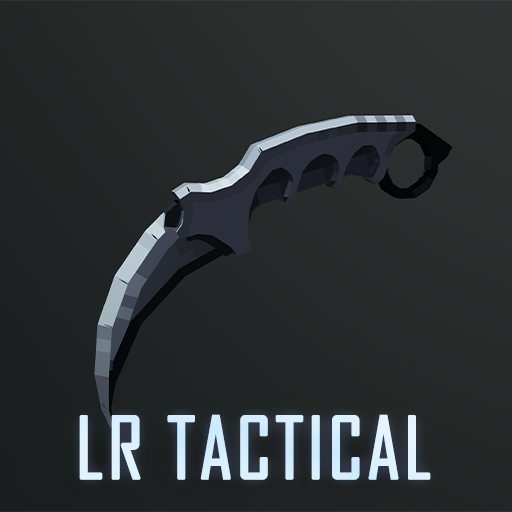
An addon for tacz, with extra support about throwable, melee weapons for gun packs
 mod
A Modern falling Meteor mod, highly configurable, pretty and with spirt of the old ones!