Quick answer
Which TexTweaks release matches 1.16.2?
Best match for your filters textweaks-1.16.5-1.5.0.jar
Game version 1.16.3, 1.16.5, 1.16.4
Loader Fabric
textweaks-1.16.5-1.5.0.jar targets 1.16.3, 1.16.5, 1.16.4 with Fabric. The project page does not say whether this file belongs on the client, dedicated server, or both. All 1 required mods have matching files.
Where it goes
Is TexTweaks required on the client, server, or both?
The project page does not say whether this file belongs on the client, dedicated server, or both.
Client Source doesn’t say
Dedicated server Source doesn’t say
Loader for this release Fabric
Required install it here Optional supported, not mandatory Not supported do not install here Source doesn’t say do not assume
The source does not explicitly classify this release as client-only or server-only.
What else does textweaks-1.16.5-1.5.0.jar need?
textweaks-1.16.5-1.5.0.jar on 1.16.2. Every mod below is checked against that same setup.
Install Fabric API first. We found matching files for this game-version and loader setup.
Matching file found Matched file: [1.16.2] Fabric API 0.20.1 build 401
Mod Menu Optional for textweaks-1.16.5-1.5.0.jar optionalMatching file found Matched file: ModMenu v1.14.6+build.31 for 1.16.2-1.16.4
OptiFabric Optional for textweaks-1.16.5-1.5.0.jar optionalMatching file found Matched file: OptiFabric-v1.13.16
We only count dependency files that match this setup. A file for another loader does not fill the gap.
Before you install it
Add TexTweaks without breaking your instance.
Built for textweaks-1.16.5-1.5.0.jar on 1.16.2. Pick another file and the loader, install side or required mods may change.
- 01
Stick to this file
Use textweaks-1.16.5-1.5.0.jar. It targets 1.16.3, 1.16.5, 1.16.4 with Fabric; another release may have different loader, side or dependency requirements.
- 02
Bring the mods it needs
Install Fabric API first. We found matching files for this game-version and loader setup.
- 03
Put it on the correct side
The project page does not say whether this file belongs on the client, dedicated server, or both.
- 04
Pick the file you checked
Use the “Get this file” button beside textweaks-1.16.5-1.5.0.jar. It opens that exact file at the source.
About this project
What does TexTweaks add?
TexTweaks Mod for Minecraft Fabric
Utilities for tweaking textures and high resolution texture packs
Features
Upscale lower resolution textures to a higher resolution
- Required for higher mipmap levels
- Scaled textures will look identical to original textures
- Useful for using SEUS PTGI with different resource packs that have different resolutions
Note: will make loading take more time, can significantly increase RAM and VRAM usage at higher resolution
Set mipmap levels above vanilla's maximum of 4
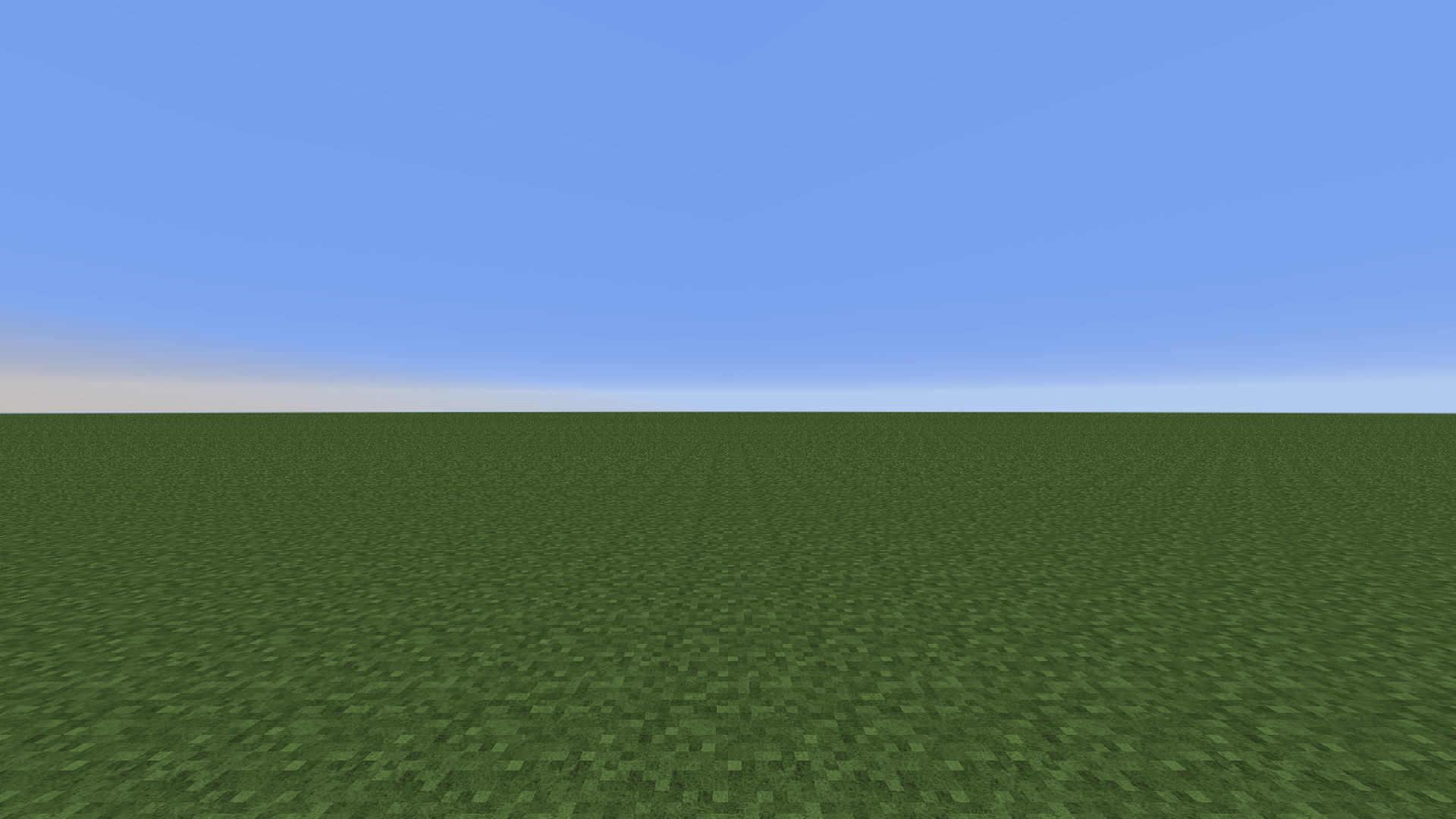
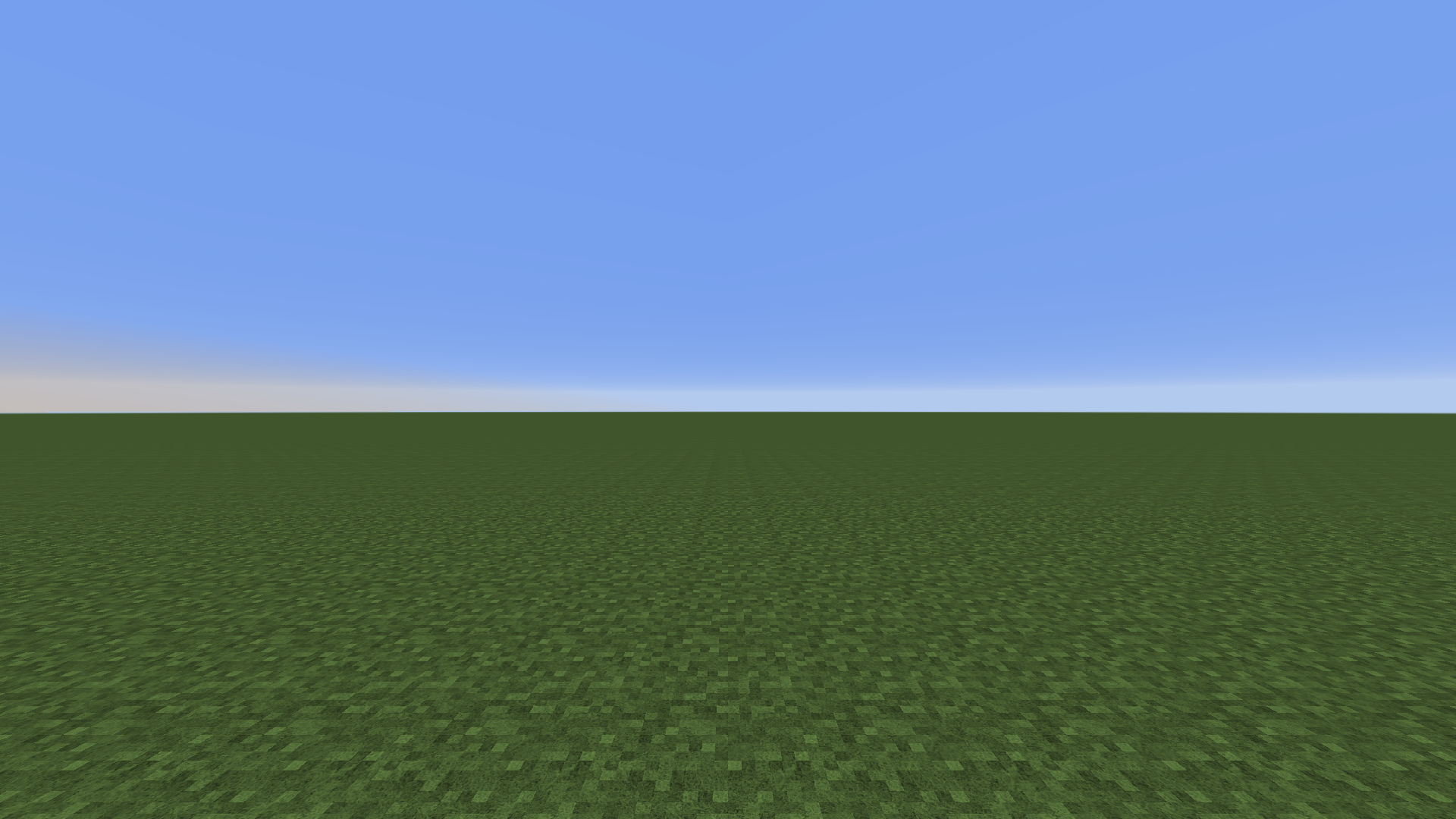
256x texture pack: 4x mipmapping vs. 8x mipmapping. View the image for more details. Note the aliasing in the first image which is removed by upping the mipmap
- Reduces distant aliasing when using higher resolution texture packs
Note: increases VRAM usage
Set mipmap LOD bias
- Fine-tune distant texture detail
- Works with shaders (previously forcing it in the graphics control panel makes the screen blurry when shaders are turned on)
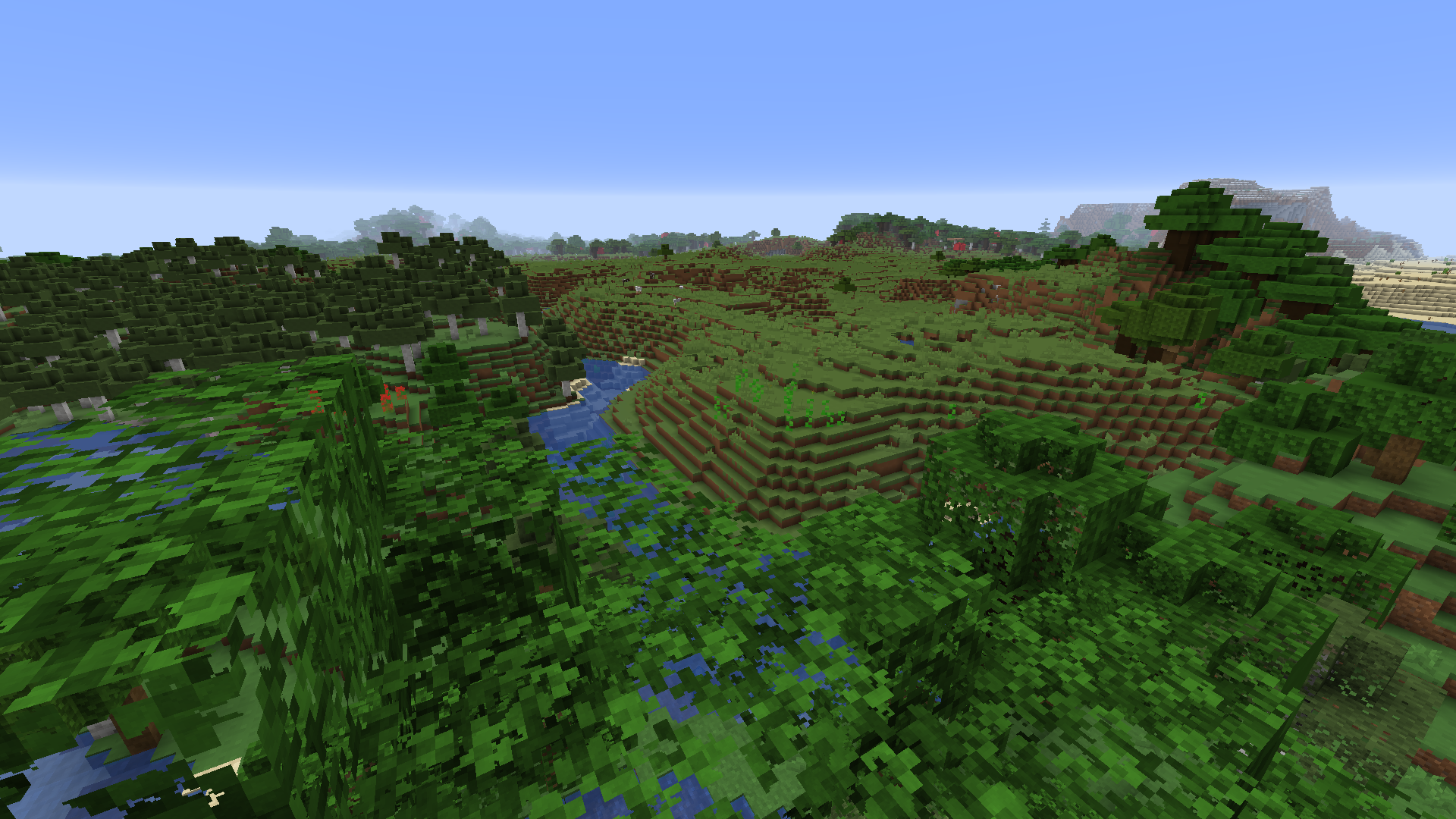
LOD bias at +3, distant textures have lower resolution. Optifine is needed for foliage to be mipmapped. Basic Setup
- Install mod
- Open mod config through ModMenu
- Set texture resolution to the highest resolution of all used resource packs. Unit is in powers of 2 (4 = 16x, 5 = 32x, 6 = 64x etc.)
- After setting up the mod config, reload resources with F3+T
- Done!
Compatibility
Compatible with Optifine
Should be compatible with Sodium
Project description from CurseForge.
Pick your setup
TexTweaks by Minecraft version and loader
Choose the version and loader you play, then open the matching release.
Minecraft version
1.16.5
1
loader build Minecraft version
1.16.4
1
loader build Minecraft version
1.16.3
1
loader build Minecraft version
1.16.2
1
loader build Minecraft version
1.16.1
1
loader build Minecraft version
1.16
1
loader build Check the dependencies, then try the file in a copied instance before changing a world you care about.
Recent files
TexTweaks versions and loaders
1.16.3Fabric1.16.51.16.4 release
1.16.3Fabric1.16.51.16.4 release
1.16.3Fabric1.16.51.16.4 release
1.16.3Fabric1.16.51.16.4 release
1.16.31.16.11.16Fabric release
1.16.31.16.11.16Fabric release
1.16.31.16.11.16Fabric release