Fabric API Needed by Item Pets item_pets-1.1.0.jar
requiredMatching file found Matched file: [1.16.3] Fabric API 0.25.0 build 415
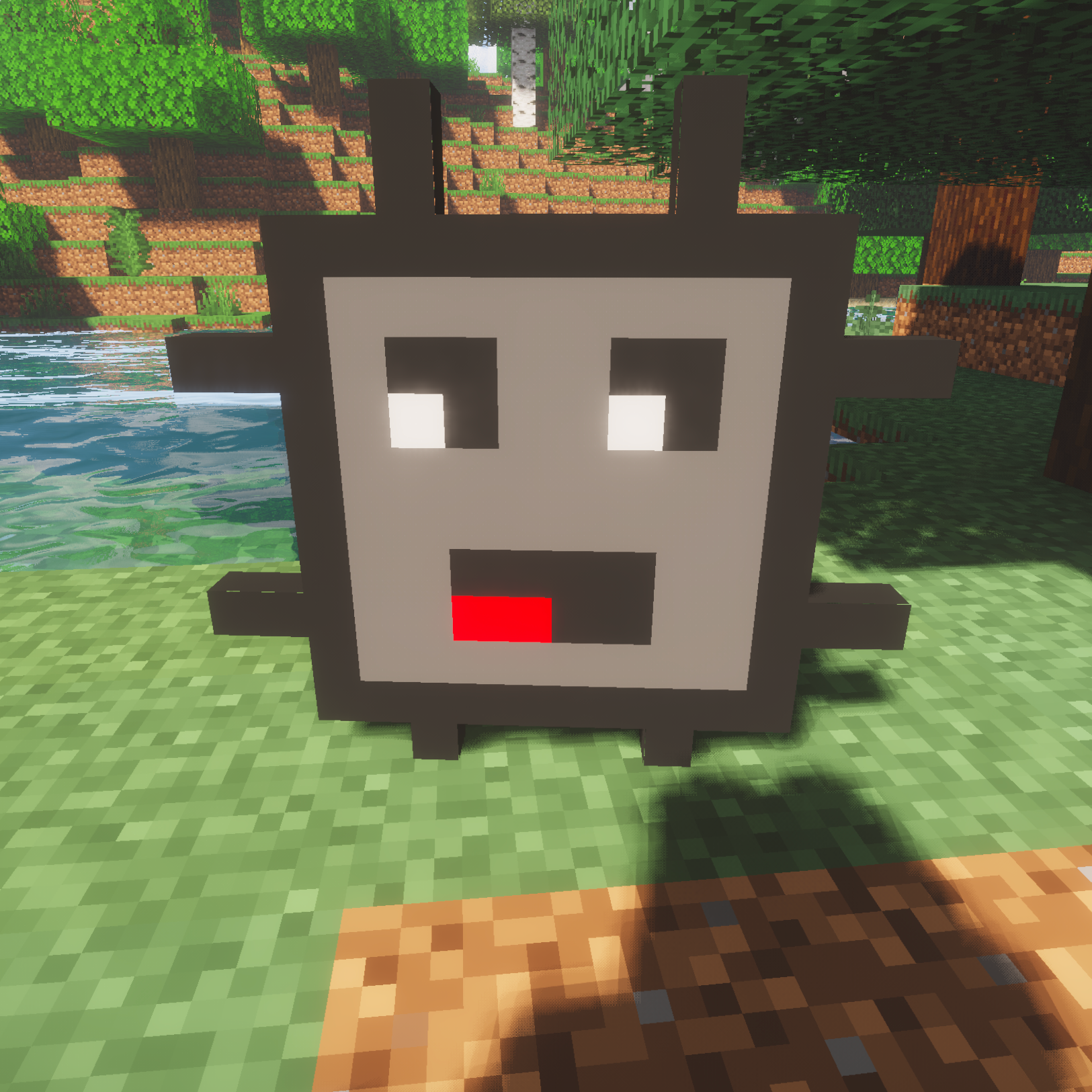
CurseForge · Minecraft mod
Pets that follow you around and help in PVP!
Quick answer
Item Pets item_pets-1.1.0.jar targets 1.16.3, 1.16.5, 1.16.4 with Fabric. The project page does not say whether this file belongs on the client, dedicated server, or both. All 1 required mods have matching files.
Where it goes
The project page does not say whether this file belongs on the client, dedicated server, or both.
The source does not explicitly classify this release as client-only or server-only.
item_pets-1.1.0.jar. Change the file and its required mods may change too.
Install Fabric API first. We found matching files for this game-version and loader setup.
We only count dependency files that match this setup. A file for another loader does not fill the gap.
Before you install it
Built for Item Pets item_pets-1.1.0.jar. Pick another file and the loader, install side or required mods may change.
Use item_pets-1.1.0.jar. It targets 1.16.3, 1.16.5, 1.16.4 with Fabric; another release may have different loader, side or dependency requirements.
Install Fabric API first. We found matching files for this game-version and loader setup.
The project page does not say whether this file belongs on the client, dedicated server, or both.
Use the “Get this file” button beside item_pets-1.1.0.jar. It opens that exact file at the source.
About this project
Due to a lack of interest from the modding community this mod will not be maintained past version 1.16.5


Pets that follow you around and help in PVP!
Tips:
Right click with the Item Pet item to spawn an item pet!
You can click on it with any item to morph the pet into that item, and click with an empty hand to retrieve it!
Setting the item will tame the pet!
You can right click with dyes to change the color of the pet's name!
Features (when the detailed item is equipped):
-Default behavior: Help you attack enemies! Attack damage from items and sword enchantments do apply!
-Bows: Fires arrows like skeletons at your enemies!
-Enchanted Books: Sets nearby mobs on fire.
-TNT: Pounces and explodes on impact.
-Shear: Automatically shears any nearby sheep.
-Splash Potion: Witch style potion throwing.
-Trident: Shoots tridents like a drowned!
-Bed: 15x night speed
-Potion: Auto apply the potion effect to the user randomly
-Chorus Fruit: Teleport owner when low hp
-Fire charge: Shoot blaze fireballs
-Crossbow: Piercing crossbow shots
-Food: Auto eat the food (long cool down)
-Tipped Arrow/Spectral Arrow: all arrows owner sets are converted to the item
-Fermented Spider Eye: Apply poison on melee hits
-Milk Bucket: Clear harmful effects
Project description from CurseForge.
Pick your setup
Choose the version and loader you play, then open the matching release.
Check the dependencies, then try the file in a copied instance before changing a world you care about.
Recent files
18 Feb 2021
12 Dec 2020
Looking for an older file? The official CurseForge project page is in Resources.
 mod
Discover, track, and master encounters that are triggered by your everyday gameplay actions.
 mod
Backpack mod on all versions
 mod
Microsoft flight simulator for Minecraft elytras, now native to NeoForge.