Patchouli Needed by Magical Metals Version 1.3.1
requiredMatching file found Matched file: Patchouli-1.16.4-53.3.jar
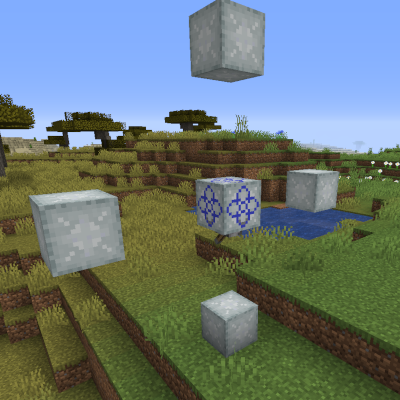
CurseForge · Minecraft mod
Create new magical metals, and forge new tools out of them.
Quick answer
Magical Metals Version 1.3.1 targets 1.16.5 with Forge. The project page does not say whether this file belongs on the client, dedicated server, or both. All 1 required mods have matching files.
Where it goes
The project page does not say whether this file belongs on the client, dedicated server, or both.
The source does not explicitly classify this release as client-only or server-only.
Version 1.3.1. Change the file and its required mods may change too.
Install Patchouli first. We found matching files for this game-version and loader setup.
We only count dependency files that match this setup. A file for another loader does not fill the gap.
Before you install it
Built for Magical Metals Version 1.3.1. Pick another file and the loader, install side or required mods may change.
Use Version 1.3.1. It targets 1.16.5 with Forge; another release may have different loader, side or dependency requirements.
Install Patchouli first. We found matching files for this game-version and loader setup.
The project page does not say whether this file belongs on the client, dedicated server, or both.
Use the “Get this file” button beside Version 1.3.1. It opens that exact file at the source.
About this project
Currently:
Initially created as part of the Desert Bus for Hope 2020 Game Jam (https://itch.io/jam/dbgj2020). Will be developed further.
Getting Started
The guidebook is created from one iron ore and one book. This book tells you what tools are in the mod, and the blocks that can be created.
Currently, there's a method to create the magical metals, which uses a special block to transmute metal depending on the biome you are in.
Currently, can use the created metals to make rods, which can be used to bestow certain potion effects upon others or yourself.
References
Thanks to Botania (https://botaniamod.net/) for having an open source to look at and go "Hey, why does this thing not work."
Thanks to MinecraftByExample (https://github.com/TheGreyGhost/MinecraftByExample) for being an example-based tutorial of how to do things.
Project description from CurseForge.
Pick your setup
Choose the version and loader you play, then open the matching release.
Check the dependencies, then try the file in a copied instance before changing a world you care about.
Recent files
magicalmetals-1.3.1-forge1.16.5-36.1.0.jar
10 Apr 2021
magicalmetals-1.3-forge1.16.5-36.1.0.jar
7 Apr 2021
magicalmetals-1.2.1-forge1.16.4-35.1.0.jar
31 Dec 2020
magicalmetals-1.1-forge1.16.4-35.1.0.jar
12 Dec 2020
Looking for an older file? The official CurseForge project page is in Resources.
 mod
Adds dragons and weapons to bring more adventure to your world
 mod
Practice folk witchcraft through herbalism, rituals, brewing, enchanted flora, magical tools, and the living forces of nature.
 mod
The Faerie Realm is Mod that allows you to visit a dimension that is odd, but magical. Inspired the Celtic mythos of a place called the Otherside. Build a portle or find the mounds of the faerie to go; Get rewards above all imagination. Can you leave?