
Minecraft version
Back to mods 
CurseForge · Minecraft mod
Upstream
A mod that adds endless, wider rivers, and configurable rivers!
Choose a version Pick your version below, then grab the matching file.
Quick answer
Which Upstream release should I use?
Latest stable file Upstream 1.0 MCV: 1.16.4/1.16.5
Game version 1.16.5, 1.16.4
Loader Forge
Upstream 1.0 MCV: 1.16.4/1.16.5 targets 1.16.5, 1.16.4 with Forge. The project page does not say whether it belongs on the client. The project page does not say whether it belongs on the dedicated server. No extra mods listed for this file.
Where it goes
Is Upstream required on the client, server, or both?
The project page does not say whether it belongs on the client. The project page does not say whether it belongs on the dedicated server.
Client Source doesn’t say
Dedicated server Source doesn’t say
Loader for this release Forge
Required install it here Optional supported, not mandatory Not supported do not install here Source doesn’t say do not assume
The source does not explicitly classify this release as client-only or server-only.
What else does Upstream 1.0 MCV: 1.16.4/1.16.5 need?
Upstream 1.0 MCV: 1.16.4/1.16.5. Change the file and its required mods may change too.
This file does not list any required mods. Do not add a library just because a different file uses it.
This file does not list any required or optional mods.
Before you install it
Add Upstream without breaking your instance.
Built for Upstream 1.0 MCV: 1.16.4/1.16.5. Pick another file and the loader, install side or required mods may change.
- 01
Stick to this file
Use Upstream 1.0 MCV: 1.16.4/1.16.5. It targets 1.16.5, 1.16.4 with Forge; another release may have different loader, side or dependency requirements.
- 02
Bring the mods it needs
This file does not list any required mods. Do not add a library just because a different file uses it.
- 03
Put it on the correct side
The project page does not say whether it belongs on the client. The project page does not say whether it belongs on the dedicated server.
- 04
Pick the file you checked
Use the “Get this file” button beside Upstream 1.0 MCV: 1.16.4/1.16.5. It opens that exact file at the source.
About this project
What does Upstream add?

Upstream, the ultimate river upgrading mod!
Tired of the old small thin and sometimes waterless rivers vanilla offers? Upstream is the answer! Upstream is a river overhaul mod that removes the old vanilla river generation and replaces it with new endless and wider rivers. With 2 vast configs, the 1st letting you pick and choose what river biomes(modded and datapack!) go in which biomes(modded and datapack!), the 2nd letting you control the wideness, generation frequency, and much much more! So what are you waiting for? Try it out!
Using Fabric? Click here!

Mod Compatibility
Upstream should work with all world generation mods NOT using custom worldtypes. If it uses a custom worldtype, compatibility may vary.
Upstream will work in all world types that sample their biome sources/providers w/ the method Layer.func_242936_ a.
Upstream has been tested and confirmed to be functional in the following worldtypes:
Large Biomes
Amplified
Default
Biomes O' Plenty
Quark Realistic
Need a hand? Our Wiki is a good place to start!
Click the image above to get redirected to Upstream's Wiki page, can't find what you need? Join our Discord.
Need a server to play Upstream with friends?
Click the image above to get 25% off your first month with my code "CorgiTaco" and sail in Upstream's rivers!


Project description from CurseForge.
Pick your setup
Upstream by Minecraft version and loader
Choose the version and loader you play, then open the matching release.
Minecraft version
1.16.4
1 loader buildCheck the dependencies, then try the file in a copied instance before changing a world you care about.
Recent files
Upstream versions and loaders
Upstream 1.0 MCV: 1.16.4/1.16.5
upstream-1.0.jar
15 Dec 2020
Client Source doesn’t say Server Source doesn’t say Dependencies No extras listed Listed on Release listing
Check the 1.16.5 · Forge setup 1.16.5Forge1.16.4 release
Looking for an older file? The official CurseForge project page is in Resources.
 mod
mod CurseForge · Minecraft
Solo Leveling: Reawakening [SLR]
Unofficial Manwha/Anime Solo Leveling Mod for Minecraft with gates, dungeons, weapons, classes and more!
 mod
mod CurseForge · Minecraft
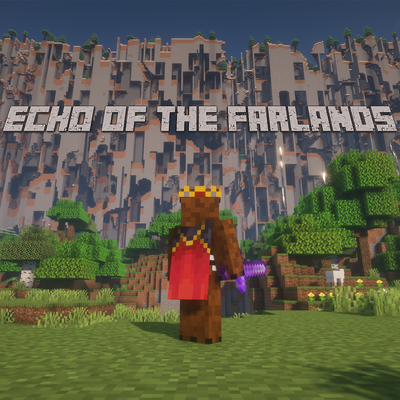
Echo of the Farlands
The Farlands are back and fully customizable
 mod
mod CurseForge · Minecraft
Cryptid Core Co Field Operations
Deep in the forests and snowy backcountry, something is watching you. Six blocks tall. Human-shaped. Not human. It travels in families, hides behind trees, and hurls rocks when its kin are threatened.