
Minecraft version
Back to mods 
CurseForge · Minecraft mod
Minicraft Quest
Minicraft Quest
Choose a version Pick your version below, then grab the matching file.
Quick answer
Which Minicraft Quest release should I use?
Latest stable file Minicraft Quest v0.96 Pack
Game version 1.8.7, 1.8.8
Loader Not required
Minicraft Quest v0.96 Pack targets 1.8.7, 1.8.8. The project page does not say whether this file belongs on the client, dedicated server, or both. No extra mods listed for this file.
Where it goes
Is Minicraft Quest required on the client, server, or both?
The project page does not say whether this file belongs on the client, dedicated server, or both.
Client Source doesn’t say
Dedicated server Source doesn’t say
Loader for this release No loader listed
Required install it here Optional supported, not mandatory Not supported do not install here Source doesn’t say do not assume
The source does not explicitly classify this release as client-only or server-only.
What else does Minicraft Quest v0.96 Pack need?
Minicraft Quest v0.96 Pack. Change the file and its required mods may change too.
This file does not list any required mods. Do not add a library just because a different file uses it.
This file does not list any required or optional mods.
Before you install it
Add Minicraft Quest without breaking your instance.
Built for Minicraft Quest v0.96 Pack. Pick another file and the loader, install side or required mods may change.
- 01
Stick to this file
Use Minicraft Quest v0.96 Pack. It targets 1.8.7, 1.8.8; another release may have different loader, side or dependency requirements.
- 02
Bring the mods it needs
This file does not list any required mods. Do not add a library just because a different file uses it.
- 03
Put it on the correct side
The project page does not say whether this file belongs on the client, dedicated server, or both.
- 04
Pick the file you checked
Use the “Get this file” button beside Minicraft Quest v0.96 Pack. It opens that exact file at the source.
About this project
What does Minicraft Quest add?
Version: v0.96
wiki : wiki.minicraft.org
Video
Installation
- Require Minicraft Manager v0.79. The pack already contains it.
- Optional Citizens 2.
- In ''version'' folder of Minecraft, copy the folder ''1.8'' and rename it ''1.8 Minicraft''. Rename with the same name jar and json files. And in json files ''"id": "1.8 Minicraft"''.
- Edit your profile on the launcher and on option ''Use version'' selects ''release 1.8 Minicraft''.
- Extract the contents of client folder into ''1.8 Minicraft.jar'', delete the META-INF folder.
- Dowload and replace your Craftbukkit / Spigot server with Spigot 1.8.8-R0.1 Minicraft v1 or copy .class with Spigot-1.8.8-R0.1_Minicraft_class_v1 in your craftbukkit (there is just one packet add into). The Client side remains ''1.8''.
- Place plugin folder content in plugin folder in your server.
Commands
With /quest or /miniquest and /skill or /miniskill :
**** HELP MINICRAFT QUEST 1/2 ****/quest npc - Open editor gui selected npc./quest open <idNPC> [<player>] - Open editor gui npc or quest gui for a player./quest accept|decline|validate <idNPC> <idQuest> [<player>] - Manage the quest for a player./quest reset <player> [<idQuest>] - Reset quest player or all quests./quest edit <player> - Open quests historic gui.* right click on npc - open npc quests.* right click + 'sneak' on npc - open npc quests edit.* key N - Open current quests.* key B - Open current events.* key , - Open skills gui.* key C - Toggle skill bar.**** HELP MINICRAFT QUEST 2/2 ****/quest add <idNPC> <name> - Add target block as npc for to open quests./quest move <idNPC> [toNpc] - Move npc block or real npc on target block or on real npc with same id./quest remove <idNPC> - Remove npc block./quest event [slot] - Open event gui./quest start <event> - Start event./quest stop <event> - Stop event./quest mekabox|meka|box [<category>] - Open mekabox gui./quest book <idNPC> <title> - Add quest book./quest icons - Load quest icon files.
**** HELP MINICRAFT SKILL ****/skill - Open skills gui.*key ',' - Open skills gui./skilledit [<class> [<skill>]] - Open skills edit gui./classedit [<class>] - Open classes edit gui./skill info <player> [<class>] - Show player classes/skills./skill activate|deactivate <player> <class> [<skill>]/skill level|levelforce add|init <amount> <player> <class> [<skill>]/skill xp|xpforce add|init <amount> <player> <class> [<skill>]* force : add xp/level on class/skill deactivated./skill erase <player> <class> [<skill>] - Erase state player./skill inventory [<player>] - Open skill inventory player.
optional Patch Forge & mcpc+ 1.6.4
- For compatibility with forge and mcpc+ 1.6.4.
- Read on Minicraft Manager.
With your launcher
- For 1.5.2 and inferior.
- If you integrate directly into your launcher, you'll on buttons of interfaces written ''quest.gui.exit''.
- When you put the client files, there is also the ''Minicraft'' folder that contains lang files and initialization of my mods.
- With a customizable launcher, your jar is placed in a folder other than the default.
- You must edit ''org.minicraft.manager.client.MIHandler'' in the init() method the location and name of your jar so that everything is well initialized.
Configuration
ATTENTION : Configuration change to the v0.66. Default is sqlite.
# ----- CONFIG SQL -----
base_type_(sqlite, mysql): sqlite
prefix: quest_
SQLite: {}
name_db: miniquest
MySQL: {}
base: minecraft
login: root
pass: ''
host: localhost
Permissions
miniquest.quest:
    default: true
miniquest.questedit:
    default: op
miniquest.load:
    default: op
miniquest.add:
    default: op
miniquest.move:
    default: op
miniquest.remove:
    default: op
miniquest.mechanism:
    default: op
miniquest.reputation:
    default: op
miniquest.event:
    default: opminiquest.skill:    default: trueminiquest.skilledit:    default: op
Changelog
Version 0.96
- add tags quest player historic gui
- add /quest edit <player> - Edit quests historic gui
- add save parameters option on Class, Skill and Quest
- add show / update players parameters values
- add tool mekabox copy
- add Tool mekabox replace a meka
- add Tool mekabox external links meka
- inventory skill change hotbar on skill bar mode
- fix npc icons on create quest
- fix Tool text screen with timer
Version 0.95
- add Skill bar, switch mode with "C" key
- add Inventory Skill
- add option inventory skill on Action inventory player
- add /skill inventory [<player>] - Open skill inventory player.
- add Tool Text Screen
- add Text Screen on Trigger timer
- add click left, right, middle mouse, slot skill, cancel event mouse mc on Trigger use item
- add option show message on skills gui
- fix update tool box
Version 0.94
- add icons 3d
- add icon quest taken
- add clean items on Action inventory drop items
- add order list on skills, mekabox and mecha links gui
- add direction relative on Tool Effect fx particule
- fix Tool Effect fx gui
- action inventory give if not exist
- coordinate xyz with decimal
- fix distance target on tool selector with param
- fix launched mechanism on player on Tool Selector and Trigger Damage
- fix event list with slot 0, event minus param gui
- fix play tool fx, tool param import, action pop entity tab, quest gui npc view, skill edit gui tab
- update server 1.8.8
Version 0.93
- add Quest Icon overlay manager - /quest icons - Load quest icon files.
- add entity target on Tool Selector
- add param class selection on quests
- fix quest edition gui
- add bypass spawn protect entity on Action pop entity
- add confirm delete element
- add Quest tag
- fix ToolParam import, reload import after reboot
- fix skill list
- extends slot mechanism shown
- fix resize screen
- fix text npc block
Version 0.92
- add Skills system, classes, tiers, levels, xps
- add player gui skills
- add Action skill, Starter skill, level, tier
- add skill command /skill help
- add extends navigation buttons
- Classes / skills parameters are saved.
- fix ToolParam equal, quest edit, trigger time nb time, objective kill survive, play tool effects
Version 0.91
- add parameters on quest, event and mekabox
- use parameters on mechanisms with #nameparam
- add Tool param, calcule between parameters or import parameter from another location
- add Objective Meka, change on / off with the starter quest
- add Rabbit type on action pop entity
- fix command /quest mekabox|meka|box [<category name>]
- fix Action command json with mysql
- require Minicraft manager v0.74 and server 1.8 Minicraft v2
Version 0.90
- update mc 1.8
- add command tellraw, title, subtitle with text json on Tool command
- require Minicraft Manager v0.73
Project description from CurseForge.
Pick your setup
Minicraft Quest by Minecraft version and loader
Choose the version and loader you play, then open the matching release.
Minecraft version
1.8.7
1 loader buildMinecraft version
1.8
1 loader buildMinecraft version
1.7.10
1 loader buildMinecraft version
1.7.5
1 loader buildMinecraft version
1.7.4
1 loader buildMinecraft version
1.6.2
1 loader buildCheck the dependencies, then try the file in a copied instance before changing a world you care about.
Recent files
Minicraft Quest versions and loaders
Minicraft Quest v0.96 Pack
MinicraftQuest_0.96_pack.zip
14 Oct 2015
Client Source doesn’t say Server Source doesn’t say Dependencies No extras listed Listed on Release listing
Check the 1.8.8 setup 1.8.71.8.8 release
Minicraft Quest v0.96 Pack 1.7.10
MinicraftQuest_0.96_pack.zip
14 Oct 2015
Client Source doesn’t say Server Source doesn’t say Dependencies No extras listed Listed on Release listing
Check the 1.7.10 setup 1.7.10 release
Minicraft Quest v0.95 Pack
MinicraftQuest_0.95_pack.zip
31 Aug 2015
Client Source doesn’t say Server Source doesn’t say Dependencies No extras listed Listed on Release listing
Check the 1.8.7 setup 1.8.7 release
Minicraft Quest v0.95
MinicraftQuest_0.95.zip
31 Aug 2015
Client Source doesn’t say Server Source doesn’t say Dependencies No extras listed Listed on Release listing
Check the 1.8.7 setup 1.8.7 release
Minicraft Quest v0.95 Pack 1.7.10
MinicraftQuest_0.95_pack.zip
31 Aug 2015
Client Source doesn’t say Server Source doesn’t say Dependencies No extras listed Listed on Release listing
Check the 1.7.10 setup 1.7.10 release
Minicraft Quest v0.94 Pack
MinicraftQuest_0.94_pack.zip
4 Aug 2015
Client Source doesn’t say Server Source doesn’t say Dependencies No extras listed Listed on Release listing
Check the 1.7.10 setup 1.7.10 release
Minicraft Quest v0.94 Pack
MinicraftQuest_0.94_pack.zip
3 Aug 2015
Client Source doesn’t say Server Source doesn’t say Dependencies No extras listed Listed on Release listing
Check the 1.8.7 setup 1.8.7 release
Minicraft Quest v0.94
MinicraftQuest_0.94.zip
3 Aug 2015
Client Source doesn’t say Server Source doesn’t say Dependencies No extras listed Listed on Release listing
Check the 1.8.7 setup 1.8.7 release
Minicraft Quest v0.932 Pack
MinicraftQuest_0.932_pack.zip
12 Jun 2015
Client Source doesn’t say Server Source doesn’t say Dependencies No extras listed Listed on Release listing
Check the 1.8 setup 1.8 release
Minicraft Quest v0.932
MinicraftQuest_0.932.zip
12 Jun 2015
Client Source doesn’t say Server Source doesn’t say Dependencies No extras listed Listed on Release listing
Check the 1.8 setup 1.8 release
Minicraft Quest v0.932 Pack
MinicraftQuest_0.932_pack.zip
12 Jun 2015
Client Source doesn’t say Server Source doesn’t say Dependencies No extras listed Listed on Release listing
Check the 1.7.10 setup 1.7.10 release
Minicraft Quest v0.93 Pack
MinicraftQuest_0.93_pack.zip
1 Jun 2015
Client Source doesn’t say Server Source doesn’t say Dependencies No extras listed Listed on Release listing
Check the 1.8 setup 1.8 release
Looking for an older file? The official CurseForge project page is in Resources.
 mod
CurseForge · Minecraft
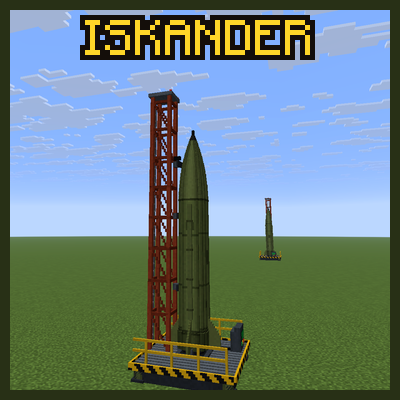
Iskander Rocket
Build a missile launcher, set the target on the fire control panel and press FIRE: the rocket flies up to 10,000 blocks and leaves a giant crater.
 mod
CurseForge · Minecraft
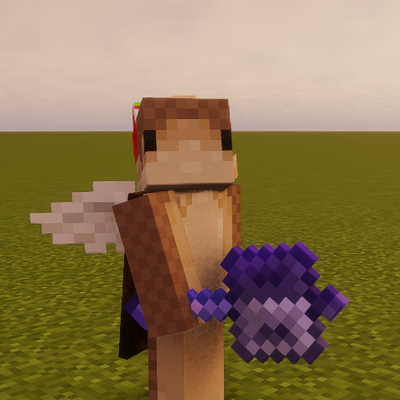
soldier PVP NPC carpet mod
Spawn teams of Carpet fake-player soldiers that fight, pathfind, bridge, eat, and use special classes like macers, cobwebbers, archers, carters and potters. Server-side, controlled by /soldier. Requires Carpet.
 mod
CurseForge · Minecraft
Murim Login
Wuxia / murim cultivation: pick a side, join a sect, climb from realm 10 to immortal with qi, a skill hotbar, scroll-learned arts, flying swords, quests and bosses. Thai or English.