Minecraft version
Back to mods 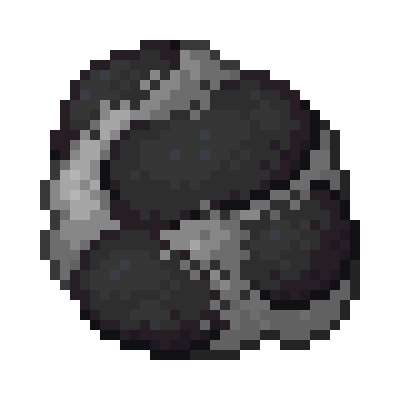
CurseForge · Minecraft mod
Coalstone
Repurpose your coal and cobblestone to make something great!
Choose a version Pick your version below, then grab the matching file.
Quick answer
Which Coalstone release should I use?
beta file Coalstone 1.16.5-1
Game version 1.16.5
Loader forge
Coalstone 1.16.5-1 targets 1.16.5. The project page does not say whether this file belongs on the client, dedicated server, or both. No extra mods listed for this file.
Where it goes
Is Coalstone required on the client, server, or both?
The project page does not say whether this file belongs on the client, dedicated server, or both.
Client Source doesn’t say
Dedicated server Source doesn’t say
Loader for this release No loader listed
Required install it here Optional supported, not mandatory Not supported do not install here Source doesn’t say do not assume
The source does not explicitly classify this release as client-only or server-only.
What else does Coalstone 1.16.5-1 need?
Coalstone 1.16.5-1. Change the file and its required mods may change too.
This file does not list any required mods. Do not add a library just because a different file uses it.
This file does not list any required or optional mods.
Before you install it
Add Coalstone without breaking your instance.
Built for Coalstone 1.16.5-1. Pick another file and the loader, install side or required mods may change.
- 01
Stick to this file
Use Coalstone 1.16.5-1. It targets 1.16.5; another release may have different loader, side or dependency requirements.
- 02
Bring the mods it needs
This file does not list any required mods. Do not add a library just because a different file uses it.
- 03
Put it on the correct side
The project page does not say whether this file belongs on the client, dedicated server, or both.
- 04
Pick the file you checked
Use the “Get this file” button beside Coalstone 1.16.5-1. It opens that exact file at the source.
About this project
What does Coalstone add?
{width=700 height=350}
Coalstone implements a titular new material which can be used for a variety of purposes: tools, building blocks, an improved Furnace, and the new Coalstone Condenser! The Condenser took up the brunt of my time working on this mod: it has unique recipes both for new items, such as Carbonised Diamond tools, and some vanilla items (I think you can probably assume just from this being a coal themed mod but yes, there is a Diamond recipe...)
In-game documentation is provided through Patchouli. This isn't a mandatory dependency, but it is highly recommended! Additionally, if Just Enough Items is your style instead, the mod is fully compatible with it (again, not a mandatory dependency...) and every Coalstone Condenser recipe is viewable via JEI. I would highly recommend using at least one. They're good mods!!!
If you have any issues, please use the issue tracker either here or on my GitHub repo. There is also my Discord server if you want to chat to me or see what I'm doing (I'm very busy with uni so I cannot guarantee it's always going to be some cool modding stuff LOL)
Thank you, and I hope you enjoy the mod! It's my first, so I wanted it to be simple but effective!
Screenshots
{width=700 height=358}
All items added by Coalstone - Coalstone Clumps, Shards, and tools, as well as Condensed Coalstone and Carbonised Diamond tools.
{width=373 height=352}
The Coalstone Furnace is an upgraded Furnace which has 1.25x fuel efficiency and 1.2x faster smelting speed. A worthy upgrade to increase your efficiency!
{width=373 height=352}
The Coalstone Condenser works a lot like a Furnace: both take fuel and have a "cook time", but condenser varies in a few aspects. Condensing recipes vary in how long they take - most shouldn't take too long, but rare and expensive materials may require some amount of waiting. Nothing too bad, but enough to prevent spamming out 100 Diamonds a second.
Additionally, as you can see, the recipes use a grid rather than just one input turning into an output. Piping items in with a Hopper will automatically add them to the corresponding face: the front face of the Condenser corresponds to the bottom input slot, the back face the top slot, and so on. Putting a Hopper on top of the Condenser will pipe into the fuel slot, so you can always keep a source of fuel when you need it!
(The shader used in all screenshots is Chocapic13's High Quality Shader. I do not own this shader in any way, and you should definitely send some love their way for their fantastic work ^_^
Project description from CurseForge.
Pick your setup
Coalstone by Minecraft version and loader
Choose the version and loader you play, then open the matching release.
Minecraft version
1.16.4
1 loader buildCheck the dependencies, then try the file in a copied instance before changing a world you care about.
Recent files
Coalstone versions and loaders
Coalstone 1.16.5-1
coalstone-1.16.5-1.jar
6 Jul 2021
Client Source doesn’t say Server Source doesn’t say Dependencies No extras listed Listed on Release listing
Check the 1.16.5 setup 1.16.5 beta
Coalstone 1.16.4-2
coalstone-1.16.4-2.jar
31 Dec 2020
Client Source doesn’t say Server Source doesn’t say Dependencies No extras listed Listed on Release listing
Check the 1.16.4 · Forge setup Forge1.16.4 beta
Coalstone 1.16.4-1
coalstone-1.16.4-1.jar
30 Dec 2020
Client Source doesn’t say Server Source doesn’t say Dependencies No extras listed Listed on Release listing
Check the 1.16.4 · Forge setup Forge1.16.4 beta
Looking for an older file? The official CurseForge project page is in Resources.
 mod
mod Modrinth · Minecraft
Cobbleworkers
Pasture block can now be used as a utility block that gives Pokémon jobs!
 mod
mod CurseForge · Minecraft
Jujutsu Kaisen - zasatsubakuto
Jujutsu Kaisen(Zasatsubakuto)
 mod
mod CurseForge · Minecraft
Chest Seeker: Item Search
Search items in nearby chests, barrels, and shulkers.