Minecraft version
Back to mods 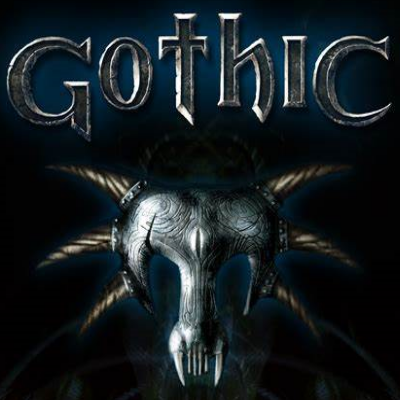
CurseForge · Minecraft mod
Gothic Universe
A mod that adds content from Gothic and Gothic 2 in Minecraft
Choose a version Pick your version below, then grab the matching file.
Quick answer
Which Gothic Universe release should I use?
Latest stable file Gothic Universe 1.9.0 (Mc 1.16.5).jar
Game version 1.16.5
Loader forge
Gothic Universe 1.9.0 (Mc 1.16.5).jar targets 1.16.5. The project page does not say whether this file belongs on the client, dedicated server, or both. No extra mods listed for this file.
Where it goes
Is Gothic Universe required on the client, server, or both?
The project page does not say whether this file belongs on the client, dedicated server, or both.
Client Source doesn’t say
Dedicated server Source doesn’t say
Loader for this release No loader listed
Required install it here Optional supported, not mandatory Not supported do not install here Source doesn’t say do not assume
The source does not explicitly classify this release as client-only or server-only.
What else does Gothic Universe 1.9.0 (Mc 1.16.5).jar need?
Gothic Universe 1.9.0 (Mc 1.16.5).jar. Change the file and its required mods may change too.
This file does not list any required mods. Do not add a library just because a different file uses it.
This file does not list any required or optional mods.
Before you install it
Add Gothic Universe without breaking your instance.
Built for Gothic Universe 1.9.0 (Mc 1.16.5).jar. Pick another file and the loader, install side or required mods may change.
- 01
Stick to this file
Use Gothic Universe 1.9.0 (Mc 1.16.5).jar. It targets 1.16.5; another release may have different loader, side or dependency requirements.
- 02
Bring the mods it needs
This file does not list any required mods. Do not add a library just because a different file uses it.
- 03
Put it on the correct side
The project page does not say whether this file belongs on the client, dedicated server, or both.
- 04
Pick the file you checked
Use the “Get this file” button beside Gothic Universe 1.9.0 (Mc 1.16.5).jar. It opens that exact file at the source.
About this project
What does Gothic Universe add?
The development of this version of the mod has been discontinued.
I am working on a new version of this mod which I am developing from scratch. More information will come as soon as the first version of the new mod is ready.
Gothic Universe [Englisch]
My mod Gothic Universe deals with adding all weapons, armor, trophies, mobs and potions in Minecraft over time.
in Minecraft.
Currently there are 3 mobs
meatbug
molerat
scavenger
You can also craft all the existing weapons at the anvil
which also comes with the mod
as well as alchemy at the alchemy table.
Unfortunately there are only 4 potions.
I also made the start of the game a little more difficult.
that is:
-No "normal" weapons and tools
-the process to get iron is now a little more difficult
(use the mod JEI for this because I will not upload any pictures this time
because there would be too many)
Gothic Universe [Deutsch]
Meine mod Gothic Universe beschäftigt sich damit das mit der zeit alle Waffen, Rüstungen, Trophäen, Mobs und Tränke
in Minecraft hinzuzufügen.
Momentan gibt es 3 Mobs
Fleischwanze
Molerat
Scavenger
Ihr könnt auch bis jetzt alle vorhandenen Waffen an dem Amboss
der auch mit der mod kommt herstellen
sowie Alchemie am Alschemietisch betreiben.
es gibt leider gerade nur 4 Tränke.
Außerdem habe ich den start ins Spiel ein wenig schwieriger gestaltet.
das heist:
-Keine "Normalen" Waffen und Werkzeuge
-der Prozess um an eisen zu kommen ist nun etwas Schwieriger
(benutzt dafür die mod JEI da ich dieses mal keine Bilder hochladen werde
weil es zu viele wären)
Ich empfehle dazu die mod Just Enough Items (JEI) damit ihr alle Rezepte sehen könnt
und die mod Optifine
Project description from CurseForge.
Pick your setup
Gothic Universe by Minecraft version and loader
Choose the version and loader you play, then open the matching release.
Minecraft version
1.15.2
2 loader buildsCheck the dependencies, then try the file in a copied instance before changing a world you care about.
Recent files
Gothic Universe versions and loaders
Gothic Universe 1.9.0 (Mc 1.16.5).jar
8 Jul 2021
Client Source doesn’t say Server Source doesn’t say Dependencies No extras listed Listed on Release listing
Check the 1.16.5 setup 1.16.5 release
Gothic Universe 1.8.0 (Mc 1.16.5)
Gothic Universe 1.8.0 (Mc 1.16.5).jar
16 Jun 2021
Client Source doesn’t say Server Source doesn’t say Dependencies No extras listed Listed on Release listing
Check the 1.16.5 · Forge setup 1.16.5Forge release
GothicUniverse 1.7.0.jar
29 Jan 2021
Client Source doesn’t say Server Source doesn’t say Dependencies No extras listed Listed on Release listing
Check the 1.15.2 setup 1.15.2 release
Gothic Universe 1.6.0 (Mc 1.15.2).jar
14 Jan 2021
Client Source doesn’t say Server Source doesn’t say Dependencies No extras listed Listed on Release listing
Check the 1.15.2 setup 1.15.2 release
Gothic Universe 1.5.0(Mc 1.15.2).jar
11 Jan 2021
Client Source doesn’t say Server Source doesn’t say Dependencies No extras listed Listed on Release listing
Check the 1.15.2 setup 1.15.2 release
Gothic Universe 1.4.0 (Mc 1.5.2).jar
9 Jan 2021
Client Source doesn’t say Server Source doesn’t say Dependencies No extras listed Listed on Release listing
Check the 1.15.2 setup 1.15.2 release
Gothic Universe 1.3.0 (Mc 1.5.2).jar
8 Jan 2021
Client Source doesn’t say Server Source doesn’t say Dependencies No extras listed Listed on Release listing
Check the 1.15.2 setup 1.15.2 release
Gothic Universe 1.2.0 (Mc 1.5.2).jar
8 Jan 2021
Client Source doesn’t say Server Source doesn’t say Dependencies No extras listed Listed on Release listing
Check the 1.15.2 setup 1.15.2 release
Gothic Universe 1.1.0 (Mc 1.5.2).jar
7 Jan 2021
Client Source doesn’t say Server Source doesn’t say Dependencies No extras listed Listed on Release listing
Check the 1.15.2 setup 1.15.2 release
Gothic Universe 1.0.0.jar
6 Jan 2021
Client Source doesn’t say Server Source doesn’t say Dependencies No extras listed Listed on Release listing
Check the 1.15.2 · Forge setup 1.15.2Forge release
Looking for an older file? The official CurseForge project page is in Resources.
 mod
CurseForge + Modrinth · Minecraft
Immersive Farming
Addon for immersive engineering focused on agriculture by adding new mechanics and blocks.
 mod
CurseForge · Minecraft
Enderman's Null
Null warriors from Unstable SMP lore
 mod
CurseForge · Minecraft
Re:Melancholy - Yet another Backstory Merchant
A mod that adds Hector/[REDACTED]/[REDACTED]'s Authority of Melancholy from Re:Zero!