Knot Needed by GriefLogger NeoForge 26.1.2 - 20.1.1
requiredMatching file found Matched file: Knot NeoForge 26.1.2 - 20.2.2

CurseForge · Minecraft mod
A fast mod that uses SQLite or MySQL to log player interactions. Like CoreProtect but for modded.
Quick answer
GriefLogger NeoForge 26.1.2 - 20.1.1 targets 26.1.2 with NeoForge. The project page does not say whether it belongs on the client. The project page does not say whether it belongs on the dedicated server. All 3 required mods have matching files.
Where it goes
The project page does not say whether it belongs on the client. The project page does not say whether it belongs on the dedicated server.
The source does not explicitly classify this release as client-only or server-only.
GriefLogger NeoForge 26.1.2 - 20.1.1. Change the file and its required mods may change too.
Install Knot, YAML Config, UI Lib first. We found matching files for this game-version and loader setup. 1 comes through another mod in the chain.
1 extra mod was pulled in by another dependency. Indented rows show who needs each one. We only count dependency files that match this setup. A file for another loader does not fill the gap.
Before you install it
Built for GriefLogger NeoForge 26.1.2 - 20.1.1. Pick another file and the loader, install side or required mods may change.
Use GriefLogger NeoForge 26.1.2 - 20.1.1. It targets 26.1.2 with NeoForge; another release may have different loader, side or dependency requirements.
Install Knot, YAML Config, UI Lib first. We found matching files for this game-version and loader setup. 1 comes through another mod in the chain.
The project page does not say whether it belongs on the client. The project page does not say whether it belongs on the dedicated server.
Use the “Get this file” button beside GriefLogger NeoForge 26.1.2 - 20.1.1. It opens that exact file at the source.
About this project

Note: This description is for the 1.20.1+ versions only.
Grieflogger is a blazing fast mod that logs player interactions like breaking and placing blocks, killing entities, dropping, picking up, breaking, consuming items, and much more!
To store all of this data, GriefLogger uses a SQLite database by default. This database is stored within the config file. You can also connect GriefLogger to a MySQL databasevia the config to make it run even faster.
All of the transactions between the mod and the database are asynchronous/multithreaded. This means that the server doesn't have to wait for the transaction to be done before continuing to run other code.
| Command | Explanation |
|---|---|
| /grieflogger inspect | Enables or disables the inspection mode. |
| /grieflogger lookup <filters> | Shows all data available based on filters. |
| /grieflogger page <page number> | Shows a certain page number. Can also be achieved by clicking on the arrows in the chat message. |
| Filter | Example | Explanation |
|---|---|---|
| Action | action:place_block,break_block |
Only shows places and broken blocks. |
| Exclude | exclude:sand |
Exludes the sand block from the search results. |
| Include | include:sand,dirt |
Only shows dirt and sand interactions. |
| Radius | radius:100 |
Shows all interactions in a radius of 100 blocks from the player. |
| Time | time:1d |
Shows all interactions in the last day. |
| User | user:Player1 |
Shows all interactions made by Player1 |
Note: Include and exclude filters cannot be used together.
Use the lookup command to view interfactions based on filters. 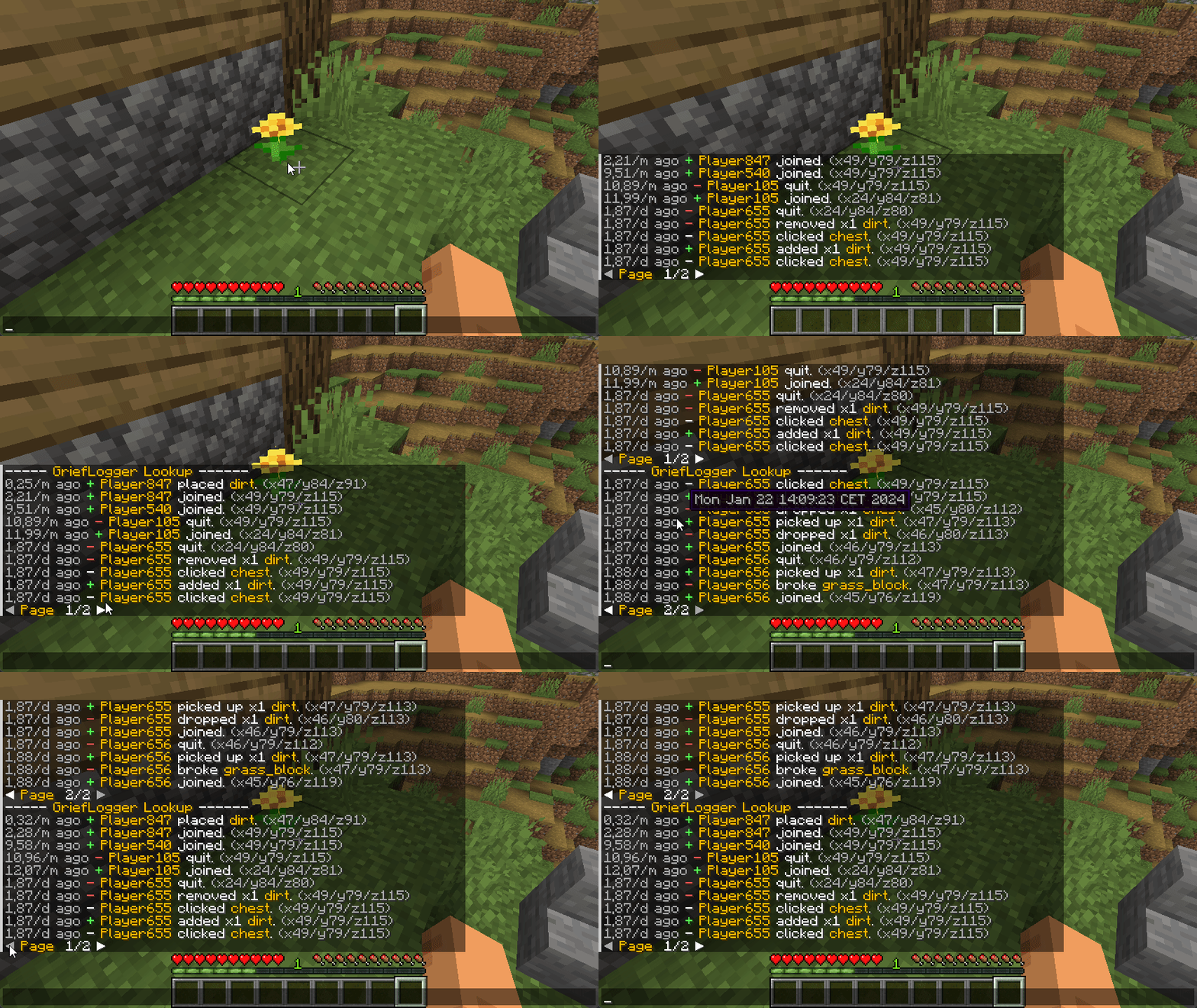
Right click on a block to view the interactions of the adjacent block.
Left click on a block to view the interactions of the clicked block. 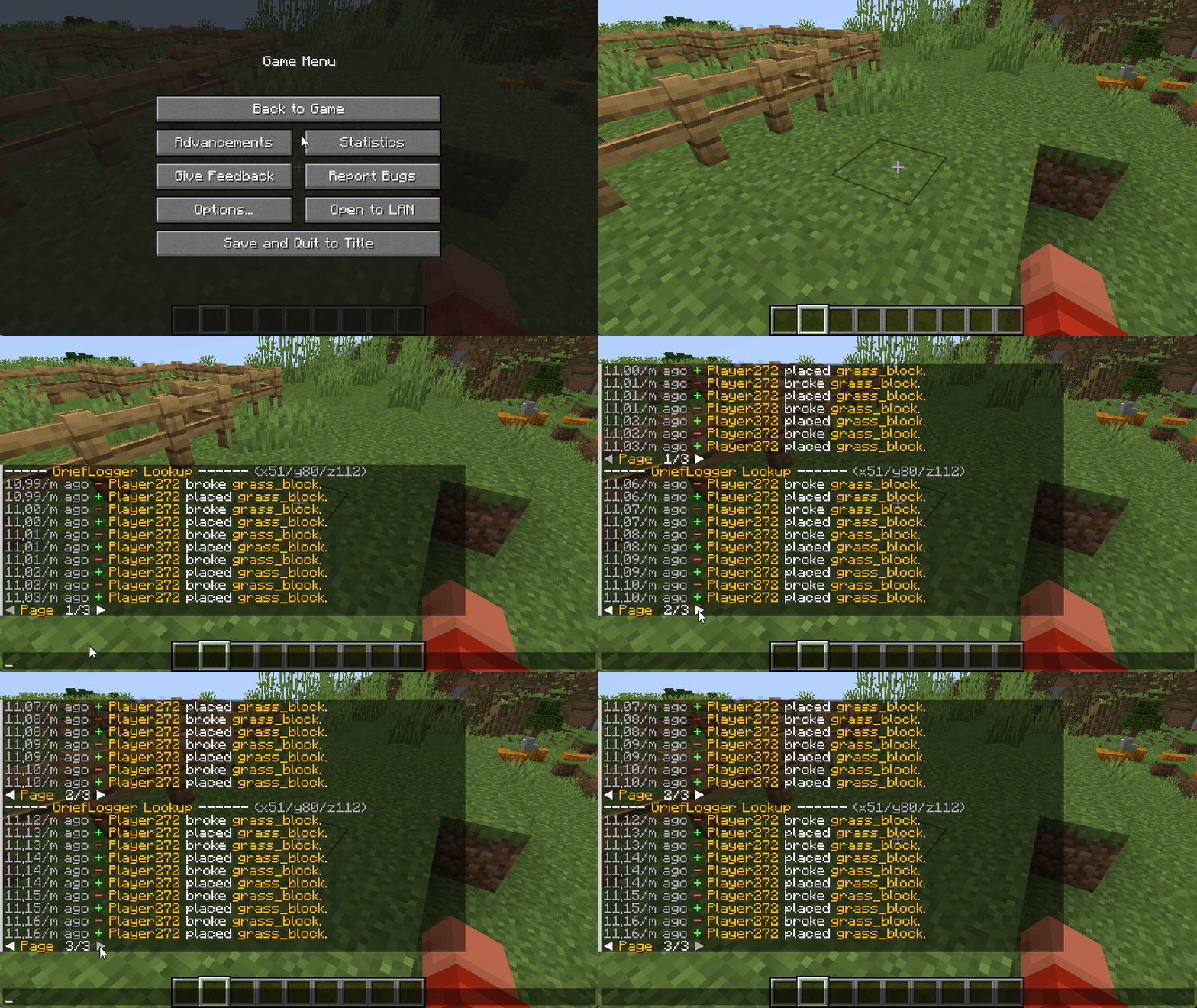
Right click on a container (Any block that holds items. e.g. Chest or Furnace) to view the interactions with the container (e.g. adding and removing items).
Left click on a container to view when the container was broken or placed. 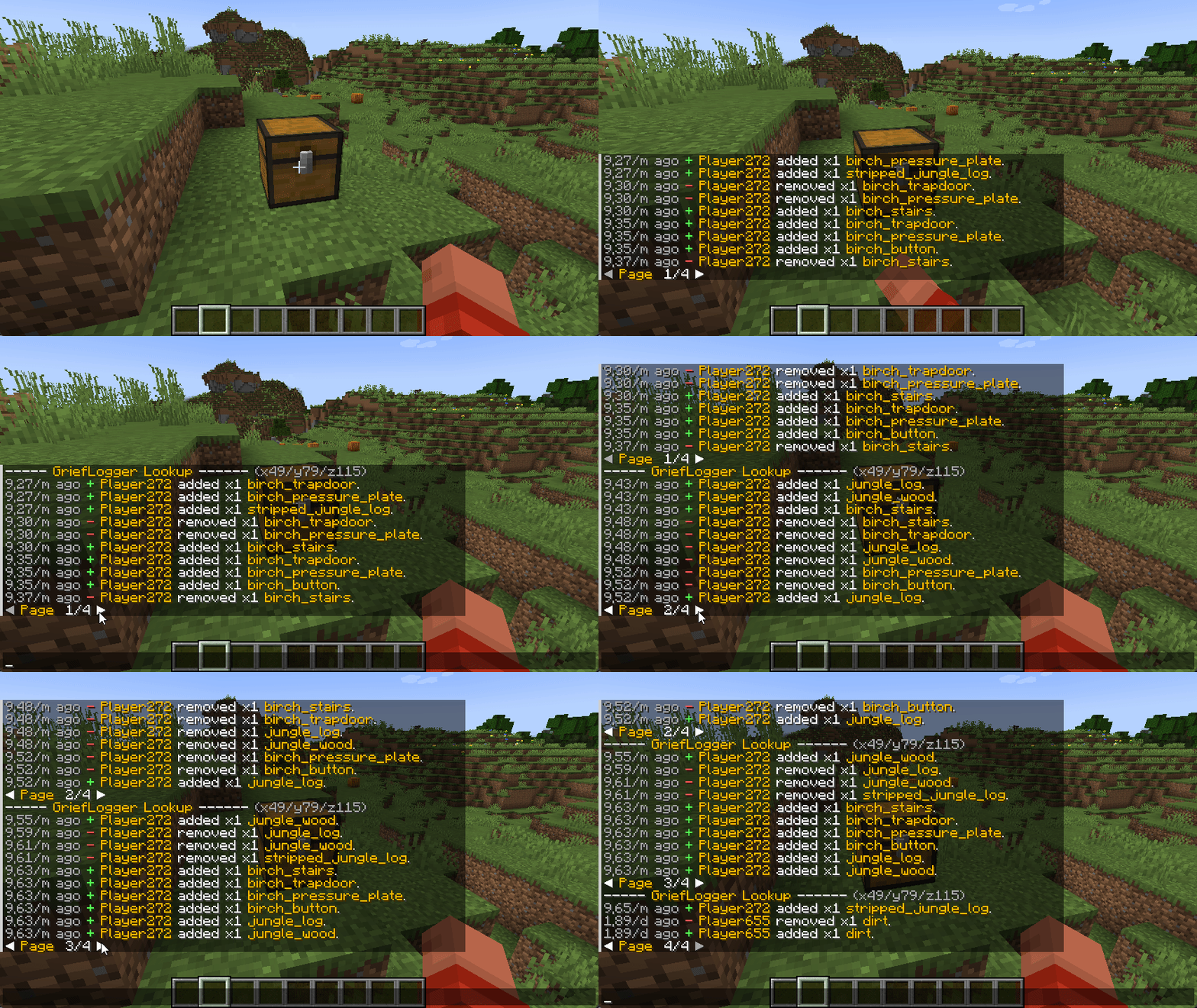
I want to extend my thanks to CoreProtect for being a major source of inspiration in the creation of GriefLogger. Their project greatly influenced the development of this mod, and I appreciate the valuable insights it provided.
Project description from CurseForge.
Pick your setup
Choose the version and loader you play, then open the matching release.
Showing the newest 12 of 14 game versions. Older files are in the list below.
Check the dependencies, then try the file in a copied instance before changing a world you care about.
Recent files
grieflogger-neoforge-20.1.1.jar
2 Aug 2026
grieflogger-1.2.10-1.21.1-neoforge.jar
31 Jul 2026
grieflogger-1.2.10-1.21.1-fabric.jar
31 Jul 2026
grieflogger-neoforge-21.1.0.jar
30 Jul 2026
grieflogger-fabric-21.1.0.jar
30 Jul 2026
grieflogger-neoforge-20.1.0.jar
29 Jul 2026
grieflogger-fabric-20.1.0.jar
29 Jul 2026
grieflogger-19.1.1-neoforge.jar
9 Jun 2026
grieflogger-19.1.1-fabric.jar
9 Jun 2026
grieflogger-19.1.0-neoforge.jar
19 Feb 2026
grieflogger-19.1.0-fabric.jar
19 Feb 2026
grieflogger-19.0.5.jar
2 Feb 2026
Looking for an older file? The official CurseForge project page is in Resources.
 mod
modA powerful addon for the Middle-Earth mod that provides seamless integration with PlaceholderAPI
 mod
modA mod that transforms the citizens of Middle-earth into interactive merchants and traders.
 mod
modLet's put the GPU to work!