Minecraft version
Back to mods 
CurseForge · Minecraft mod
Pop Out Chat (Forge)
Adds the ability to put the Minecraft chat into its own window with complete Vanilla chat support.
Choose a version Pick your version below, then grab the matching file.
Quick answer
Which Pop Out Chat (Forge) release should I use?
Latest stable file Pop Out Chat 1.0.0
Game version 1.16.3, 1.16.5, 1.16.4
Loader Forge
Pop Out Chat (Forge) Pop Out Chat 1.0.0 targets 1.16.3, 1.16.5, 1.16.4 with Forge. The project page does not say whether this file belongs on the client, dedicated server, or both. No extra mods listed for this file.
Where it goes
Is Pop Out Chat (Forge) required on the client, server, or both?
The project page does not say whether this file belongs on the client, dedicated server, or both.
Client Source doesn’t say
Dedicated server Source doesn’t say
Loader for this release Forge
Required install it here Optional supported, not mandatory Not supported do not install here Source doesn’t say do not assume
The source does not explicitly classify this release as client-only or server-only.
What else does Pop Out Chat (Forge) Pop Out Chat 1.0.0 need?
Pop Out Chat 1.0.0. Change the file and its required mods may change too.
This file does not list any required mods. Do not add a library just because a different file uses it.
This file does not list any required or optional mods.
Before you install it
Add Pop Out Chat (Forge) without breaking your instance.
Built for Pop Out Chat (Forge) Pop Out Chat 1.0.0. Pick another file and the loader, install side or required mods may change.
- 01
Stick to this file
Use Pop Out Chat 1.0.0. It targets 1.16.3, 1.16.5, 1.16.4 with Forge; another release may have different loader, side or dependency requirements.
- 02
Bring the mods it needs
This file does not list any required mods. Do not add a library just because a different file uses it.
- 03
Put it on the correct side
The project page does not say whether this file belongs on the client, dedicated server, or both.
- 04
Pick the file you checked
Use the “Get this file” button beside Pop Out Chat 1.0.0. It opens that exact file at the source.
About this project
What does Pop Out Chat (Forge) add?
Pop Out Chat
Adds in popping out chat into its own window. Forge version of https://www.curseforge.com/minecraft/mc-mods/pop-out-chat-fabric.
About
This mod aims to solve the inconvenience of wanting to see server chat, but not filling your entire screen with clutter. Instead of hiding chat or adding a delay between messages, this mod puts the entire chat area into a new window that can be moved around and resized.
Screenshots
Chat Screen
The chat can be popped out by simply pressing the new button in the top right corner of the chat screen. A new window with the chat contents will then be opened next to the main Minecraft window.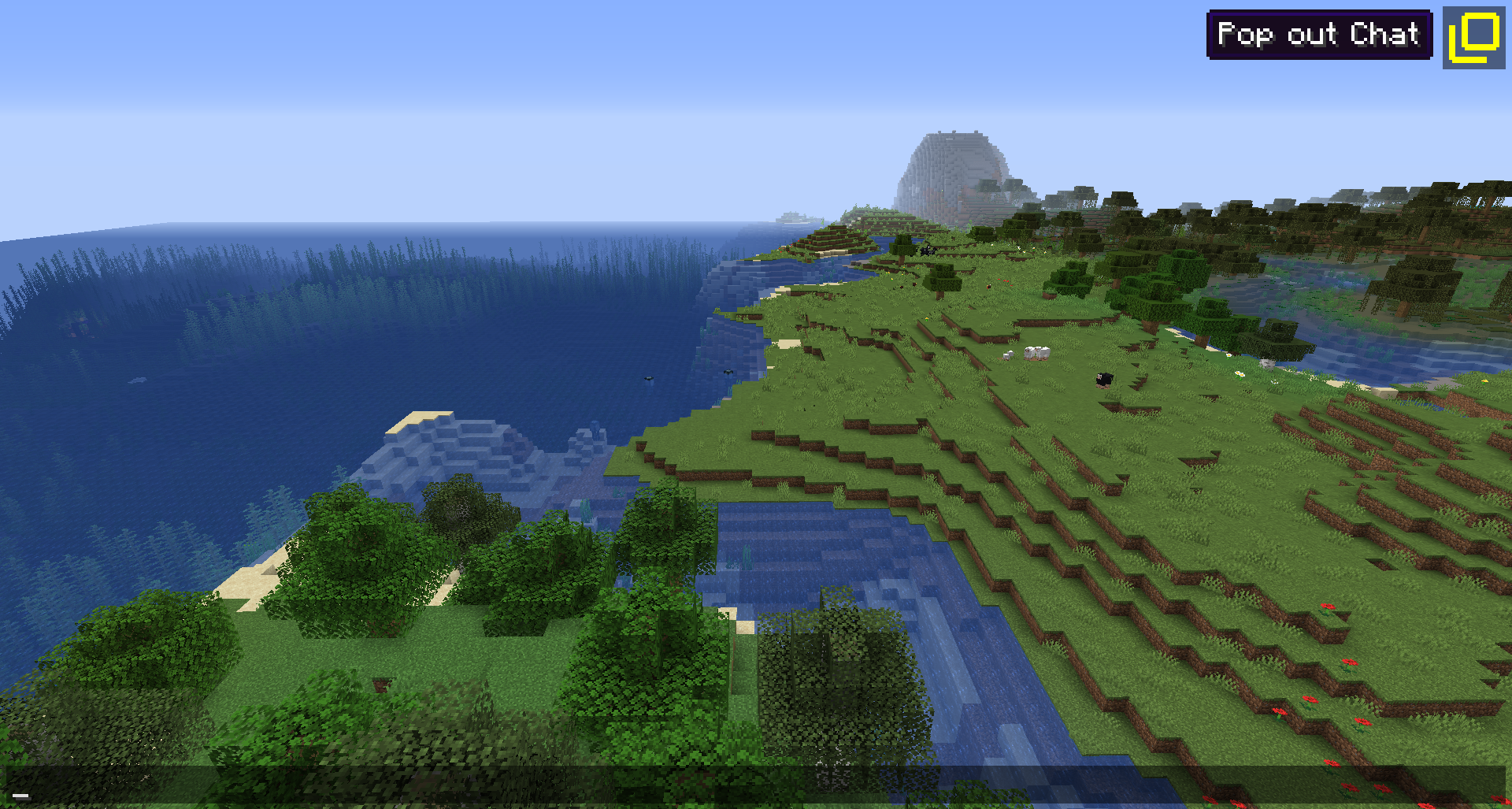
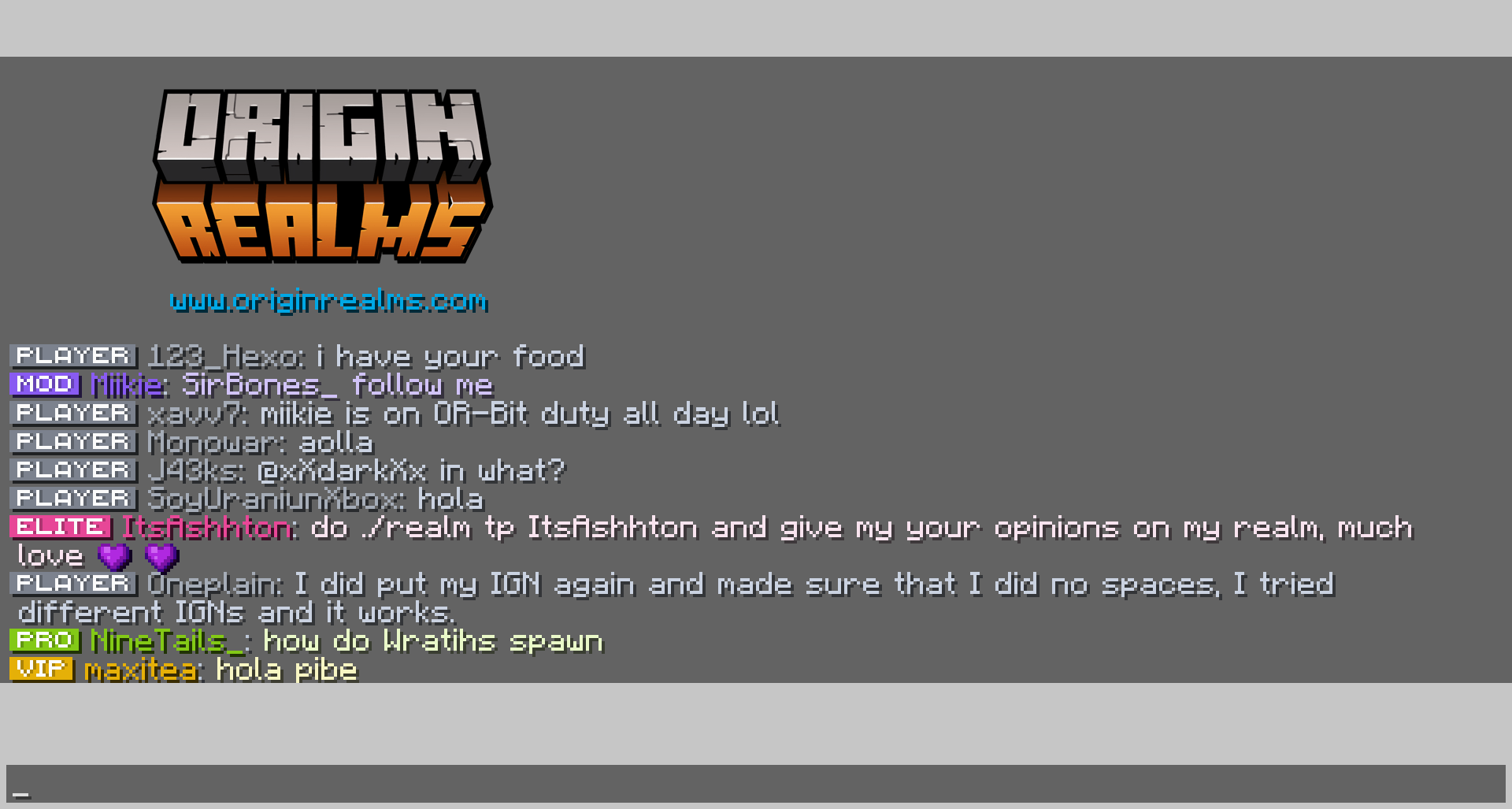
Server Chat
Chat on servers looks just as good as it does normally, but now in a window off to the side.
Project description from CurseForge.
Pick your setup
Pop Out Chat (Forge) by Minecraft version and loader
Choose the version and loader you play, then open the matching release.
Minecraft version
1.16.4
1 loader buildMinecraft version
1.16.3
1 loader buildCheck the dependencies, then try the file in a copied instance before changing a world you care about.
Recent files
Pop Out Chat (Forge) versions and loaders
Pop Out Chat 1.0.0
popoutchat-1.16.3-1.0.0.jar
28 Jan 2021
Client Source doesn’t say Server Source doesn’t say Dependencies No extras listed Listed on Release listing
Check the 1.16.5 · Forge setup 1.16.31.16.5Forge1.16.4 release
Looking for an older file? The official CurseForge project page is in Resources.
 mod
CurseForge · Minecraft
buildertools
Client-side building toolkit: select areas, save and load .schem, .litematic and .nbt schematics, and build from ghost-block placements with a material checker.
 mod
CurseForge · Minecraft
Mothlight
Raise a glowing companion moth, catch, jar and breed 48 wild moths, fly a Great Lumen, and wear a Mothman shawl that opens into wings.
 mod
CurseForge · Minecraft
Immersive Hair Growth
Grow, cut, tie and dye your hair.