Fabric API Needed by Op Items Tab opitems-1.2.4.jar
requiredMatching file found Matched file: [1.21.1] Fabric API 0.116.18+1.21.1
CurseForge · Minecraft mod
Adds a new creative inventory tab for items that aren't already there.
Quick answer
Op Items Tab opitems-1.2.4.jar targets 1.21.2-Snapshot, 1.21, 1.21.1-Snapshot with Fabric. The project page does not say whether this file belongs on the client, dedicated server, or both. All 1 required mods have matching files.
Where it goes
The project page does not say whether this file belongs on the client, dedicated server, or both.
The source does not explicitly classify this release as client-only or server-only.
opitems-1.2.4.jar on Fabric. Every mod below is checked against that same setup.
Install Fabric API first. We found matching files for this game-version and loader setup.
We only count dependency files that match this setup. A file for another loader does not fill the gap.
Before you install it
Built for Op Items Tab opitems-1.2.4.jar on Fabric. Pick another file and the loader, install side or required mods may change.
Use opitems-1.2.4.jar. It targets 1.21.2-Snapshot, 1.21, 1.21.1-Snapshot with Fabric; another release may have different loader, side or dependency requirements.
Install Fabric API first. We found matching files for this game-version and loader setup.
The project page does not say whether this file belongs on the client, dedicated server, or both.
Use the “Get this file” button beside opitems-1.2.4.jar. It opens that exact file at the source.
About this project
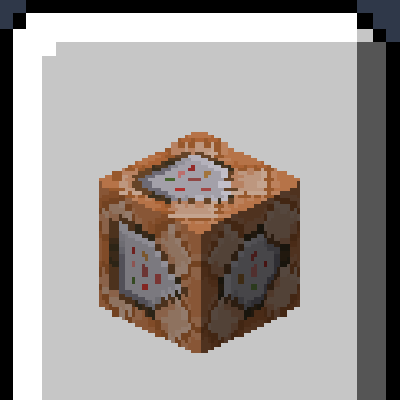
Do you find yourself needing to /give yourself the same items over and over again in creative worlds? Ever wonder why certain items just aren't present in the creative inventory? Well this is the mod for you! This is a client-side Fabric mod that adds a new tab to the creative inventory. This new tab contains practically all the items missing from the creative inventory, which previously required you to be opped to have access to. This includes things like command blocks, spawners, barrier blocks, debug sticks, and more:
NEW: via the config file, you can edit the contents of the Op Items tab, adding or removing as many items as you like. You can also add items with special NBT data, like enchantments or names.
As of 1.19.3, this feature exists in vanilla Minecraft. I will still continue to update this mod as some have requested due to its customizability. If I forget just let me know.
Default tab:

FABRIC API REQUIRED
If you want a Forge version, you can find it here: https://www.curseforge.com/minecraft/mc-mods/command-creative-tab
Project description from CurseForge.
Pick your setup
Choose the version and loader you play, then open the matching release.
Showing the newest 12 of 27 game versions. Older files are in the list below.
Check the dependencies, then try the file in a copied instance before changing a world you care about.
Recent files
16 Jun 2024
9 Sept 2023
27 Jun 2022
6 Feb 2022
9 Jun 2021
21 Mar 2021
29 Jan 2021
Looking for an older file? The official CurseForge project page is in Resources.
 mod
Makes the world behave more like real life, starting with water that actually flows, splashes and floods.
 mod
Adds a survival thirst bar, drinking, and water purity to Minecraft.
 mod
See live crop growth, time until harvest, and blocked hopper output for Botany Pots directly in the Jade tooltip.