Just Enough Items (JEI) Optional for Pipez [NEOFORGE][26.1.2] Pipez 1.2.31+26.1.2
optionalNo matching file

CurseForge · Minecraft mod
Simple and efficient pipes
Quick answer
Pipez [NEOFORGE][26.1.2] Pipez 1.2.31+26.1.2 targets 26.1.2 with NeoForge. The project page does not say whether this file belongs on the client, dedicated server, or both. No extra mods listed for this file.
Where it goes
The project page does not say whether this file belongs on the client, dedicated server, or both.
The source does not explicitly classify this release as client-only or server-only.
[NEOFORGE][26.1.2] Pipez 1.2.31+26.1.2 on 26.1.2. Every mod below is checked against that same setup.
This file does not list any required mods. Do not add a library just because a different file uses it.
We only count dependency files that match this setup. A file for another loader does not fill the gap.
Before you install it
Built for Pipez [NEOFORGE][26.1.2] Pipez 1.2.31+26.1.2 on 26.1.2. Pick another file and the loader, install side or required mods may change.
Use [NEOFORGE][26.1.2] Pipez 1.2.31+26.1.2. It targets 26.1.2 with NeoForge; another release may have different loader, side or dependency requirements.
This file does not list any required mods. Do not add a library just because a different file uses it.
The project page does not say whether this file belongs on the client, dedicated server, or both.
Use the “Get this file” button beside [NEOFORGE][26.1.2] Pipez 1.2.31+26.1.2. It opens that exact file at the source.
About this project
This mod adds simple and highly configurable pipes that are designed to create as little lag as possible.
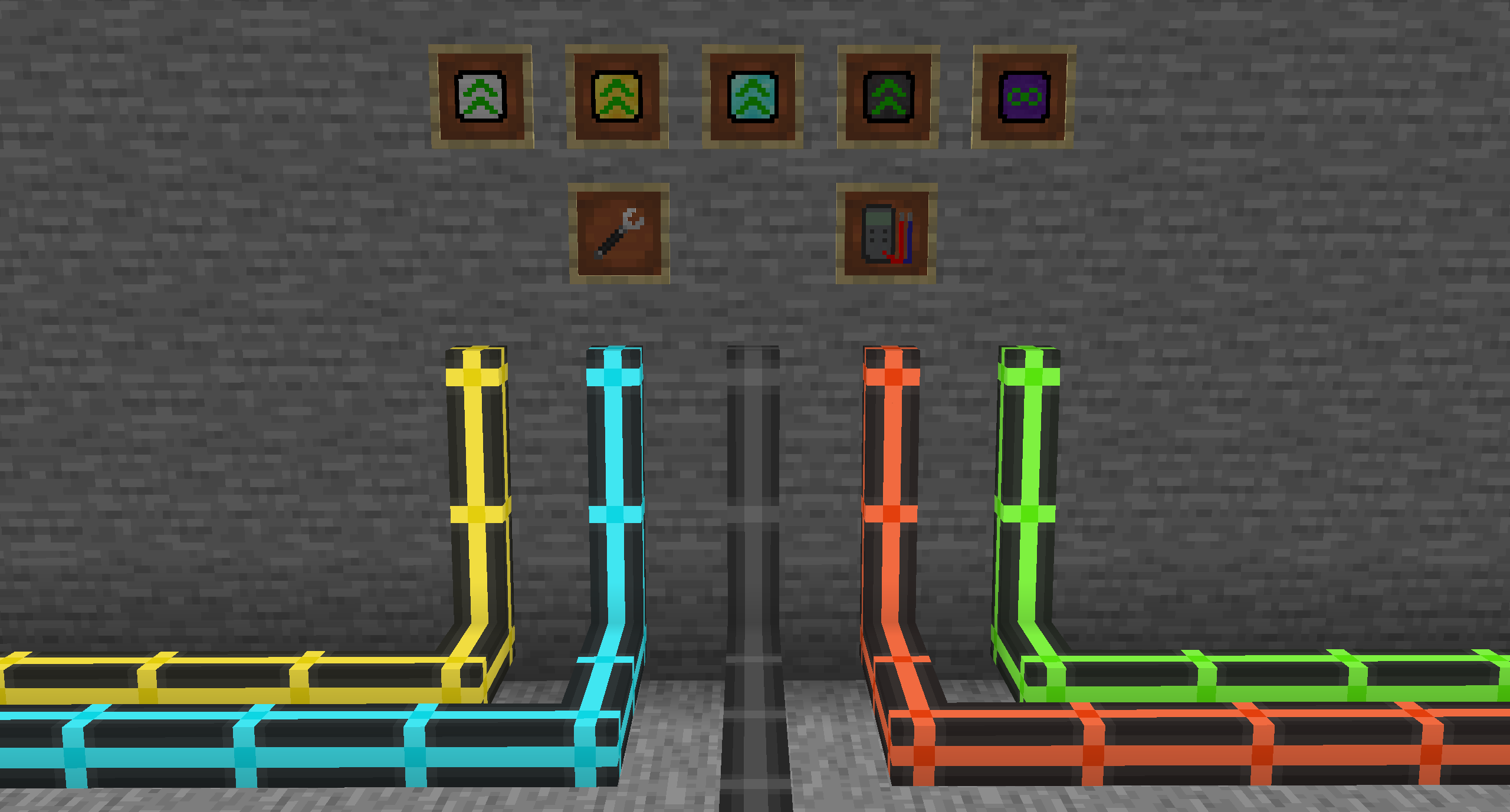
Highly configurable filter system
Five upgrade tiers
Extremely lag friendly
Fully customizable transfer speeds
Pipes don't transfer anything if they are not set to extract.
You can sneak-click onto the end of a connected pipe with a wrench to set it to extract.
Click the extracting part of the pipe to change modes, add filters or add upgrades.
Pipes can be disconnected/reconnected by sneak-clicking with a wrench.
By default pipes are relatively slow. The speed can only be increased by adding an upgrade.
Higher tiers of upgrades mean a higher transfer rate.

Certain features of pipes can only be used by adding a high enough upgrade:
Basic Upgrade
Improved Upgrade
Advanced Upgrade
Every configuration you change and every filter you add is stored in the upgrade.
You can copy the data to other upgrades by crafting them together.
Filters can be used with item pipes, fluid pipes and gas pipes.
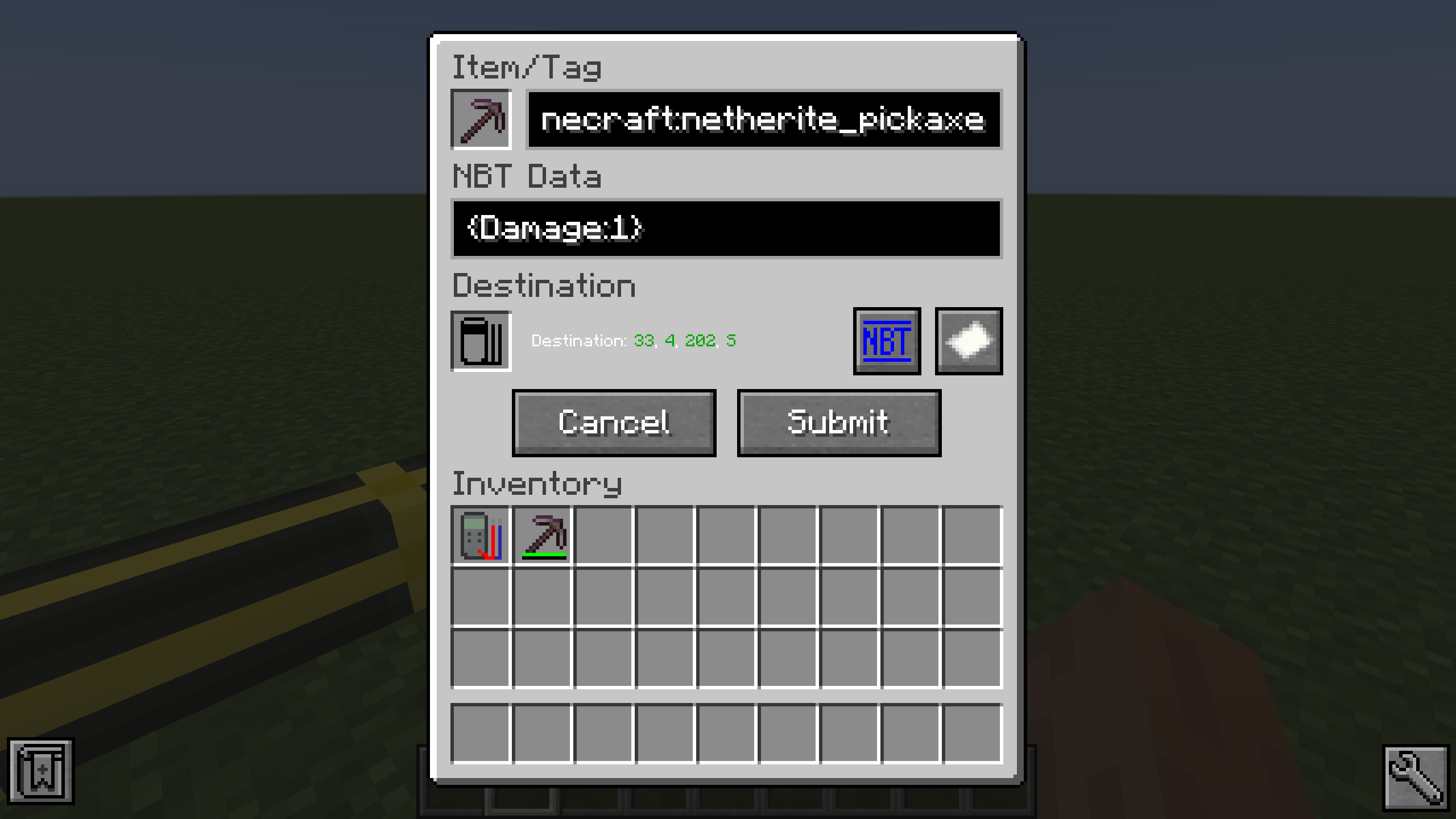
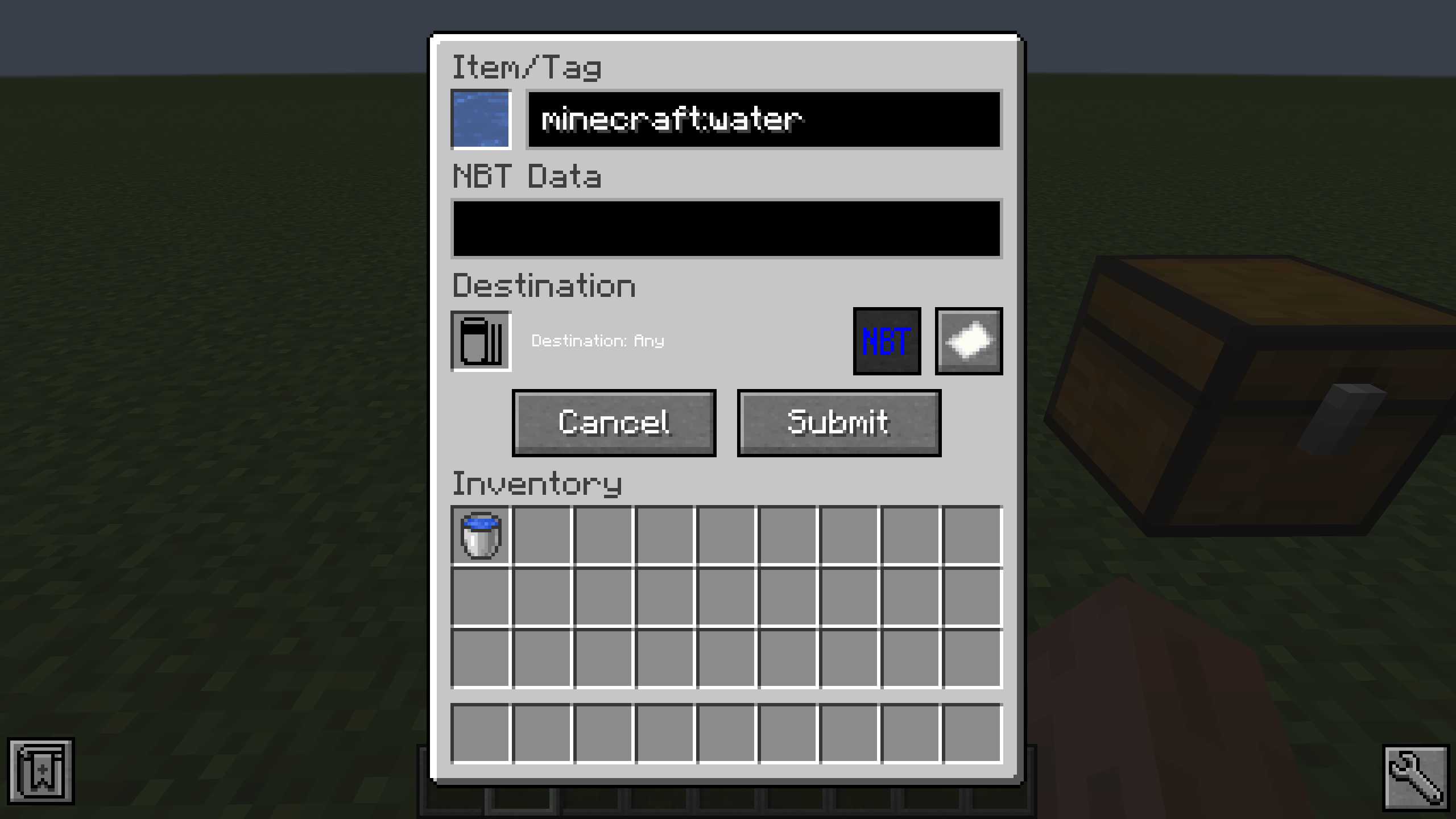
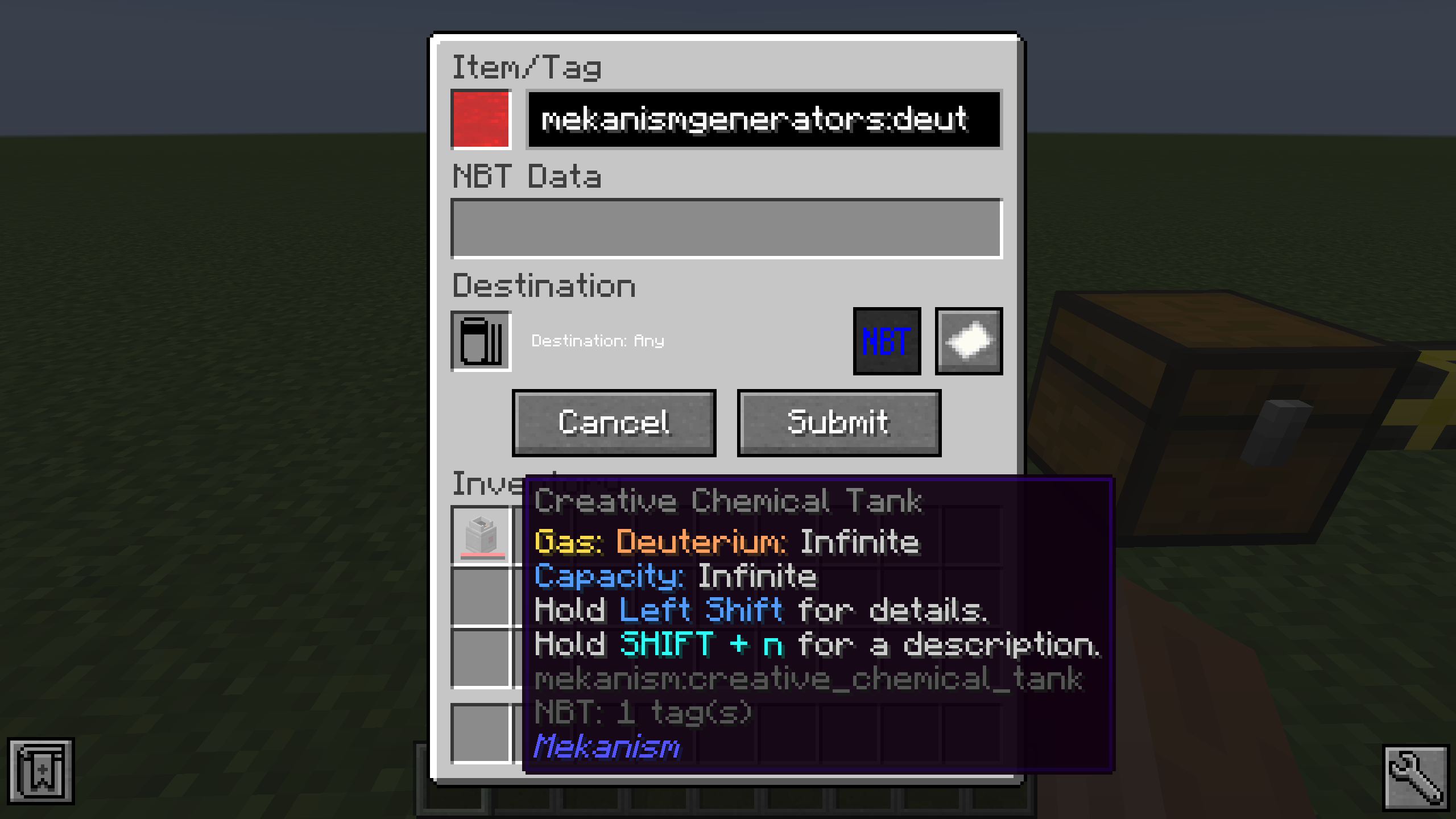
To add a specific item, just click it on the slot in the filter GUI. Alternatively you can type the item ID in the text field next to it.
If the object you inserted had NBT data, the NBT string will be displayed in the second text area. You can remove the NBT text if you don't want to match NBT tags.
There is also an option to only match the provided NBT data (Button with NBT on it). This can be set to exact mode. This causes only items that match that tag exactly to be accepted by the filter.
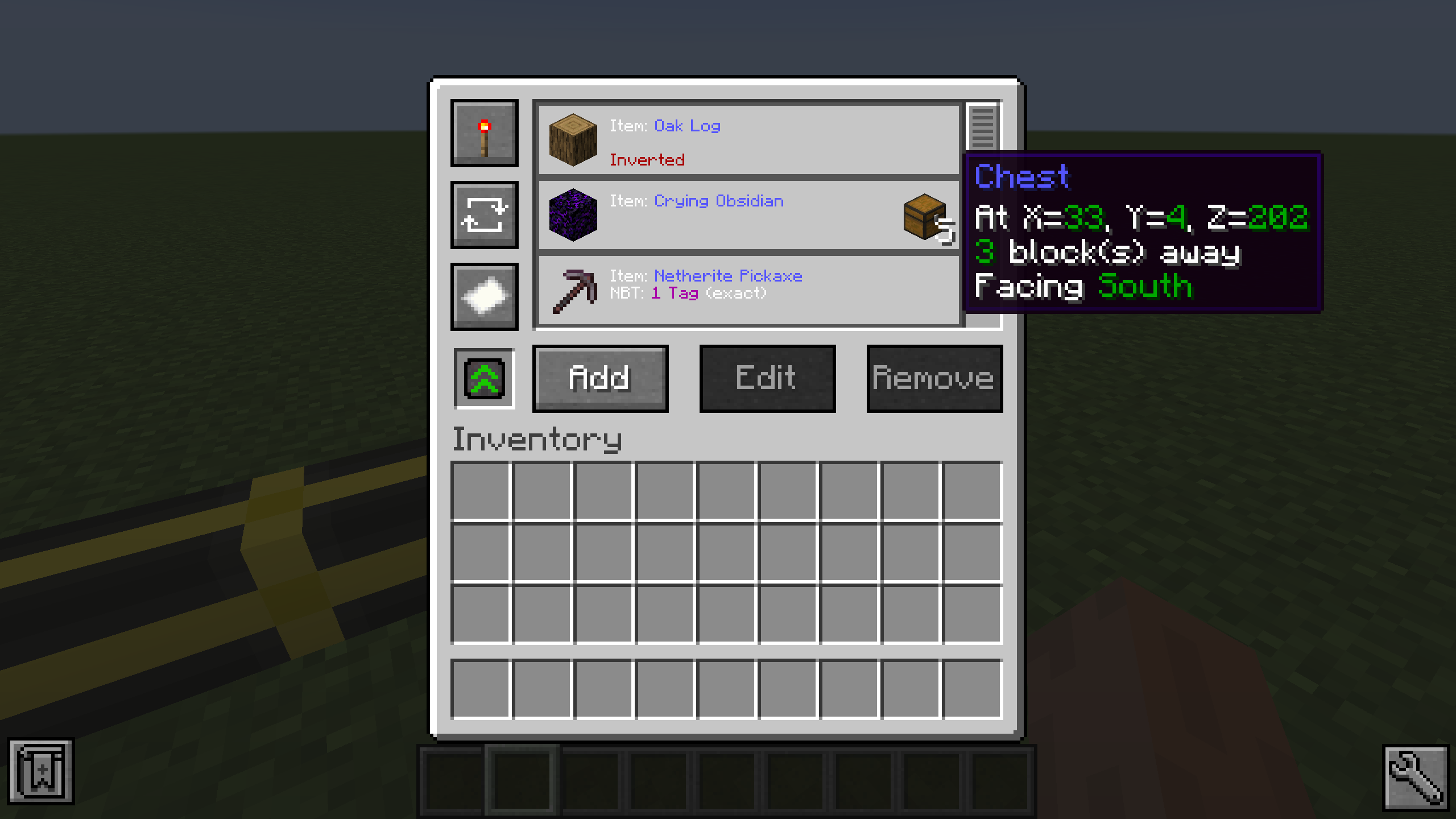
Filters can be inverted by pressing the button with the paper on it. This causes the filter to apply for the exact opposite of the provided data (except the destination). You can also set the filter to only apply for a certain destination. For this you need a filter destination tool.
Just click the block your pipe inserts into with it so store the location and face of the block. Note that this doesn't work if you clicked a side of the block that the cable isn't connected to.
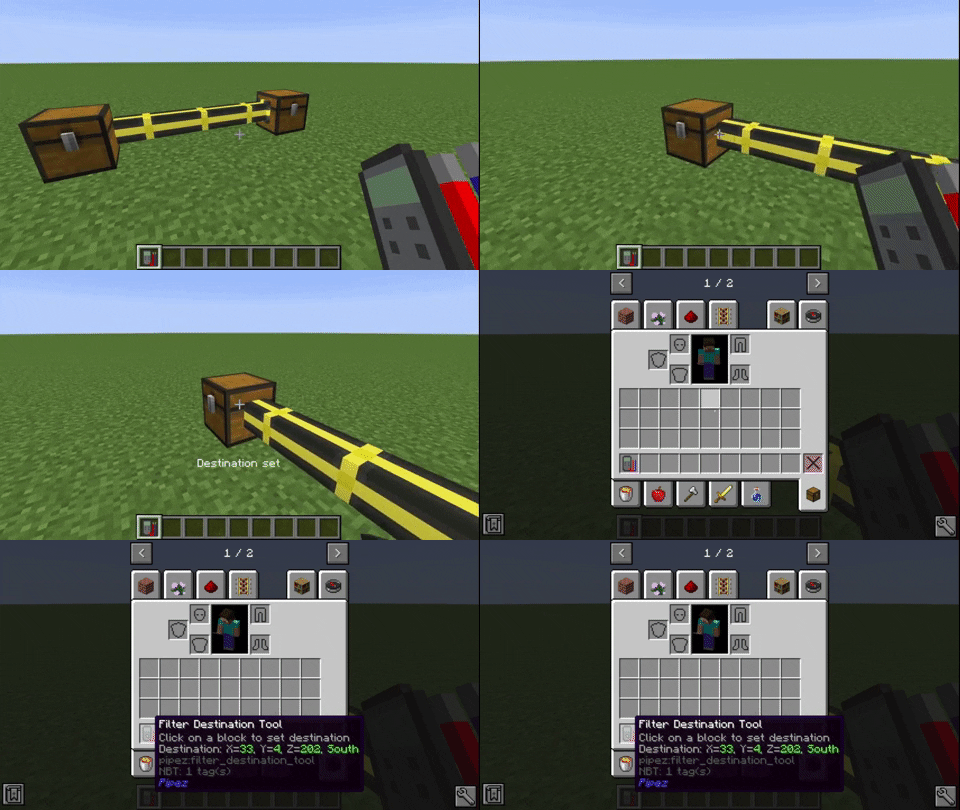
To set the location to a filter, put it into the destination slot of the filter GUI.
This will also display the destination block in the filter list.
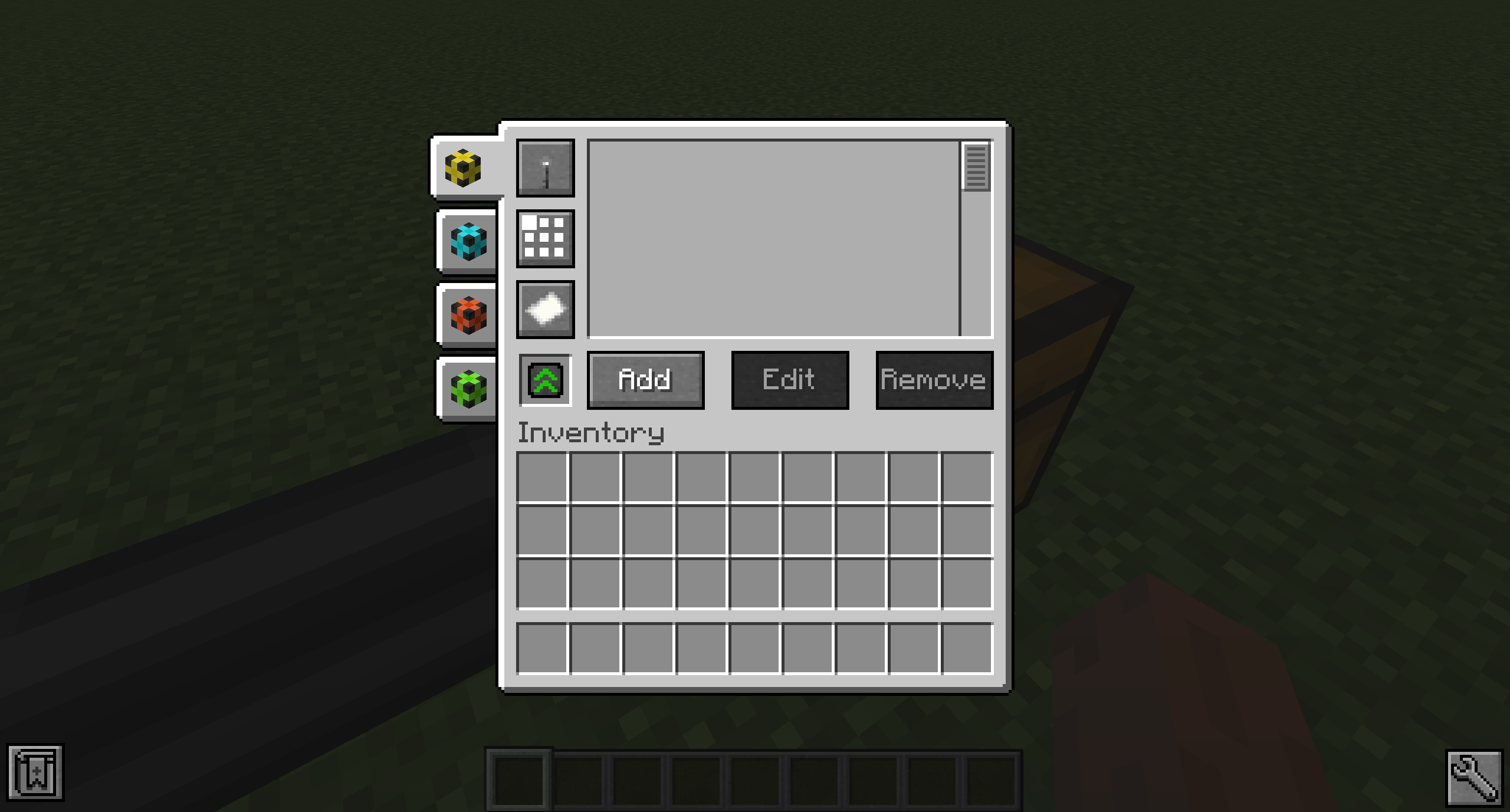
The Universal Pipe has every feature of all other pipes combined. You can choose which pipe type you want to configure with the tabs on the left of the GUI.
Comparison between Pipez' item pipes and Mekanism's logistical transporters with about 4200 pipes.
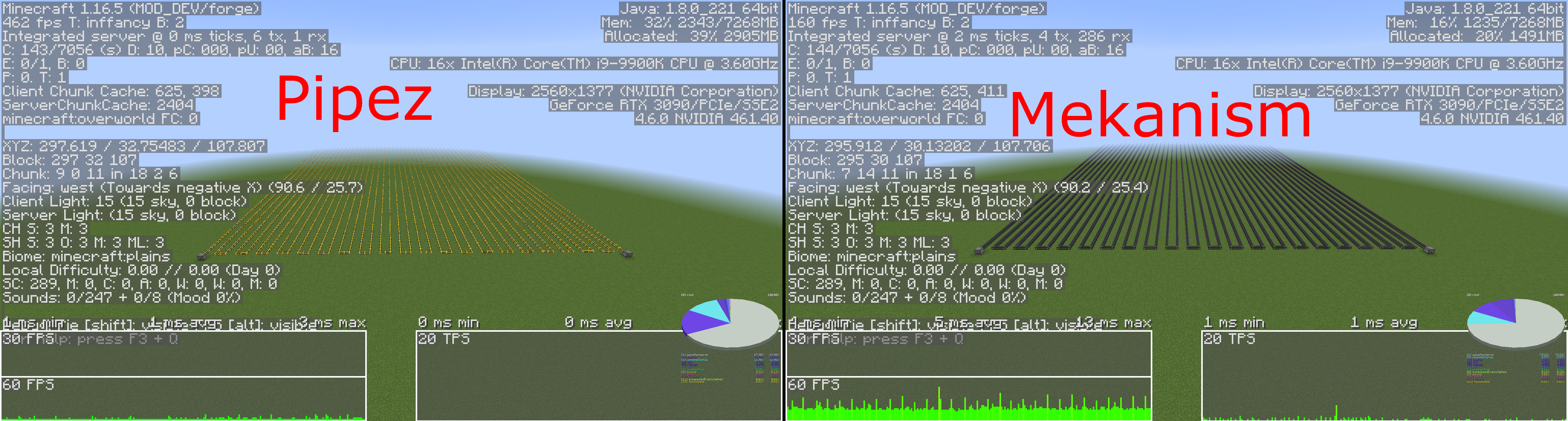
Minecraft 1.16.5, Mekanism 10.0.19.446
Comparison between Pipez' item pipes and Mekanism's logistical transporters with about 12500 pipes. With this amount of pipes Mekanism completely stops working and doesn't transport any items anymore!
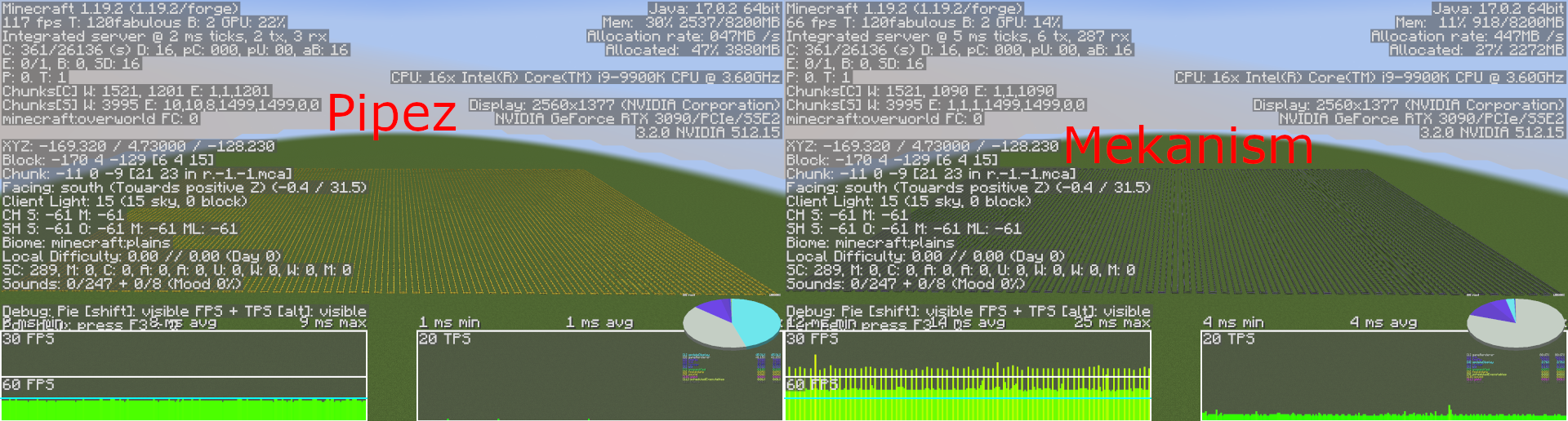
Minecraft 1.19.2, Mekanism 10.3.4.471
Project description from CurseForge.
Pick your setup
Choose the version and loader you play, then open the matching release.
Showing the newest 12 of 24 game versions. Older files are in the list below.
Check the dependencies, then try the file in a copied instance before changing a world you care about.
Recent files
pipez-neoforge-1.2.31+26.1.2.jar
1 Jul 2026
pipez-neoforge-1.2.30+26.1.2.jar
7 May 2026
pipez-neoforge-1.2.29+26.1.2.jar
10 Apr 2026
pipez-neoforge-1.2.28+26.1.1.jar
2 Apr 2026
Looking for an older file? The official CurseForge project page is in Resources.
 mod
modHide or adjust the transparency of armor, glint, and offhand items - with full multiplayer sync. No dependencies required.
 mod
modAdd some types of tanks, which can be combined vertically. Tanks can hold Fluids and Potions.
 mod
modThis mod that allow you to brew potions with activated time up to 15 minutes