Fabric API Needed by TP Utils TP-Utils-2.1.0+mc26.3
requiredMatching file found Matched file: [26.3] Fabric API 0.161.0+26.3

CurseForge · Minecraft mod
Fabric client side teleportation utility mod that makes it much easier to get around. Includes, among other things, highly improved WorldEdit teleports. Useful for creative builders.
Quick answer
TP Utils TP-Utils-2.1.0+mc26.3 targets 26.3 with Fabric. The project page does not say whether this file belongs on the client, dedicated server, or both. All 2 required mods have matching files.
Where it goes
The project page does not say whether this file belongs on the client, dedicated server, or both.
The source does not explicitly classify this release as client-only or server-only.
TP-Utils-2.1.0+mc26.3 on 26.3 Fabric. Every mod below is checked against that same setup.
Install Fabric API, Cloth Config API (Fabric/Forge/NeoForge) first. We found matching files for this game-version and loader setup. 1 comes through another mod in the chain.
1 extra mod was pulled in by another dependency. Indented rows show who needs each one. We only count dependency files that match this setup. A file for another loader does not fill the gap.
Before you install it
Built for TP Utils TP-Utils-2.1.0+mc26.3 on 26.3 Fabric. Pick another file and the loader, install side or required mods may change.
Use TP-Utils-2.1.0+mc26.3. It targets 26.3 with Fabric; another release may have different loader, side or dependency requirements.
Install Fabric API, Cloth Config API (Fabric/Forge/NeoForge) first. We found matching files for this game-version and loader setup. 1 comes through another mod in the chain.
The project page does not say whether this file belongs on the client, dedicated server, or both.
Use the “Get this file” button beside TP-Utils-2.1.0+mc26.3. It opens that exact file at the source.
About this project

This is a client side teleport utility mod that should greatly benefit creative players, making it much easier to get around. It includes, but is not limited to, improved and custom versions of the WorldEdit teleports (/thru & /jumpto). The teleports have a super high range and are extremely precise.
Important:- This mod requires you to have cheats enabled in single player (default on a creative world) or to have permission to use TP commands in multiplayer.
TP ThroughUsage: Keybind or /tpu through or /tpu thru
Teleport through walls or pretty much anything else that’s in your way. It’ll teleport you to the exact opposite side of the obstacle you're looking at without forcing you to the ground.
TP on TopUsage: Keybind or /tpu top
Teleport to the first available free space above the block you’re looking at.
TP ForwardUsage: Keybind or /tpu forward
Teleport a certain amount of blocks into the direction you’re looking, including up- and downwards. This teleport however doesn’t let you through blocks and will either teleport you to the full configured distance away or right in front of the first obstacle that’s in your way.
TP Ground
Usage: /tpu ground
Teleport to the first block below you, no matter the height you're at.
TP Up & Down
Usage: /tpu up or /tpu down
Teleport a floor up or down, it'll always put you on the ground.
Chunk TP*Usage: /tpu chunk <x> <z>*Teleport to the coordinates of the entered chunk.
TP BackUsage: Keybind or /tpu back
Teleport back to your previous location. This only works when you used a teleport method from this mod.
TP MethodDefault: /tp
The tp method the mod should use to teleport you. Any method that uses <x> <y> <z> should work. For example /tp or /tppos.
It's also possible to change this using this command /tpu method <command>
TP Through RangeDefault: 256 (blocks)
From how far should the mod be able to detect the block you’re looking at to teleport you through.
TP on Top RangeDefault: 256 (blocks)
From how far should the mod be able to detect the block you’re looking at to teleport you on top.
TP Forward RangeDefault: 100 (blocks)
How far should the mod try to teleport you forward.
Allow CrawlingDefault: False
Allow the mod to teleport you into a 1 block high space.
Allow Lava
Default: False
Allow the mod to teleport you into lava.
Set Bedrock LimitDefault: True
Stop the mod from teleporting you below bedrock / the bottom world limit.
From 1.19 onwards this mod no longer includes Cloth Config
Required:
Optional:
Older Versions:
1.16 - 1.18
Required:
Optional:
Already included/embedded:
1.14 - 1.15
Required:
Optional:
Already included/embedded:
Please let me know if you experience any issues or have any suggestions
Project description from CurseForge.
Pick your setup
Choose the version and loader you play, then open the matching release.
Showing the newest 12 of 80 game versions. Older files are in the list below.
Check the dependencies, then try the file in a copied instance before changing a world you care about.
Recent files
TP-Utils-2.1.0+mc26.3.jar
16 Sept 2026
Looking for an older file? The official CurseForge project page is in Resources.
 mod
mod✋ Adds a portable functionality to certain items, which allows for quick access without placement. Works with beds, crafting tables, ender chests and shulker boxes among others.
 mod
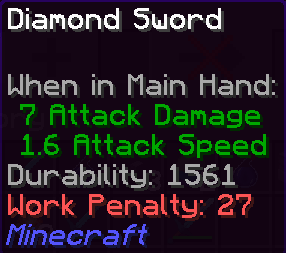
modDisplay your enchantment work penalty directly in the item tooltip.
 mod
mod⛵ Reinforce boats into faster, tougher tiers from copper to netherite, and repair them with planks at a shipyard.