Minecraft version
Back to mods 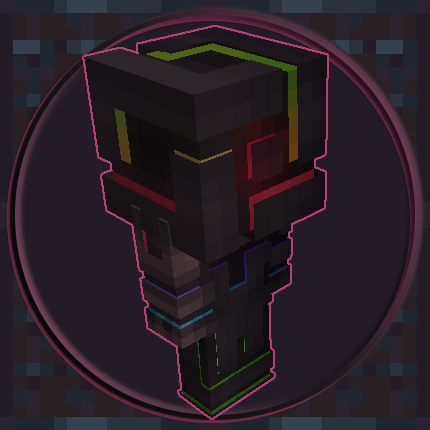
CurseForge · Minecraft mod
Miniatures
Spawn mini-mes (from OpenBlocks) and more!
Choose a version Pick your version below, then grab the matching file.
Quick answer
Which Miniatures release matches 26.1.2 NeoForge?
alpha file miniatures-neoforge-26.1.2-2.8.13.36
Game version 26.1.2
Loader NeoForge
miniatures-neoforge-26.1.2-2.8.13.36 targets 26.1.2 with NeoForge. The project page does not say whether this file belongs on the client, dedicated server, or both. No extra mods listed for this file.
Where it goes
Is Miniatures required on the client, server, or both?
The project page does not say whether this file belongs on the client, dedicated server, or both.
Client Source doesn’t say
Dedicated server Source doesn’t say
Loader for this release NeoForge
Required install it here Optional supported, not mandatory Not supported do not install here Source doesn’t say do not assume
The source does not explicitly classify this release as client-only or server-only.
What else does miniatures-neoforge-26.1.2-2.8.13.36 need?
miniatures-neoforge-26.1.2-2.8.13.36 on 26.1.2 NeoForge. Every mod below is checked against that same setup.
This file does not list any required mods. Do not add a library just because a different file uses it.
This file does not list any required or optional mods.
Before you install it
Add Miniatures without breaking your instance.
Built for miniatures-neoforge-26.1.2-2.8.13.36 on 26.1.2 NeoForge. Pick another file and the loader, install side or required mods may change.
- 01
Stick to this file
Use miniatures-neoforge-26.1.2-2.8.13.36. It targets 26.1.2 with NeoForge; another release may have different loader, side or dependency requirements.
- 02
Bring the mods it needs
This file does not list any required mods. Do not add a library just because a different file uses it.
- 03
Put it on the correct side
The project page does not say whether this file belongs on the client, dedicated server, or both.
- 04
Pick the file you checked
Use the “Get this file” button beside miniatures-neoforge-26.1.2-2.8.13.36. It opens that exact file at the source.
About this project
What does Miniatures add?
This mod simply ports Mini Me entities from OpenBlocks 1.12.2, which was under an MIT license. As this mod is also under the MIT license, this means that the mod is compatible and an acceptable continuation.
Much thanks to MrBysco for assistance in correct spawn.
Example syntax:
- summon miniatures:minime ~ ~ ~ {owner:"nooblybear"}
This would create a mini me using my current Minecraft skin (as depicted in the icon for this mod).
Additional syntax:
You can specify bonus health (in half hearts) with the tag {"HealthAddition": 20} for the miniature to have 20 additional half-hearts.
You can also specify a bonus to attack damage (in half hearts) with the tag {"AttackAddition": 18} for the miniature to deal 18 additional half-hearts of damage per hit.
This stacks on top of the configured values.
Configurable options are included for whether or not miniatures are hostile, how much damage and health they have, while breakable blocks (beyond flowers & torches) can be adjusted via the "miniatures:break_blocks" tag.
Patreon & Discord
You can support me on Patreon!
All support for this mod is available on my Discord. Youcan also keep up with what I'm doing and get notifications streams!
For all other support, please hit "Issues" at the top of this page.
Project description from CurseForge.
Pick your setup
Miniatures by Minecraft version and loader
Choose the version and loader you play, then open the matching release.
Minecraft version
26.2
2 loader buildsMinecraft version
26.1.2
2 loader buildsMinecraft version
1.21.5
2 loader buildsMinecraft version
1.21.1
2 loader buildsMinecraft version
1.21
2 loader buildsMinecraft version
1.20.4
1 loader buildMinecraft version
1.20.1
1 loader buildMinecraft version
1.19.2
1 loader buildMinecraft version
1.18.2
1 loader buildMinecraft version
1.18.1
1 loader buildMinecraft version
1.18
1 loader buildShowing the newest 12 of 14 game versions. Older files are in the list below.
Check the dependencies, then try the file in a copied instance before changing a world you care about.
Recent files
Miniatures versions and loaders
miniatures-neoforge-26.1.2-2.8.13.36
miniatures-neoforge-26.1.2-2.8.13.36.jar
11 Oct 2026
Client Source doesn’t say Server Source doesn’t say Dependencies No extras listed Listed on Release listing
Check the 26.1.2 · NeoForge setup NeoForge26.1.2 alpha
miniatures-neoforge-26.1.2-2.8.13.35
miniatures-neoforge-26.1.2-2.8.13.35.jar
10 Oct 2026
Client Source doesn’t say Server Source doesn’t say Dependencies No extras listed Listed on Release listing
Check the 26.1.2 · NeoForge setup NeoForge26.1.2 alpha
miniatures-neoforge-26.1.2-2.8.13.34
miniatures-neoforge-26.1.2-2.8.13.34.jar
6 Oct 2026
Client Source doesn’t say Server Source doesn’t say Dependencies No extras listed Listed on Release listing
Check the 26.1.2 · NeoForge setup NeoForge26.1.2 alpha
Looking for an older file? The official CurseForge project page is in Resources.
 mod
CurseForge · Minecraft
Realms Reforged — Companions, Bosses, Bounties & 70+ Enchantments
Expand Minecraft with new creatures, professions, structures, equipment, events and mechanics that make villages, combat and exploration feel richer while staying faithful to the vanilla experience.
 mod
CurseForge · Minecraft
Aevum - Phase1 [AWAKENING]
Explore the secrets of Existence
 mod
CurseForge · Minecraft
TONI's Mob Battles
Fully configurable mob fights: pick fighters with the Battle Wand (duels, teams, free-for-all) or save whole battles in the Battle Codex. Every mob really fights!