Wynntils Needed by Wynn Player Hider WynnPlayerHider-1.0.2.jar
requiredMatching file found Matched file: Wynntils v1.15.0

CurseForge · Minecraft mod
Make nearby players not disturb you!
Quick answer
Wynn Player Hider WynnPlayerHider-1.0.2.jar targets 1.12.2. The project page does not say whether this file belongs on the client, dedicated server, or both. All 1 required mods have matching files.
Where it goes
The project page does not say whether this file belongs on the client, dedicated server, or both.
The source does not explicitly classify this release as client-only or server-only.
WynnPlayerHider-1.0.2.jar. Change the file and its required mods may change too.
Install Wynntils first. We found matching files for this game-version and loader setup.
We only count dependency files that match this setup. A file for another loader does not fill the gap.
Before you install it
Built for Wynn Player Hider WynnPlayerHider-1.0.2.jar. Pick another file and the loader, install side or required mods may change.
Use WynnPlayerHider-1.0.2.jar. It targets 1.12.2; another release may have different loader, side or dependency requirements.
Install Wynntils first. We found matching files for this game-version and loader setup.
The project page does not say whether this file belongs on the client, dedicated server, or both.
Use the “Get this file” button beside WynnPlayerHider-1.0.2.jar. It opens that exact file at the source.
About this project
While playing on WynnCraft, have you ever noticed, that you can't see the NPCs, because there are too many player in front of them?
Or you just don't like, when so many players are jumping or just walking in front of your camera?
You could say: "Wait, but there is a command to hide them!" - "Yes, but then you won't be able to feel the atmosphere of this giant server". You could want to make them not so annoying in some radius, but not hide them all completely.
And here comes Wynn Player Hider!
Client-Side Only!
Visualization Types:
Extra features:
By default, visualization type is set to "none". To change it or any other setting, look at Mod Options in the Esc Menu or in config file of the mod.
Requires Wynntils!
Project description from CurseForge.
Pick your setup
Choose the version and loader you play, then open the matching release.
Check the dependencies, then try the file in a copied instance before changing a world you care about.
Recent files
14 Feb 2021
Looking for an older file? The official CurseForge project page is in Resources.
 mod
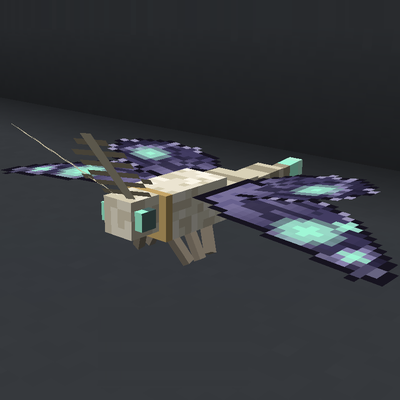
Raise a glowing companion moth, catch, jar and breed 48 wild moths, fly a Great Lumen, and wear a Mothman shawl that opens into wings.
 mod
Chisel any block into new styles: 2,264 decorative building blocks from stone, concrete, wood, metal and glass, with stairs, slabs, walls and panes. Three chisels, endless builds.
 mod
Real-time global damage meter