Minecraft version
Back to mods 
CurseForge · Minecraft mod
Iris Explorer
Shaderpack Explorer for Iris
Choose a version Pick your version below, then grab the matching file.
Quick answer
Which Iris Explorer release matches Fabric?
Best match for your filters Iris Explorer 0.1.3 - Fabric 1.16+
Game version 1.16.5, 1.16.4
Loader Fabric
Iris Explorer 0.1.3 - Fabric 1.16+ targets 1.16.5, 1.16.4 with Fabric. The project page does not say whether this file belongs on the client, dedicated server, or both. No extra mods listed for this file.
Where it goes
Is Iris Explorer required on the client, server, or both?
The project page does not say whether this file belongs on the client, dedicated server, or both.
Client Source doesn’t say
Dedicated server Source doesn’t say
Loader for this release Fabric
Required install it here Optional supported, not mandatory Not supported do not install here Source doesn’t say do not assume
The source does not explicitly classify this release as client-only or server-only.
What else does Iris Explorer 0.1.3 - Fabric 1.16+ need?
Iris Explorer 0.1.3 - Fabric 1.16+ on Fabric. Every mod below is checked against that same setup.
This file does not list any required mods. Do not add a library just because a different file uses it.
This file does not list any required or optional mods.
Before you install it
Add Iris Explorer without breaking your instance.
Built for Iris Explorer 0.1.3 - Fabric 1.16+ on Fabric. Pick another file and the loader, install side or required mods may change.
- 01
Stick to this file
Use Iris Explorer 0.1.3 - Fabric 1.16+. It targets 1.16.5, 1.16.4 with Fabric; another release may have different loader, side or dependency requirements.
- 02
Bring the mods it needs
This file does not list any required mods. Do not add a library just because a different file uses it.
- 03
Put it on the correct side
The project page does not say whether this file belongs on the client, dedicated server, or both.
- 04
Pick the file you checked
Use the “Get this file” button beside Iris Explorer 0.1.3 - Fabric 1.16+. It opens that exact file at the source.
About this project
What does Iris Explorer add?
Deprecated!
Iris has merged in a proper shaderpack selection menu. I suggest recompiling Iris and switching to it!
Iris Explorer
A resourcepack-screen solution for shaderpack selection in the Iris mod compatible with Sodium.
This mod depends on Iris!

Installation
To be able to use this mod with Sodium, you'll need to compile the compatibility branch of Iris for Sodium and the Sodium fork by IrisShaders.
Just clone or download the source code on github and run ./gradlew build inside their project. The Sodium fork by IrisShaders requires the Iris.jar in the project folder /build/loom-cache, so make sure to compile Iris first and move/copy the jar to that path.
BTW
This site has such a bad description formatter. You can find a better formatting on the Modrinth page or directly on GitHub.
Project description from CurseForge.
Pick your setup
Iris Explorer by Minecraft version and loader
Choose the version and loader you play, then open the matching release.
Minecraft version
1.16.4
1 loader buildCheck the dependencies, then try the file in a copied instance before changing a world you care about.
Recent files
Iris Explorer versions and loaders
Iris Explorer 0.1.3 - Fabric 1.16+
iris-explorer-0.1.3.jar
11 Apr 2021
Client Source doesn’t say Server Source doesn’t say Dependencies No extras listed Listed on Release listing
Check the 1.16.5 · Fabric setup 1.16.51.16.4Fabric release
Iris Explorer 0.1.2 - Fabric 1.16+
iris-explorer-0.1.2.jar
9 Apr 2021
Client Source doesn’t say Server Source doesn’t say Dependencies No extras listed Listed on Release listing
Check the 1.16.5 · Fabric setup Fabric1.16.51.16.4 release
Iris Explorer 0.1.1 - Fabric 1.16+
iris-explorer-0.1.1.jar
8 Apr 2021
Client Source doesn’t say Server Source doesn’t say Dependencies No extras listed Listed on Release listing
Check the 1.16.5 · Fabric setup Fabric1.16.51.16.4 release
Iris Explorer 0.1.0 - Fabric 1.16+
iris-explorer-0.1.0.jar
18 Feb 2021
Client Source doesn’t say Server Source doesn’t say Dependencies No extras listed Listed on Release listing
Check the 1.16.5 · Fabric setup Fabric1.16.51.16.4 release
Looking for an older file? The official CurseForge project page is in Resources.
 mod
CurseForge · Minecraft
HubExtended
An extension mod for the hub server
 mod
CurseForge + Modrinth · Minecraft
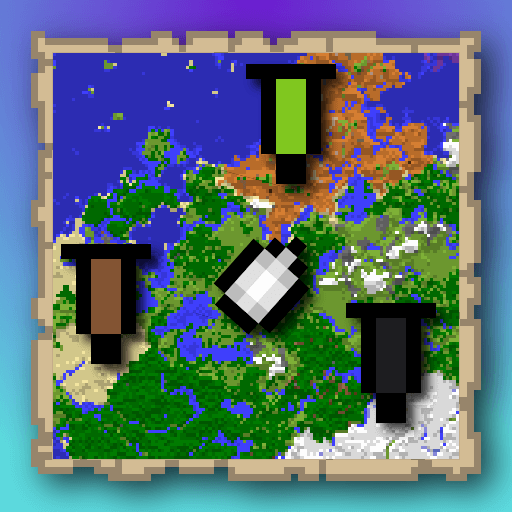
squaremap's banner
A mod that is an extension for the SquareMap mod. It adds additional functionality related to banners within the game: using banner to create markers that visible on the world map. Inspired by squaremap-banners plugin.
 mod
CurseForge · Minecraft
Moog's Glow Up
I thought glow ink was pretty cool but didn't have enough uses, so I added a bunch of vanilla-feeling features that make it more fun to play around with.