Minecraft version
Back to mods 
CurseForge · Minecraft mod
Stupendous Travels
To quote Happy Trails: "encourages path and road building"
Choose a version Pick your version below, then grab the matching file.
Quick answer
Which Stupendous Travels release should I use?
Latest stable file Stupendous Travels 1.16.5 v1.0.1.2.jar
Game version 1.16.5
Loader forge
Stupendous Travels 1.16.5 v1.0.1.2.jar targets 1.16.5. The project page does not say whether this file belongs on the client, dedicated server, or both. No extra mods listed for this file.
Where it goes
Is Stupendous Travels required on the client, server, or both?
The project page does not say whether this file belongs on the client, dedicated server, or both.
Client Source doesn’t say
Dedicated server Source doesn’t say
Loader for this release No loader listed
Required install it here Optional supported, not mandatory Not supported do not install here Source doesn’t say do not assume
The source does not explicitly classify this release as client-only or server-only.
What else does Stupendous Travels 1.16.5 v1.0.1.2.jar need?
Stupendous Travels 1.16.5 v1.0.1.2.jar. Change the file and its required mods may change too.
This file does not list any required mods. Do not add a library just because a different file uses it.
This file does not list any required or optional mods.
Before you install it
Add Stupendous Travels without breaking your instance.
Built for Stupendous Travels 1.16.5 v1.0.1.2.jar. Pick another file and the loader, install side or required mods may change.
- 01
Stick to this file
Use Stupendous Travels 1.16.5 v1.0.1.2.jar. It targets 1.16.5; another release may have different loader, side or dependency requirements.
- 02
Bring the mods it needs
This file does not list any required mods. Do not add a library just because a different file uses it.
- 03
Put it on the correct side
The project page does not say whether this file belongs on the client, dedicated server, or both.
- 04
Pick the file you checked
Use the “Get this file” button beside Stupendous Travels 1.16.5 v1.0.1.2.jar. It opens that exact file at the source.
About this project
What does Stupendous Travels add?
Stupendous Travels
Thanks to MacTsofor allowing me to upload this version of their mod Happy Trails!
Made by Shadowdragon019
Made with MCreator
v1.0.1.1
This mod is not being worked on anymore
Join my Discord server! https://discord.gg/YYM3NYssSJ
Stupendous Travels allows you to walk faster on certain blocks such as Path Blocks! The reason I created this mod is that is solves a problem I had with Happy Trails. Happy Trails gives you potion effects which I and a friend of mine are not a fan of. Stupendous Travels changes your velocity another way rather then using potion effects.
By default blocks that slow you are
- Sand
- Red Sand
- Netherrack
- Snow
- Concrete Powder
By default block that speed you up are
- Grass Path
- Netherrack Path
- Red Sand Path
- Sand Path
- Snow Path
- Soul Soil Path
- Stone Brick Slabs
- Brick Slabs
- Concrete
Boots
When wearing anything in the boots slots the effect of any speed effecting blocks is diminished. 1 is normal speed. For example the speed boost you get from bricks goes from 1.3 to 1.2 and sand from 0.9 to 1
Blocks can be changed by using datapacks and tags, here's a good video explaining how to make datapacks.
Natural Path Former
Walking on paths has a chance to degrade them
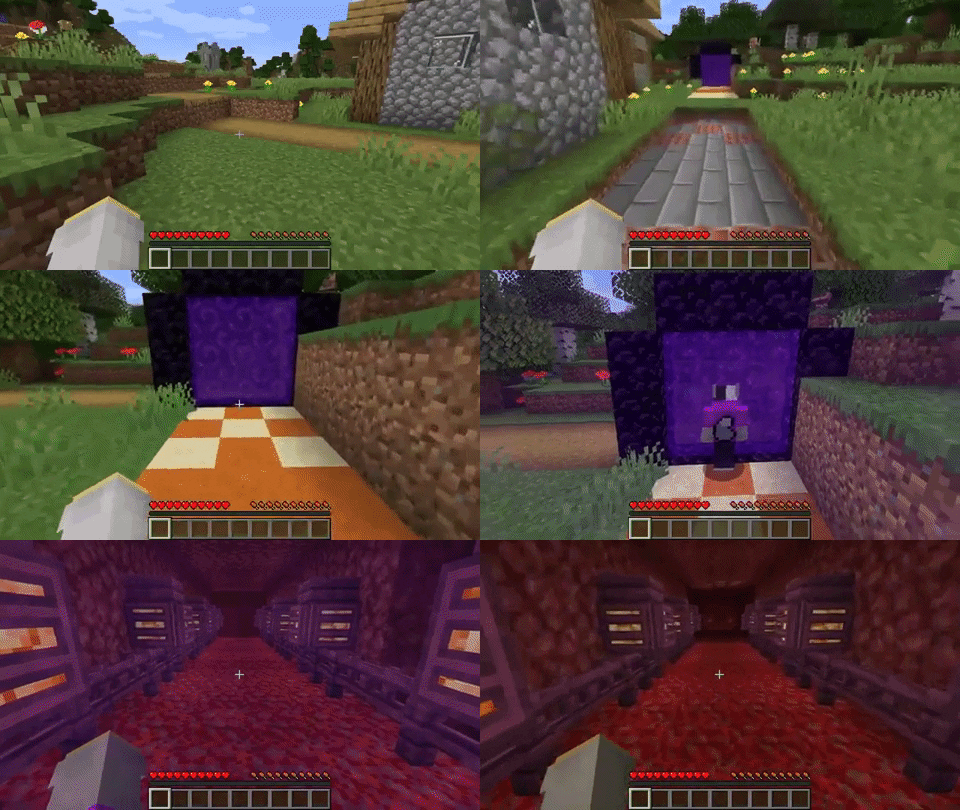
Examples of me making paths
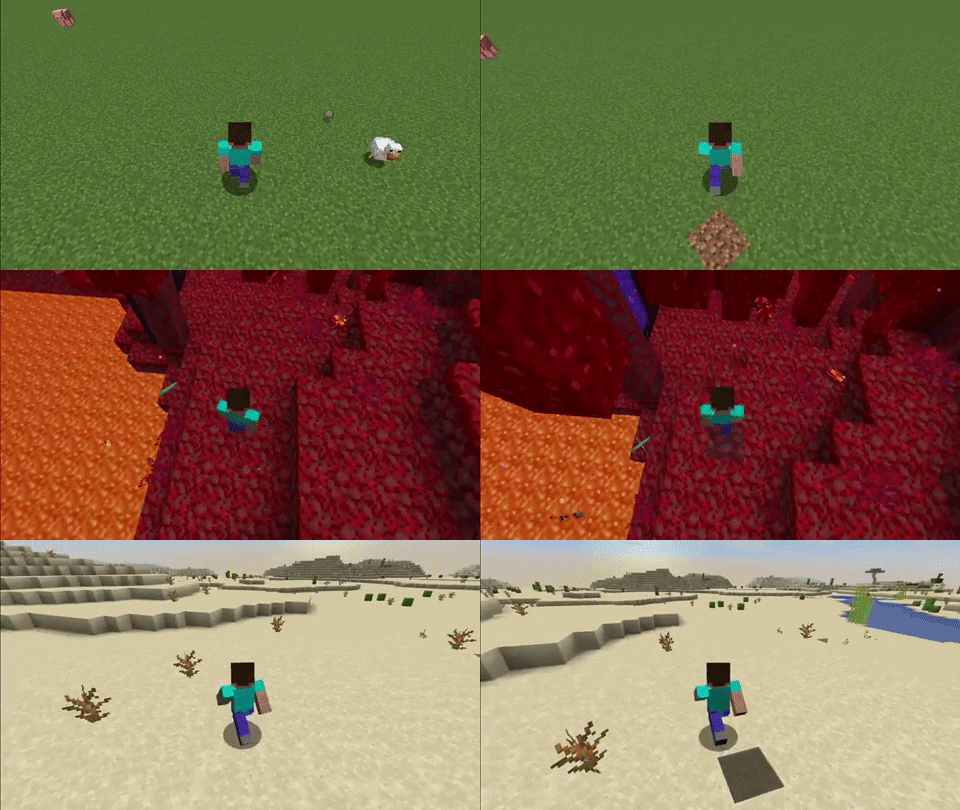
All the paths transitions

Project description from CurseForge.
Pick your setup
Stupendous Travels by Minecraft version and loader
Choose the version and loader you play, then open the matching release.
Minecraft version
1.16.4
2 loader buildsCheck the dependencies, then try the file in a copied instance before changing a world you care about.
Recent files
Stupendous Travels versions and loaders
Stupendous Travels 1.16.5 v1.0.1.2.jar
2 Apr 2021
Client Source doesn’t say Server Source doesn’t say Dependencies No extras listed Listed on Release listing
Check the 1.16.5 setup 1.16.5 release
Stupendous Travels 1.16.5 v1.0.1.1.jar
2 Apr 2021
Client Source doesn’t say Server Source doesn’t say Dependencies No extras listed Listed on Release listing
Check the 1.16.5 setup 1.16.5 release
Stupendous Travels 1.16.5 v1.0.1.jar
2 Apr 2021
Client Source doesn’t say Server Source doesn’t say Dependencies No extras listed Listed on Release listing
Check the 1.16.5 setup 1.16.5 release
Stupendous Travels 1.16.5 v1.0.0.jar
26 Mar 2021
Client Source doesn’t say Server Source doesn’t say Dependencies No extras listed Listed on Release listing
Check the 1.16.5 setup 1.16.5 release
"Stupendous Travels 1.16.4 v1.0.1
Stupendous Travels 1.16.4 v1.1.0.jar
26 Feb 2021
Client Source doesn’t say Server Source doesn’t say Dependencies No extras listed Listed on Release listing
Check the 1.16.4 · Forge setup Forge1.16.4 release
Stupendous Travels 1.16.4 v1.0.0.jar
18 Feb 2021
Client Source doesn’t say Server Source doesn’t say Dependencies No extras listed Listed on Release listing
Check the 1.16.4 setup 1.16.4 release
Looking for an older file? The official CurseForge project page is in Resources.
 mod
mod CurseForge · Minecraft
Portal Gun Totality 1.21-26.3 [Fabric & NeoForge]
There were lots of Portal Gun mods on 1.7.10 and 1.12.2, but hardly any for new versions. This one brings see-through portals, no loading screen, 7 guns, turrets and Long Fall Boots to Fabric & NeoForge 1.21–26.3.
 mod
mod CurseForge + Modrinth · Minecraft
Cobblemon Rustling Spots
Rustling Spots adds dynamic, world-driven “rustling spots” across the Overworld.
 mod
mod CurseForge · Minecraft
Concatenated Additions - Artefacts
Adds various technological and mystical artefacts specializing in cross-mod interactions.