MagicLib Needed by OMMC oh-my-minecraft-client-0.5.jar
requiredMatching file found Matched file: magiclib-0.5.32.jar

CurseForge · Minecraft mod
Make Minecraft Client Great Again!
Quick answer
OMMC oh-my-minecraft-client-0.5.jar targets 1.17.1, 1.14.4, 1.16.5 with Fabric. The project page does not say whether this file belongs on the client, dedicated server, or both. All 1 required mods have matching files.
Where it goes
The project page does not say whether this file belongs on the client, dedicated server, or both.
The source does not explicitly classify this release as client-only or server-only.
oh-my-minecraft-client-0.5.jar on 1.19. Every mod below is checked against that same setup.
Install MagicLib first. We found matching files for this game-version and loader setup.
We only count dependency files that match this setup. A file for another loader does not fill the gap.
Before you install it
Built for OMMC oh-my-minecraft-client-0.5.jar on 1.19. Pick another file and the loader, install side or required mods may change.
Use oh-my-minecraft-client-0.5.jar. It targets 1.17.1, 1.14.4, 1.16.5 with Fabric; another release may have different loader, side or dependency requirements.
Install MagicLib first. We found matching files for this game-version and loader setup.
The project page does not say whether this file belongs on the client, dedicated server, or both.
Use the “Get this file” button beside oh-my-minecraft-client-0.5.jar. It opens that exact file at the source.
About this project
Make Minecraft Client Great Again!
Oh My Minecraft Client is a client-side mod, which helps you manage your hands. The mod is written for the Fabric Loader.
https://www.curseforge.com/minecraft/mc-mods/malilib
https://www.curseforge.com/minecraft/mc-mods/magiclib
The default hotkey to open the in-game config GUI is O + C
Minecraft client will not to clear chat history and input history.
Add command /highlightWaypoint to highlight waypoint.
Auto parse waypoint in chat with voxelmap's format (like [x:1, y:2, z:3],(x:1, y:2, z:3), [1, 2, 3], (1, 2, 3)).
It looks like:

Force parse waypoint from chat (such it will override the clickevent of rtext).
A hotkey to send looking at pos.
Press hotkey to sort inventory.
Support empty shulker box stack when sort inventory.
Auto Switch elytra and chestplate.
It looks like:
You can't break blocks in breakBlockBlackList.
You can break the scaffolding with the items in breakScaffoldingWhiteList.
You can move down in scaffolding when the item of moveDownInScaffoldingWhiteList in your hand.
Players will have a 5GT cooldown after breaking the block instantaneously, which will prevent you from accidentally destroying components with the Haste 2 effect.
Any lava source will be highlighted with a special texture.
It looks like:
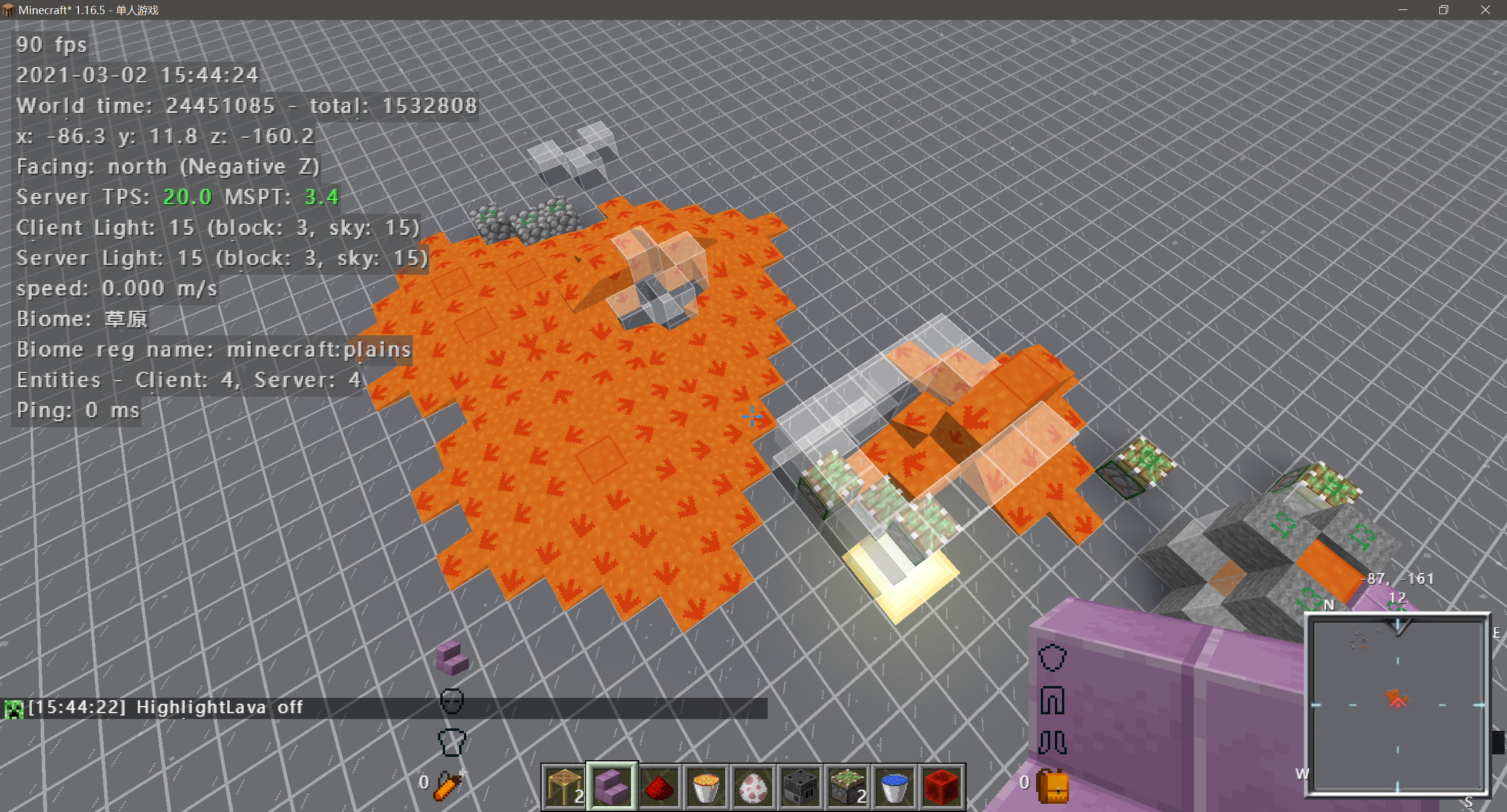
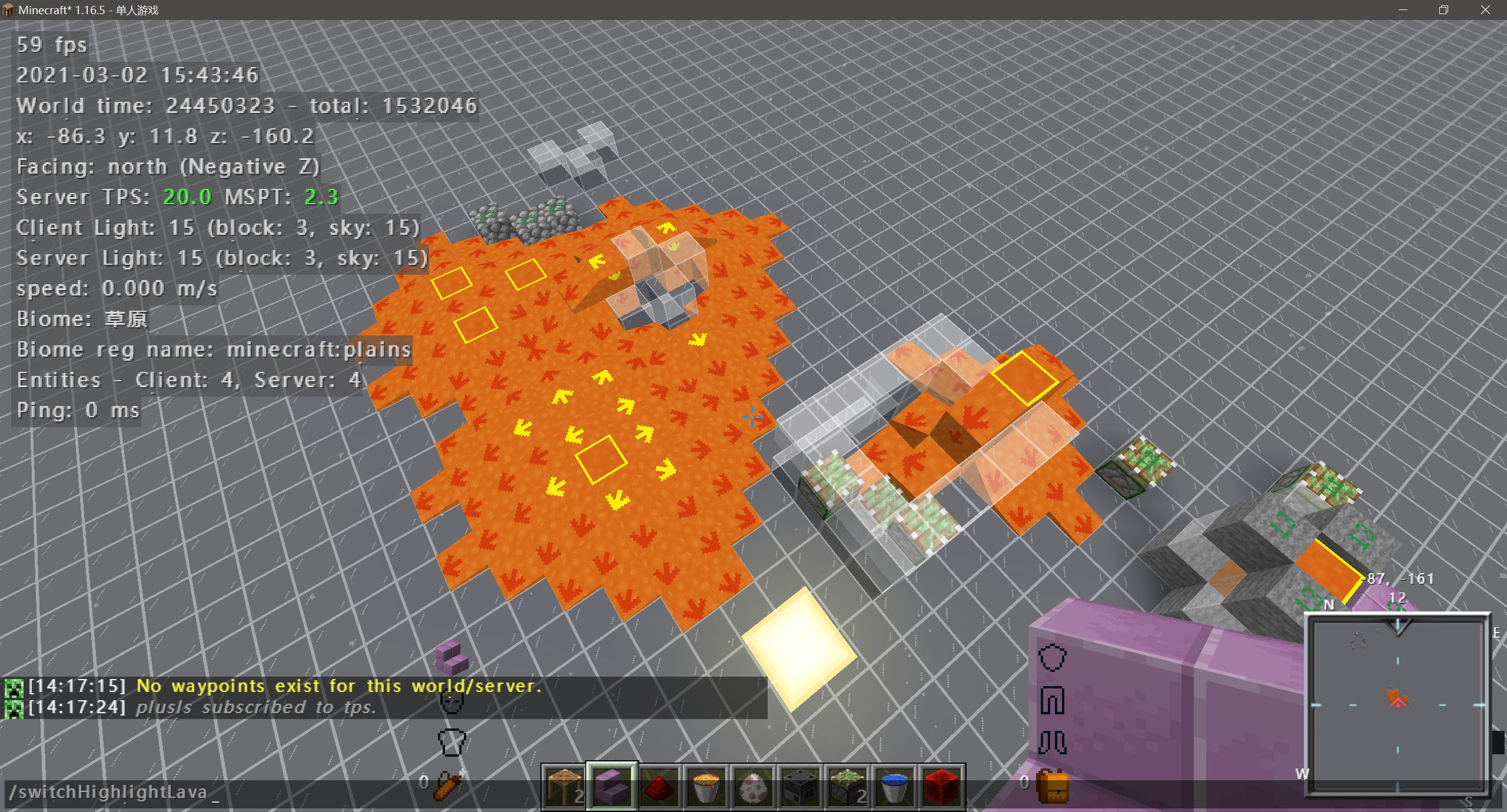
The Wandering Trader will have the glowing affect, so it in Invisibility.
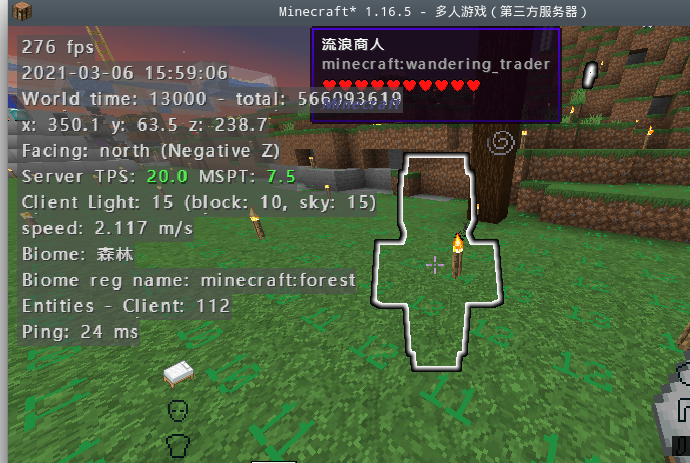
Prevent Intentional Game Design (Bed and Respawn Anchor).
Highlight persistent mobs (Mob have item in hand or mob have custom name).
Which allowed you mine a flat road while digging stone by preventing digging of blocks under your feet while standing,sneak to dig blocks under you.
Players cannot ascend or descend when sneaking.
Remove cooldown after break block (default is 5gt), it will not work when enable forceBreakingCooldown§r.
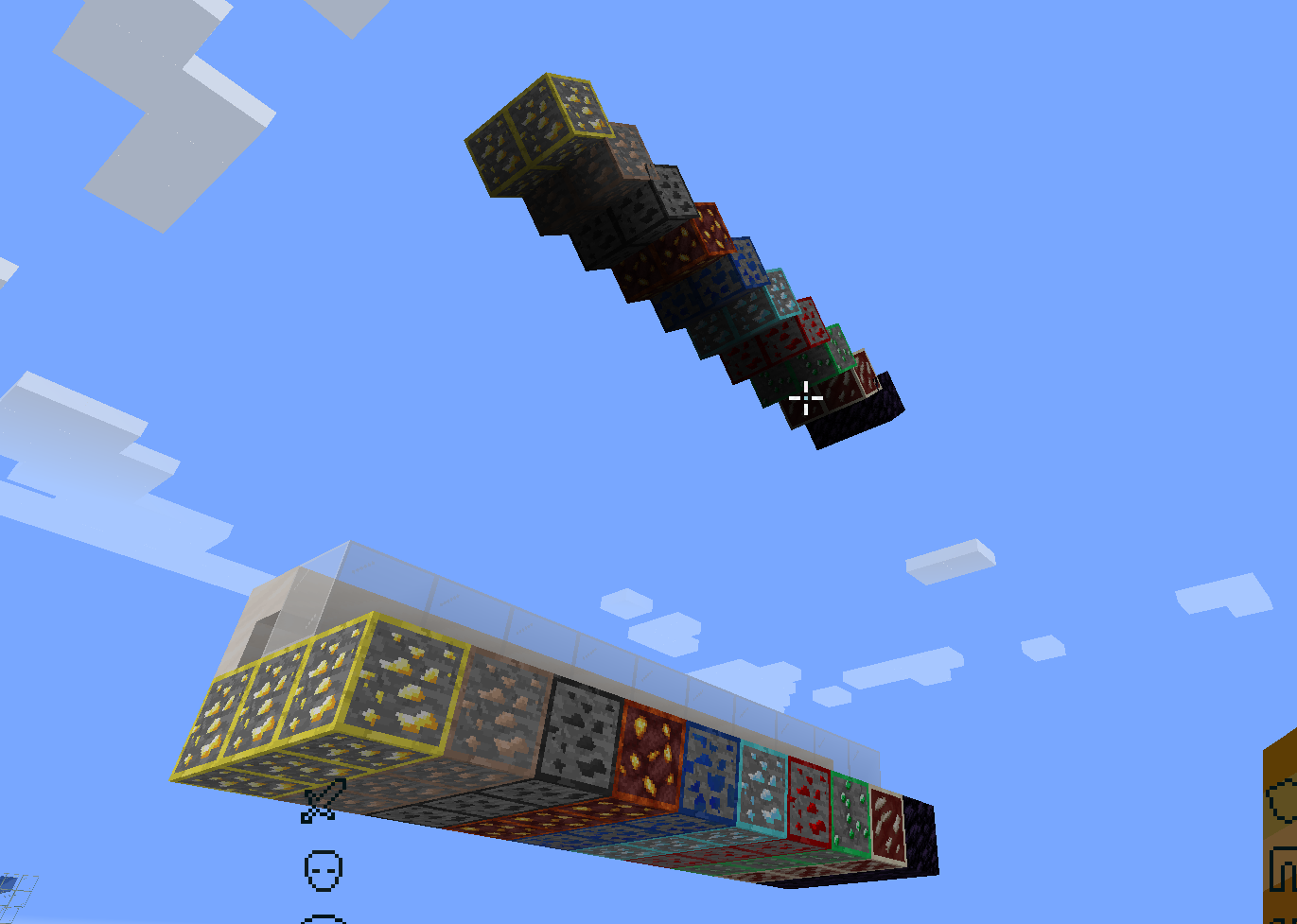
When the blocks in worldEaterMineHelperWhitelist are exposed to the air, the game will render their own mirror image above them, which is convenient for world eater maintenance and mining.
Fallback language list.
Now allow user to change some integrated server setting.
Integrated server use online mode.
Integrated server enable pvp.
Integrated server enable flight.
Integrated server lan port, 0 to use default port.
Project description from CurseForge.
Pick your setup
Choose the version and loader you play, then open the matching release.
Check the dependencies, then try the file in a copied instance before changing a world you care about.
Recent files
11 Jun 2022
Looking for an older file? The official CurseForge project page is in Resources.
 mod
Adds completely client-sided pets to your game. Supports every vanilla mob, some custom ones, and will work on any server, including in singleplayer!
 mod
Adds pretty colorful projectile trails to Minecraft. Watch arrows streak through the air and thrown potions leave trails that match their colors.
 mod
show mob levels depending on health