Framework Optional for Configured 2.7.5
optionalMatching file found Matched file: Framework 0.13.26

CurseForge · Minecraft mod
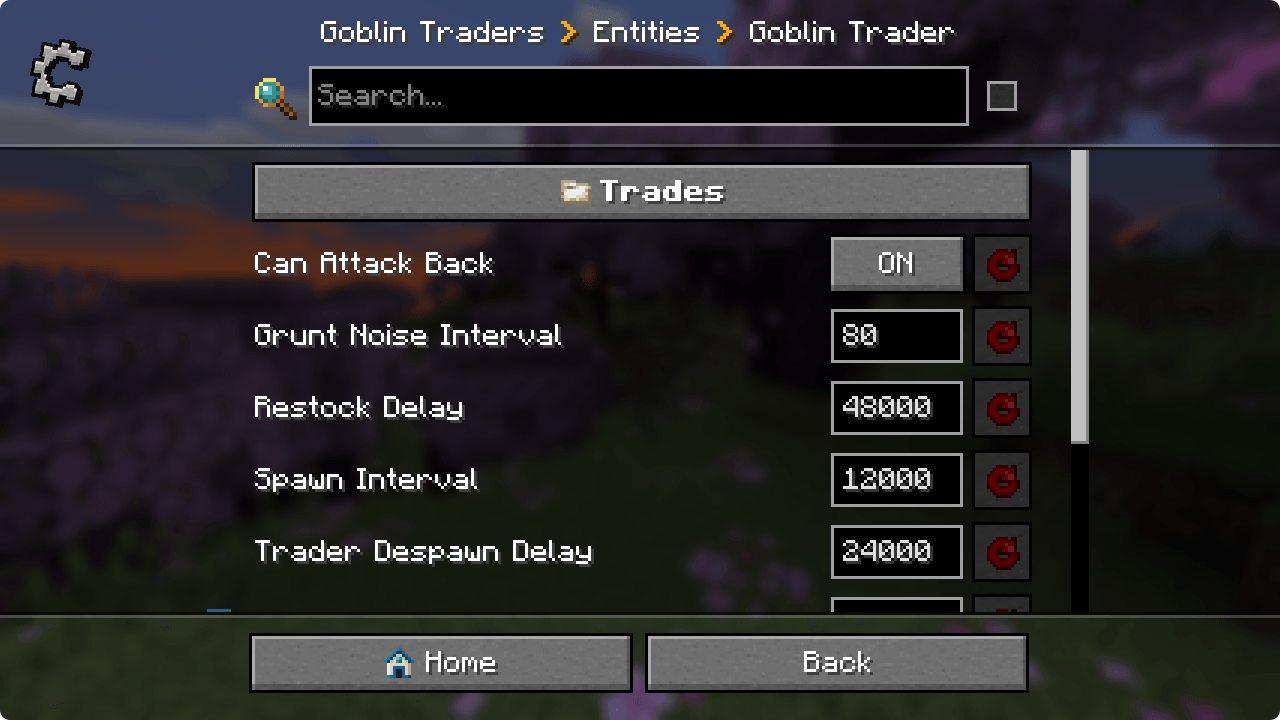
Automatic in-game configuration menus for every mod!
This page is having a moment, so a few details may be a little behind.
Quick answer
Configured 2.7.5 targets 26.2 with Fabric. The project page does not say whether it belongs on the client. The project page does not say whether it belongs on the dedicated server. No extra mods listed for this file.
Where it goes
The project page does not say whether it belongs on the client. The project page does not say whether it belongs on the dedicated server.
The source does not explicitly classify this release as client-only or server-only.
Configured 2.7.5 on Fabric. Every mod below is checked against that same setup.
This file does not list any required mods. Do not add a library just because a different file uses it.
1 extra mod was pulled in by another dependency. Indented rows show who needs each one. We only count dependency files that match this setup. A file for another loader does not fill the gap.
Before you install it
Built for Configured 2.7.5 on Fabric. Pick another file and the loader, install side or required mods may change.
Use Configured 2.7.5. It targets 26.2 with Fabric; another release may have different loader, side or dependency requirements.
This file does not list any required mods. Do not add a library just because a different file uses it.
The project page does not say whether it belongs on the client. The project page does not say whether it belongs on the dedicated server.
Use the “Get this file” button beside Configured 2.7.5. It opens that exact file at the source.
About this project






📖 About:
Configured is a simple and lightweight mod that dynamically creates configuration menus for every mod with a supported config system. The mod was initially created due to the removal of Forge's built-in GUI system but it has now expnaded in features and supported modloaders. Configured aims to make it easier for players to modify the configurations of mods by providing a beautiful GUI and an intuitive experience. The best part is that Configured doesn't need other mods to write extra code in order for a menu to be generated, assuming they are using a supported config system. This mod can be safely added to any modpack without any problems.
✨ Features:
✅ Supported Config Systems:
📦 Developers:
This mod has support to change the background texture of the config screen through the mod's metadata. Below you can find an example for each modloader.
Forge/NeoForge - Add this under your [[mods]] section in your mods.toml
[modproperties.<your_mod_id>]
  configuredBackground="minecraft:textures/block/stone.png"
Fabric - Merge this JSON into your fabric.mod.json
{
  "custom": {
    "configured": {
      "background": "minecraft:textures/block/stone.png"
    }
  }
}
🙋♀️ Need Support? Join the Official Discord Server:
The comment section isn't great for support, join the official discord server. You can get help installing and configuring mods, resolving crashes and more! Plus you'll also get access to news about mod updates and development (before anywhere else).

Project description from CurseForge.
Pick your setup
Choose the version and loader you play, then open the matching release.
Showing the newest 12 of 16 game versions. Older files are in the list below.
Check the dependencies, then try the file in a copied instance before changing a world you care about.
Recent files
configured-fabric-26.2-2.7.5.jar
10 Jul 2026
configured-fabric-26.1.2-2.7.5.jar
18 Apr 2026
configured-fabric-26.1-2.7.5.jar
27 Mar 2026
configured-fabric-1.21.11-2.7.4.jar
26 Jan 2026
configured-fabric-1.21.11-2.7.3.jar
14 Dec 2025
configured-fabric-1.21.1-2.6.3.jar
30 Nov 2025
configured-fabric-1.21.10-2.7.3.jar
30 Nov 2025
configured-fabric-1.21.1-2.6.2.jar
18 Oct 2025
configured-fabric-1.21.10-2.7.2.jar
10 Oct 2025
configured-fabric-1.21.9-2.7.1.jar
7 Oct 2025
configured-fabric-1.21.8-2.7.1.jar
7 Oct 2025
configured-fabric-1.21.1-2.6.1.jar
7 Oct 2025
Looking for an older file? The official CurseForge project page is in Resources.
 mod
modView Wynncraft trademarket data, lootrun and raid lootpools!
 mod
modAdds controller support and enhanced controls overall.
 mod
modA powerful addon for the Middle-Earth mod that provides seamless integration with PlaceholderAPI
