FTB Chunks (NeoForge) Needed by Prune Addon for FTB Chunks [Forge] prune-addon-ftb-chunks-forge-0.1.1.jar
requiredMatching file found Matched file: ftb-chunks-1605.2.3-build.75.jar

CurseForge · Minecraft mod
Addon to help prune world files
Quick answer
Prune Addon for FTB Chunks [Forge] prune-addon-ftb-chunks-forge-0.1.1.jar targets 1.16.3, 1.16.5, 1.16.4 with Forge. The project page does not say whether this file belongs on the client, dedicated server, or both. 1 required mod needs a matching file.
Where it goes
The project page does not say whether this file belongs on the client, dedicated server, or both.
The source does not explicitly classify this release as client-only or server-only.
prune-addon-ftb-chunks-forge-0.1.1.jar. Change the file and its required mods may change too.
Install FTB Chunks (NeoForge), FTB Library (NeoForge), Architectury API first, but 1 required mod has no matching file for this setup. Do not mix loader builds to force a match. 8 come through another mod in the chain.
8 extra mods were pulled in by other dependencies. Indented rows show who needs each one. We only count dependency files that match this setup. A file for another loader does not fill the gap.
Before you install it
Built for Prune Addon for FTB Chunks [Forge] prune-addon-ftb-chunks-forge-0.1.1.jar. Pick another file and the loader, install side or required mods may change.
Use prune-addon-ftb-chunks-forge-0.1.1.jar. It targets 1.16.3, 1.16.5, 1.16.4 with Forge; another release may have different loader, side or dependency requirements.
Install FTB Chunks (NeoForge), FTB Library (NeoForge), Architectury API first, but 1 required mod has no matching file for this setup. Do not mix loader builds to force a match. 8 come through another mod in the chain.
The project page does not say whether this file belongs on the client, dedicated server, or both.
Use the “Get this file” button beside prune-addon-ftb-chunks-forge-0.1.1.jar. It opens that exact file at the source.
About this project
This mod adds admin commands to remove non-claimed chunks from saved game files.


Prunes region and poi files of a dimension.
Removes all the files which do not contain any chunks claimed by FTB-Chunks.
Syntax: /prune [-deep <true/false>] [-filetype <region_files | poi_files>] [-dimension <dimension>] [do_not_backup <true | false>]
Make sure of the following
You can now prune all unclaimed chunks with -deep parameter! Even the ones saved in same region files as claimed chunks.
Feel free to use this in your modpack.
Any form of distribution should either be via this CurseForge project or should include a link to this description page.
Join our discord to get access to the play/test Starpack server.

Need a Host?
Get the best deals and 25% off with our hosting partner, click on the image below.
Temporary logo by smashicons
Project description from CurseForge.
Pick your setup
Choose the version and loader you play, then open the matching release.
Check the dependencies, then try the file in a copied instance before changing a world you care about.
Recent files
1 Aug 2021
18 May 2021
10 May 2021
8 May 2021
Looking for an older file? The official CurseForge project page is in Resources.
 mod
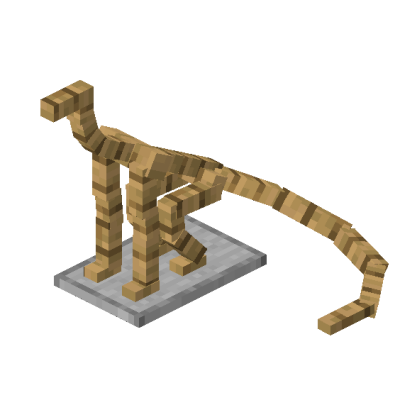
(Dragon survival addon) Add dragon-shaped armor stand that can wear armor
 mod
Functional Storage drawers for what isn't an item or a fluid: Energy (2 billion FE), Mekanism chemicals and Ars Nouveau Source. Same upgrades, same Storage Controller, framed variants for all.
 mod
baseElectric expands the basePower library to bring your world into the electrical age! This is a continuation of Steam Advantage by Dr Cyano and is fully backwards compatible with Steam Advantage worlds.
