Minecraft version
Back to mods 
CurseForge · Minecraft mod
The Ender Scrolls - Skyrimcraft
Bringing the world of Skyrim right to your Minecraft world!
Choose a version Pick your version below, then grab the matching file.
Quick answer
Which The Ender Scrolls - Skyrimcraft release should I use?
Latest stable file Skyrimcraft 1.20.1-0.4.0-beta.1
Game version 1.20.1
Loader Fabric
The Ender Scrolls - Skyrimcraft Skyrimcraft 1.20.1-0.4.0-beta.1 targets 1.20.1 with Fabric. The project page does not say whether this file belongs on the client, dedicated server, or both. No extra mods listed for this file.
Where it goes
Is The Ender Scrolls - Skyrimcraft required on the client, server, or both?
The project page does not say whether this file belongs on the client, dedicated server, or both.
Client Source doesn’t say
Dedicated server Source doesn’t say
Loader for this release Fabric
Required install it here Optional supported, not mandatory Not supported do not install here Source doesn’t say do not assume
The source does not explicitly classify this release as client-only or server-only.
What else does The Ender Scrolls - Skyrimcraft Skyrimcraft 1.20.1-0.4.0-beta.1 need?
Skyrimcraft 1.20.1-0.4.0-beta.1. Change the file and its required mods may change too.
This file does not list any required mods. Do not add a library just because a different file uses it.
This file does not list any required or optional mods.
Before you install it
Add The Ender Scrolls - Skyrimcraft without breaking your instance.
Built for The Ender Scrolls - Skyrimcraft Skyrimcraft 1.20.1-0.4.0-beta.1. Pick another file and the loader, install side or required mods may change.
- 01
Stick to this file
Use Skyrimcraft 1.20.1-0.4.0-beta.1. It targets 1.20.1 with Fabric; another release may have different loader, side or dependency requirements.
- 02
Bring the mods it needs
This file does not list any required mods. Do not add a library just because a different file uses it.
- 03
Put it on the correct side
The project page does not say whether this file belongs on the client, dedicated server, or both.
- 04
Pick the file you checked
Use the “Get this file” button beside Skyrimcraft 1.20.1-0.4.0-beta.1. It opens that exact file at the source.
About this project
What does The Ender Scrolls - Skyrimcraft add?

The Ender Scrolls - Skyrimcraft
This is a NeoForge mod which aims to bring the world of Skyrim right to your Minecraft world! With this mod previously left in a state for Minecraft 1.2.5 under my old handle madcrazydrumma, I felt that it was finally about time to bring back this mod.
NB: This mod is currently in a pre-release state and thus, you may encounter some bugs. If this is the case, please feel free to report an issue.
Dependencies
As of the latest version of the mod, Skyrimcraft 1.21-0.2.0, the mod has the following dependencies as outlined in its mod file:
- Curios - 9.0.4+1.21
- Geckolib - 1.21:4.5.6
- SmartBrainLib - 1.14.3
Skyrimcraft 1.20.6-0.2.0 has the following dependencies
- Curios - 8.0.0-beta+1.20.6
- Geckolib - 1.20.6:4.5.1
- SmartBrainLib - 1.14.2
Skyrimcraft 1.20.4-0.2.0 has the following dependencies
- Curios - 7.3.1+1.20.4
- Geckolib - 4.4.2
- SmartBrainLib - 1.13

Skyrim's In-Game GUI
This feature brings the Skyrim in-game interface right to your Minecraft client! From the status indicator bars (health, magicka, stamina) to the compass, we try to have it all! In the mod's current state the compass includes the current entity you are attacking, as well as known structures. So far, known structures only include villages and shout walls, among some others but more will be added in later versions!
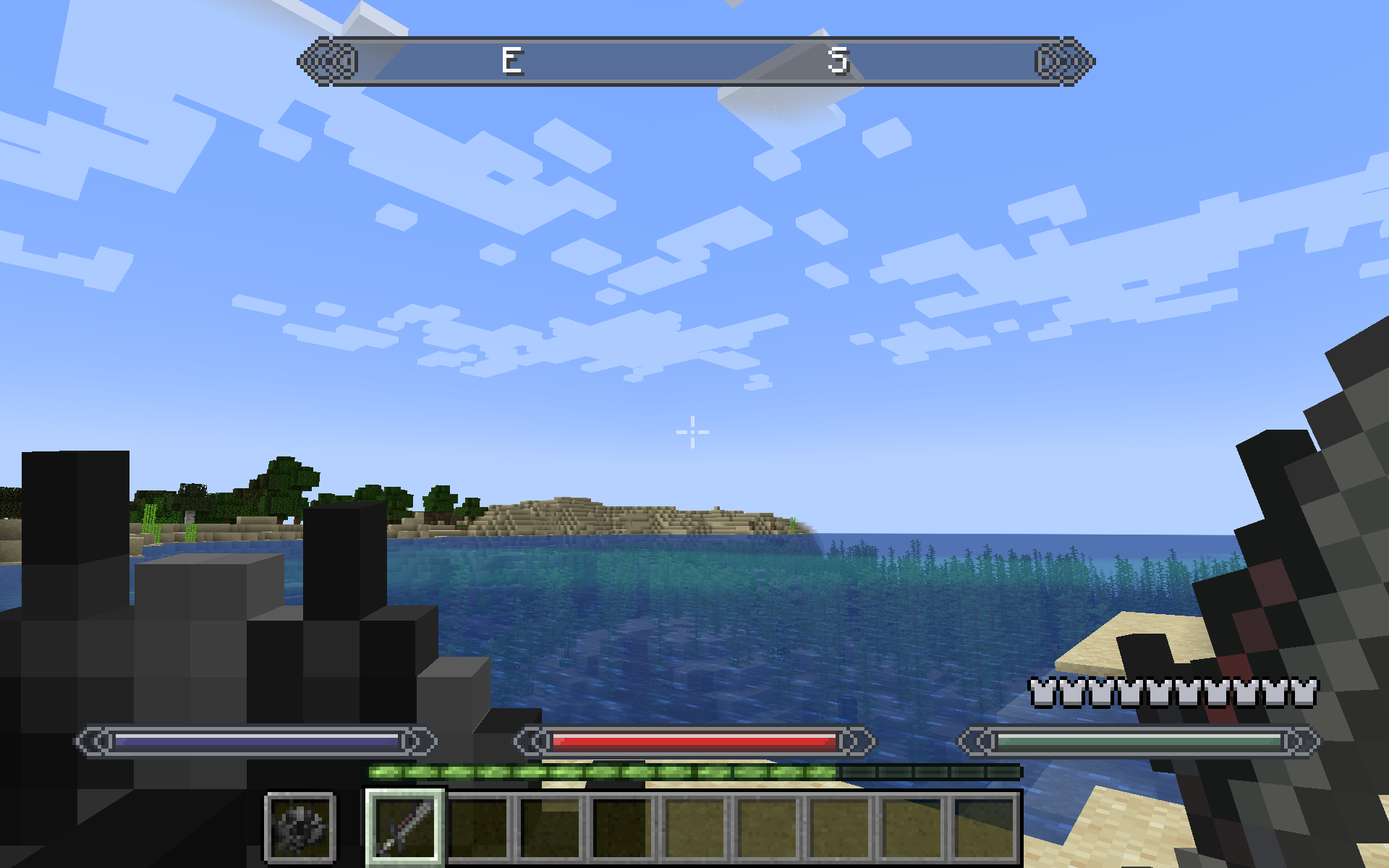
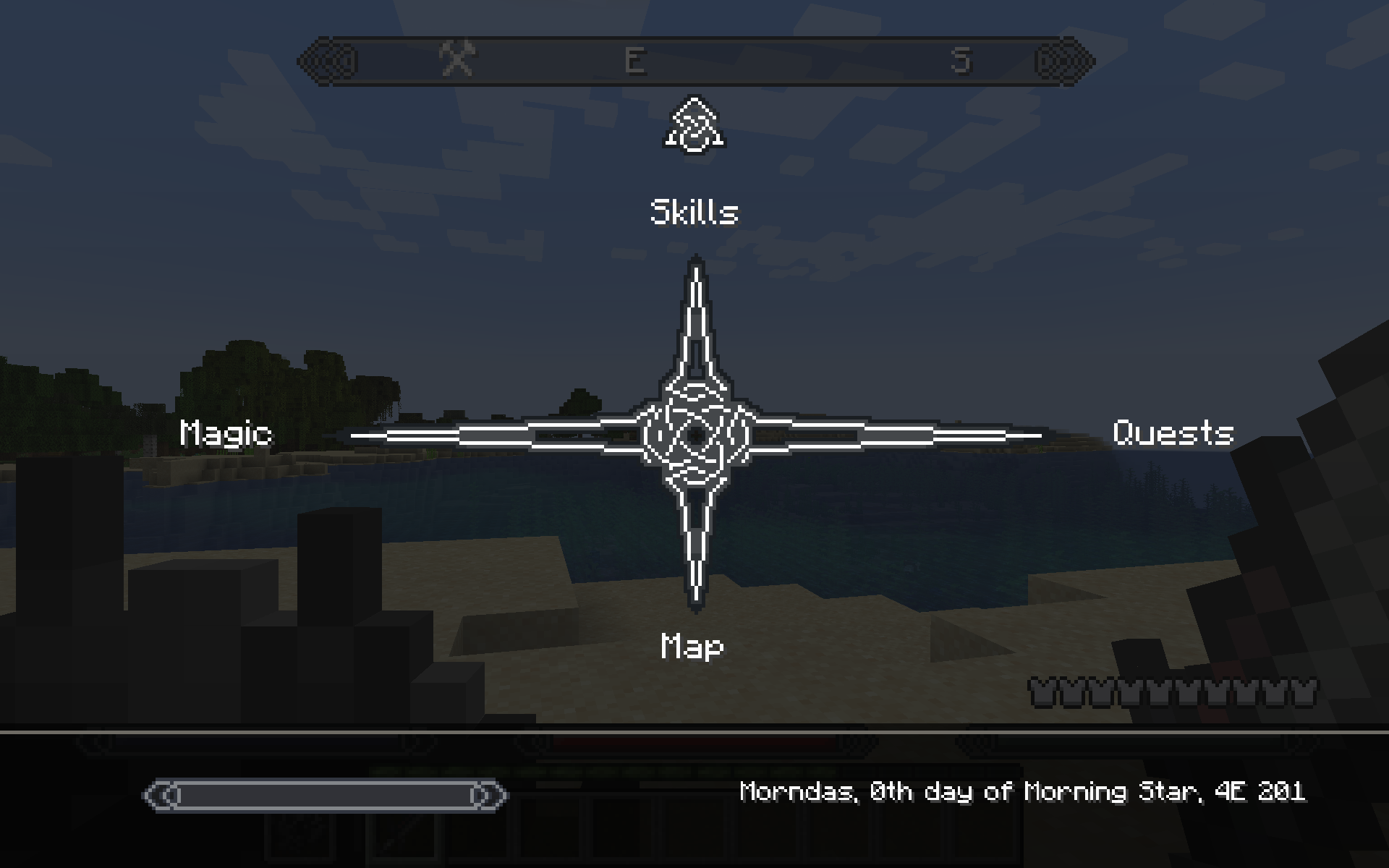
We also implement a Skyrim options menu, which allows you to access a variety of options. Currently, only the magic interface is available. To access this menu, the default key to press is M, but this can be configured in the controls menu.
Magicka, Spells and Shouts
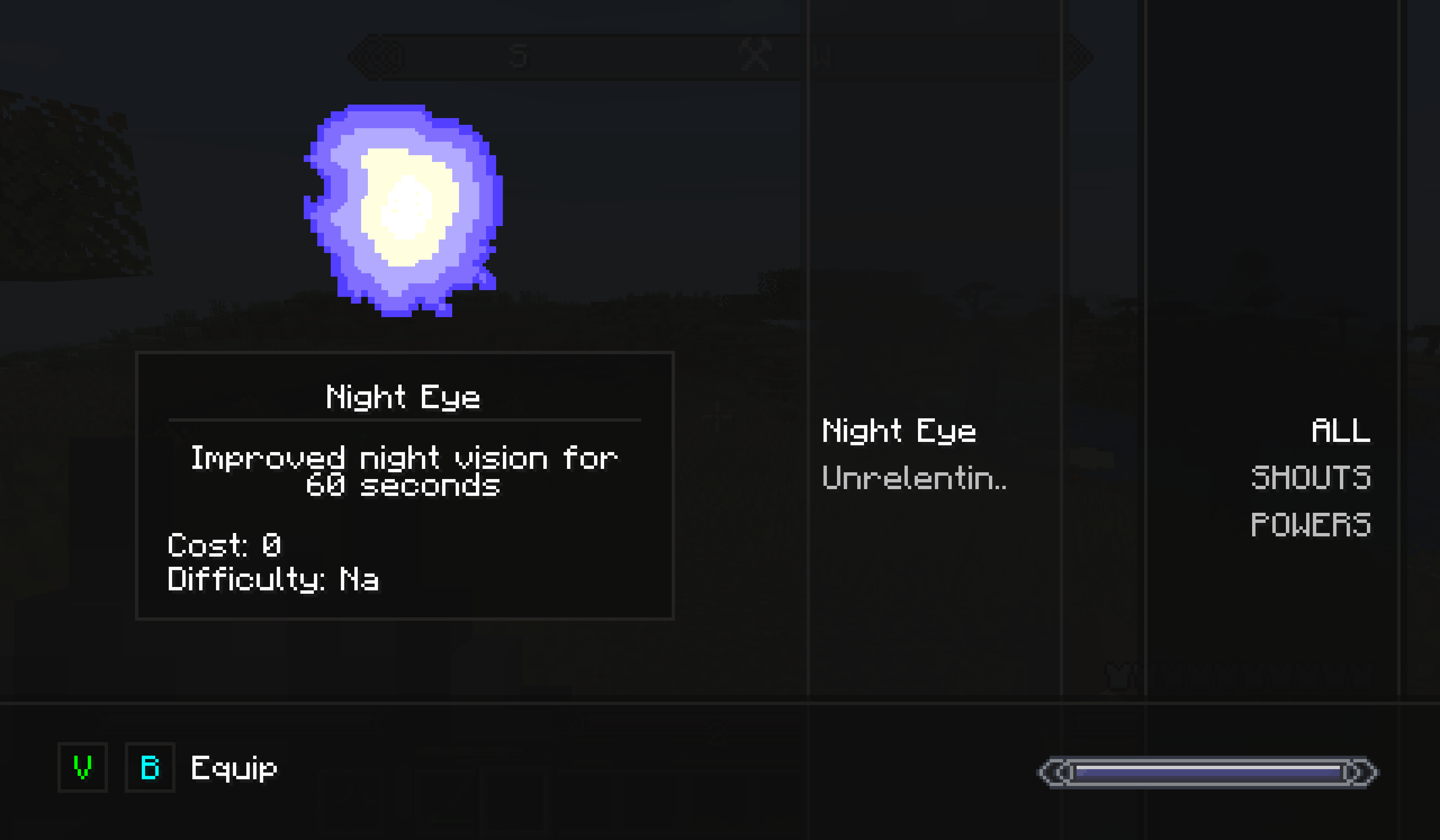
This feature brings your world a magicka system which allows you to cast spells and shouts found in Skyrim! Both spells and shouts can be selected (once learned) in the magic interface. To access the magic interface, locate the magic option in the Skyrim menu options (by default, pressing the M key). To select any learned spell or shout, press one of the selection keys (displayed in the magic interface) which are also customisable in your control settings. A player's magicka replenishes slowly over time - in future, this will be modified through use of enchantment (i.e., fortify magicka), spells (i.e., equilibrium) or skills.
Shouts
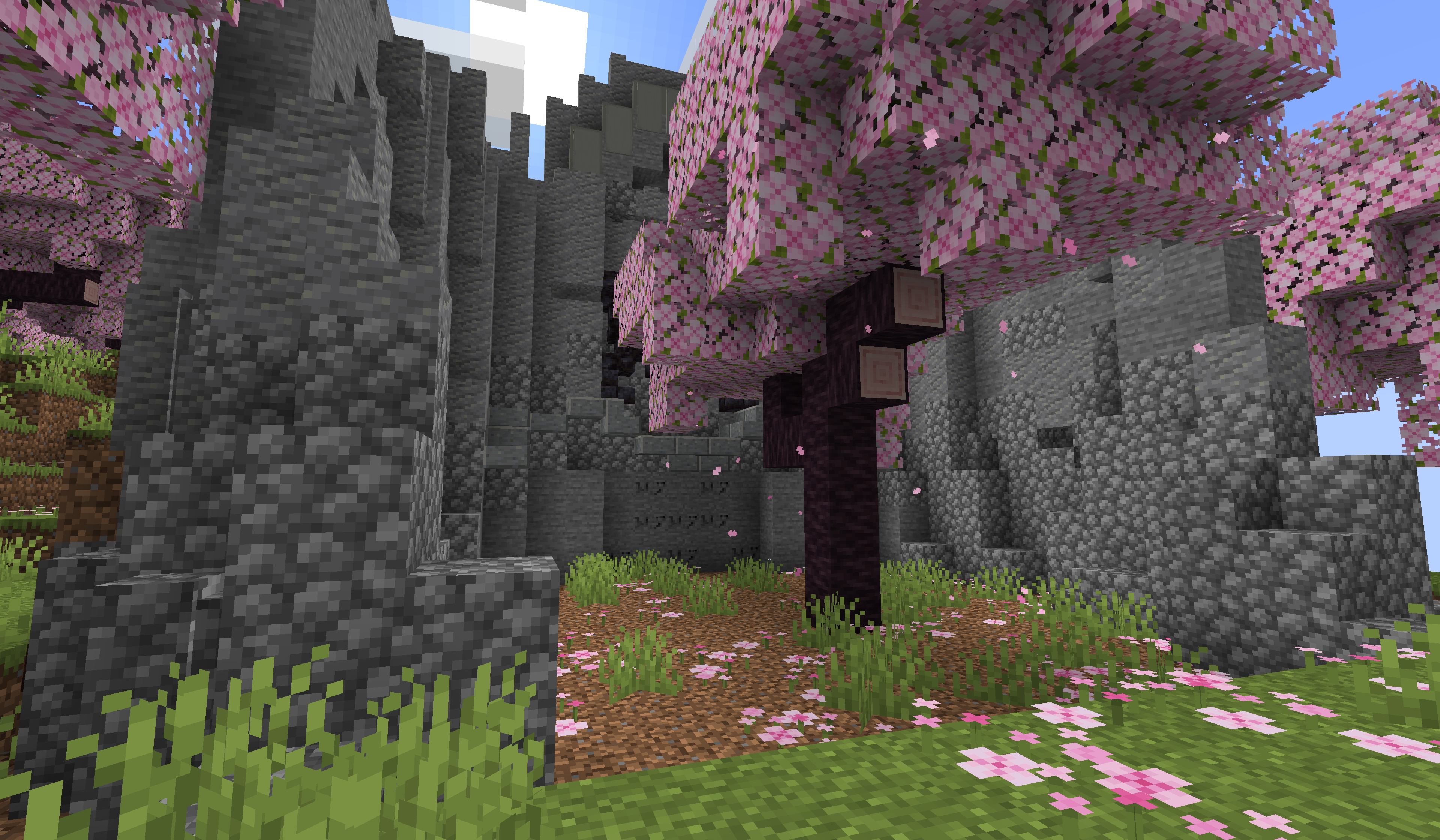
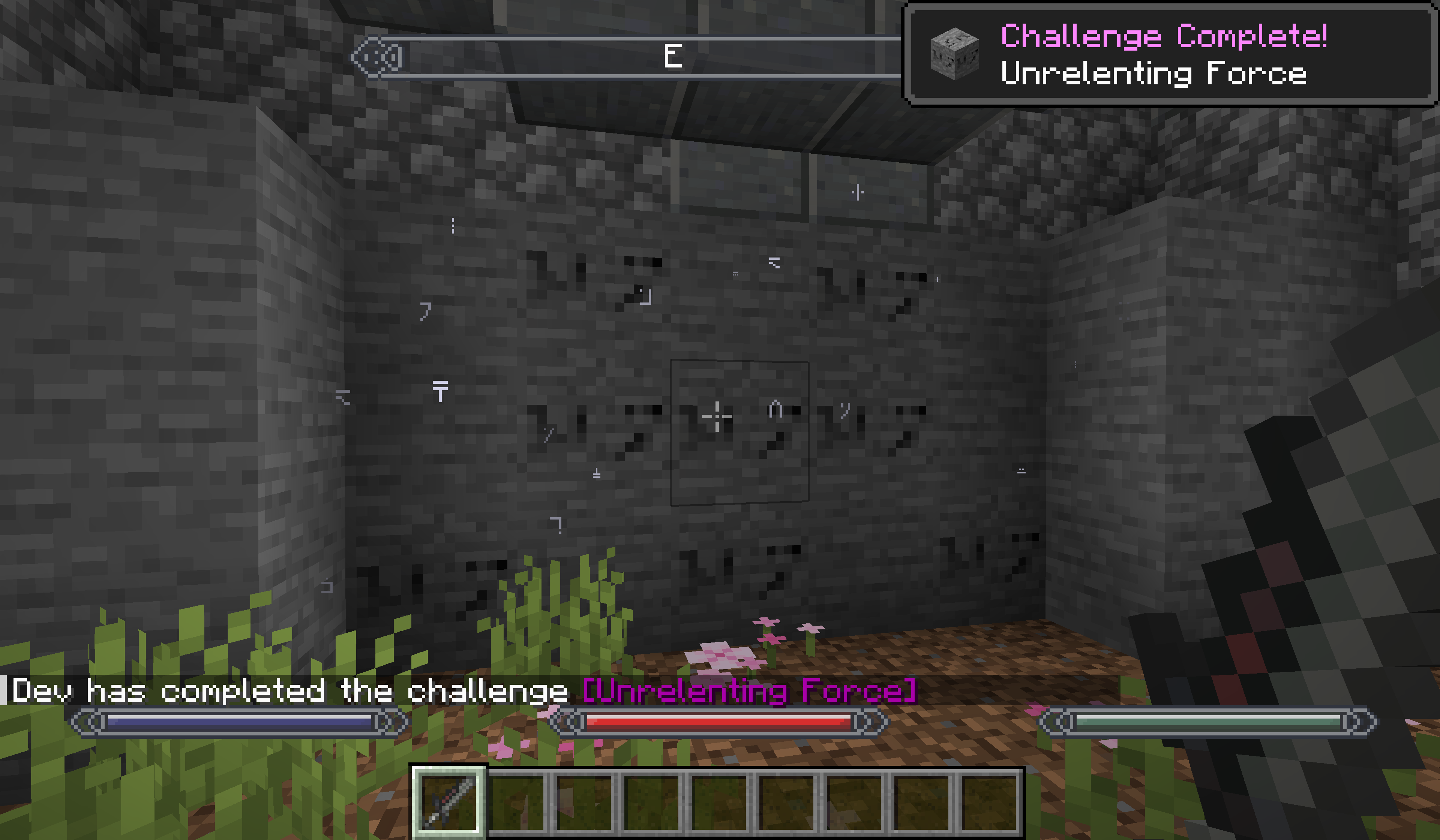
First, and probably most important... Dragon Shouts! Currently in this state of the mod, we have implemented Unrelenting Force, Storm Call and Whirlwind Sprint and many others. More shouts are to come in future updates!
To obtain shouts, there are shout walls which generate in your world. Simply enter the structure and right click on the words to obtain a shout! In future updates, we plan on implementing a souls-based system, as in Skyrim itself, for which you can obtain shouts when interacting with the wall.
Visit the in-depth Shout pages to learn more!
Spells
As well as shouts, we have a spells and magicka system. In the latest version of this mod, we have a few spells (i.e., fireball and turn undead) and are currently only obtainable via spell books. These spell books have a chance to drop upon slaying evokers or witches, or can be found in many structure chests, such as those in dungeons or strongholds!
Visit the in-depth Spell pages to learn more!
Skills
This mod brings the skills of Skyrim into your Minecraft game, ranging from Archery to Pickpocketing. Access your Skills interface from the map menu.
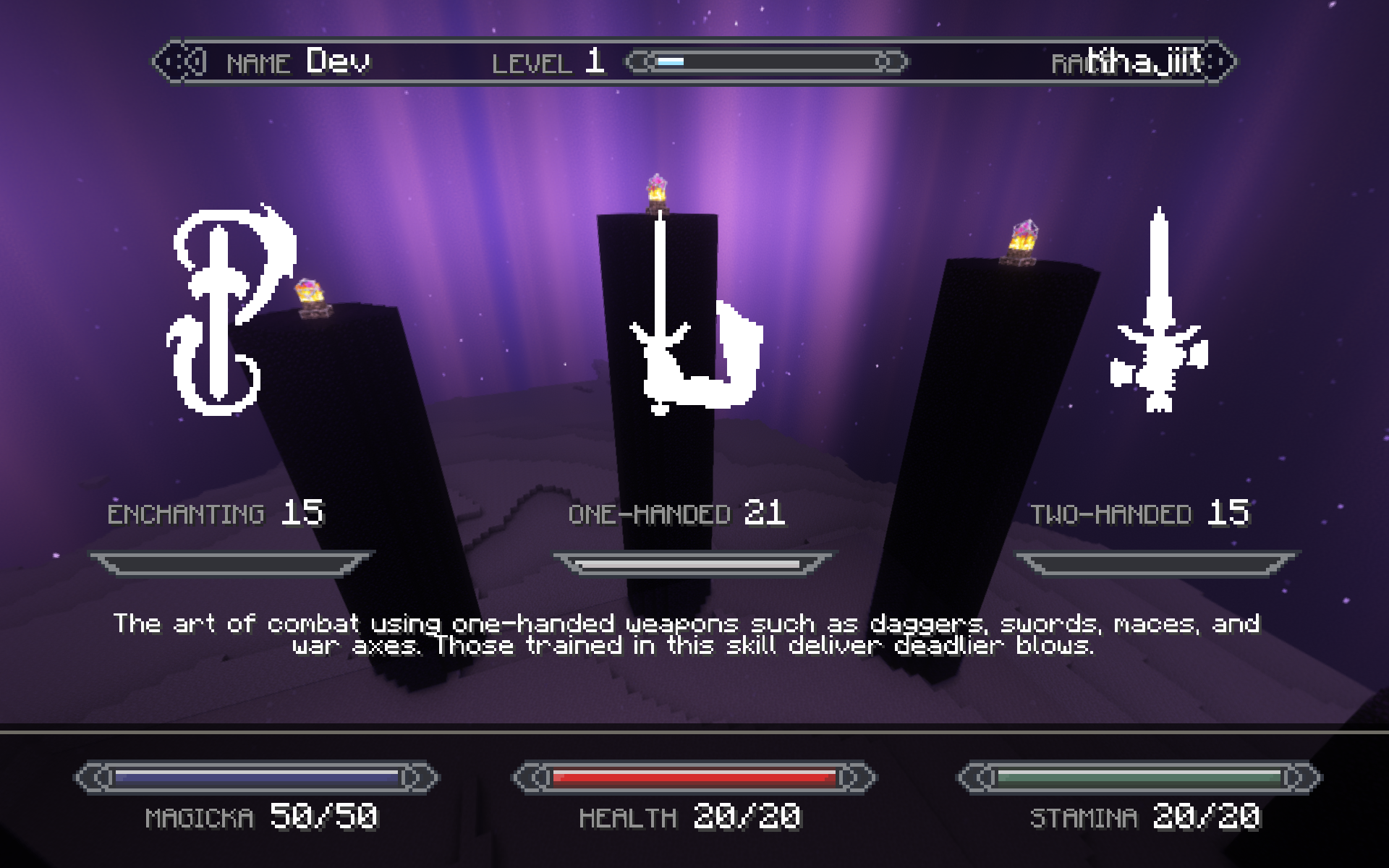
Skills can be levelled through various mechanics, more information can be found on the Skill page
Alchemy
A big part of Skyrim itself is Alchemy. In this mod, we are working on an Alchemy system which enables you to make potions of different kinds using the ingredients you gather on your journey! In the mod's current state, alchemy is a standalone system which just requires an alchemy table and the required ingredients. However, in future updates we plan on implementing a skills-based system to which Alchemy will become a part of.
Visit the in-depth Alchemy pages to learn more!
Cooking
We have implemented an Oven for you to cook items specific to Skyrimcraft, such as the infamous Sweet Roll and other baked goods / foods.
Visit the Cooking page to learn more!
Forging
We have implemented a Forge for you to craft equipment (melee weapons and bows) and armors specific to Skyrimcraft.
Visit the Forging page to learn more!
Blocks and Items
This mod brings a variety of ores, ingots, foods, items, plants and more to the game from Skyrim! You will encounter various generated blocks, such as mushrooms for related ingredients and different mobs around that will drop some of these items too. Explore your world to discover what there is to offer!
Creatures and Monsters
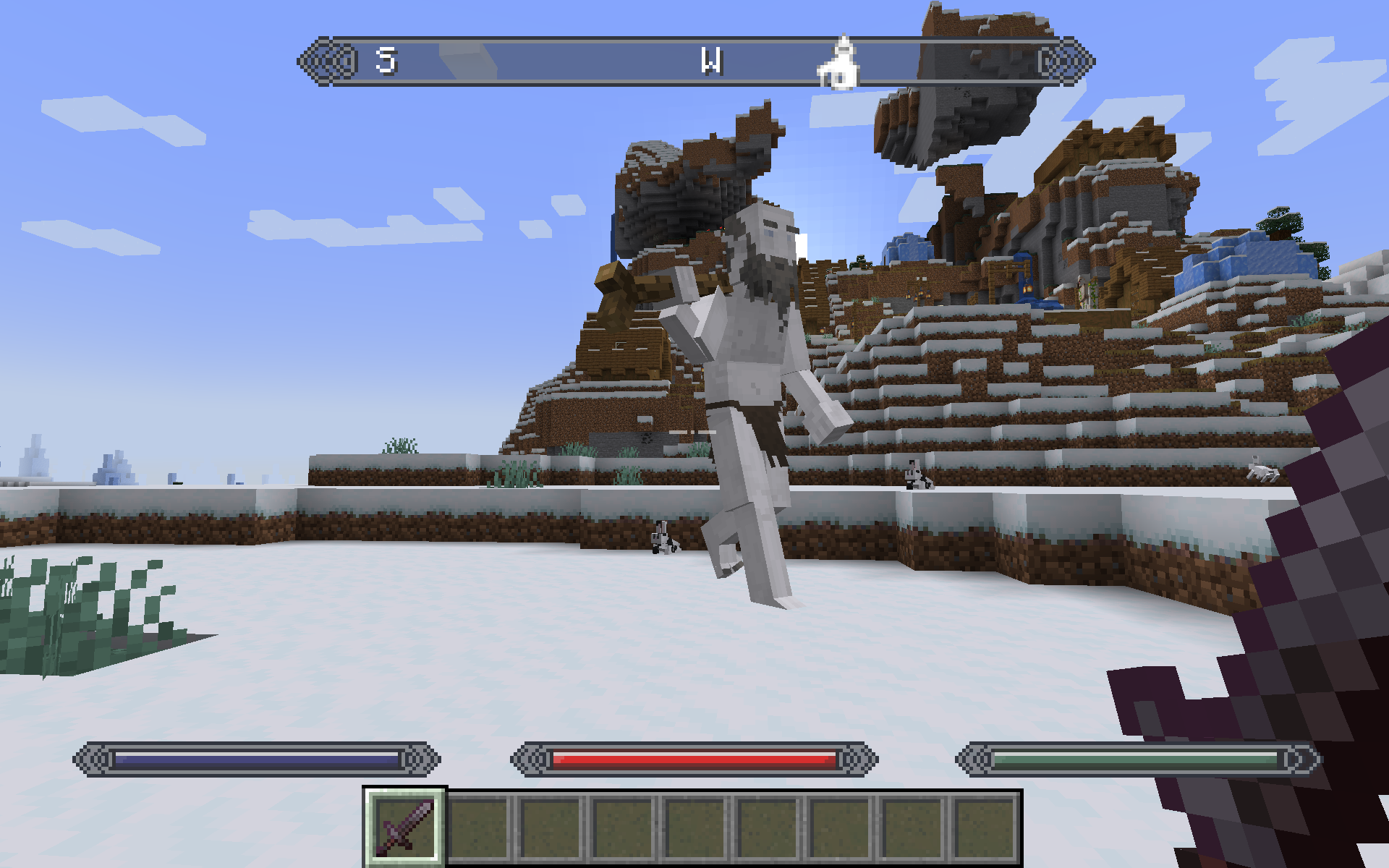
This mod brings a variety of creatures in Skyrimcraft, and you can learn more about them by visiting the Mobs page to learn more!
Structures
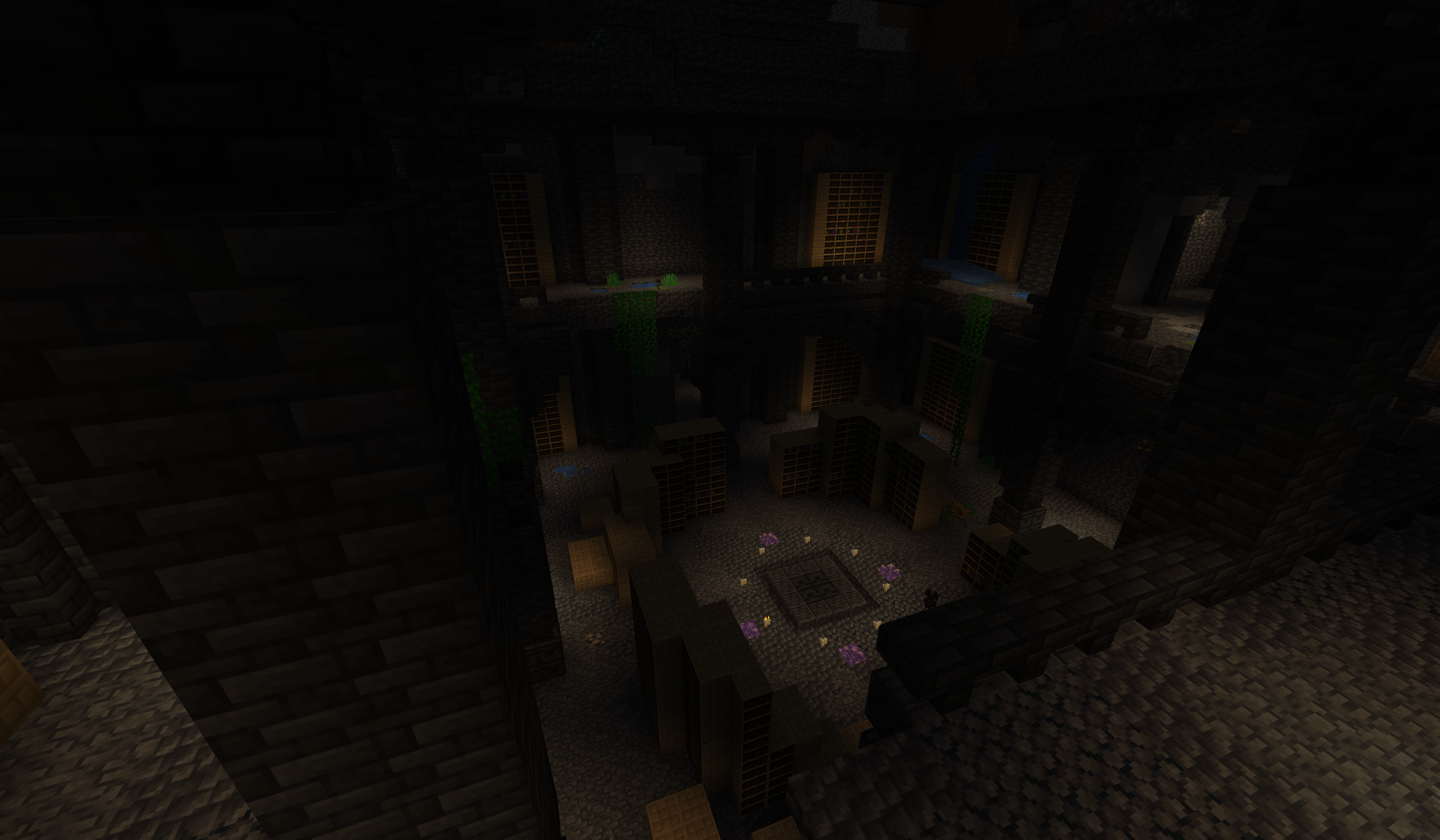
This mod brings a variety of different structures to your Minecraft world, and you can learn more about them by visiting the Structures page to learn more!
Videos
Coming soon...
Frequently Asked Questions
Can I use this mod in my modpack?
Go ahead! Just make ensure you abide by the following conditions:
- You cannot claim that you own the entirety, or any parts, of this mod
- You must cite the author(s) of this mod
- You must provide a link back to this page
Project description from CurseForge.
Pick your setup
The Ender Scrolls - Skyrimcraft by Minecraft version and loader
Choose the version and loader you play, then open the matching release.
Minecraft version
1.21
2 loader buildsMinecraft version
1.20.6
1 loader buildMinecraft version
1.20.4
1 loader buildMinecraft version
1.20.1
2 loader buildsMinecraft version
1.18.2
1 loader buildMinecraft version
1.16.5
1 loader buildMinecraft version
1.16
1 loader buildCheck the dependencies, then try the file in a copied instance before changing a world you care about.
Recent files
The Ender Scrolls - Skyrimcraft versions and loaders
Skyrimcraft 1.20.1-0.4.0-beta.1
Skyrimcraft-fabric-1.20.1-0.4.0-beta.1.jar
20 Jan 2025
Client Source doesn’t say Server Source doesn’t say Dependencies No extras listed Listed on Release listing
Check the 1.20.1 · Fabric setup Fabric1.20.1 release
Skyrimcraft 1.20.1-0.4.0-beta.1
Skyrimcraft-forge-1.20.1-0.4.0-beta.1.jar
18 Jan 2025
Client Source doesn’t say Server Source doesn’t say Dependencies No extras listed Listed on Release listing
Check the 1.20.1 · Forge setup 1.20.1Forge release
skyrimcraft-fabric-1.21-1.21-0.3.1.jar
13 Oct 2024
Client Source doesn’t say Server Source doesn’t say Dependencies 4 required · 4 unchecked Listed on Release listing
Check the 1.21.1 · Fabric setup 1.21Fabric1.21.1 release
skyrimcraft-neoforge-1.21-1.21-0.3.1.jar
13 Oct 2024
Client Source doesn’t say Server Source doesn’t say Dependencies 4 required · 4 unchecked Listed on Release listing
Check the 1.21.1 · NeoForge setup 1.21NeoForge1.21.1 release
skyrimcraft-1.21-0.3.0
skyrimcraft-neoforge-1.21-1.21-0.3.0.jar
20 Sept 2024
Client Source doesn’t say Server Source doesn’t say Dependencies No extras listed Listed on Release listing
Check the 1.21.1 · NeoForge setup 1.21NeoForge1.21.1 release
skyrimcraft-1.21-0.3.0
skyrimcraft-fabric-1.21-1.21-0.3.0.jar
20 Sept 2024
Client Source doesn’t say Server Source doesn’t say Dependencies No extras listed Listed on Release listing
Check the 1.21.1 · Fabric setup 1.21Fabric1.21.1 release
skyrimcraft-1.21-0.2.1
skyrimcraft-fabric-1.21-1.21-0.2.1.jar
31 Aug 2024
Client Source doesn’t say Server Source doesn’t say Dependencies 2 required · 2 unchecked Listed on Release listing
Check the 1.21 · Fabric setup 1.21Fabric release
skyrimcraft-1.21-0.2.1
skyrimcraft-neoforge-1.21-1.21-0.2.1.jar
31 Aug 2024
Client Source doesn’t say Server Source doesn’t say Dependencies 3 required · 3 unchecked Listed on Release listing
Check the 1.21 · NeoForge setup 1.21NeoForge release
skyrimcraft-1.21-0.2.0.jar
30 Jun 2024
Client Source doesn’t say Server Source doesn’t say Dependencies No extras listed Listed on Release listing
Check the 1.21.1 · NeoForge setup 1.21NeoForge1.21.1 beta
skyrimcraft-1.20.6-0.2.0.jar
25 May 2024
Client Source doesn’t say Server Source doesn’t say Dependencies No extras listed Listed on Release listing
Check the 1.20.6 · NeoForge setup NeoForge1.20.6 beta
skyrimcraft-1.20.4-0.2.0.jar
31 Mar 2024
Client Source doesn’t say Server Source doesn’t say Dependencies No extras listed Listed on Release listing
Check the 1.20.4 · NeoForge setup NeoForge1.20.4 beta
Skyrimcraft 1.20.4-0.1.0
skyrimcraft-1.20.4-0.1.0.jar
29 Mar 2024
Client Source doesn’t say Server Source doesn’t say Dependencies No extras listed Listed on Release listing
Check the 1.20.4 · NeoForge setup NeoForge1.20.4 beta
Looking for an older file? The official CurseForge project page is in Resources.
 mod
CurseForge · Minecraft
Pentakel's Peaceful Days
Want to get some work done in a zombie apocalypse? Then Pentakel's Peaceful Days is perfect for you!
 mod
CurseForge · Minecraft
XP: Attribute Core
It adds a wide variety of RPG-style attributes
 mod
CurseForge · Minecraft
Society Tweaks
Mixins and Assets for Society: Sunlit Valley