Minecraft version
Back to mods 
CurseForge · Minecraft mod
Boat Item View (Forge/Neoforge)
See your held items when in a moving boat!
Choose a version Pick your version below, then grab the matching file.
Quick answer
Which Boat Item View (Forge/Neoforge) release matches 1.21.4 Forge?
Best match for your filters Boat-Item-View-Forge-Patch-1.21.4-0.0.6
Game version 1.21.4
Loader Forge
Boat Item View (Forge/Neoforge) Boat-Item-View-Forge-Patch-1.21.4-0.0.6 targets 1.21.4 with Forge. The project page does not say whether this file belongs on the client, dedicated server, or both. No extra mods listed for this file.
Where it goes
Is Boat Item View (Forge/Neoforge) required on the client, server, or both?
The project page does not say whether this file belongs on the client, dedicated server, or both.
Client Source doesn’t say
Dedicated server Source doesn’t say
Loader for this release Forge
Required install it here Optional supported, not mandatory Not supported do not install here Source doesn’t say do not assume
The source does not explicitly classify this release as client-only or server-only.
What else does Boat Item View (Forge/Neoforge) Boat-Item-View-Forge-Patch-1.21.4-0.0.6 need?
Boat-Item-View-Forge-Patch-1.21.4-0.0.6 on 1.21.4 Forge. Every mod below is checked against that same setup.
This file does not list any required mods. Do not add a library just because a different file uses it.
This file does not list any required or optional mods.
Before you install it
Add Boat Item View (Forge/Neoforge) without breaking your instance.
Built for Boat Item View (Forge/Neoforge) Boat-Item-View-Forge-Patch-1.21.4-0.0.6 on 1.21.4 Forge. Pick another file and the loader, install side or required mods may change.
- 01
Stick to this file
Use Boat-Item-View-Forge-Patch-1.21.4-0.0.6. It targets 1.21.4 with Forge; another release may have different loader, side or dependency requirements.
- 02
Bring the mods it needs
This file does not list any required mods. Do not add a library just because a different file uses it.
- 03
Put it on the correct side
The project page does not say whether this file belongs on the client, dedicated server, or both.
- 04
Pick the file you checked
Use the “Get this file” button beside Boat-Item-View-Forge-Patch-1.21.4-0.0.6. It opens that exact file at the source.
About this project
What does Boat Item View (Forge/Neoforge) add?
Boat Item View (Neoforge/Forge Version)
About
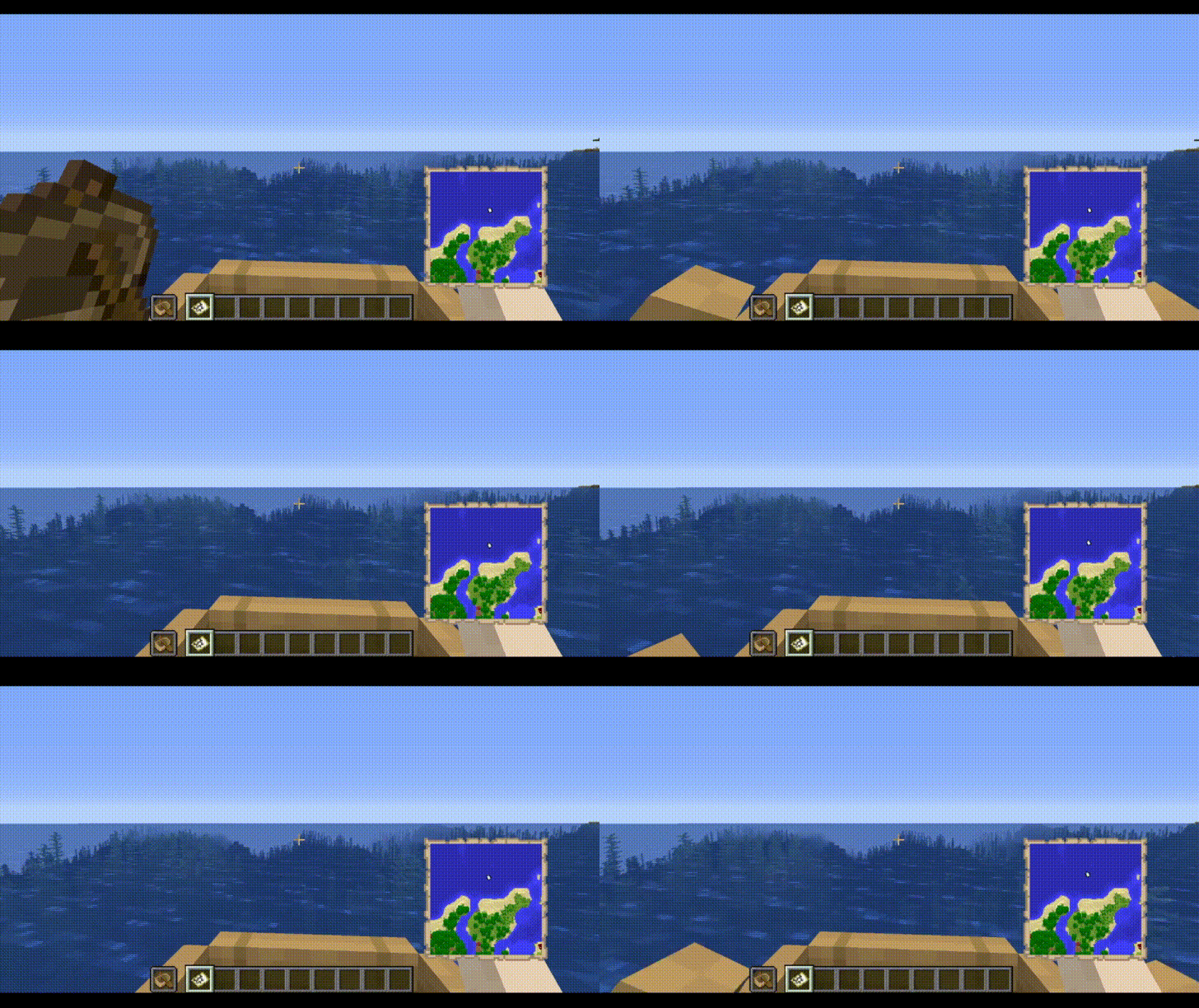
The Boat Item View Mod is a client-side only Minecraft Mod that allows the player to see the item held in their hand while riding in a boat.
This is functionality is normally not possible in the base game.
Note: Any items being displayed in the hand when the boat is moving still cannot be used. This mod only deals with rendering, it does not change vanilla serverside logic.
Features
- Toggle the ability to render hand items when sitting in a moving boat.
- Define the type of items to be rendered when sitting in a moving boat.
- Compatibility with Configured Mod
Installation
This mod is client-side only. Do not install this on dedicated servers.
Dependencies
- Configured Mod (Optional, generates a Config GUI)
Usage
Enabling this Mod
- Open the Configuration File. This can be done via minecraft/config/boatiview/client.toml or the Mods -> Boat Item View -> Config Button if you have Configured Mod Installed.
- Set the Configuration Option "showHandsInMovingBoat" to True.
- Hold the item in the player's main hand or offhand.
Adding an item to the display list
Open the Configuration File. This can be done via minecraft/config/boatiview/client.toml or the Mods -> Boat Item View -> Config Button if you have Configured Mod Installed.
Add a new entry to the "itemsToShowInMovingBoat" option. This entry is the namespaced id of an item. E.g. "minecraft:carrot"
Click "Save" in the File Editor program if you have opened the client.toml file. If you are using the Configured Mod's Config GUI, click the "Save" button.
Video Demo
Screenshots
The Config GUI that is generated when Configured Mod is installed alongside this mod.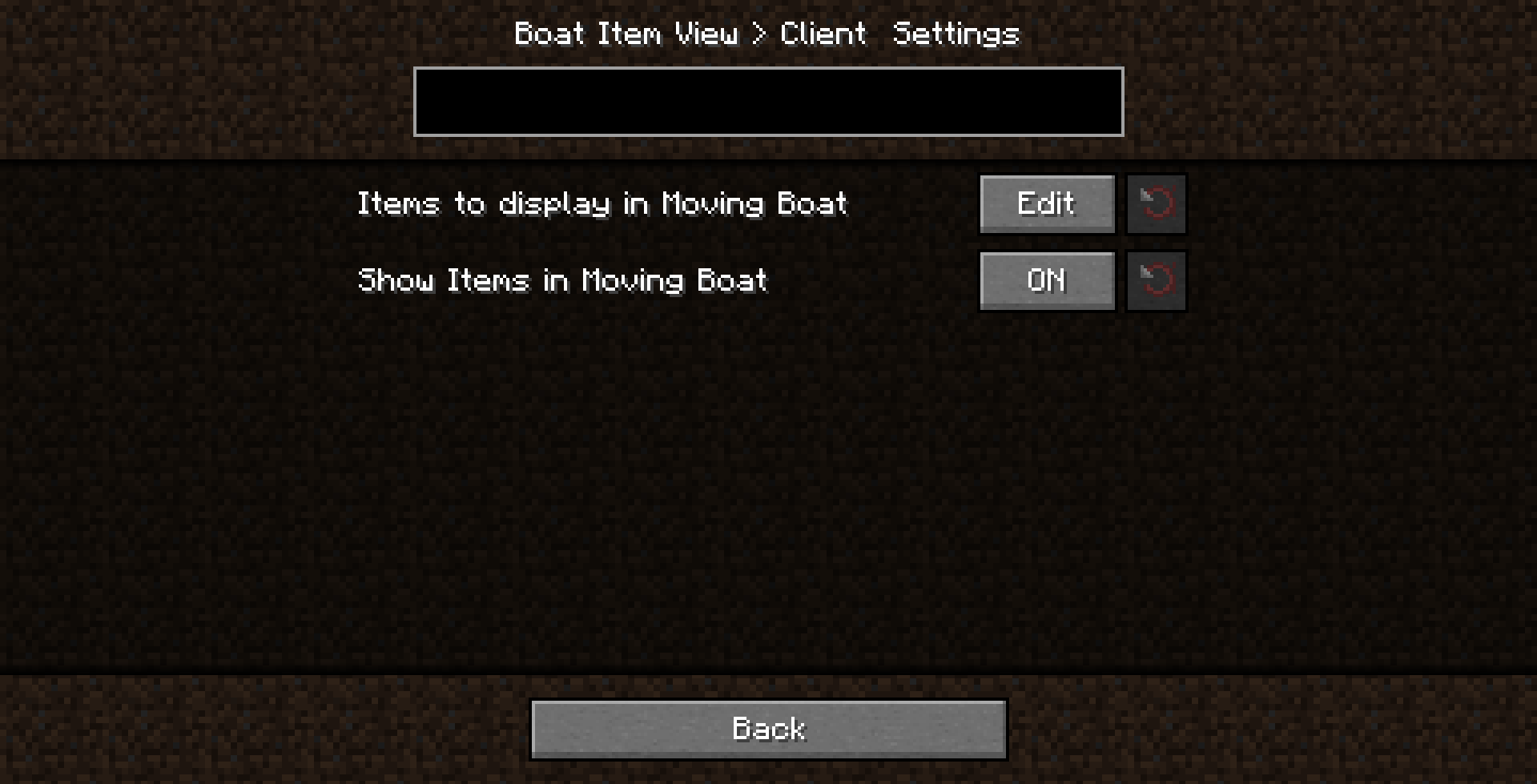
Terms of Use
General/distribution/mod packs:
You are free to use this mod for personal use.
You may use it for non-commercial public use as well, as long as you link back to this thread or CurseForge page and use official download links.
If you wish to put this mod in a modpack that is redistributed commercially, please contact the owner about it so we can discuss this further.
Modpacks
You can use this mod in your modpack. You don’t have to ask for permission as long as you credit the author.
You may not reupload this mod on other platforms.
Licensing
This project is licensed under GNU Lesser v3. More information about this license can be found in the License.MD file within the Github repository.
You may NOT redistribute this mod by itself in a way that allows you to earn money off of it.
These terms can be subject to change.
Issues
Please report any issues to the issue tracker linked at the top of this page.
Credits
- Treblero (Endorser), for the original idea
Project description from CurseForge.
Pick your setup
Boat Item View (Forge/Neoforge) by Minecraft version and loader
Choose the version and loader you play, then open the matching release.
Minecraft version
26.1.2
3 loader buildsMinecraft version
26.1.1
3 loader buildsMinecraft version
26.1
3 loader buildsMinecraft version
1.21.11
3 loader buildsMinecraft version
1.21.10
3 loader buildsMinecraft version
1.21.9
3 loader buildsMinecraft version
1.21.8
3 loader buildsMinecraft version
1.21.7
3 loader buildsMinecraft version
1.21.6
3 loader buildsMinecraft version
1.21.5
3 loader buildsMinecraft version
1.21.4
3 loader buildsShowing the newest 12 of 34 game versions. Older files are in the list below.
Check the dependencies, then try the file in a copied instance before changing a world you care about.
Recent files
Boat Item View (Forge/Neoforge) versions and loaders
Boat-Item-View-Forge-Patch-1.21.4-0.0.6
boatiview-forge-0.0.6-patch-1.21.4.jar
25 Feb 2025
Client Source doesn’t say Server Source doesn’t say Dependencies No extras listed Listed on Release listing
Check the 1.21.4 · Forge setup 1.21.4Forge release
1.21.4-0.0.6-forge
boatiview-forge-0.0.6-1.21.4.jar
6 Jan 2025
Client Required Server Not supported Dependencies No extras listed Listed on Release listing
Check the 1.21.4 · Forge setup 1.21.4Forge release
Looking for an older file? The official CurseForge project page is in Resources.