Fabric API Needed by Command Block IDE command-block-ide-0.4.14.jar
requiredMatching file found Matched file: [26.1.2] Fabric API 0.155.3+26.1.2
CurseForge · Minecraft mod
Replaces the command block GUI to allow editing multiple command blocks at once.
Quick answer
Command Block IDE command-block-ide-0.4.14.jar targets 26.1.2 with Fabric. The project page does not say whether this file belongs on the client, dedicated server, or both. All 1 required mods have matching files.
Where it goes
The project page does not say whether this file belongs on the client, dedicated server, or both.
The source does not explicitly classify this release as client-only or server-only.
command-block-ide-0.4.14.jar on Fabric. Every mod below is checked against that same setup.
Install Fabric API first. We found matching files for this game-version and loader setup.
We only count dependency files that match this setup. A file for another loader does not fill the gap.
Before you install it
Built for Command Block IDE command-block-ide-0.4.14.jar on Fabric. Pick another file and the loader, install side or required mods may change.
Use command-block-ide-0.4.14.jar. It targets 26.1.2 with Fabric; another release may have different loader, side or dependency requirements.
Install Fabric API first. We found matching files for this game-version and loader setup.
The project page does not say whether this file belongs on the client, dedicated server, or both.
Use the “Get this file” button beside command-block-ide-0.4.14.jar. It opens that exact file at the source.
About this project





Replaces the command block GUI to allow editing multiple command blocks at once.
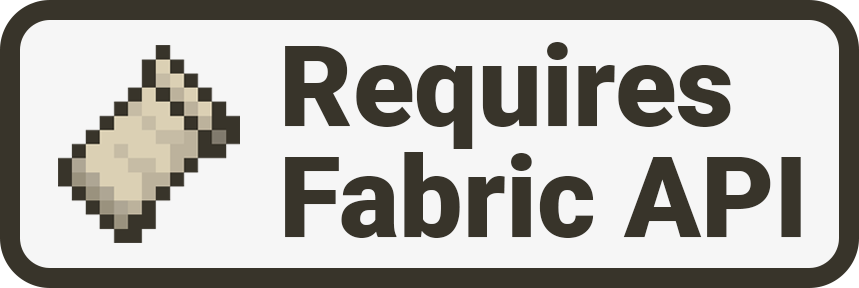
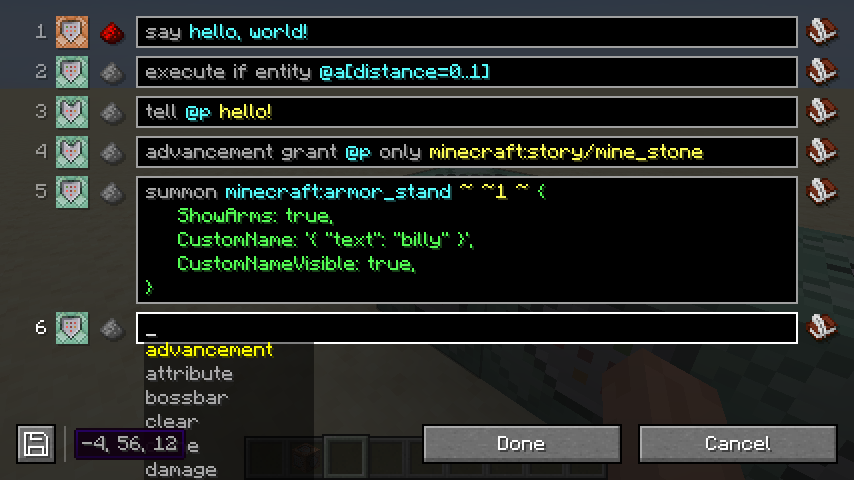
Shift-click on the command block icon in the GUI.
commandblockide.bin file in my game directory?It’s used to store the multi-line versions of commands, since Minecraft doesn’t natively support them. If this file is deleted, all commands will be collapsed to their single-line versions.
Multi-line commands are stored in the commandblockide.bin file on your computer, which is not synced to other players in multiplayer. If you need to work on commands collaboratively, you will have to stick to single-line commands for the time being.
Either the single-line and multi-line versions of the command are out of sync or there is no multi-line version available. This can happen when logging in to Minecraft from a different computer or when another player edits the command.
No.
No.
Maybe.
Project description from CurseForge.
Pick your setup
Choose the version and loader you play, then open the matching release.
Showing the newest 12 of 20 game versions. Older files are in the list below.
Check the dependencies, then try the file in a copied instance before changing a world you care about.
Recent files
10 Sept 2026
8 Feb 2026
16 Nov 2025
20 Jan 2025
27 Sept 2024
2 Sept 2024
8 Aug 2024
7 Jun 2024
7 Mar 2024
25 Jan 2024
4 Sept 2023
15 Jun 2023
Looking for an older file? The official CurseForge project page is in Resources.