Minecraft version
Back to mods 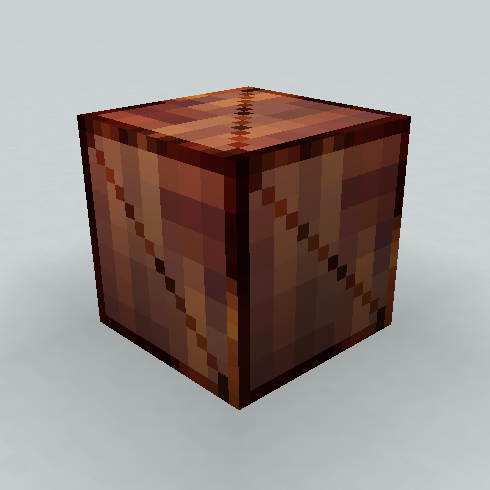
CurseForge · Minecraft mod
Buffer chests
Chests with anti clog mechanics.
Choose a version Pick your version below, then grab the matching file.
Quick answer
Which Buffer chests release should I use?
beta file bufferchests-1.1.4.jar
Game version 1.16.5
Loader Forge
Buffer chests bufferchests-1.1.4.jar targets 1.16.5 with Forge. The project page does not say whether this file belongs on the client, dedicated server, or both. No extra mods listed for this file.
Where it goes
Is Buffer chests required on the client, server, or both?
The project page does not say whether this file belongs on the client, dedicated server, or both.
Client Source doesn’t say
Dedicated server Source doesn’t say
Loader for this release Forge
Required install it here Optional supported, not mandatory Not supported do not install here Source doesn’t say do not assume
The source does not explicitly classify this release as client-only or server-only.
What else does Buffer chests bufferchests-1.1.4.jar need?
bufferchests-1.1.4.jar. Change the file and its required mods may change too.
This file does not list any required mods. Do not add a library just because a different file uses it.
This file does not list any required or optional mods.
Before you install it
Add Buffer chests without breaking your instance.
Built for Buffer chests bufferchests-1.1.4.jar. Pick another file and the loader, install side or required mods may change.
- 01
Stick to this file
Use bufferchests-1.1.4.jar. It targets 1.16.5 with Forge; another release may have different loader, side or dependency requirements.
- 02
Bring the mods it needs
This file does not list any required mods. Do not add a library just because a different file uses it.
- 03
Put it on the correct side
The project page does not say whether this file belongs on the client, dedicated server, or both.
- 04
Pick the file you checked
Use the “Get this file” button beside bufferchests-1.1.4.jar. It opens that exact file at the source.
About this project
What does Buffer chests add?
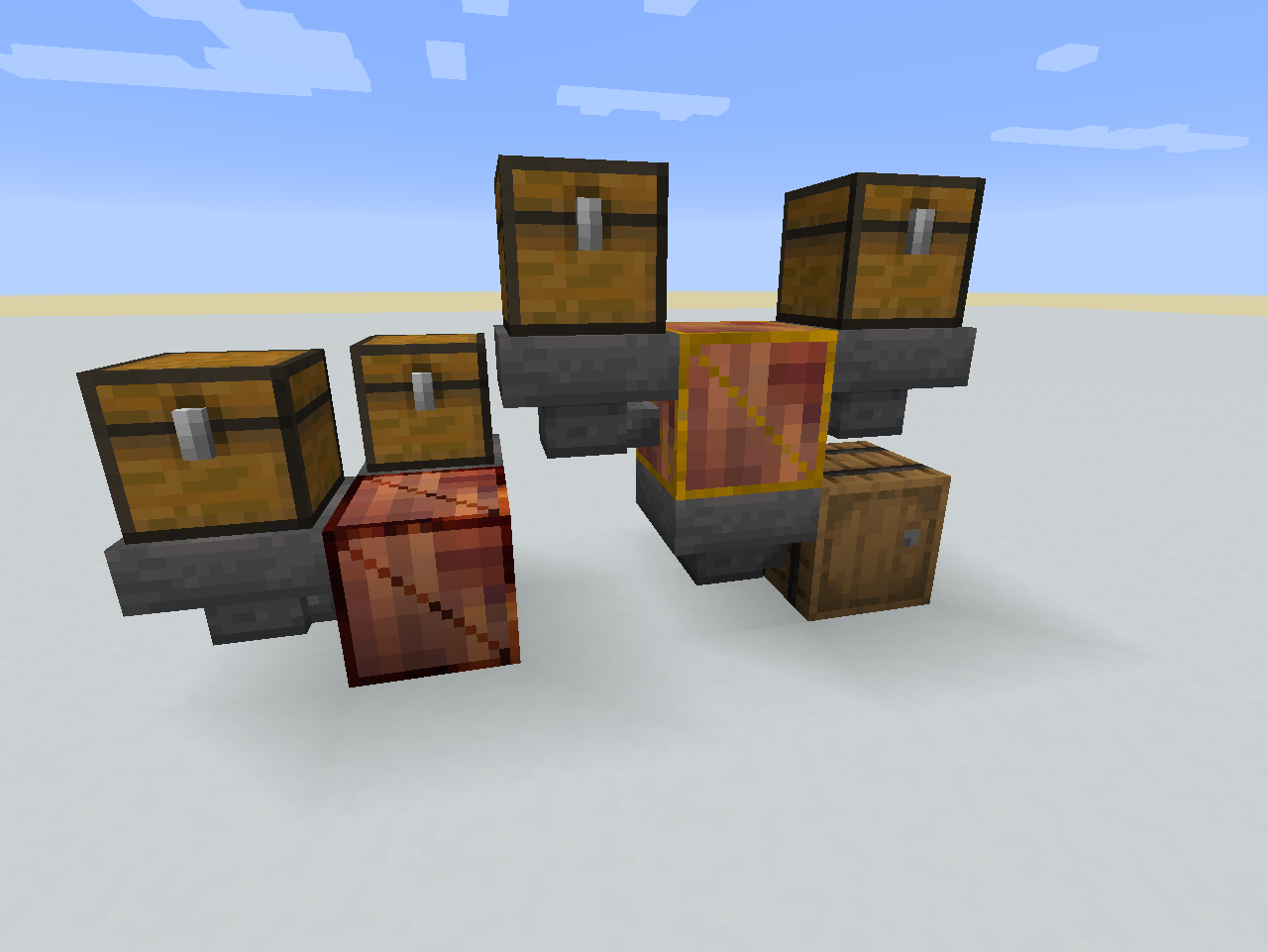
This mod adds 2 chests which job is to protect production/transport systems from clogging by removing items.
These chests should always accept new items pushed (e.g. via hoppers or pipes from other mods) into them but if they get too full some of their content will get removed.
Buffer Chest
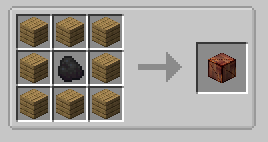
Anything pushed into it when it's full will be deleted.
Advanced Buffer Chest
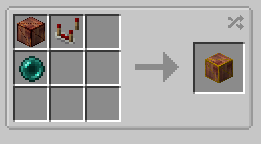
These instead of deleting new items will delete one 'slot' of most common one inside when they get full.
These ignore stack sizes, for example stack of dirt filling one slot is worth the same for them as one sword.
The most common thing here are barrels.
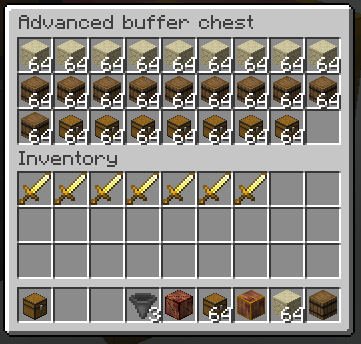
After pushing one sword inside first 'slot' of barrels got deleted to make space.
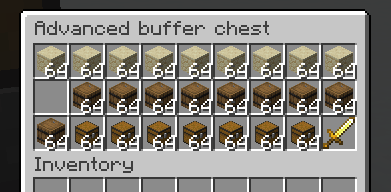
After pushing another one the sandstone got deleted as now it's the most common one. (Or rather, there is the same amount of slots used by sandstone as by barrels, sandstone gets prioritized as it's before barrels.)
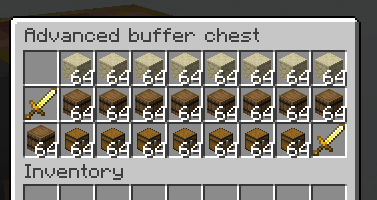
After pushing few more golden swords will be the most common things inside, therefore they would be deleting themselves next.
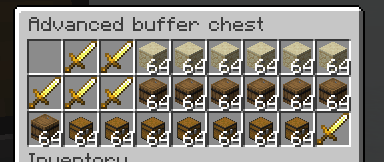
Note: chest only looks at names of objects, it's supposed to ignore any data, like how damaged is item or what enchantments are on it.
Project description from CurseForge.
Pick your setup
Buffer chests by Minecraft version and loader
Choose the version and loader you play, then open the matching release.
Check the dependencies, then try the file in a copied instance before changing a world you care about.
Recent files
Buffer chests versions and loaders
bufferchests-1.1.4.jar
7 Jul 2021
Client Source doesn’t say Server Source doesn’t say Dependencies No extras listed Listed on Release listing
Check the 1.16.5 · Forge setup 1.16.5Forge beta
bufferchests-1.1.1.jar
4 Jul 2021
Client Source doesn’t say Server Source doesn’t say Dependencies No extras listed Listed on Release listing
Check the 1.16.5 · Forge setup 1.16.5Forge beta
bufferchests-1.0.1.jar
14 Jun 2021
Client Source doesn’t say Server Source doesn’t say Dependencies No extras listed Listed on Release listing
Check the 1.16.5 · Forge setup 1.16.5Forge beta
Looking for an older file? The official CurseForge project page is in Resources.