Cloth Config API (Fabric/Forge/NeoForge) Optional for Nether Chest nether-chest-mc1.20.3-5.2.jar
optionalMatching file found Matched file: [Fabric 1.20.4] v13.0.138

CurseForge · Minecraft mod
Shared cloud storage for Minecraft.
Quick answer
Nether Chest nether-chest-mc1.20.3-5.2.jar targets 1.20.3, 1.20.4 with Fabric. The project page does not say whether this file belongs on the client, dedicated server, or both. All 1 required mods have matching files.
Where it goes
The project page does not say whether this file belongs on the client, dedicated server, or both.
The source does not explicitly classify this release as client-only or server-only.
nether-chest-mc1.20.3-5.2.jar on Fabric. Every mod below is checked against that same setup.
Install Fabric API first. We found matching files for this game-version and loader setup. 1 comes through another mod in the chain.
1 extra mod was pulled in by another dependency. Indented rows show who needs each one. We only count dependency files that match this setup. A file for another loader does not fill the gap.
Before you install it
Built for Nether Chest nether-chest-mc1.20.3-5.2.jar on Fabric. Pick another file and the loader, install side or required mods may change.
Use nether-chest-mc1.20.3-5.2.jar. It targets 1.20.3, 1.20.4 with Fabric; another release may have different loader, side or dependency requirements.
Install Fabric API first. We found matching files for this game-version and loader setup. 1 comes through another mod in the chain.
The project page does not say whether this file belongs on the client, dedicated server, or both.
Use the “Get this file” button beside nether-chest-mc1.20.3-5.2.jar. It opens that exact file at the source.
About this project




I like to think of the storage blocks in Minecraft as analogues to different types of data storage we encounter in everyday life:
Don't you think something's missing? There's personal cloud storage, but there's no shared one that could act as a kind of file sharing service. And isn't it strange that we have an overworld chest, an ender chest, but no nether chest? Well, behold!
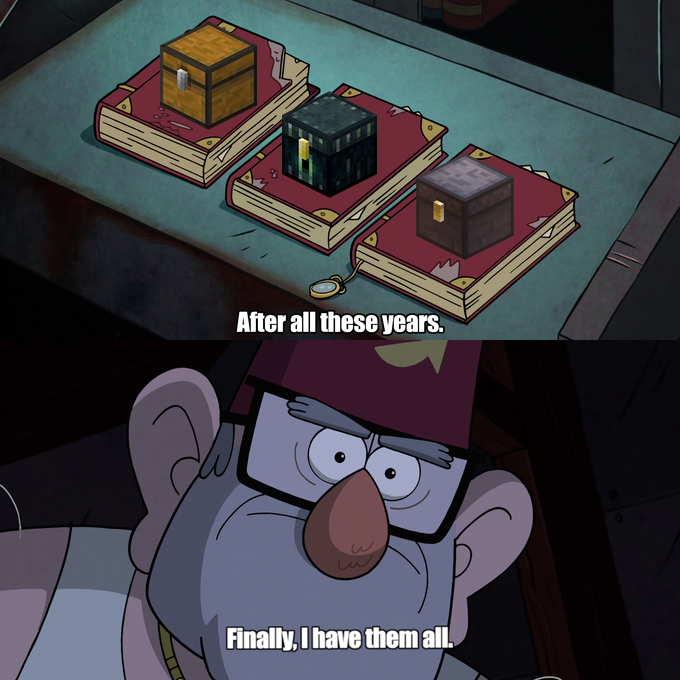
This mod adds a single block to the game - the Nether Chest. It functions almost the same way as an ender chest, except it has a shared inventory for all players on a server.
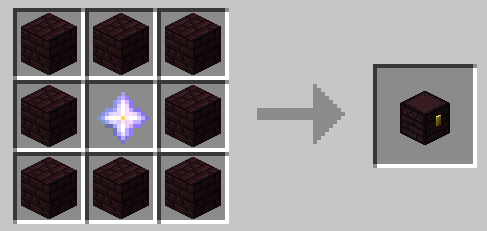
This crafting recipe may seem a bit expensive, but from a balancing perspective, everything is more than justified:
NOTE: Nether Chests should be handled with Silk Touch if you don't want to lose your nether stars. :)
If you play on Peaceful (or just aren't up for battling the Wither), you can use this datapack (which replaces the nether star with an eye of ender in the crafting recipe). Please refer to this article if you are unfamiliar with the process of installing a datapack.
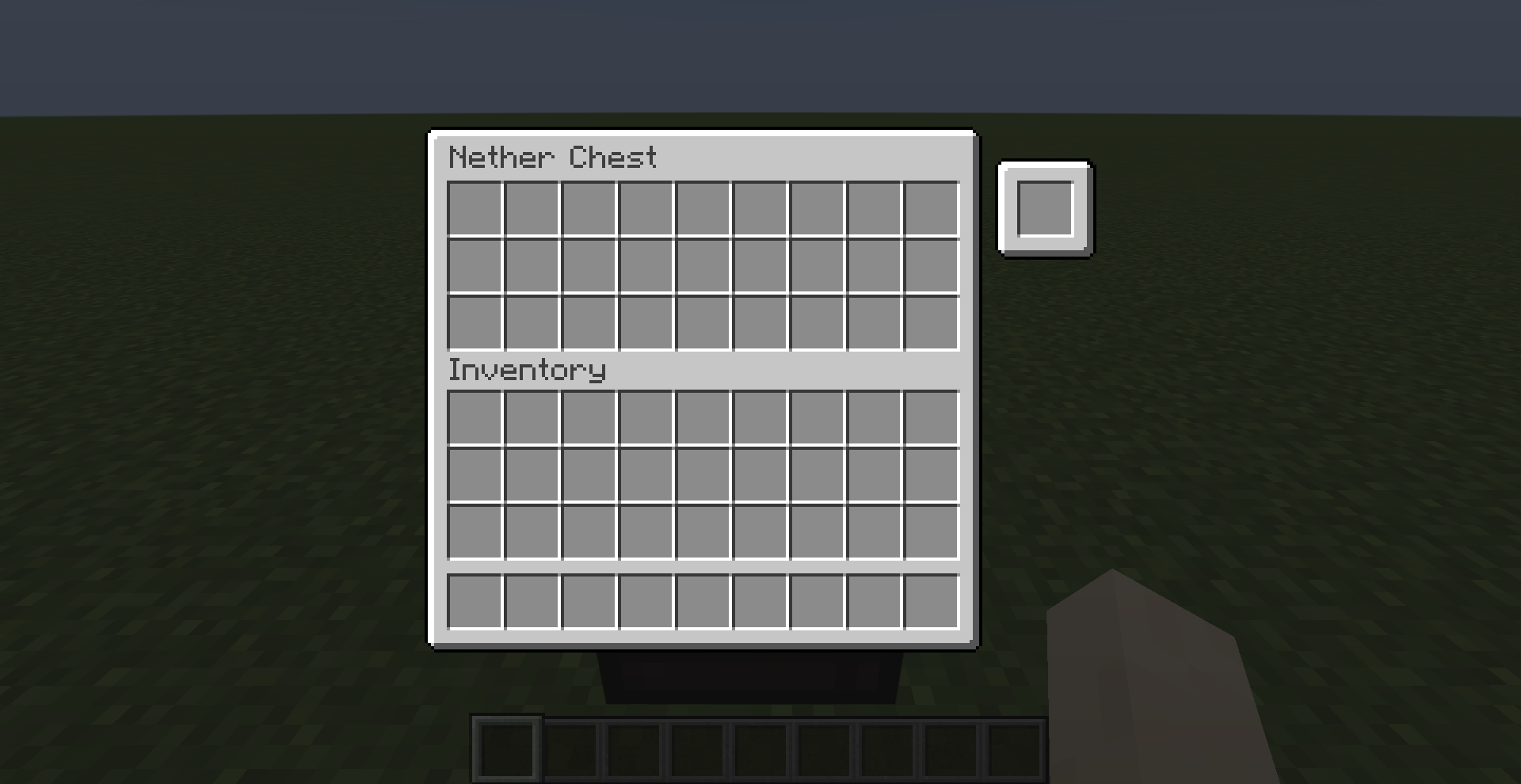
When multichannel mode is enabled, each Nether Chest gains an extra slot that can be used to lock the chest to a specific channel with its own unique inventory.
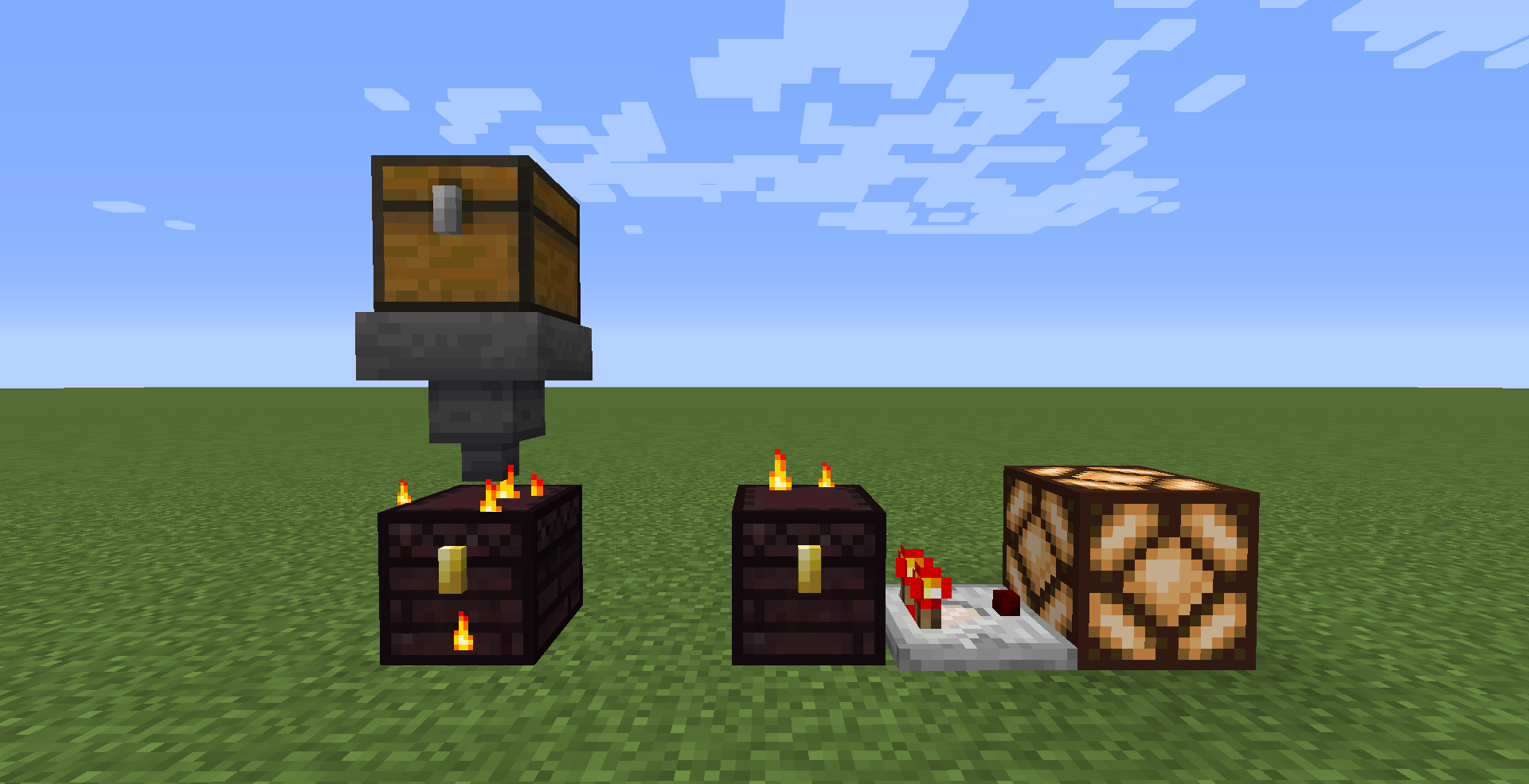
Nether Chests are compatible with hoppers and comparators.
If you have Cloth Config installed, you can customize the behavior of the mod. A config is usually located at ./config/nether_chest.json.
allowHoppers - When enabled, hoppers will be able to access the Nether Chest's inventory.allowInsertion - When enabled, hoppers will be able to insert items into the Nether Chest's inventory.allowExtraction - When enabled, hoppers will be able to extract items from the Nether Chest's inventory.enableMultichannelMode - When enabled, Nether Chests can be locked to a specific channel.ignoreNbtInMultichannelMode - When enabled, channel keys no longer need to have identical NBT data to be considered equal.ignoreCountInMultichannelMode - When enabled, channel keys no longer need to have the same stack size to be considered equal.channelBlacklist - Items whose IDs are listed in this field are banned from being used as channel keys.channelWhitelist - Only items whose IDs are listed in this field can be used as channel keys.You can edit any of these values directly in the config file or via ModMenu.
Requirements:
You can download the mod from:
Project description from CurseForge.
Pick your setup
Choose the version and loader you play, then open the matching release.
Showing the newest 12 of 17 game versions. Older files are in the list below.
Check the dependencies, then try the file in a copied instance before changing a world you care about.
Recent files
20 Dec 2023
19 Dec 2023
19 Dec 2023
19 Dec 2023
17 Dec 2023
17 Dec 2023
9 Jun 2022
9 Jun 2022
31 May 2022
13 Jan 2022
13 Jan 2022
19 Dec 2021
Looking for an older file? The official CurseForge project page is in Resources.