Minecraft version
Back to mods 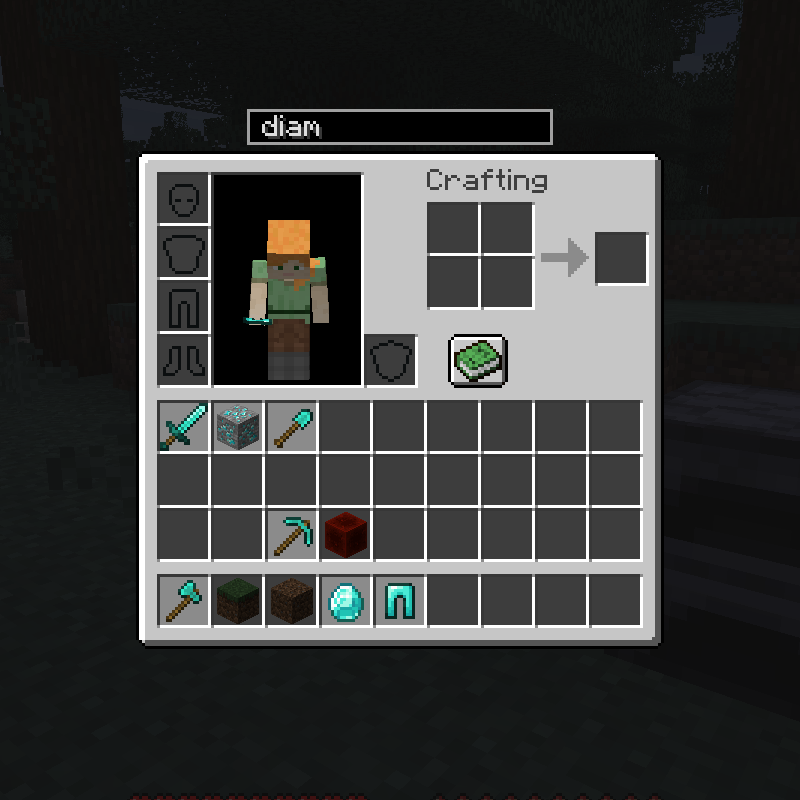
CurseForge · Minecraft mod
Searchable Containers
Searchable containers is small client side gui mod that adds a search bar just above the players open container.
Choose a version Pick your version below, then grab the matching file.
Quick answer
Which Searchable Containers release matches 1.18?
Best match for your filters fabric-searchable-containers-1.18-1.3.0.jar
Game version 1.18.1, 1.18
Loader Fabric
Searchable Containers fabric-searchable-containers-1.18-1.3.0.jar targets 1.18.1, 1.18 with Fabric. The project page does not say whether this file belongs on the client, dedicated server, or both. No extra mods listed for this file.
Where it goes
Is Searchable Containers required on the client, server, or both?
The project page does not say whether this file belongs on the client, dedicated server, or both.
Client Source doesn’t say
Dedicated server Source doesn’t say
Loader for this release Fabric
Required install it here Optional supported, not mandatory Not supported do not install here Source doesn’t say do not assume
The source does not explicitly classify this release as client-only or server-only.
What else does Searchable Containers fabric-searchable-containers-1.18-1.3.0.jar need?
fabric-searchable-containers-1.18-1.3.0.jar on 1.18. Every mod below is checked against that same setup.
This file does not list any required mods. Do not add a library just because a different file uses it.
This file does not list any required or optional mods.
Before you install it
Add Searchable Containers without breaking your instance.
Built for Searchable Containers fabric-searchable-containers-1.18-1.3.0.jar on 1.18. Pick another file and the loader, install side or required mods may change.
- 01
Stick to this file
Use fabric-searchable-containers-1.18-1.3.0.jar. It targets 1.18.1, 1.18 with Fabric; another release may have different loader, side or dependency requirements.
- 02
Bring the mods it needs
This file does not list any required mods. Do not add a library just because a different file uses it.
- 03
Put it on the correct side
The project page does not say whether this file belongs on the client, dedicated server, or both.
- 04
Pick the file you checked
Use the “Get this file” button beside fabric-searchable-containers-1.18-1.3.0.jar. It opens that exact file at the source.
About this project
What does Searchable Containers add?
Searchable Containers
Searchable containers is small client side gui mod that adds a search bar just above the players open container.
While in a container, players can use the search bar to filter certain items. Right clicking the search bar will clear it and select it for searching.
Player's can quickly move "selected" items between inventories using the arrow buttons to the right of the search bar.
By default, button tooltips are enabled, but can be disabled in the config.
Searching by default, will only search the item's display name. Changing the config option "searchTooltips" to true, will also search the items tooltips.
The search bar can be hidden by pressing Ctrl + H while in a container. The key can be changed in options, but Ctrl will still need to be pressed.
The padding between the search bar, and the gui can be changed by editing "verticalPadding" in the config.
Project description from CurseForge.
Pick your setup
Searchable Containers by Minecraft version and loader
Choose the version and loader you play, then open the matching release.
Minecraft version
1.18
1 loader buildMinecraft version
1.17.1
1 loader buildMinecraft version
1.17
1 loader buildCheck the dependencies, then try the file in a copied instance before changing a world you care about.
Recent files
Searchable Containers versions and loaders
fabric-searchable-containers-1.18-1.3.0.jar
1 Dec 2021
Client Source doesn’t say Server Source doesn’t say Dependencies No extras listed Listed on Release listing
Check the 1.18 · Fabric setup 1.18.1Fabric1.18 release
Looking for an older file? The official CurseForge project page is in Resources.
 mod
CurseForge + Modrinth · Minecraft
Supplementaries
Vanilla+ additions: Jars, signposts, faucets, weather vanes spring launchers, sconces, planters, lights, decoration and automation
 mod
CurseForge · Minecraft
Sophisticated Backpacks
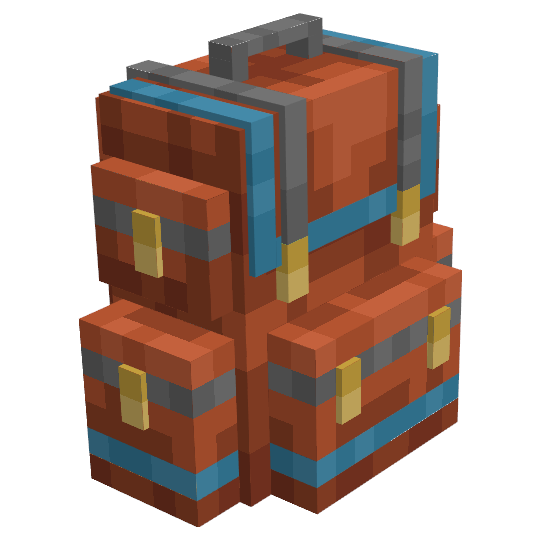
Yet another backpack mod this time with backpack you can place in world, color in different color combinations, upgrade with more inventory and enhance with many functional upgrades
 mod
CurseForge + Modrinth · Minecraft
FallingTree
Break down your trees by only cutting one piece of it