
Minecraft version
Back to mods 
CurseForge · Minecraft mod
Enigmatic Graves
Intuitive and Persistent Graves
Choose a version Pick your version below, then grab the matching file.
Quick answer
Which Enigmatic Graves release should I use?
Latest stable file enigmaticgraves-1.19.2-1.7.10.jar
Game version 1.19.2
Loader Forge
Enigmatic Graves enigmaticgraves-1.19.2-1.7.10.jar targets 1.19.2 with Forge. The project page does not say whether this file belongs on the client, dedicated server, or both. No extra mods listed for this file.
Where it goes
Is Enigmatic Graves required on the client, server, or both?
The project page does not say whether this file belongs on the client, dedicated server, or both.
Client Source doesn’t say
Dedicated server Source doesn’t say
Loader for this release Forge
Required install it here Optional supported, not mandatory Not supported do not install here Source doesn’t say do not assume
The source does not explicitly classify this release as client-only or server-only.
What else does Enigmatic Graves enigmaticgraves-1.19.2-1.7.10.jar need?
enigmaticgraves-1.19.2-1.7.10.jar. Change the file and its required mods may change too.
This file does not list any required mods. Do not add a library just because a different file uses it.
This file does not list any required or optional mods.
Before you install it
Add Enigmatic Graves without breaking your instance.
Built for Enigmatic Graves enigmaticgraves-1.19.2-1.7.10.jar. Pick another file and the loader, install side or required mods may change.
- 01
Stick to this file
Use enigmaticgraves-1.19.2-1.7.10.jar. It targets 1.19.2 with Forge; another release may have different loader, side or dependency requirements.
- 02
Bring the mods it needs
This file does not list any required mods. Do not add a library just because a different file uses it.
- 03
Put it on the correct side
The project page does not say whether this file belongs on the client, dedicated server, or both.
- 04
Pick the file you checked
Use the “Get this file” button beside enigmaticgraves-1.19.2-1.7.10.jar. It opens that exact file at the source.
About this project
What does Enigmatic Graves add?
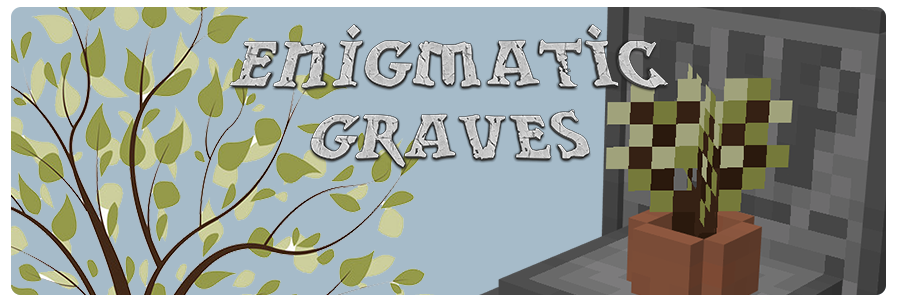
Clearly the best graves mod there is.
- Upon death, all items will go in a fancy grave for safekeeping.
- Right click or sneak near the grave to retrieve the contents.
- You can delete grave as OP if you take an empty Grave Finder from the creative menu and use it on the grave (Will delete the grave contents, though restore command will still work).
- Only the grave owner or players with OP permissions may recover a grave.
- Commands are available to players with OP permissions to restore a grave, just in case something goes wrong with grave placement.
- Upon recovering a grave, an attempt will be made to place items back in their original positions.
Item placement works with:
- Curios
- Armor
- Inventory
- Cosmetic Armor

Experience Handling
- Drop the normal amount on the ground as normal. - Default
- Remove all experience, neither dropping it nor restoring it.
- Keep and restore all experience upon claiming the grave.
- Keep and restore the vanilla amount upon claiming the grave.
Grave Backup Handling
Simply defines the number of backups to keep for each player. The default is 10, meaning the 10 most recent deaths may be recovered via commands. All graves in world may be recovered regardless of this setting.
Grave Spawn Handling
When the player dies, a grave will be placed on the first block found beneath them. Dying in the air, for instance, means the grave will be on the ground. A death in the water will result in it spawning at the bottom of the water. If no blocks can be found, such as when dying in the void, then the grave will attempt to spawn in a safe place: A block with two air spaces above it.
- Choose a scan height. This determines where to begin looking for a safe place to spawn the grave. The default is y60.
- Choose a scan range. This determines how high and low to look from the scan height. The default is 10, so the area from y50 to y70 will be scanned.
- Choose a floor block. If no safe place can be found, then one will be made atop this block. The default is dirt.
For example, if y50 to y70 is completely air, then the grave is placed on top of a dirt block at y60. If the death occurred under an End island, for instance, then the grave may end up on the surface of the island or in a cave, wherever a safe place is found in the scan range. If it's completely solid, then the grave will default to spawning at y1 on a dirt block.
Project description from CurseForge.
Pick your setup
Enigmatic Graves by Minecraft version and loader
Choose the version and loader you play, then open the matching release.
Minecraft version
1.19
1 loader buildMinecraft version
1.18.2
2 loader buildsMinecraft version
1.18.1
1 loader buildMinecraft version
1.16.5
2 loader buildsCheck the dependencies, then try the file in a copied instance before changing a world you care about.
Recent files
Enigmatic Graves versions and loaders
enigmaticgraves-1.19.2-1.7.10.jar
1 Sept 2023
Client Source doesn’t say Server Source doesn’t say Dependencies No extras listed Listed on Release listing
Check the 1.19.2 · Forge setup 1.19.2Forge release
enigmaticgraves-1.18.2-1.7.10.jar
1 Sept 2023
Client Source doesn’t say Server Source doesn’t say Dependencies No extras listed Listed on Release listing
Check the 1.18.2 · Forge setup 1.18.2Forge release
enigmaticgraves-1.18.2-1.7.9.jar
1 Sept 2023
Client Source doesn’t say Server Source doesn’t say Dependencies No extras listed Listed on Release listing
Check the 1.18.2 · Forge setup 1.18.2Forge release
enigmaticgraves-1.19.2-1.7.9.jar
1 Sept 2023
Client Source doesn’t say Server Source doesn’t say Dependencies No extras listed Listed on Release listing
Check the 1.19.2 · Forge setup 1.19.2Forge release
enigmaticgraves-1.19.2-1.7.8.jar
30 Aug 2023
Client Source doesn’t say Server Source doesn’t say Dependencies No extras listed Listed on Release listing
Check the 1.19.2 · Forge setup 1.19.2Forge release
enigmaticgraves-1.18.2-1.7.8.jar
30 Aug 2023
Client Source doesn’t say Server Source doesn’t say Dependencies No extras listed Listed on Release listing
Check the 1.18.2 · Forge setup 1.18.2Forge release
EnigmaticGraves-1.19.2-1.7.7.jar
16 Jun 2023
Client Source doesn’t say Server Source doesn’t say Dependencies No extras listed Listed on Release listing
Check the 1.19.2 · Forge setup 1.19.2Forge release
EnigmaticGraves-1.18.2-1.7.7.jar
16 Jun 2023
Client Source doesn’t say Server Source doesn’t say Dependencies No extras listed Listed on Release listing
Check the 1.18.2 · Forge setup 1.18.2Forge release
EnigmaticGraves-1.16.5-1.7.7.jar
16 Jun 2023
Client Source doesn’t say Server Source doesn’t say Dependencies No extras listed Listed on Release listing
Check the 1.16.5 · Forge setup 1.16.5Forge release
EnigmaticGraves-1.16.5-1.7.6-logging.jar
25 Nov 2022
Client Source doesn’t say Server Source doesn’t say Dependencies No extras listed Listed on Release listing
Check the 1.16.5 · Forge setup 1.16.5Forge release
EnigmaticGraves-1.19.2-1.7.6.jar
25 Oct 2022
Client Source doesn’t say Server Source doesn’t say Dependencies No extras listed Listed on Release listing
Check the 1.19.2 · Forge setup 1.19.2Forge release
EnigmaticGraves-1.18.2-1.7.6.jar
25 Oct 2022
Client Source doesn’t say Server Source doesn’t say Dependencies No extras listed Listed on Release listing
Check the 1.18.2 · Forge setup 1.18.2Forge release
Looking for an older file? The official CurseForge project page is in Resources.
 mod
mod CurseForge + Modrinth · Minecraft
Roundabout: The JoJo Mod
A Jojo's Bizarre Adventure mod that interprets the world and power system of the anime into the world of Minecraft. ( JJBA )
 mod
mod CurseForge · Minecraft
Better Mob Catcher [Tame Friendly] Official Port Java
This mod allows you to safely capture, transport, and release ANY mob in the game using a single, easy-to-use tool. Whether you're moving your favorite pets, relocating rare villagers, or even safely storing dangerous monsters, Better Mob Catcher For Java
 mod
mod CurseForge · Minecraft
Yazz's Dungeons: The Sequel
Brings reimagined Minecraft Dungeons 2 content into Minecraft with improved mechanics, adjusted designs, new structures, mobs, bosses, items, and more.