Polymer Needed by Universal Graves 3.11.1+26.1.2
requiredMatching file found Matched file: 0.16.5+26.1.2
CurseForge · Minecraft mod
Customisable grave mod for Fabric!
Quick answer
Universal Graves 3.11.1+26.1.2 targets 26.1.2 with Fabric. Do not install it on the client. It must be installed on the dedicated server. All 1 required mods have matching files.
Where it goes
Do not install it on the client. It must be installed on the dedicated server.
This file is marked server-only.
3.11.1+26.1.2 on 26.1.2. Every mod below is checked against that same setup.
Install Polymer first. We found matching files for this game-version and loader setup.
We only count dependency files that match this setup. A file for another loader does not fill the gap.
Before you install it
Built for Universal Graves 3.11.1+26.1.2 on 26.1.2. Pick another file and the loader, install side or required mods may change.
Use 3.11.1+26.1.2. It targets 26.1.2 with Fabric; another release may have different loader, side or dependency requirements.
Install Polymer first. We found matching files for this game-version and loader setup.
Do not install it on the client. It must be installed on the dedicated server.
Use the “Get this file” button beside 3.11.1+26.1.2. It opens that exact file at the source.
About this project
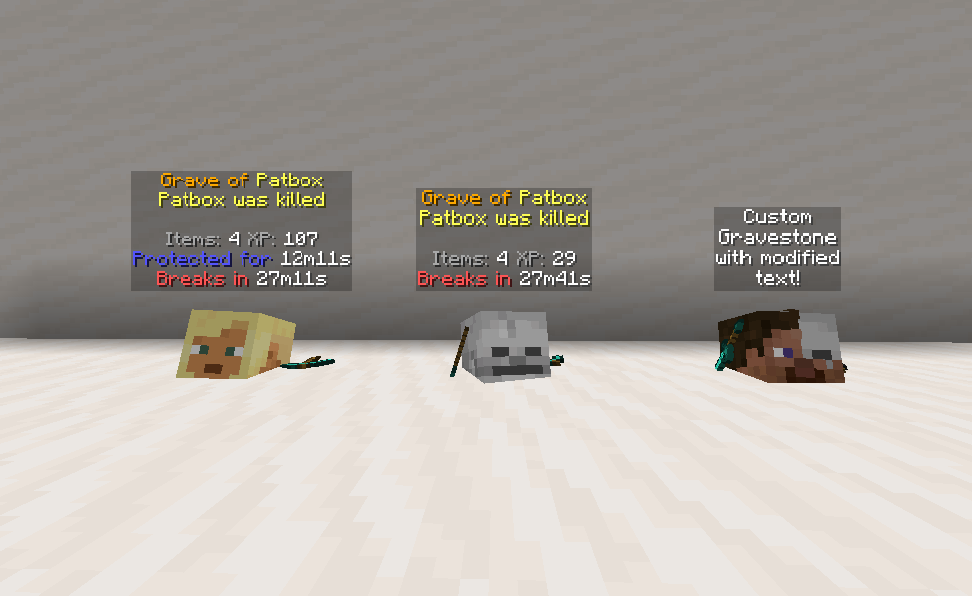
It's a simple, but really customisable grave/death chest mod! You can customise as you like, by modifying message, blocks and hologram texts, how long it will be protected, if should drop items after expiring and alike.
This mod can work purely on servers, through for model support mod is required on clients!
This mod works only on Fabric and Quilt!
If you have any questions, you can ask them on my Discord
Also check out my other mods and project, as you might find them useful!
Click here to view correct readme!
/graves - Main command, shows list of player's graves (universal_graves.list, available by default)/graves player <player> - Opens gui with list of selected player's graves (universal_graves.list_others)/graves modify <player> - Opens gui with list of executor's graves with ability to modify them (universal_graves.modify)/graves reload - Reloads configuration and styles (requires universal_graves.reload)Additionally, by having universal_graves.teleport permission, you can teleport to any grave.
Project description from CurseForge.
Pick your setup
Choose the version and loader you play, then open the matching release.
Showing the newest 12 of 59 game versions. Older files are in the list below.
Check the dependencies, then try the file in a copied instance before changing a world you care about.
Recent files
graves-3.11.1+26.1.2.jar
14 May 2026
12 Apr 2026
graves-3.11.0-pre.1+26.1.jar
23 Mar 2026
Looking for an older file? The official CurseForge project page is in Resources.
 mod
Serverside Claiming Mod
 mod
Adds fast and fun combat and utility magic that stays true to the vanilla Minecraft look & feel. Spells live on spell gems you craft, enchant, and can cast manually by wand or automated via spell dispenser.
 mod
A data-driven enchantment component and utility library.